







Ever wondered how your favorite apps handle millions of users without crashing? The secret is cloud scalability.
Think of it like a restaurant that can instantly add more tables and staff when customers rush in, then scale back during quiet hours. That’s exactly what cloud scalability does for websites and applications.
In today’s digital world, businesses need systems that grow with demand.
This blog will walk you through everything about cloud scalability, from understanding what it means to exploring different scaling types.
You’ll learn how it differs from elasticity, see real-world examples, and get practical tips for implementing scalable solutions.
Let’s get right in!
What is Cloud Scalability?
Cloud scalability is the ability of a system to handle growing amounts of work by adding resources when needed. Imagine a highway that can magically add more lanes during rush hour and remove them when traffic is light.
That’s basically what scalability does for cloud computing.
In simple terms, it means your website or application can grow bigger or smaller based on demand. When thousands of people visit your site at once, scalability ensures it doesn’t crash.
When traffic drops, it scales down to save money. This flexibility is crucial for managing fluctuating workloads, whether it’s an online store during holiday sales or a streaming service during a new show release.
Key Concepts
Before going deeper, let’s understand two terms that often go hand-in-hand:
Scalability refers to a system’s capacity to grow over time. It’s about long-term planning, building infrastructure that can expand as your business grows.
Elasticity is about quick, automatic adjustments. It’s the ability to rapidly scale up during sudden traffic spikes and scale back down just as quickly. Think of it as short-term flexibility.
While scalability plans for growth, elasticity handles surprises. Both work together to keep cloud systems running smoothly.
Why is Scalability Important in Cloud Computing?

Modern businesses can’t afford downtime or slow performance. Here’s why scalability matters:
- Handling Unpredictable Traffic: Nobody can perfectly predict when users will flood a website. Scalability ensures the system stays responsive whether there are 100 visitors or 100,000.
- Cost Efficiency: Traditional servers require businesses to buy enough capacity for peak times, leaving resources unused most of the time. Scalability means paying only for what’s actually needed.
- Business Growth: As companies expand, their IT infrastructure must keep pace. Scalability removes the technical barriers to growth, allowing businesses to focus on innovation rather than infrastructure limits.
- Competitive Advantage: In today’s fast-paced digital world, users expect instant responses. A scalable system delivers consistent performance, keeping customers happy and loyal.
- Global Reach: Scalability enables businesses to serve customers across different time zones and regions without compromising on speed or reliability.
Simply put, scalability transforms cloud computing from a fixed resource into a dynamic, adaptable foundation that grows with business needs. It’s not just a technical feature; it’s a business necessity in modern IT infrastructure.
Types of Cloud Scalability
Understanding the different types of scalability helps businesses choose the right approach for their needs. There are three main ways to scale cloud resources, each with its own strengths and trade-offs.
Let’s learn how each type of scaling works and when to use each method.
1. Vertical Scaling (Scale Up/Down)
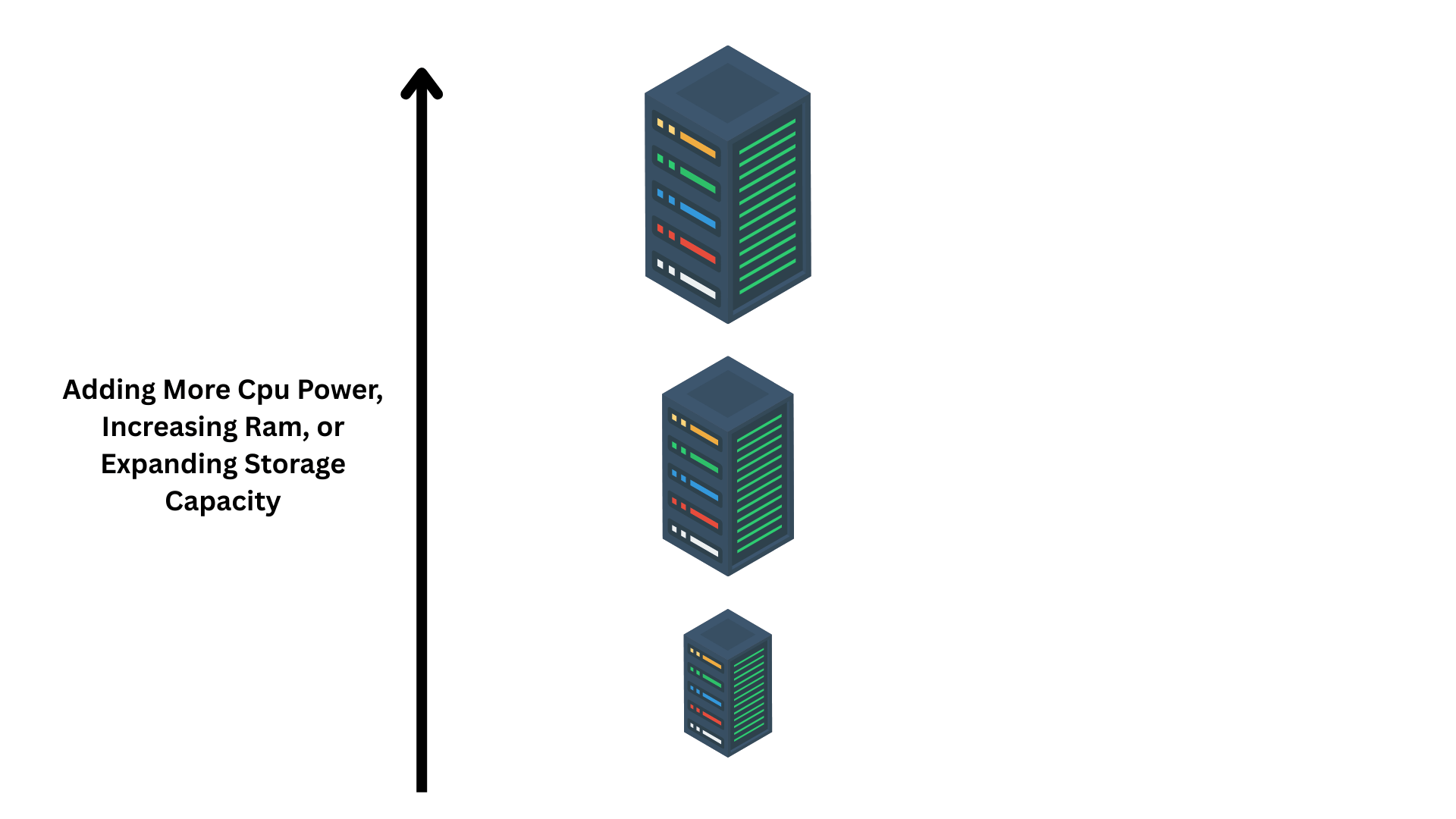
Vertical scaling means increasing a single server’s performance by upgrading its components. Think of it like replacing a small engine in a car with a bigger, more powerful one.
This involves adding more CPU power, increasing RAM, or expanding storage capacity on the existing machine.
It’s straightforward and doesn’t require changing the application architecture, making it a quick solution for immediate performance needs.
Example: Upgrading a database server from 8GB RAM to 32GB RAM to handle more queries.
Pros:
- Simple to implement, just upgrade existing hardware
- No need to modify application code
- Easier to manage with fewer servers
- Better for applications that can’t run across multiple machines
Cons:
- Hardware limits exist, can’t upgrade infinitely
- Downtime required during upgrades
- Single point of failure risks
- More expensive at higher scales
2. Horizontal Scaling (Scale Out/In)
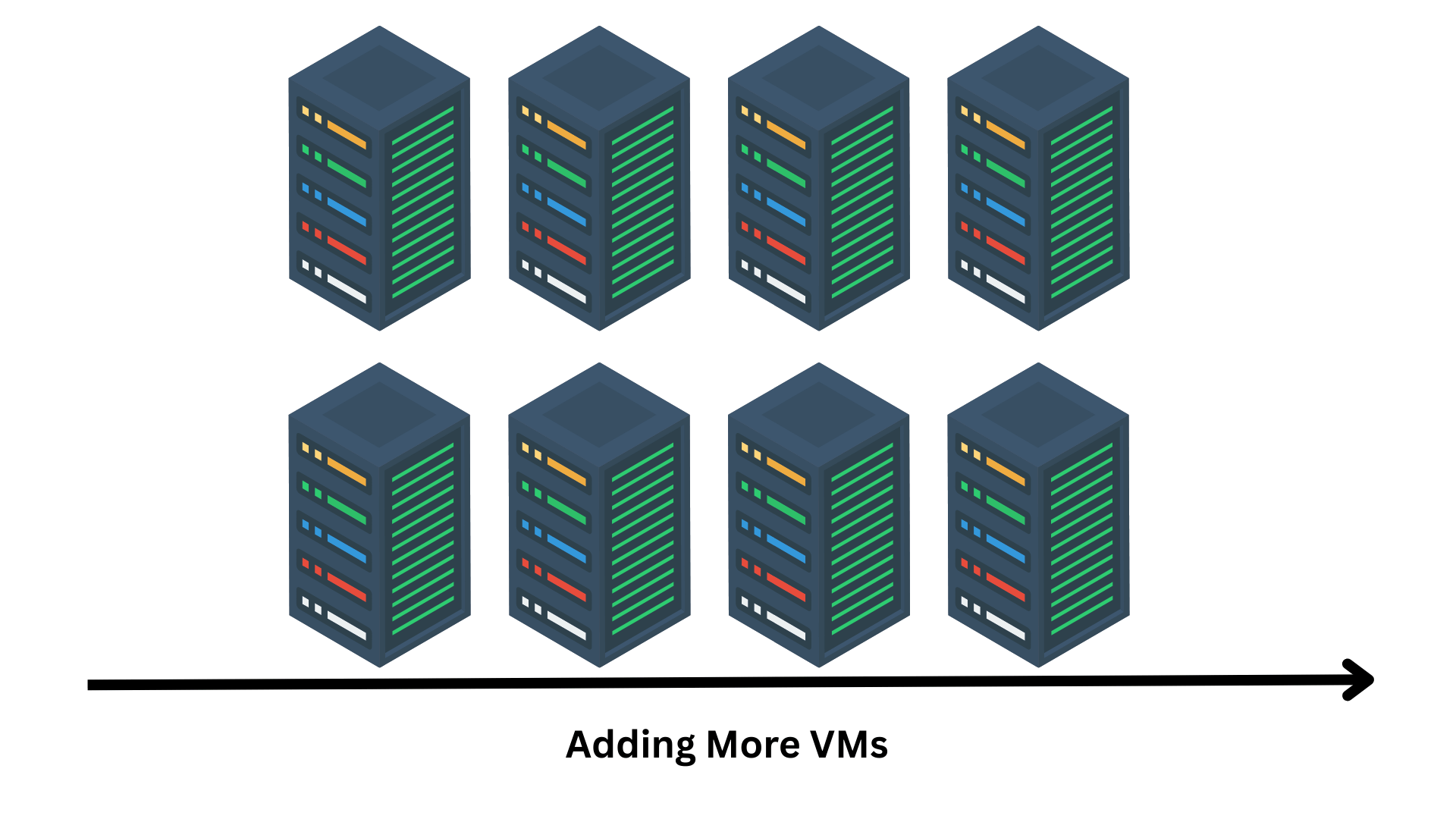
Horizontal scaling adds more machines to the system rather than making one machine stronger. Picture a restaurant adding more tables instead of making one giant table.
This approach distributes the workload across multiple servers or instances, working together as a team.
It’s the preferred method for modern cloud applications because it offers virtually unlimited growth potential and better fault tolerance.
Example: Adding five more web servers to handle increased website traffic during a flash sale.
Pros:
- Nearly unlimited scalability potential
- No downtime when adding resources
- Better fault tolerance, if one fails, others continue
- More cost-effective for large-scale growth
Cons:
- Requires load balancing and coordination
- The application must be designed to work across multiple servers
- Data consistency challenges across servers
- Increased complexity in management
3. Diagonal Scaling (Hybrid)
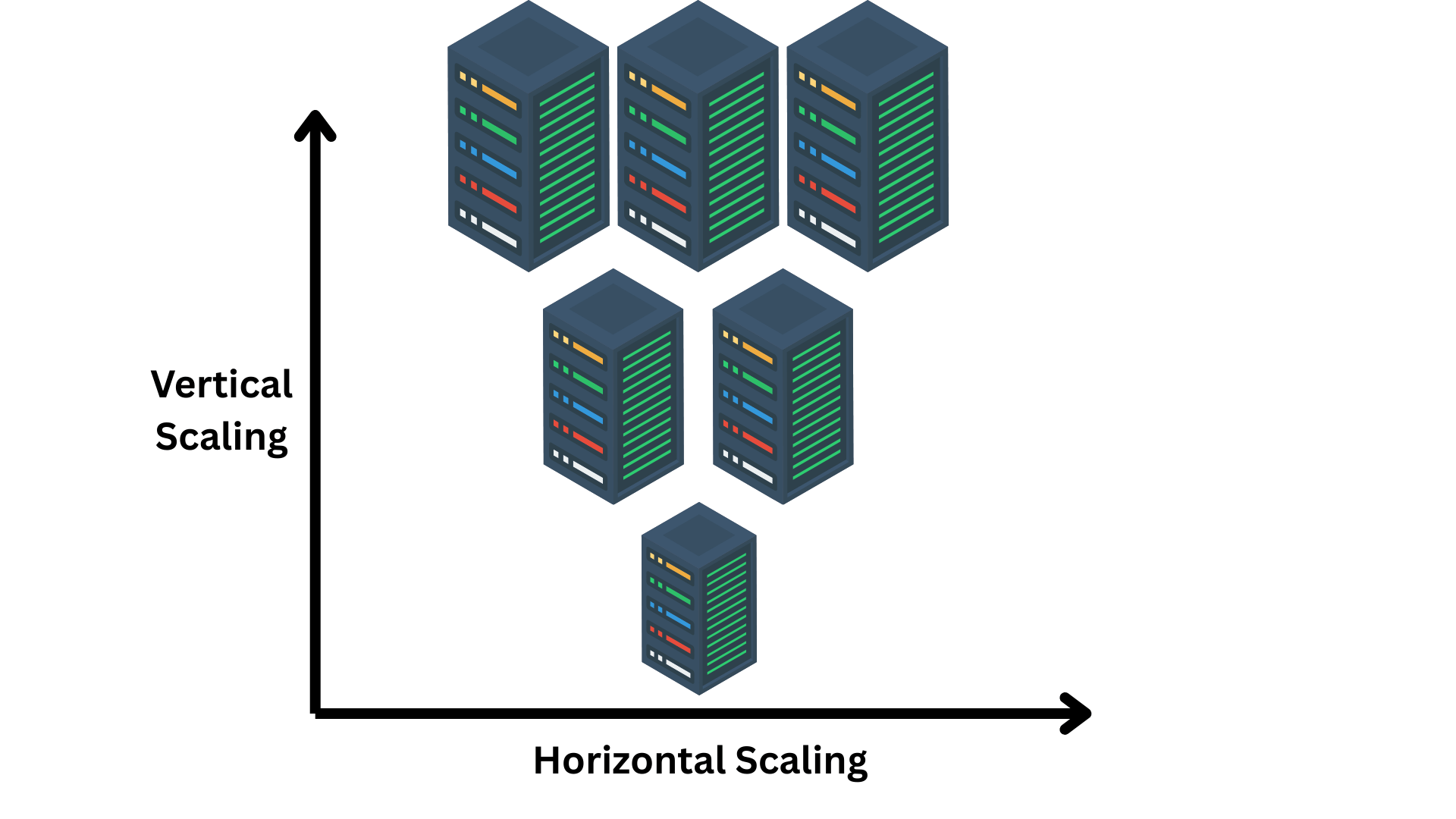
Diagonal scaling combines both vertical and horizontal approaches for maximum flexibility. It’s like having a restaurant that can both add tables and upgrade to bigger tables when needed.
This strategy starts with vertical scaling to optimize existing resources, then adds horizontal scaling when more capacity is required. It provides the best of both worlds, adapting to different situations and workload patterns.
Example: First upgrade server specs, then add multiple upgraded servers as demand continues to grow.
Pros:
- Most flexible scaling approach
- Optimizes resource utilization efficiently
- Handles diverse workload patterns
- Balances cost and performance effectively
Cons:
- Most complex to plan and implement
- Requires sophisticated monitoring and management tools
- Higher initial setup complexity
- Needs expertise in both scaling methods
Scalability vs. Elasticity
Many people use these terms interchangeably, but they’re actually different concepts. Understanding the distinction helps in building better cloud strategies.
| Aspect | Scalability | Elasticity |
|---|---|---|
| Purpose | Long-term growth and capacity planning | Short-term response to demand fluctuations |
| Time Frame | Weeks, months, or years | Minutes, hours, or days |
| Action | Gradually increasing resources as the business grows | Automatically adjusting resources up and down |
| Planning | Requires strategic planning and forecasting | Automated and reactive to real-time needs |
| Example | Adding server capacity as the user base grows from 10,000 to 100,000 | Scaling up during morning traffic and down at night |
| Nature | Proactive and planned | Reactive and dynamic |
| Cost Impact | Steady increase in infrastructure costs | Variable costs based on actual usage |
Think of scalability as building a bigger house when the family grows, while elasticity is like having rooms that automatically expand when guests visit and shrink back when they leave.
Scalability
It focuses on sustainable growth. It’s about ensuring the infrastructure can handle increasing demands over time without hitting limits.
Businesses use scalability when they anticipate steady growth, like an app expecting more users each month or a company expanding to new markets.
Elasticity
It handles the unexpected and temporary. It automatically adds resources during sudden traffic spikes and removes them when things calm down.
This is perfect for handling events like flash sales, viral social media posts, or seasonal traffic patterns.
How Cloud Scalability Works

Cloud scalability might seem like magic, but it’s actually built on smart technologies and automated systems working behind the scenes. Let’s break down the key mechanisms that make scalability possible.
1. On-Demand Resource Allocation
Cloud providers like AWS, Google Cloud, and Microsoft Azure maintain massive data centers filled with servers, storage, and networking equipment.
When a business needs more resources, the provider instantly allocates them from this shared pool.
Here’s how it works: Instead of buying and setting up physical servers, which takes weeks, businesses simply request resources through a dashboard or API.
Within minutes, virtual servers spin up, storage expands, or processing power increases. It’s like having a warehouse full of supplies ready to use whenever needed.
The Role of Cloud Providers Includes:
- Resource Pooling: Maintaining a vast infrastructure that multiple customers share efficiently
- Virtualization: Creating virtual machines that can be deployed instantly without physical hardware setup
- Pay-Per-Use Billing: Charging only for resources actually consumed, measured down to the hour or second
- Global Availability: Offering resources across multiple regions so businesses can scale geographically
- Real-Time Monitoring: Tracking resource usage and performance to enable quick adjustments
This on-demand model eliminates the traditional bottlenecks of purchasing, installing, and configuring hardware. Businesses get what they need, when they need it, without long-term commitments or wasted capacity.
2. Auto Scaling & Serverless Solutions
Manual scaling, where someone monitors traffic and adds resources by hand, is outdated and inefficient. Modern cloud platforms offer automated solutions that scale resources intelligently.
Auto Scaling Features
Auto scaling automatically adjusts resources based on predefined rules and real-time metrics. It’s like having a smart assistant that adds servers when traffic increases and removes them when it decreases.
Popular auto scaling tools include:
- AWS Auto Scaling: Monitors applications and automatically adjusts capacity to maintain performance at the lowest cost. Sets rules like “add two servers when CPU usage exceeds 70%”
- Google Cloud Autoscaler: Automatically adds or removes virtual machines based on load, with support for scheduled scaling during predictable traffic patterns
- Azure Autoscale: Scales resources based on metrics like CPU, memory, or custom application metrics, with built-in integration across Azure services
- Kubernetes Horizontal Pod Autoscaler: Adjusts the number of containers running based on CPU usage or custom metrics
These tools continuously monitor performance metrics and make scaling decisions in real-time, ensuring applications always have the right amount of resources.
Serverless Architecture
Serverless computing takes automation even further. Despite the name, servers still exist, developers just don’t manage them. The cloud provider handles everything, including automatic scaling.
Key Benefits of Serverless Scaling:
- Zero Configuration: No need to set scaling rules or thresholds, it happens automatically
- Instant Response: Scales from zero to thousands of requests in seconds
- Granular Scaling: Each function scales independently based on its specific demand
- True Pay-Per-Use: Charged only for actual execution time, down to milliseconds
- No Idle Resources: When not in use, functions scale to zero, costing nothing
Examples include AWS Lambda, Google Cloud Functions, and Azure Functions. A serverless function handling image uploads might process one image per hour during slow periods and instantly scale to handle thousands during a viral campaign, all without manual intervention.
3. Load Balancing
Load balancing is the traffic cop of cloud scalability. It ensures that when multiple servers handle requests, work gets distributed evenly so no single server becomes overwhelmed.
Think of it like checkout lanes at a grocery store. A good manager directs customers to open lanes, keeping lines balanced. Load balancers do the same with web traffic.
How Load Balancing Enables Horizontal Scalability:
When horizontal scaling adds more servers, the load balancer automatically detects them and starts sending traffic their way. This distribution happens in milliseconds, invisible to users.
Key Load Balancing Functions:
- Traffic Distribution: Routes incoming requests across all available servers using algorithms like round-robin or least-connections
- Health Checks: Continuously monitors server health and removes failing servers from rotation automatically
- Session Persistence: Ensures users stay connected to the same server when needed for consistent experiences
- SSL Termination: Handles encryption/decryption centrally, reducing load on individual servers
- Geographic Routing: Directs users to the nearest server location for faster response times
Real-world example: During a product launch, a website might start with three servers. As traffic surges, auto scaling adds seven more servers.
The load balancer quickly detects new servers and distributes traffic across all ten. When traffic decreases, it removes extra servers and adjusts automatically.
Together, these three mechanisms- on-demand resource allocation, auto scaling, and load balancing- create a self-managing infrastructure that adapts to changing demands without human intervention.
This automation is what makes modern cloud scalability so powerful and cost-effective.
How to Achieve Optimal Cloud Scalability
Building a scalable system requires thoughtful planning, smart design choices, and the right tools. Here are proven strategies to achieve optimal cloud scalability.
1. Designing for Scalability
The foundation of any scalable system starts with good architecture. Building scalability into the design from day one is much easier than retrofitting it later.
Key Design Principles:
| Principle | What It Means | Why It Matters |
|---|---|---|
| Stateless Design | Applications don’t store user data on servers | Any server can handle any request, making horizontal scaling seamless |
| Microservices | Breaking applications into small, independent services | Each service scales independently based on its needs |
| Loose Coupling | Components interact through APIs | Changes in one component don’t affect others |
| Database Optimization | Using read replicas, caching, and sharding | Prevents databases from becoming bottlenecks |
| Asynchronous Processing | Tasks run in the background | Keeps applications responsive under heavy load |
Stateless design is especially important. When servers don’t remember previous interactions, adding or removing them becomes effortless. User data gets stored in external caching layers, allowing any server to handle any request.
2. Using Managed Services
Cloud providers offer managed services that automatically scale, reducing manual configuration complexity.
Popular Managed Scaling Services:
- AWS Auto Scaling: Creates scaling plans with predictive scaling that learns traffic patterns
- Google Cloud Instance Groups: Manages VM collections that scale based on CPU or custom metrics
- Azure Virtual Machine Scale Sets: Automatically adjusts VM count based on demand or schedule
- AWS Elastic Beanstalk: Handles deployment, scaling, and load balancing automatically
- Google Kubernetes Engine (GKE): Manages containerized applications with built-in autoscaling
These services handle technical details while businesses define simple rules like “keep CPU usage between 40-60%.” This reduces errors and ensures reliable scaling.
3. Regular Right-Sizing
Right-sizing means continuously evaluating resource allocation and adjusting to match actual needs. It ensures applications use cost-effective resources without sacrificing performance.
Tools for Effective Right-Sizing:
- AWS Compute Optimizer: Analyzes usage patterns and recommends optimal instance types
- Google Cloud Recommender: Provides personalized VM sizing recommendations
- Azure Advisor: Identifies idle or underutilized resources
- CloudHealth by VMware: Offers insights across multiple cloud providers
Best practices:
- Monitor CPU, memory, disk, and network usage continuously
- Test changes in staging environments first
- Schedule monthly or quarterly reviews
- Use smaller instances with auto scaling rather than oversized servers
- Balance cost with performance and reliability
Right-sizing is ongoing, not a one-time task. Regular reviews keep systems efficient and budgets controlled.
4. Event-Driven Architectures
Event-driven systems respond to triggers like file uploads, database changes, or API calls. Components activate only when events occur, perfectly matching unpredictable workloads.
Leveraging serverless computing:
Serverless platforms like AWS Lambda and Azure Functions offer automatic scaling from zero to thousands of executions without configuration. They provide:
- No idle costs, pay only when functions run
- Infinite concurrent executions
- Built-in fault tolerance with automatic retries
- Global distribution across multiple regions
Real-world examples:
| Use Case | Event Trigger | Scaling Benefit |
|---|---|---|
| Image Processing | User uploads a photo | Handles one or one million uploads equally well |
| Data Pipeline | New file arrives | Processes files without maintaining idle servers |
| Real-time Notifications | Database changes | Scales with user activity automatically |
| IoT Processing | Sensor sends data | Handles millions of sensors without pre-provisioning |
Event-driven architectures shine for unpredictable workloads. A photo app might receive ten uploads in one hour and ten thousand in the next. Serverless functions scale perfectly to either scenario, using exactly what’s needed.
By combining thoughtful design, managed services, regular right-sizing, and event-driven architectures, businesses create cloud systems that scale efficiently, perform reliably, and optimize costs automatically.
Final Thoughts
Cloud scalability has transformed how businesses handle growth and traffic fluctuations in the digital world. Whether using vertical, horizontal, or diagonal scaling, the key is balancing performance with cost-efficiency.
Modern tools like auto scaling, load balancing, and serverless computing make building adaptable systems easier than ever. Even small teams can now create enterprise-level infrastructure without massive investments.
As cloud technology evolves, scalability will become increasingly powerful and accessible. Businesses embracing these strategies today are positioning themselves for long-term success.
Ready to scale your applications? Start by evaluating your current infrastructure and implementing one strategy at a time.
Small steps lead to significant improvements in performance and cost savings!