

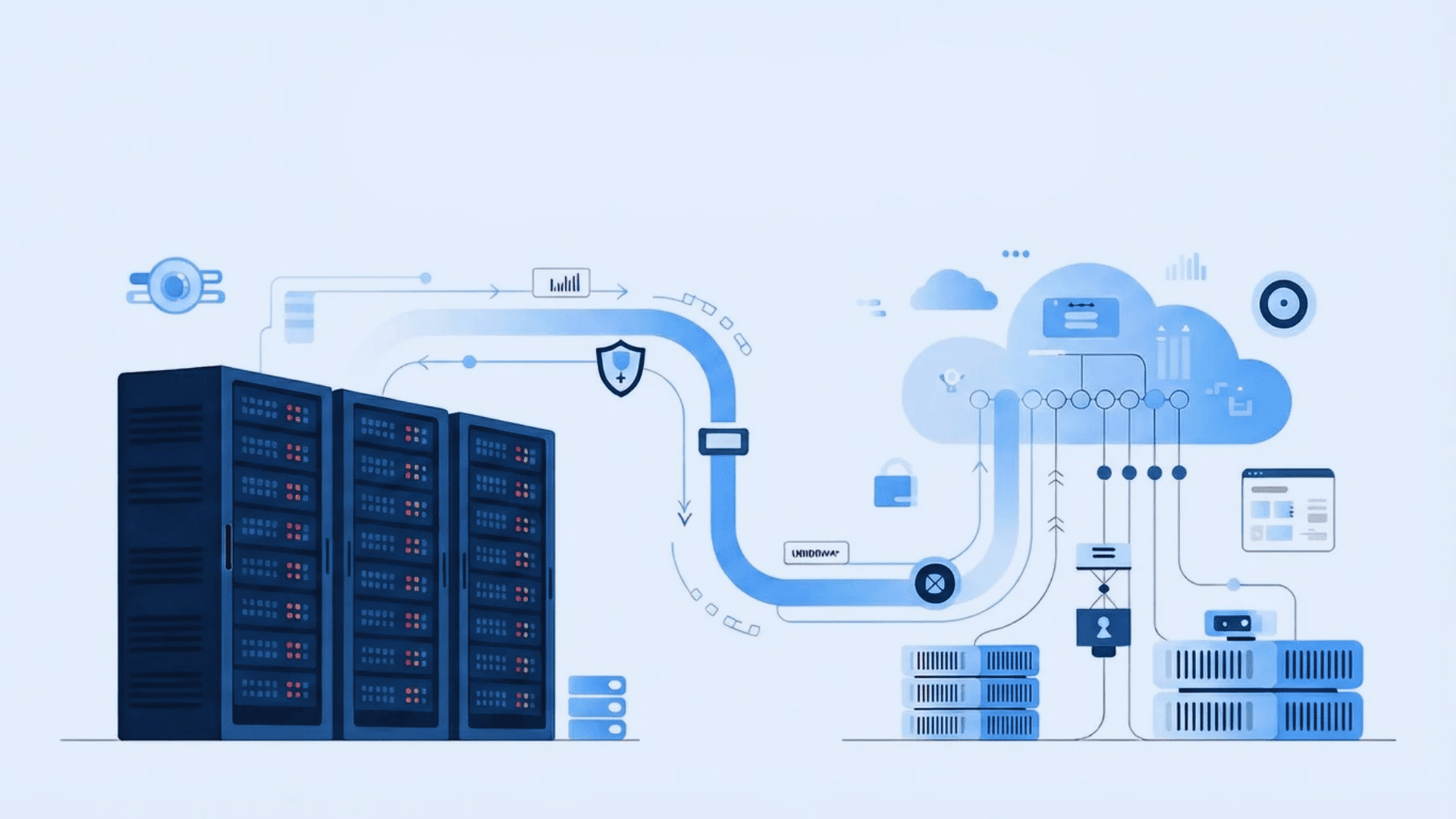





Moving your IT systems from one place to another can feel like a big task. I know how easy it is to miss small details when everything is connected.
One wrong step can lead to downtime, slow systems, or even data loss. That is why proper planning matters from the start.
In this guide, I explain the full process of data center migration. You will learn how to plan each stage, choose the right approach, and handle common risks.
I also cover useful tools, key steps, and practical tips that help keep everything running smoothly. If you are preparing for a move or trying to better understand the process, this guide provides the clarity you need.
It helps you make smart decisions and manage the migration with confidence.
What Is Data Center Migration?
Data center migration is the process of moving an organization’s IT setup from one place to another.
This includes servers, applications, databases, and stored data. The move can happen to a new physical location, a cloud platform, or a mix of both.
The main aim is to shift everything without causing system failures or data loss. The process is not just about moving files.
Systems are often connected, so one change can affect others. Planning helps avoid downtime and keeps services running. Companies usually migrate to cut costs, replace old hardware, or improve performance.
When done right, migration helps build a setup that is more stable, flexible, and ready for future needs.
It is worth noting that “migration” is not a single action. It is a project lifecycle.
Most enterprise migrations take 8–24 weeks and involve IT, finance, legal, and compliance teams before any data moves.
Types of Data Center Migration
Different organizations choose different migration paths based on their goals and resources. The table below explains the most common types.
| Migration Type | What It Means | Why It’s Done | What to Watch For |
|---|---|---|---|
| On-Premises to Cloud | Moving systems from a company-owned data center to a cloud service provider. | To lower hardware costs and make it easier to grow or shrink resources. | Make sure internet speed, security settings, and system setup are ready. |
| Cloud to Cloud | Moving systems from one cloud provider to another. | To save money, improve speed, or use better features. | Check that applications work properly in the new cloud before moving. |
| On-Premises to Colocation | Moving company-owned servers to a third-party data center building. | To get better power, cooling, and building security without buying a new facility. | Plan safe transport of hardware and correct network setup. |
| Consolidation of Multiple Data Centers | Combining several data centers into one main location. | To reduce costs and make management easier. | Plan the move carefully to avoid downtime during the switch. |
How Data Center Migration Works?
A clear process helps manage each stage without confusion or delays. Breaking the migration into steps ensures better control and fewer risks.
1. Assessment and Discovery
This step focuses on understanding the current setup in detail. All servers, storage systems, and network devices should be listed clearly.
Application dependencies must be identified to understand how systems connect and rely on one another.
Data flow between systems should also be mapped. Any risks or weak points need to be noted early. Capacity should be reviewed to understand workload handling.
A thorough assessment prevents surprises later and lays a solid foundation for planning the migration process effectively.
2. Strategy and Planning
Once the current setup is clear, the next step is to define goals and build a plan. The migration target should be decided, such as cloud, hybrid, or a new data center.
A timeline should be created with clear phases and milestones.
Budget planning is also important to avoid overspending. Tasks should be assigned to team members based on roles.
Decisions must be made on moving everything at once or in phases. A clear strategy helps reduce confusion and keeps the migration process smooth and controlled.
3. Design and Architecture
This step focuses on building the structure of the new environment. Network connections, system layout, and communication paths should be designed carefully.
Security rules must be added to protect data during and after migration.
Backup systems should be included to prevent data loss. Failover systems can help handle unexpected issues. The design should comply with the required standards and regulations.
A strong, clear design reduces the risk of errors and ensures stable system performance after migration is complete.
4. Backup and Risk Preparation
Before moving systems, proper backup and risk planning are required. All important data should be copied and stored in secure locations.
These backups must be tested to confirm they work correctly. Risk factors such as downtime, data loss, and security gaps should be reviewed.
A rollback plan should be prepared in case the migration fails. This step adds an extra layer of safety.
Proper preparation helps reduce stress during migration and ensures systems can recover quickly if issues arise.
5. Testing and Validation
Testing ensures that systems work correctly before the full migration begins. Small test migrations should be done to check performance and system behavior.
Data accuracy must be verified to avoid errors. Backup systems should also be tested to confirm they can restore data properly.
Any issues found during testing should be fixed immediately.
This step reduces the risk of failure during the final move. Proper testing builds confidence and helps ensure a smooth, stable migration experience.
6. Execution and Cutover
This is the stage where systems are moved to the new environment. The migration should follow a step-by-step plan to avoid confusion. Tasks should be handled in phases to reduce downtime.
Systems must be monitored closely during the move.
Clear communication among team members is important at this stage. A rollback plan should be ready if problems occur.
Careful execution helps maintain system stability. A controlled cutover ensures services continue with minimal disruption during the transition.
7. Post-Migration Optimization
After migration, systems should be monitored and improved. Performance should be checked to ensure everything runs smoothly. Workloads can be adjusted to improve speed and efficiency.
Old systems that are no longer needed should be safely removed.
Documentation should be updated to reflect the new setup. A review of the migration process helps identify areas for improvement.
Continuous monitoring ensures long-term stability. Optimization helps get the best results from the new environment and supports future growth.
Tools and Technologies that Support Successful Migration
This table highlights common tools used during data center migration. Each tool helps improve speed, accuracy, and overall process control.
| Tool/Technology | Purpose | Key Benefit |
|---|---|---|
| AWS Migration Hub | Tracks and manages migration tasks | Centralized view of migration progress |
| Azure Migrate | Assesses and migrates workloads to Azure | Simplifies cloud migration planning |
| Google Migrate | Moves workloads to Google Cloud | Reduces manual effort during transfer |
| VMware HCX | Supports hybrid and multi-cloud migration | Enables smooth workload mobility |
| Carbonite Migrate | Real-time data replication and migration | Minimizes downtime during transfer |
| Zerto | Disaster recovery and migration solution | Ensures data protection and quick recovery |
| Rsync | File transfer and synchronization tool | Efficient data transfer between systems |
| CloudEndure | Automates the cloud migration process | Reduces downtime and data loss risks |
| Ansible | Automation and configuration tool | Speeds up deployment and setup tasks |
| Kubernetes | Manages containerized applications | Supports scalable and flexible migration |
Tool selection should follow workload type, not brand preference. For AWS-bound migrations, I default to AWS Application Discovery Service for inventory and AWS Server Migration Service for the actual transfer.
For multi-cloud or hybrid scenarios, VMware HCX provides the most flexibility across environments, though it requires VMware on the source side.
If your source environment is bare-metal or mixed, Zerto is the more environment-agnostic choice.
Key Challenges in Data Center Migration
These challenges often affect timelines, costs, and system performance. Being aware of them helps reduce risks and keeps the migration process on track.
1. Data Loss
Data loss is one of the most serious risks during migration. It can happen when backups are missing, incomplete, or not tested before the transfer begins.
Files may also get corrupted during movement between systems. This can impact business operations and make recovery difficult.
Proper data validation is often overlooked, which increases the risk. Secure and verified backups help reduce this issue.
Without robust data protection measures, even minor errors can lead to significant losses that affect both short-term operations and long-term business continuity.
2. Downtime
Downtime occurs when systems become unavailable during migration. This can interrupt business operations and affect users who rely on these services.
Even short outages can lead to delays, lost revenue, and reduced productivity.
Downtime risk increases when migration is not planned in phases or when proper testing is not performed. High dependency systems are especially sensitive to interruptions.
Scheduling migration during low-usage periods can help reduce impact.
Proper planning and monitoring ensure services return quickly. Minimizing downtime is critical for maintaining user trust and keeping operations running smoothly.
3. Security Risks
Security risks increase during migration when data moves between environments. Without strong encryption and access controls, sensitive information may be exposed.
This increases the risk of data breaches or unauthorized access.
Weak security configurations in the new environment can also create gaps. Compliance issues may arise if data protection rules are not followed.
Using secure transfer methods and updating security policies helps reduce risk.
Continuous monitoring during migration adds an extra layer of protection. Strong security practices ensure data remains safe throughout the entire migration process.
4. Compatibility Issues
Compatibility issues happen when older systems do not work properly in a new environment.
Applications may fail due to differences in software versions, hardware, or system settings. This can lead to errors, crashes, or reduced performance.
Dependencies between systems can make the issue more complex. Without proper testing, these problems may appear after migration is complete.
Reviewing system requirements and running compatibility checks helps avoid this risk.
Planning upgrades or adjustments in advance ensures smoother integration and stable system performance in the new setup.
5. Performance Problems
Performance problems can occur after migration if systems are not configured correctly.
Applications may run more slowly due to resource limits or incorrect settings. Network latency and storage issues can also affect speed and responsiveness.
These problems can reduce user satisfaction and productivity. Performance testing is often skipped, which increases the risk. Monitoring system behavior after migration helps identify weak areas.
Adjusting resources and configurations improves efficiency.
Proper tuning ensures systems operate at expected levels and deliver consistent performance in the new environment.
6. Cost Overruns
Cost overruns are common when migration is poorly planned. Unexpected delays, extra resources, or technical issues can increase the total cost.
Poor time and effort estimates often lead to budget problems. Changes during migration can also add to expenses.
Lack of clear planning and monitoring makes it harder to control costs.
Setting a realistic budget and tracking spending helps manage this risk. Careful planning and regular reviews ensure the project stays within limits and avoids unnecessary financial strain.
How to Minimize Migration Risks?
Reducing risks during migration requires careful planning and consistent monitoring. Following the right steps helps keep systems stable and prevents major issues.
- Run a full system audit: Check all servers, apps, and data before moving. This helps find weak spots early and prevents surprises later.
- Create a clear migration plan: Outline each step, timeline, and responsibility. A simple plan keeps everyone on track and avoids confusion.
- Test before full migration: Run small test moves to spot errors. This lowers the chance of failure during the main migration.
- Back up all data: Keep secure backups before starting. This protects your data if something goes wrong.
- Set a rollback plan: Prepare a way to return to the old system if needed. This reduces downtime and risk.
- Monitor in real time: Track performance during migration. Quick action helps fix issues before they grow.
- Train your team early: Make sure all teams understand the process. This improves coordination and reduces mistakes.
- Work with experts if needed: Use skilled professionals for complex setups. This adds safety and speeds up the process.
Data Center Migration Checklist
This checklist helps keep the migration process clear and easy to follow. It ensures each step is handled properly to avoid errors and delays.
| Checklist Item | What To Do |
|---|---|
| Define Migration Goals | Set clear targets for performance, cost, and system requirements to keep the process focused. |
| Audit Current Infrastructure | Check all servers, apps, and data to know exactly what needs to be moved or updated. |
| Choose Migration Strategy | Select the right approach based on system size, budget, and future needs. |
| Create Migration Plan | Prepare a step-by-step plan with a timeline, tools, and assigned roles. |
| Backup All Data | Store secure copies of data to avoid loss during the migration process. |
| Test Migration Process | Run trial migrations to check performance, accuracy, and system behavior before the full move. |
Best Practices for a Smooth Data Center Migration
A structured approach helps avoid delays, errors, and unexpected issues. Following proven practices keeps the process clear and easier to manage.
- Start Discovery Before Anything Else: Map all servers, applications, databases, and dependencies early. Missing details at this stage can cause major issues later in the migration.
- Prioritize Workloads By Risk Level: Move low-risk systems first to test the process. This helps reduce mistakes before handling critical workloads.
- Get Stakeholder Alignment Early: Involve finance, legal, compliance, and business teams from the start. Early alignment prevents delays and last-minute changes.
- Build a Rollback Plan Before You Need One: Define when and how to reverse the migration. A clear rollback plan helps handle failures without panic.
- Validate Data at Every Stage: Check data accuracy before, during, and after migration. Early validation helps catch and fix issues quickly.
- Encrypt Data In Transit Without Exception: Protect all data transfers with encryption. This reduces the risk of exposure during the migration process.
- Run a Post-Migration Review: Review results after completion to compare performance and costs. This helps identify improvements for future migrations.
Conclusion
Data center migration can feel complex, but it becomes manageable when divided into clear steps. The key is not speed, but preparation.
Careful planning, proper testing, and steady communication make a big difference in the final outcome.
When risks are understood early, they are easier to control. When teams stay aligned, problems are solved faster.
By now, you have a complete view of the process, from assessment to optimization. You also understand the common risks and the practical ways to reduce them.
Use this knowledge to build a plan that fits your business needs, rather than rushing into changes. Every migration teaches valuable lessons. If you have gone through one, what challenges did you face?
What helped you succeed? Share your experience in the comments below so others can learn from it.

