





I’ve seen many projects fail because testing wasn’t well planned. That’s why learning software testing strategies is so important. When you understand how testing works, you can find problems early and save time later.
It also helps teams build better and safer software. In this guide, I will explain what software testing strategies are in simple terms.
You will learn about different types of software testing and how each one is used in real situations.
I will also share examples so you can see how these methods work in practice. If you are a beginner or want a quick refresher, this guide will help you.
By the end, you will know how to choose the right testing approach and apply it step by step in your projects with more confidence.
What Is Software Testing Strategy?
A software testing strategy is a high-level plan that defines how testing is carried out to ensure a software product is reliable, secure, and performs as expected.
It acts as a roadmap for the entire testing process across the software development life cycle (SDLC).
This strategy defines what to test, methods, tools, and timing. It keeps teams organized and focused on key areas.
A strong testing strategy includes static testing (code review without running the software), dynamic testing (execution-based testing), and risk-based testing (prioritizing high-risk areas first).
It may also involve black-box and white-box testing to check both user behavior and internal code structure.
In simple terms, a software testing strategy ensures testing is conducted in a structured way, reduces errors early, saves costs, and improves overall software quality.
This concept is closely related to software quality assurance, where testing ensures overall product quality, not just bug detection.
Test Strategy vs. Test Plan: What’s the Difference?
A test strategy gives the overall approach for testing across a project or organization. A test plan focuses on execution details for a specific project or release.
| Aspect | Test Strategy | Test Plan |
|---|---|---|
| Definition | High-level document that defines the testing approach | Detailed document that outlines how testing will be carried out |
| Purpose | Sets the direction and standards for testing | Describes what, when, and how to test in a project |
| Scope | Broad and long-term | Project-specific and short-term |
| Focus | Approach, principles, and guidelines | Tasks, resources, and timelines |
| Created By | Test managers or the senior QA team | QA leads or project managers |
| Level of Detail | Less detailed, more conceptual | Highly detailed and practical |
| Flexibility | Changes rarely | Updated often as the project evolves |
| Content Includes | Testing goals, tools, methods, standards | Test cases, schedule, roles, deliverables |
| Usage | Applied across multiple projects | Used for a single project or release |
| Example | “Use automation for regression testing.” | “Run regression tests every Friday using Selenium.” |
Why Software Testing Strategies Matter?
A clear strategy helps teams stay organized and avoid confusion during testing. It also improves product quality by guiding consistent and focused efforts.
- Improves Test Coverage: A defined strategy ensures all features and edge cases are checked. This reduces the chances of missing critical issues.
- Saves Time and Cost: It helps teams focus on the right tests instead of random efforts. This cuts down rework and delays.
- Guides Team Alignment: Everyone follows the same approach and goals. This avoids misunderstandings between developers, testers, and stakeholders.
- Boosts Product Quality: A strong strategy leads to consistent testing practices. This helps deliver a stable and reliable product.
- Reduces Risks Early: It helps identify issues at an early stage. Fixing bugs early is easier and less expensive.
- Improves Test Efficiency: Teams know what to test and how to test it. This increases productivity and reduces wasted effort.
- Enables Smart Automation: A strategy helps decide where automation fits best. This improves speed without losing accuracy.
- Supports Continuous Improvement: Teams can review and refine their testing approach over time. This leads to better results in future projects.
According to IBM, fixing a bug after release can cost up to 15 times more than fixing it during the design phase, which shows why early testing strategies matter.
Core Software Testing Strategies
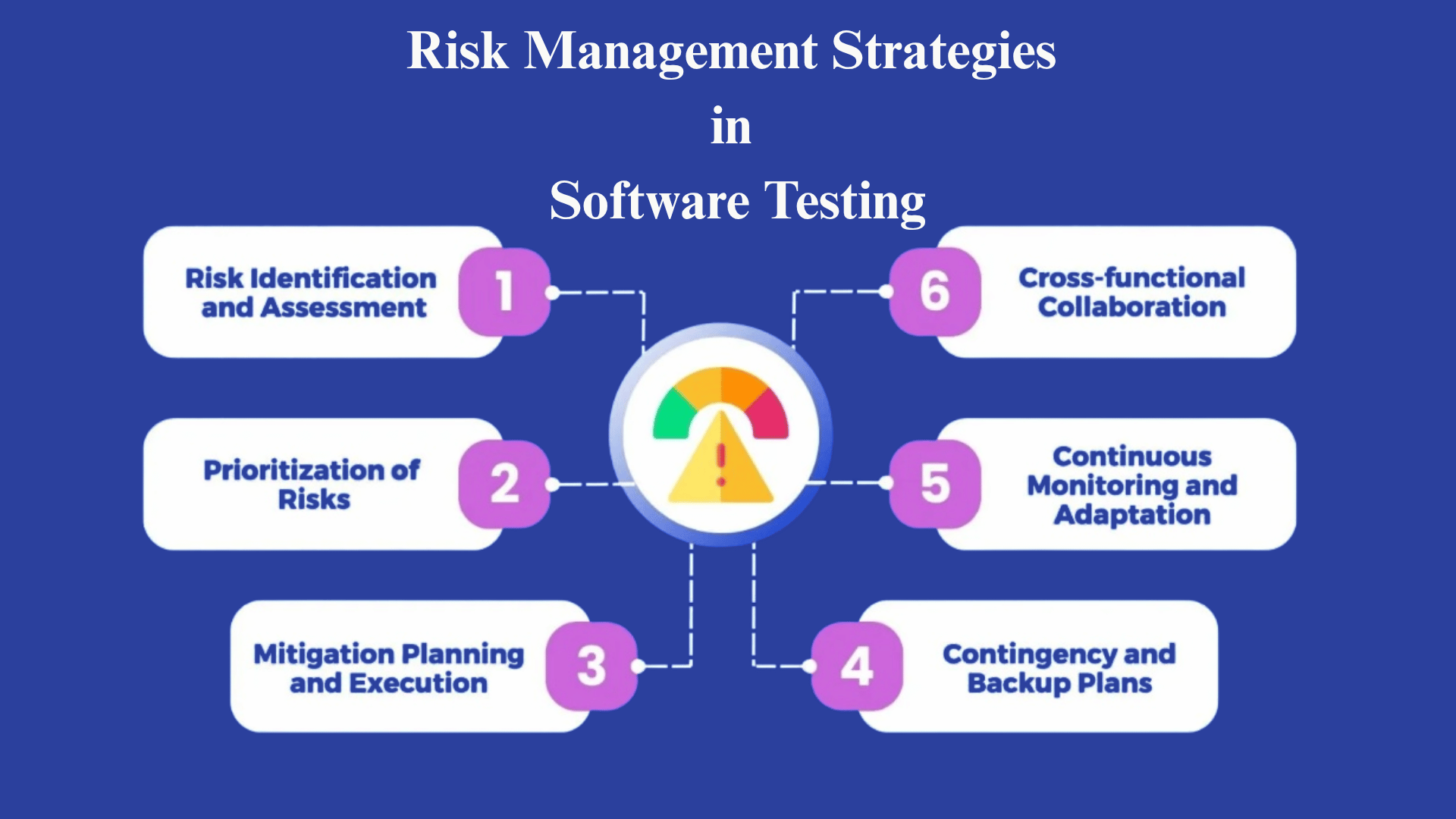
Software testing strategies help teams follow a clear approach instead of testing randomly. Each strategy focuses on a different approach to finding bugs and improving software quality.
1. Static Testing
Static testing checks software artifacts like requirements, design documents, and source code without running the program.
It focuses on early-stage error detection through activities such as peer reviews, walkthroughs, and static code analysis. This approach helps teams find issues before development progresses too far, saving time and cost.
Since no execution is involved, it is fast and efficient for catching logical mistakes, missing requirements, and coding standard violations early in the development process.
Works best for: Finding early-stage errors in documents and code
2. Dynamic Testing
Dynamic testing involves running the software and observing its behavior in real-world conditions.
It helps identify runtime issues such as crashes, integration errors, and unexpected outputs.
Testers validate whether the system works as expected by executing test cases and checking results. This strategy is important because some defects only appear during execution.
It ensures that the software performs correctly under different scenarios and meets user expectations before release.
Works best for: Identifying runtime bugs and system behavior issues
3. Structural Testing (White-Box Testing)
Structural testing focuses on the internal structure and logic of the code. Testers have access to the source code and analyze paths, conditions, and flows within the program.
Techniques such as statement coverage, branch coverage, and path testing are used to ensure that every part of the code works correctly.
This method helps detect hidden bugs, logical errors, and inefficient code. It is mainly used by developers to ensure strong code quality and complete test coverage.
Works best for: Checking code logic and internal execution paths
4. Behavioral (Black-Box) Testing
Behavioral testing checks how the software behaves from the user’s perspective. Testers do not look at the internal code but focus on inputs and expected outputs.
This method ensures that the software meets business requirements and user needs.
It is useful for validating workflows, features, and overall system behavior. By simulating real user actions, this testing helps confirm that the application works correctly in practical scenarios.
Works best for: Validating user behavior and feature functionality
5. Risk-Based Testing
Risk-based testing focuses on testing the most critical and high-risk areas first.
Instead of testing everything equally, teams prioritize features that are more likely to fail or have a high impact on users.
This approach helps save time and resources while still maintaining quality.
It is especially useful in projects with limited deadlines or budgets. By targeting key areas, teams can reduce major risks and improve overall reliability.
Works best for: Prioritizing high-risk features and critical areas
6. Shift-Left Testing
Shift-left testing means starting testing early in the development process instead of waiting until the end. It involves checking requirements, design, and code from the beginning stages.
This approach helps find defects sooner, making them easier and cheaper to fix.
It also improves collaboration between developers and testers. By moving testing earlier, teams can build better quality software and reduce last-minute issues before release.
This approach works well with DevOps automation tools, where testing is integrated into continuous pipelines.
Works best for: Early bug detection and faster development cycles
Strategy Comparison at a Glance
This quick table helps you match testing strategies with real use cases. It shows when to use each method and what to expect from it.
| Strategy | When to Use | Best For | Key Limitation |
|---|---|---|---|
| Static Testing | Early stages, before execution | Catching logic and standards issues in docs and code | Cannot catch runtime bugs |
| Dynamic Testing | After the builds are ready to run | Runtime behavior and integration issues | Requires working builds |
| Structural (White-Box) | During active development | Code coverage, logic paths, hidden bugs | Needs access to source code |
| Behavioral (Black-Box) | Feature validation, UAT | User-facing workflows and requirements | Cannot verify internal logic |
| Risk-Based | Tight timelines or budgets | Prioritizing critical/high-impact areas | Lower-risk areas may go untested |
| Shift-Left | Agile, CI/CD, DevOps projects | Early defect detection, faster cycles | Requires strong team collaboration |
Different Types of Software Testing
Software testing includes different methods that focus on specific areas of a system. Each type plays a role in finding issues and improving overall quality.
1. Black Box Testing
Black-box testing evaluates software solely on its inputs and outputs, without examining the internal code. It focuses on user behavior, requirements, and expected results.
Key characteristics include no coding knowledge required and a strong focus on functionality.
It is used during functional and acceptance testing to validate user flows and features.
It should be avoided when internal logic or code paths need deep analysis. This method helps ensure the system behaves correctly from a user’s point of view.
Works best for: Validating user-facing features and workflows
2. White Box Testing
White box testing examines the internal structure, logic, and flow of the code. It requires programming knowledge and focuses on code coverage and logic validation.
It is commonly used during development to detect hidden bugs and improve code quality.
This method helps ensure that all paths and conditions are properly tested.
It should be avoided when testers lack access to source code or technical expertise. It plays a key role in building reliable and efficient software systems.
Works best for: Checking internal logic and code quality
3. Unit Testing
Unit testing verifies small parts of the software, such as functions or modules, in isolation. It is fast, simple, and helps detect issues early in development. Key characteristics include quick execution and ease of debugging.
It is used during coding to ensure each component works correctly before integration.
It should be avoided for testing full workflows or system-level behavior. This method improves code stability and makes future updates easier to manage.
Works best for: Early-stage bug detection in small components
4. Integration Testing
Integration testing checks how different modules or components work together. It focuses on data flow and communication between systems.
This method is used after unit testing to ensure modules interact correctly. It helps find interface issues and data mismatches.
It should be avoided when individual components are unstable or not fully tested. Integration testing ensures that the combined parts function smoothly as a complete system.
Works best for: Validating module interaction and data flow
5. Functional Testing
Functional testing ensures that the software meets the defined requirements and performs the expected tasks. It focuses on inputs, outputs, and system behavior.
This testing is used before release to validate features against business needs. It helps confirm that all functions work correctly.
It should be avoided when testing performance or internal logic is required. Functional testing plays a key role in delivering software that meets user expectations.
Works best for: Verifying feature functionality
6. System Testing
System testing evaluates the entire software system. It checks whether all components work together and meet specified requirements.
This testing is used before the final release to validate the entire system. It ensures the product is ready for deployment.
It should be avoided in the early stages when modules are incomplete or unstable. System testing helps confirm the overall reliability and performance of the system.
Works best for: End-to-end system validation
7. Acceptance Testing
Acceptance testing verifies whether the software meets user and business expectations. It is performed by end users or clients before release.
This testing ensures the product is ready for real-world use. It focuses on usability and requirement fulfillment.
It should be avoided during development stages when the system is still changing. Acceptance testing provides final approval before deployment.
Works best for: Final validation before release
8. Regression Testing
Regression testing ensures that new changes or updates do not break existing features. It involves re-running previous test cases to check system stability.
This testing is used after bug fixes or updates. It helps maintain consistency and reliability.
It should be avoided when no changes have been made to the system. Regression testing is important for long-term software maintenance.
Works best for: Maintaining stability after updates
9. Performance Testing
Performance testing checks how the software performs under different conditions. It measures speed, stability, and scalability.
This testing is used before launch or during system scaling. It helps ensure the system can handle real user loads.
It should be avoided for checking functional correctness. Performance testing improves user experience by ensuring smooth operation.
Works best for: Measuring system performance under load
10. Security Testing
Security testing identifies vulnerabilities and protects the system from threats. It focuses on data protection, access control, and risk prevention.
This testing is used for applications handling sensitive information. It helps prevent data breaches and unauthorized access. It should rarely be avoided, as security is important for most systems.
Security testing ensures user data remains safe and protected.
Works best for: Protecting data and preventing security risks
Examples of Software Testing Strategies
Real-world examples help you understand how testing strategies work in actual projects. Instead of theory, these cases show how teams apply testing to solve real problems and improve software quality.
1. E-Commerce Platform: Risk-Based and Regression Testing
An e-commerce team preparing for a high-traffic seasonal sale identified checkout, payment processing, and inventory sync as the highest-risk areas.
Rather than running the full test suite under a tight deadline, they applied risk-based testing, concentrating 70% of the effort on those three modules.
After a last-minute payment gateway update, they ran a targeted regression suite covering all checkout paths.
This combination allowed them to release on schedule with confidence in the most business-critical flows, while deferring lower-risk UI tweaks to the next sprint.
2. SaaS API Service: Shift-Left and Unit Testing
A backend team building a multi-tenant API adopted shift-left testing by writing unit tests alongside the code and including testers in API design reviews.
Acceptance criteria for each endpoint were agreed upon before development began, which reduced back-and-forth during code review.
When the integration suite was run at the end of the sprint, fewer than 5% of tests failed on first run, compared with the team’s historical average of around 20%.
The main driver was catching contract mismatches at the design stage rather than during integration.
3. Legacy System Migration: Static and Integration Testing
A financial services team migrating a legacy system to a modern stack started with static testing, reviewing legacy data schemas, migration scripts, and transformation logic before any code ran.
This surfaced 14 data-mapping errors that would have corrupted records downstream.
After each module was migrated, integration testing verified that data flowed correctly between the old and new systems.
Combining both strategies kept the migration on schedule and avoided a costly rollback.
How to Choose the Right Testing Strategy?
The right approach depends on your project needs, team skills, and timelines. A balanced decision helps improve results without wasting time or resources.
- Understand Project Requirements: Start by reviewing what the software needs to achieve. This helps decide the level and type of testing required.
- Follow Risk and Compliance Standards: Use structured models like RMF steps to guide testing decisions in regulated environments.
- Define Testing Goals: Identify what you want to achieve, such as bug detection, performance, or security. This guides your strategy choice.
- Consider Time and Budget: Limited resources may require prioritizing key tests. A clear plan helps avoid overspending and delays.
- Decide Between Manual and Automation: Use manual testing for flexibility and automation for repetitive tasks. A mix often works best.
- Focus on Risk Areas: Identify parts of the software that can fail easily. Test these areas more thoroughly.
- Choose the Right Tools: Select tools that fit your testing needs and integrate well with your workflow.
- Plan for Continuous Testing: Testing should happen throughout development, not just at the end. This improves overall quality.
Strategy Selection Decision Table
Use this table to quickly match your situation with the right testing approach. It helps you make faster decisions without overthinking the process.
| Your Situation | Recommended Strategy | Why It Fits |
|---|---|---|
| Tight deadline, limited resources | Risk-Based Testing | Focuses effort on the highest-impact areas first |
| Agile / CI/CD environment | Shift-Left + Unit Testing | Catches defects early without slowing deployment |
| New feature on existing stable system | Regression + Functional Testing | Confirms new feature works without breaking existing ones |
| System handling sensitive user data | Security + Acceptance Testing | Validates data protection and user trust before release |
| Large codebase, complex internal logic | White-Box + Integration Testing | Verifies logic paths and module interactions at depth |
| Pre-release, user-facing product | Acceptance + System Testing | Validates the full product against real user expectations |
The goal is to choose a testing approach that stays practical, flexible, and easy for your team to manage as the project grows.
Software Testing in SDLC
Software testing is part of every stage in the SDLC. Different strategies are used at each phase to catch issues early and improve overall quality.
- Requirement Phase: Testing begins by reviewing requirements to ensure they are clear, complete, and testable. Teams use static testing and risk analysis to find gaps early and avoid confusion later.
- Design Phase: Testing focuses on creating test plans and identifying key scenarios based on system design. Teams analyze potential risks and ensure adequate coverage before development begins.
- Development Phase: Testing includes unit testing and white-box testing to check individual components. Developers ensure each function works correctly before moving to integration.
- Integration Phase: Testing verifies how different modules connect and interact. Teams check data flow and system communication to avoid integration issues.
- Testing Phase: Testing includes system, functional, and performance testing. The goal is to validate the complete software against defined requirements.
- Deployment Phase: Testing includes acceptance testing and smoke testing to ensure the system is stable and ready for release. Teams confirm core features work properly.
- Maintenance Phase: Testing focuses on regression testing after updates or fixes. It ensures new changes do not break existing features and maintains system stability.
Common Mistakes in Testing Strategies
Many teams follow testing strategies, but small mistakes can reduce their effectiveness. These issues often lead to missed bugs, delays, or poor software quality.
| Mistake | How to Correct |
| No clear testing plan | Define a proper strategy with goals, scope, and timelines before starting |
| Testing too late in SDLC | Start testing early using the shift-left approach |
| Ignoring high-risk areas | Prioritize testing based on risk and impact |
| Over-reliance on manual testing | Use a mix of manual and automated testing |
| Poor test coverage | Ensure all critical features and edge cases are tested |
| Lack of proper documentation | Maintain clear test cases, reports, and test plans |
| Skipping regression testing | Always retest existing features after updates |
| Weak communication between teams | Improve collaboration between developers, testers, and stakeholders |
| Not using real-world scenarios | Test with realistic data and user behavior |
| Ignoring performance and security testing | Include performance and security checks in your strategy |
Conclusion
Testing is not just a step in development; it is what keeps your software reliable and ready for real users. When you understand different software testing strategies, you start making better decisions about what to test and when.
It also helps you avoid last-minute issues that are hard to fix. The key is to keep your approach simple, focused, and flexible.
Use the right mix of strategies based on your project needs, and keep improving your process as you learn. Have you used any of these testing strategies in your projects?
What worked well and what didn’t? Share your experience in the comments below so others can learn from it too.
Frequently Asked Questions
What Tools Support Software Testing Strategies?
Tools include Selenium, JUnit, JMeter, and Jenkins.
What Skills Are Needed for Effective Testing Strategies?
Key skills include coding basics, analysis, and testing knowledge.
How Do Teams Measure Testing Success?
Success is measured using coverage, defects, and test results.
How Often Should a Testing Strategy Be Updated?
It should be updated when project requirements or scope change.