






Managing cloud costs can feel challenging, especially as your AWS environment grows. Many businesses start with a few services, but expenses can increase quickly when resources are not monitored or optimized.
That is why understanding AWS cloud cost optimization is important for both small teams and large organizations.
In this guide, I’ll share AWS-recommended strategies to reduce unnecessary spending while maintaining performance and reliability.
You will learn about the AWS Well-Architected Cost Optimization Pillar, essential AWS cost management tools, pricing options, governance practices, and practical ways to improve resource efficiency.
I’ll also share AWS cost optimization best practices to help you maximize your cloud investment.
By the end, you will have a clear roadmap for managing AWS costs more effectively and building a cost-conscious cloud strategy.
Quick Answer: What Is AWS Cloud Cost Optimization?
AWS cloud cost optimization is the process of reducing unnecessary cloud expenses while maintaining performance, reliability, and business value.
Rather than focusing only on cost reduction, AWS cloud cost optimization aims to ensure resources are used efficiently and aligned with actual business needs.
It involves monitoring usage, identifying underutilized resources, selecting appropriate pricing models, and eliminating waste.
AWS provides tools such as Cost Explorer, AWS Budgets, and Compute Optimizer to help organizations track spending and uncover savings opportunities.
AWS best practices help businesses improve resource use, control costs, and maximize cloud ROI without hurting performance.
Fundamental Principles of AWS Cost Optimization
Effective AWS cost optimization is built on core practices that help organizations improve visibility, reduce waste, and maximize cloud value over time.
| Principle | Description |
| Visibility | Track cloud spending by tagging, allocating costs, and defining ownership to understand how resources and budgets are used. |
| Right-Sizing | Adjust compute and storage resources based on actual usage to avoid paying for excess capacity. |
| Automated Cleanups | Remove idle resources, unused volumes, and inactive environments to prevent unnecessary cloud expenses. |
| Picking The Right Pricing Model | Use Savings Plans, Reserved Instances, or Spot Instances to reduce costs for suitable workloads. |
| Shifting Left | Incorporate cost awareness into development and deployment processes to prevent overspending before production. |
| Continuous Monitoring | Regularly review usage, performance, and spending trends to identify new optimization opportunities. |
| Accountability And Ownership | Assign resource ownership to improve budget management and encourage cost-conscious decision-making. |
Why Does AWS Cost Optimization Matter?
Effective cost optimization helps organizations maximize the value of their AWS investment while maintaining performance and reliability.
- Improves Return on Investment (ROI): By reducing unnecessary spending, organizations can allocate more budget toward innovation, growth, and business priorities.
- Enhances Budget Predictability: Regular monitoring and optimization make cloud expenses easier to forecast, track, and manage over time.
- Supports Business Scalability: Optimized cloud resources allow organizations to scale workloads efficiently without causing unnecessary cost increases.
- Increases Operational Efficiency: Teams can focus on improving applications and services rather than managing avoidable infrastructure costs.
- Strengthens Financial Governance: Clear cost visibility and accountability help organizations make informed decisions about cloud investments and spending.
- Aligns Spending With Business Goals: Resources and budgets are directed toward activities that deliver measurable value and support strategic objectives.
AWS Cost Optimization Best Practices for Every Organization
Every organization can improve cloud efficiency by following AWS-recommended cost-optimization practices that balance performance, reliability, and cost.
1. Right-Size Amazon EC2 Instances
Rightsizing involves matching your EC2 instance types and sizes to actual workload requirements.
Many organizations overprovision compute resources to avoid performance issues, which often leads to unnecessary expenses.
In my experience reviewing multi-account AWS environments, EC2 oversizing is the single most common source of waste, especially for development and staging instances that nobody revisits after launch.
AWS Compute Optimizer analyzes utilization metrics such as CPU, memory, and network activity to recommend more suitable instance configurations.
Regular rightsizing reviews help eliminate waste while maintaining application performance.
2. Use AWS Auto Scaling
AWS Auto Scaling automatically adjusts resource capacity based on application demand.
Instead of running large amounts of infrastructure at all times, organizations can scale resources up during peak periods and down during low-traffic periods.
This approach reduces idle capacity and improves cost efficiency. Auto Scaling supports services such as Amazon EC2, Amazon ECS, and DynamoDB.
By aligning resource usage with actual demand, businesses can maintain performance while avoiding unnecessary infrastructure costs throughout the year.
3. Purchase AWS Savings Plans
AWS Savings Plans offer discounted pricing in exchange for a commitment to a consistent level of usage over one or three years.
Depending on the plan type, organizations can save significantly compared to On-Demand pricing.
Compute Savings Plans provide the greatest flexibility, while EC2 Instance Savings Plans offer deeper discounts for specific instance families.
AWS recommends reviewing usage patterns before making commitments.
For predictable workloads, Savings Plans are often among the most effective ways to reduce long-term cloud expenses.
4. Evaluate Reserved Instances
Reserved Instances (RIs) are designed for workloads with stable and predictable usage patterns. By committing to a one- or three-year term, organizations can receive substantial discounts compared to On-Demand rates.
Reserved Instances are particularly useful for applications that run continuously and have consistent capacity requirements.
Before purchasing RIs, teams should analyze historical usage and future needs.
A practical approach I use with clients is to run at least 90 days of Cost Explorer data before making any RI purchase.
While Savings Plans offer more flexibility, Reserved Instances can still provide significant savings for specific workloads when planned carefully.
5. Leverage AWS Spot Instances
AWS Spot Instances allow organizations to use unused AWS compute capacity at significantly lower prices than On-Demand Instances.
Because AWS can reclaim Spot capacity when needed, these instances are best suited for fault-tolerant workloads such as batch processing, data analysis, testing, and containerized applications.
Organizations that design applications to handle interruptions can achieve substantial cost savings.
Combining Spot Instances with Auto Scaling and On-Demand resources often creates a balanced approach between cost efficiency and workload reliability.
6. Optimize Storage Costs
Storage costs can grow quickly as data volumes increase. AWS provides several storage classes and optimization features to help organizations manage expenses effectively.
For example, Amazon S3 offers Standard, Intelligent-Tiering, Glacier Instant Retrieval, and archival storage options.
Lifecycle policies can automatically move data to lower-cost storage classes based on usage patterns.
Regularly deleting unnecessary data and reviewing storage utilization also helps reduce costs.
Choosing the right storage option for each workload ensures that organizations only pay for the performance and accessibility they need.
7. Reduce Data Transfer Costs
Data transfer charges can be a significant portion of AWS bills, especially for applications that move large volumes of data across regions, Availability Zones, or external networks.
Organizations should review traffic patterns and identify opportunities to minimize unnecessary transfers.
Using services such as Amazon CloudFront for content delivery can reduce outbound data transfer costs while improving user experience.
Additionally, keeping related resources within the same AWS Region whenever possible helps reduce inter-region transfer charges and improve cost control.
8. Use Serverless Services when Appropriate
Serverless services such as AWS Lambda, AWS Fargate, and Amazon EventBridge allow organizations to pay only for the resources consumed during execution.
Unlike traditional infrastructure models, there is no need to provision or continuously manage servers.
This approach can significantly reduce costs for applications with variable or unpredictable workloads.
Serverless architectures also reduce operational overhead because AWS manages much of the underlying infrastructure.
When used appropriately, serverless services help organizations improve agility, scalability, and overall cost efficiency.
Native AWS Tools vs Third-Party Platforms
Both native AWS tools and third-party platforms help manage cloud infrastructure, but they differ in flexibility, integration, and multi-cloud support.
| Feature | Native AWS Tools | Third-Party Platforms |
|---|---|---|
| Integration | Built specifically for AWS services | Connect with AWS and other cloud providers |
| Setup | Usually faster within AWS environments | May require additional configuration |
| Multi-Cloud Support | Limited to the AWS ecosystem | Often supports AWS, Azure, GCP, and more |
| Customization | AWS-focused features and settings | Broader customization and automation options |
| Cost | Often included or billed through AWS services | Separate licensing or subscription costs may apply |
| Learning Curve | Easier for AWS users | Can vary depending on platform complexity |
| Vendor Dependency | Higher dependence on AWS | Reduces reliance on a single cloud provider |
| Best For | AWS-only environments | Multi-cloud and hybrid cloud environments |
AWS Pricing Models and How They Help Optimize Costs
AWS offers multiple pricing options that allow organizations to align cloud spending with workload requirements and usage patterns.
- On-Demand Pricing: Pay only for resources used, with no commitments, making it suitable for variable workloads and short-term projects.
- Savings Plans: Commit to consistent use over 1 or 3 years and receive significant discounts on eligible services.
- Reserved Instances (RIs): Reserve capacity for predictable workloads and reduce costs through long-term usage commitments and discounted rates.
- Spot Instances: Access unused AWS capacity at lower prices for flexible, interruption-tolerant workloads such as batch processing.
- Free Tier: Use selected AWS services within predefined limits at no cost for learning, testing, and experimentation.
What Are the AWS Cloud Cost Optimization Tools?
AWS provides several built-in tools that help organizations monitor spending, identify opportunities for savings, and improve resource efficiency.
| AWS Tool | Purpose |
| AWS Cost Explorer | Visualizes spending patterns and helps analyze historical and forecasted AWS costs. |
| AWS Budgets | Sets custom budgets and sends alerts when costs or usage approach defined limits. |
| AWS Cost And Usage Reports (CUR) | Provides detailed billing and usage data for in-depth cost analysis and reporting. |
| AWS Compute Optimizer | Recommends optimal resource configurations based on actual workload utilization. |
| AWS Trusted Advisor | Identifies cost-saving opportunities through checks for idle and underutilized resources. |
| AWS Billing Dashboard | Offers a centralized view of current charges, invoices, and account spending. |
| AWS Cost Anomaly Detection | Uses machine learning to detect unusual spending patterns and unexpected cost increases. |
| AWS Resource Tagging | Tracks and allocates costs by department, project, application, or team. |
The AWS Well-Architected Cost Optimization Pillar
The Cost Optimization Pillar focuses on managing cloud spending efficiently while maximizing business value from AWS resources.
- Implement Cloud Financial Management: Establish cost-awareness practices, budgeting processes, and accountability measures to align cloud spending with business objectives.
- Adopt a Consumption Model: Pay only for resources actually used, reducing unnecessary expenses through flexible scaling and demand-based provisioning.
- Measure Overall Efficiency: Continuously evaluate resource utilization against business outcomes to identify waste and improve cost-effectiveness across workloads.
- Stop Spending on Undifferentiated Heavy Lifting: Use managed AWS services to reduce infrastructure management costs and free up resources for innovation.
- Analyze and Attribute Expenditure: Track costs accurately using tagging and reporting tools to understand spending patterns across teams.
- Use Managed and Application-Level Services: Leverage managed services that automate operations, optimize resource usage, and lower long-term operational expenses.
- Optimize Over Time: Regularly review usage patterns, adopt new AWS pricing options, and refine architectures for ongoing savings.
How to Identify Cost Optimization Opportunities in AWS?
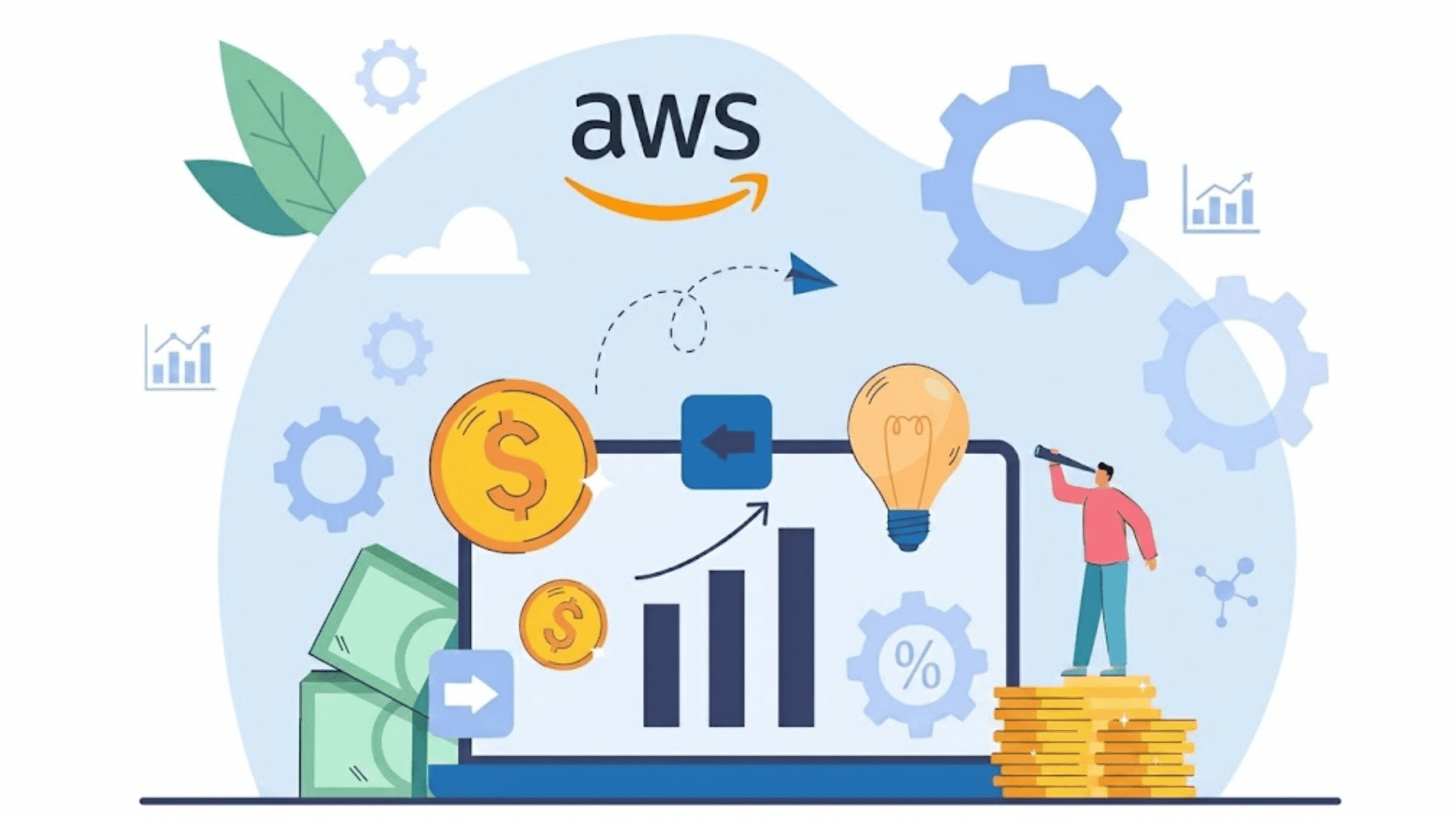
You can identify AWS cost optimization opportunities by analyzing resource usage, monitoring spending patterns, and using AWS cost management tools.
The goal is to find underutilized resources, eliminate waste, and align cloud spending with actual business needs.
AWS recommends Cost Explorer, Compute Optimizer, and Trusted Advisor to track usage and spending trends.
Regularly reviewing billing reports can help uncover services that are generating unnecessary costs.
Organizations should also look for idle resources, overprovisioned instances, unattached storage volumes, and outdated environments that are no longer needed.
Resource tagging is equally important because it helps track spending by team, project, or application.
Monitoring cost anomalies and using Savings Plans or Reserved Instances can further improve cost efficiency.
Common AWS Cost Optimization Mistakes to Avoid
Many organizations overspend on AWS due to avoidable mistakes in resource management, monitoring, and governance.
- Over-Provisioning Resources: Running larger instances than necessary increases cloud costs without providing meaningful performance benefits.
- Ignoring Cost Monitoring: Without regular monitoring, unexpected spending increases can go unnoticed and become difficult to control.
- Poor Tagging Practices: Inconsistent tagging makes it challenging to track costs accurately across teams, projects, and departments.
- Leaving Unused Resources Running: Idle EC2 instances, unattached EBS volumes, and unused load balancers continue generating charges.
- Choosing The Wrong Pricing Model: Relying solely on On-Demand pricing can increase costs for predictable, long-term workloads.
- Neglecting Storage Optimization: Storing infrequently accessed data in high-cost storage tiers leads to unnecessary costs.
Conclusion
AWS cloud cost optimization is not about spending less at all costs. It is about making smarter decisions so your cloud resources support your goals without unnecessary expenses.
The most important thing to remember is that cost optimization is an ongoing process.
Regular monitoring, resource reviews, and informed purchasing decisions can make a significant difference over time.
Every organization’s cloud journey is different, and there is no single approach that works for everyone.
I would love to hear about your experience with AWS cost optimization. Share your insights, challenges, or favorite strategies in the comments below.
Frequently Asked Questions
Is AWS Overpriced?
No. AWS is generally considered cost-effective when resources are managed properly, though costs can become high without optimization and monitoring.
Is AWS Owned By Jeff Bezos?
No. AWS is owned by Amazon. Jeff Bezos founded Amazon, but does not personally own AWS.
Who Is AWS’s Biggest Client?
Amazon itself is considered one of AWS’s largest customers, while major external clients include Netflix, Capital One, and Airbnb.
Who Is AWS’s Biggest Competitor?
Microsoft Azure is AWS’s biggest competitor, followed closely by Google Cloud Platform (GCP) in the global cloud computing market.

