




If you have ever joined public WiFi at a café, hotel, or airport, you have likely seen a login page before you could browse.
That page is not random. It is part of a system called a captive portal.
In this article, I will explain what a captive portal is, how it works technically, why businesses deploy it, and what the security and privacy implications are for you as a user.
You will learn how it controls access, collects basic user details, and protects network owners.
I will also share some common uses and why businesses rely on it.
And, by the end, you will know exactly how a captive portal works and what it does when you connect to a Wi-Fi network.
What Is a Captive Portal in Networking?
A captive portal is a web page that a network gateway forces your device to load before granting full internet access. It functions as an access checkpoint built directly into the network layer.
When you connect to a WiFi network that uses one, your browser’s first outbound request, whether you typed a URL or not, gets intercepted and redirected to that page.
You stay in the redirect loop until you accept terms, enter a password, log in, or pay for access.
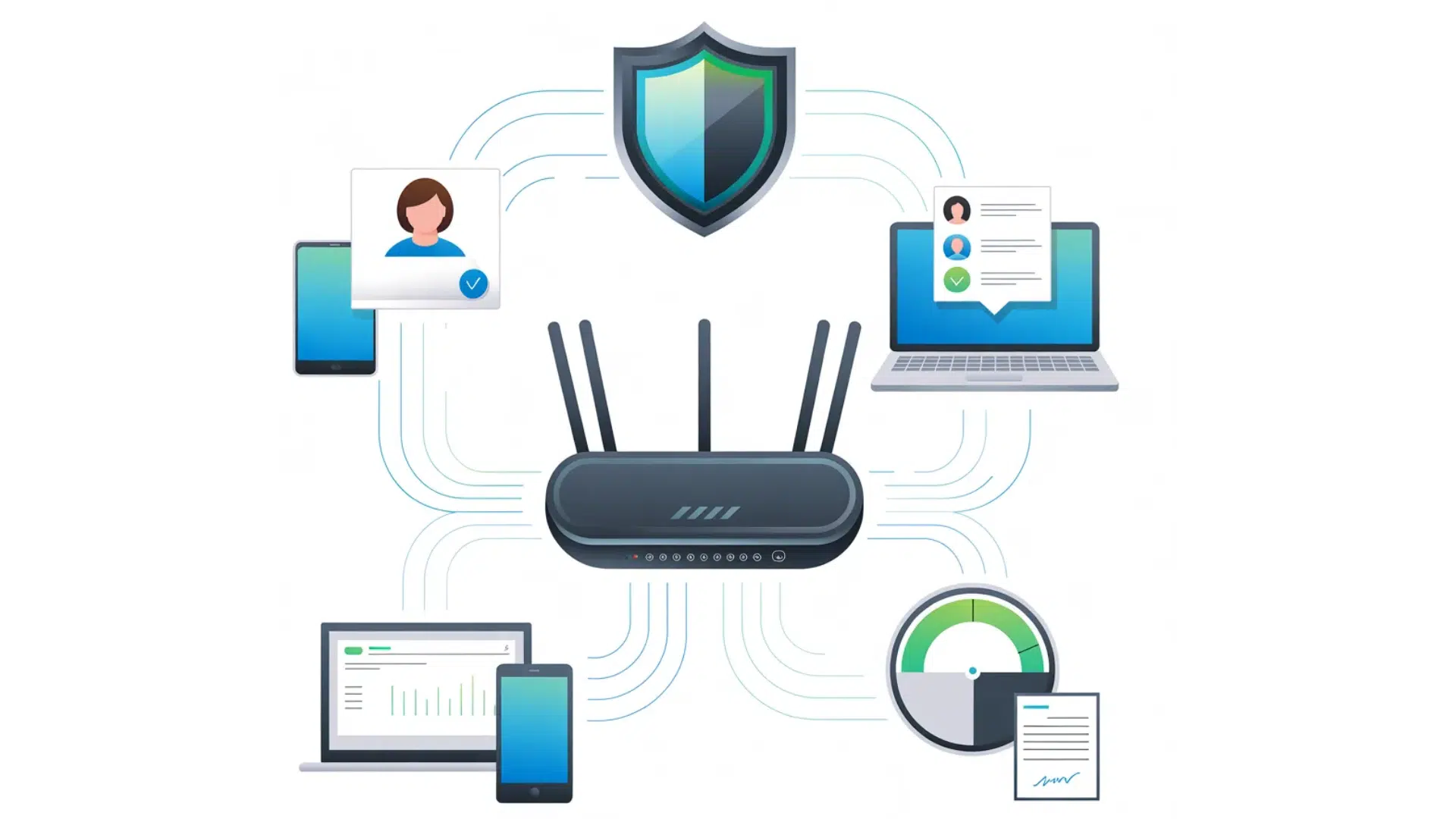
In networking terms, the captive portal sits between your device and the open internet at the router or gateway level.
It uses DNS hijacking or HTTP redirection to route all unauthenticated traffic to a single local page. The system maintains a list of approved MAC addresses or session tokens.
Only verified devices can access the internet. It works on most routers, so it is common in hotels, hospitals, and stadiums.
How a Captive Portal Works in WiFi Networks?
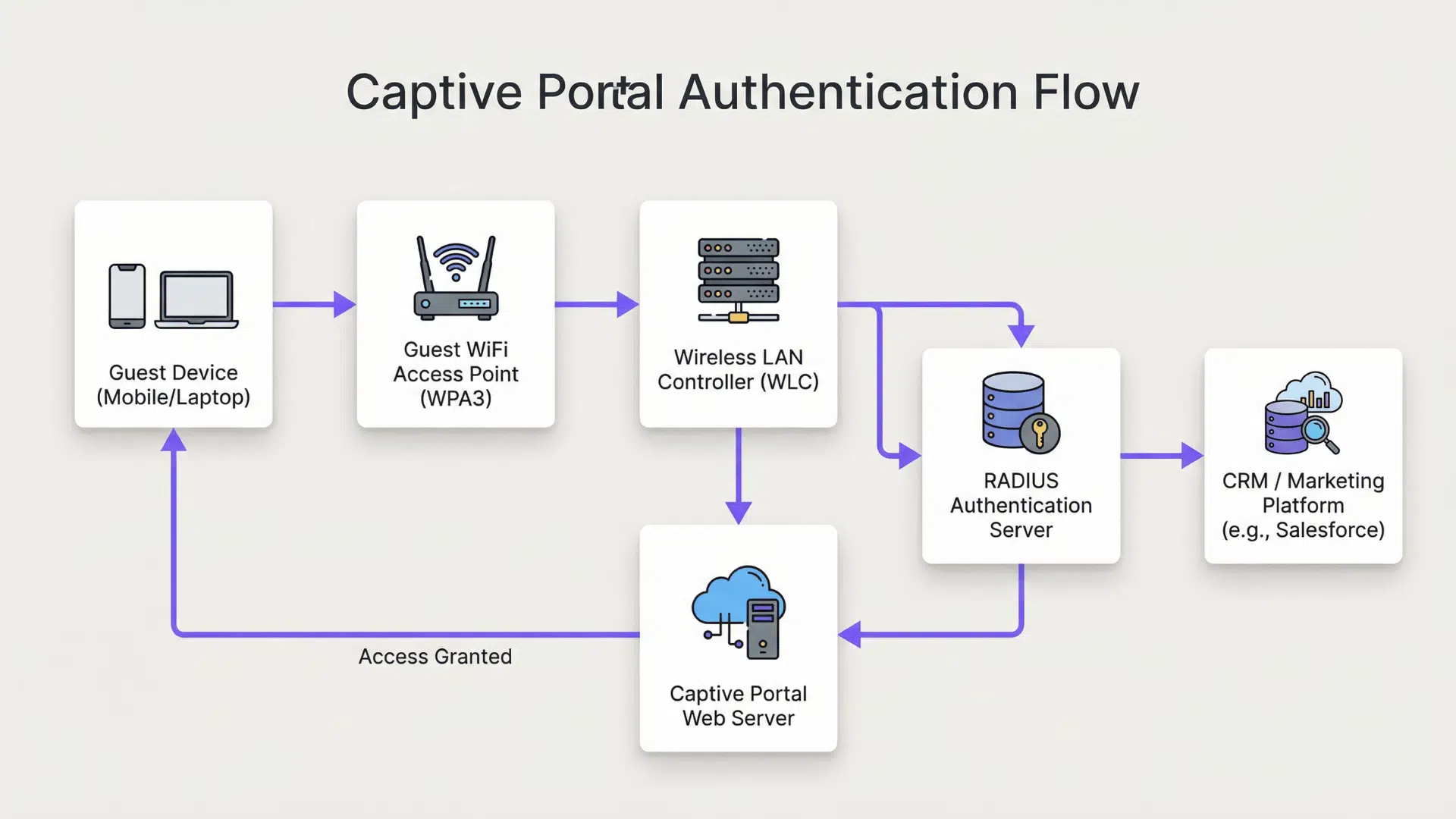
It helps control internet access on public or private WiFi networks. Users must complete a step before they can browse the internet.
- Connection Detection: When a device connects to the WiFi network, the system detects a new user and assigns a temporary IP address.
- Traffic Interception: The network blocks normal internet access and redirects all web requests to a special login or access page.
- Portal Page Display: A browser window or pop-up opens automatically, showing the captive portal page with login, terms, or ads.
- User Authentication: The user may need to enter credentials, accept terms, use OTP, or complete a payment to proceed.
- Access Control Check: The system verifies the user details against its database or authentication server before allowing access.
- Session Activation: Once approved, the system marks the device as authorized and allows normal internet traffic.
- Usage Monitoring: The network tracks user activity, data usage, and session time for control and security purposes.
- Session Expiry or Logout: After a set time or data limit, access is removed, and the user may need to log in again.
Key Features of a Captive Portal Login Page
A captive portal login page serves as a control point between the user and the internet. It ensures that certain conditions are met before full access to the network is granted.
1. User Authentication Methods
Authentication can range from a simple click-through agreement to full credential verification.
Common methods include password entry, voucher codes, social login via Facebook or Google, email verification, and SMS-based one-time passwords.
Each method gives the network operator a different level of accountability over who connected and when.
Social login, for example, ties a session to a real identity without requiring the operator to manage credentials themselves.
2. Terms and Conditions Agreement
The terms page is not boilerplate. For many operators, schools, municipalities, and businesses, it is a legal document that limits their liability if a user engages in prohibited activity on the network.
By clicking “I agree,” the user acknowledges acceptable use policies, data collection practices, and session monitoring.
Users rarely read these, but the agreement is recorded with a timestamp and the device’s MAC address as evidence of consent.
3. Automatic Redirection and Network Detection
Your device does not wait for you to open a browser. Modern operating systems send a background connectivity probe immediately after joining a network.
When the gateway intercepts that probe, it returns a non-standard response that signals the OS to display the captive portal prompt.
This is why the login screen often appears before you even open a browser tab.
The behavior is standardized across iOS, Android, Windows, and macOS, though each platform handles it slightly differently.
4. Session Management and Bandwidth Controls
Network owners can impose per-session rules: maximum connection duration, data caps, speed throttling, and device limits.
A hotel might grant 30 minutes of free access, then prompt for a room number to continue. A cafe might cap speed at 5 Mbps per device to prevent any single user from monopolizing bandwidth.
These controls run at the gateway level and apply regardless of what the user does after authentication.
5. Access Logging and Device Tracking
Every session through a captive portal is logged. The log typically includes the device MAC address, the session start and end time, the authentication method used, and often the IP addresses of sites visited.
In some jurisdictions, operators are legally required to retain these logs for a defined period.
This is important context for users who assume public WiFi is anonymous; it is not, at the network level.
6. Custom Branding and Marketing Integrations
For businesses, the captive portal login page is a touchpoint. Hotels display loyalty program sign-up prompts.
Retailers collect email addresses in exchange for access. Venues push event announcements.
Some systems integrate directly with CRM platforms or marketing automation tools, meaning the WiFi login may feed directly into a targeted email list.
Users can opt out by using a VPN before connecting, but most do not.
Benefits of Using a Captive Portal for Access Control
For network owners, the benefits are practical and measurable. For users, understanding them helps set expectations about what public WiFi is actually designed to do.
- Verified access prevents anonymous misuse: because each session is tied to an authentication event, operators can investigate and report abuse without exposing all users.
- Bandwidth management keeps the network stable: throttling and session limits prevent a small number of heavy users from degrading service for everyone else.
- Legal liability is reduced through documented consent: the timestamp and MAC address log of each term’s acceptance gives operators evidence of user acknowledgment.
- Commercial value is unlocked at the login screen: hospitality and retail operators use the portal to collect email addresses, drive loyalty enrollment, and present targeted promotions.
- Network administrators gain visibility: session dashboards show real-time device counts, bandwidth consumption, and flagged activity, enabling faster response to problems.
Captive Portal Security and Privacy: What Users Should Know?
Most coverage of captive portals focuses on how they help operators. The user-side risks are equally important and consistently underserved in standard explanations. Jordan Hartwell covers these in depth below.
1. Captive Portals Cannot Encrypt Your Traffic
A captive portal is an access gate, not a security layer. Once you pass through it, your traffic travels over the same shared wireless network as every other connected device.
Without a VPN, any unencrypted traffic you send, or metadata from encrypted traffic, is visible to anyone on that network with a packet sniffer.
The portal’s username and password protect the operator’s bandwidth, not your data.
This is a distinction most users do not make, and it is an important one.
2. SSL Strip and Rogue Portal Attacks Are Real Risks
A well-documented attack vector involves setting up a fake WiFi network with a convincing captive portal that mimics a legitimate one, a hotel login page, for example.
When users authenticate against the fake portal, they hand their credentials to an attacker.
Separately, captive portals that use HTTP (not HTTPS) for the login page itself are vulnerable to credential interception.
Before entering any personal information on a captive portal page, check that the URL begins with HTTPS and that the certificate is valid. If it does not, treat the network as untrusted.
3. MAC Address Randomization and Its Limits
Modern smartphones, iOS 14 and later, Android 10 and later, use randomized MAC addresses when connecting to new networks.
This reduces long-term tracking across sessions because the device no longer presents the same hardware identifier each time.
However, once you authenticate to a captive portal and the system logs your session alongside an email address or social login, MAC randomization no longer helps.
Your identity is already tied to the session record. MAC randomization is useful against passive tracking, not against portals that require account-based authentication.
Captive Portal vs Open WiFi Networks
Both network types are common in public spaces, but they differ significantly in how they handle access, accountability, and risk.
| Feature | Captive Portal Network | Open WiFi Network |
|---|---|---|
| Access Method | Users must complete the login, accept the terms, or verify their identity before browsing. | Users can connect to the internet instantly without verification. |
| Security Level | Provides basic access control and limits unauthorized usage. | Offers little to no access control, making it less secure. |
| User Tracking | Can record session details and connected devices. | Usually does not track users in a structured way. |
| Bandwidth Control | Allows network owners to limit speed, time, or data usage. | Typically provides shared bandwidth with limited control. |
| Common Use Cases | Hotels, airports, cafés, offices, and public venues. | Small public areas or informal shared networks. |
| Management Control | Network owners can enforce rules and usage policies. | Minimal control once users are connected. |
Common Issues Users Face with Captive Portals
Users sometimes experience connection problems when trying to access a network with a captive portal. These issues usually happen during login, redirection, or session management.
- Login Page Not Appearing: Sometimes the captive portal login page does not open automatically after connecting to the WiFi. This can happen due to browser settings, cached data, or network detection delays.
- Login Page Not Loading Properly: The page may load slowly or fail to display fully due to a weak signal or blocked pop-ups in the browser.
- Access Denied After Login: Users may enter the correct details, but still fail to gain internet access if the system does not properly verify the session.
- Session Timeout: Many captive portals limit connection time. Once the session expires, the internet stops working until the user logs in again.
- Slow Internet Speed: Network owners may apply bandwidth limits, which can reduce browsing speed for connected users.
In my work reviewing network security configurations for mid-size hospitality operators, I consistently find that captive portal logs are retained for 90 to 180 days and are stored without encryption at rest.
Most operators are unaware that this data, which includes MAC addresses, authentication timestamps, and sometimes browsing metadata, is subject to data breach notification requirements in most US states.
If you run a business network, review your log retention policy. If you are a user, assume your session is on record.
Captive Portals and VPNs: How They Interact?
A VPN and a captive portal operate at different layers of the network stack, which means they interact in specific and sometimes inconvenient ways. A VPN encrypts your data through a secure tunnel to a remote server.
A captive portal acts before this tunnel starts, which causes most conflicts.
If your VPN is set to always-on or kill-switch mode, it may block the captive portal’s redirect entirely, leaving you with no internet access and no way to authenticate.
The solution is to temporarily disable the kill switch, authenticate through the portal, then re-enable it.
Some enterprise VPN clients handle this automatically by detecting a captive portal state.
Consumer VPN apps vary widely in their handling of this scenario. Check your provider’s documentation before traveling.
Once the VPN tunnel is active, the captive portal’s logging visibility is limited to the fact that your device connected and authenticated; the content of your traffic is no longer visible to the local network.
Conclusion
Now you have a clear understanding of how a captive portal works and why it appears when you connect to public WiFi. It is more than just a simple login screen.
It controls access, sets rules, and helps network owners manage internet use in a structured way.
The next time you connect at a cafe, hotel, or airport, you will know exactly what is happening behind that login page.
Knowing this helps you use public networks with more awareness. You can better understand why you must accept terms, enter details, or reconnect after a session ends.
Small steps like these are part of a larger system built to manage and protect shared internet access.
Have you ever had trouble with a captive portal or noticed something confusing during login? Share your experience in the comments below and let others learn from you.