


Every semester, a familiar wave of anxiety ripples through classrooms as submission deadlines approach. Students and educators everywhere find themselves asking the same tense question before hitting the upload button on major assignments.
With generative software becoming a staple for brainstorming, the core uncertainty remains: does Turnitin detect ChatGPT?
I have looked closely at how modern academic checkers process writing patterns to find the truth. This blog answers whether the software can actually identify AI-generated text, how the underlying technology works, and how accurate it proves to be in real-world scenarios.
Finally, I will share what steps to take if your original work ever gets flagged unfairly by these automated systems.
Does Turnitin Detect ChatGPT Content?
Yes, Turnitin can detect text generated by ChatGPT and similar tools. When a teacher uploads a paper, the software generates a specialized AI writing score ranging from 0 to 100 percent.
This score appears directly in the standard Similarity Report to highlight any sentences that look like machine-generated output.
While the program started by targeting older models like GPT-3 and GPT-3.5, it has grown over the years. I have observed that it now flags text from GPT-4, GPT-4o, Google Gemini, and LLaMA.
It constantly updates to keep pace with modern large language models.
To understand this system fully, it helps to see exactly what details show up on the teacher’s screen.
The Limitations of Turnitin
Turnitin’s AI report is powerful, but it works within clear limits. It tells you how much of your text looks AI-generated and flags the suspect sentences, yet it stops well short of tracking your accounts or activity.
Here’s exactly what it can and can’t do:
What Turnitin Can Do
Turnitin helps instructors review the submitted text by pointing out patterns that may need closer attention.
- Score: It gives a clear percentage showing how much of your text appears AI-generated.
- Flag: It marks AI-generated and AI-paraphrased sentences by changing their colors in the report.
- Dual screening: It runs a separate AI detector alongside the standard plagiarism check, so every paper gets two layers of review.
- Pattern scanning: It looks deeper than database matches, scanning for the statistical patterns typical of large language models.
- Probability analysis: It measures structural irregularities, since AI picks words by predictable probability rather than natural human flow.
What Turnitin Can’t Do
However, Turnitin does not go beyond the submitted document or collect private activity from your device or accounts.
- Name the tool: It never identifies the specific source, so the word “ChatGPT” will never appear on screen.
- Access your account: It can’t see your login details, search logs, or chat history.
- Track your activity: It can’t view your browser history or personal typing files.
- See your process: It only evaluates the final submitted text, nothing about how you wrote it.
How does Turnitin Detect ChatGPT?
Understanding the mechanism helps interpret the score correctly.
When a document enters the system, the tool breaks down the sentences into smaller chunks. It splits text into smaller overlapping segments and scans each individual part for specific AI patterns.
I have found that the software is highly selective about what it reviews.
It only analyzes qualifying text, which means standard prose written inside regular paragraphs. The backend software completely skips elements like code blocks, bullet points, and tables to prevent analytical errors.
This focused parsing ensures that normal structural changes in documents do not throw off the screening process. The classifier focuses strictly on continuous human phrasing to maintain consistency.
The Patterns it Looks For
The algorithm relies on specific language metrics to evaluate your paragraphs.
The checking tool screens for structural traits known as perplexity and burstiness. These parameters assess word-choice predictability and sentence-length variance across the text.
Turnitin’s own AI lead notes that machine text usually shifts toward a statistical average.
This means tools write the most likely words in the most likely order. Human essays show natural variety because our phrasing lacks this rigid mathematical order.
How to Read the AI Detection Report
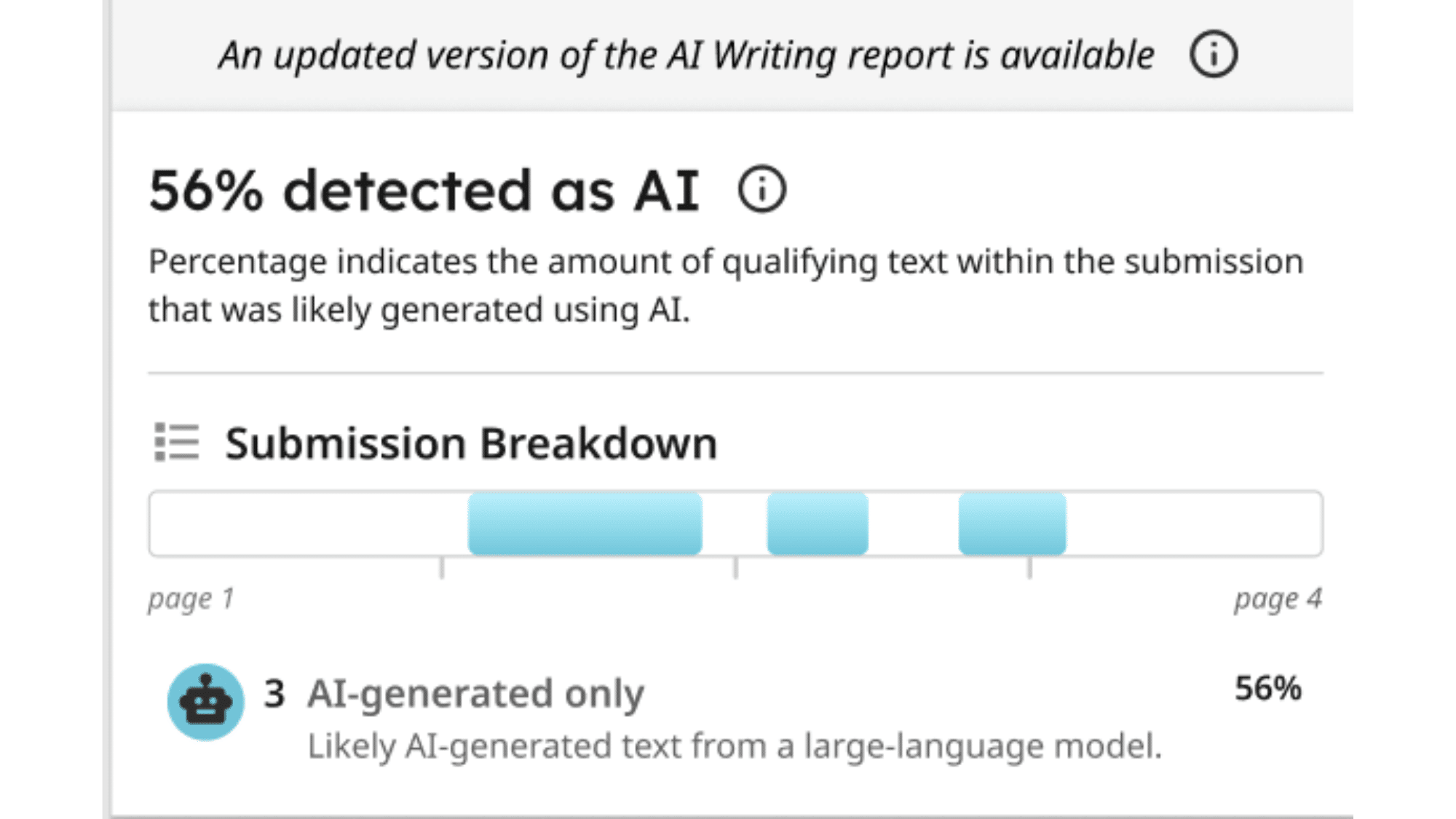
Reviewing the visual highlights in your summary panel is straightforward.
The final generation panel displays its findings through simple colored symbols inside the main instructor dashboard. I know that understanding these visual markers helps you quickly verify your document status.
The interface breaks down results into distinct categorization rules:
- Percentage: Displays a blue marker with 20% to 100% for flagged qualifying text.
- Asterisk: Shows a blue mark with an asterisk for minor ranges from 1% to 19% with high false-positive risks.
- Dashes: Highlights gray dashes or red exclamation points when the submission can not be processed.
Can Turnitin Detect ChatGPT If You Paraphrase?
Yes, because the platform has a dedicated AI-paraphrasing detection feature built into its main scanner.
The software highlights reworded machine paragraphs as “AI-generated text that was AI-paraphrased” and isolates these sections on the screen using a separate color.
However, you should know an honest truth: mixed human-AI hybrid phrasing is much harder to catch, making the software far less reliable.
For instance, researchers at Temple University found that combining original writing with software outputs frequently causes major inaccuracies in the final scores.
How Accurate Is Turnitin’s AI Detection?
I want to emphasize that detection working and detection being reliable are two completely different things in the classroom.
Turnitin advertises a high accuracy rate with low false positives, but real-world results remain heavily debated among experts.
Teachers often see varying scores on essays written entirely by hand. I have analyzed these tool reports for months and noticed that the tracking metrics can fluctuate wildly depending on document formatting.
The system attempts to catch machine habits, but language software patterns change faster than the filters update. This gap causes massive confusion for school boards trying to enforce automated rules fairly.
The Limitations You Should Know
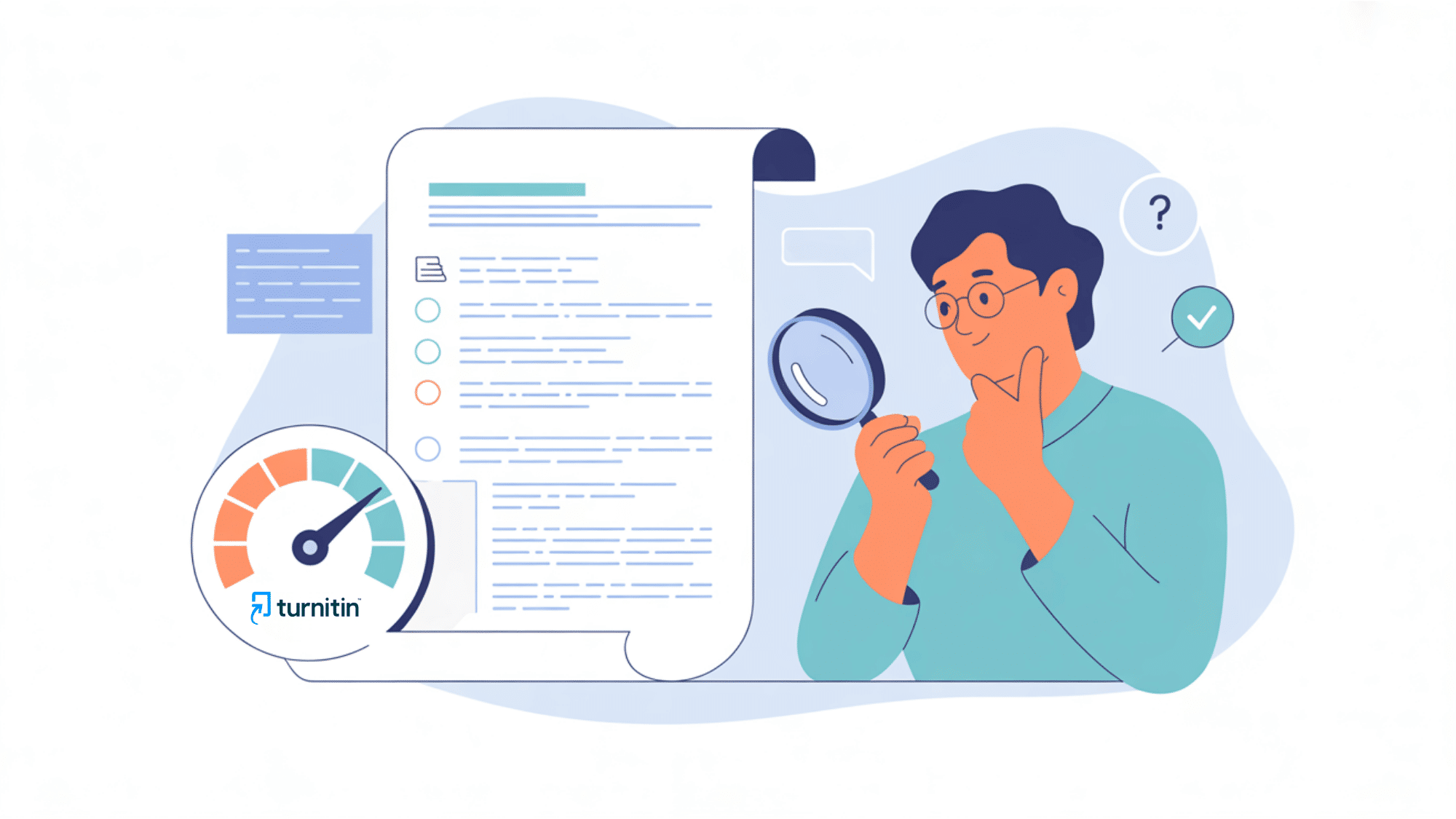
The following table outlines the primary limitations of the software, helping you understand why these scores should be viewed as a signal rather than definitive proof of academic misconduct.
| Limitation Area | Key Details & Impact |
| Risk of False Flags | Entirely human-written work can be wrongly flagged by the software. This includes historical documents created long before computer systems existed. |
| Disadvantage for International Writers | Non-native English speakers face a significantly higher risk of receiving false flags on assignments. The automated system struggles heavily with international language patterns. |
| Academic Style Penalties | Highly structured academic writing often reads as too uniform to the algorithm. This stylistic uniformity easily triggers the automated detection filters by accident. |
| Lack of Verifiable Proof | Unlike standard plagiarism matches, the report provides no external source links to verify the highlighted text. Users and instructors must simply trust the backend math blindly. |
Schools treat it as a signal, not proof. Because of these constant errors, some major universities disabled the detector entirely over reliability concerns. Turnitin itself positions the final score as a simple data point, not a definitive verdict on student honesty.
What to Do If You’re Wrongly Flagged
Getting flagged feels alarming, but a flag is a signal, not a verdict. Turnitin’s AI score is one data point, and even Turnitin says it shouldn’t stand alone as proof of misconduct.
If you wrote the work yourself, you have every right to push back calmly and clearly.
The key is to stay composed and come prepared with evidence instead of reacting in panic.
Sophisticated writing, technical language, and a consistent academic tone can all trigger a false positive, so being flagged does not mean you did anything wrong.
Here’s how to respond and protect your case:
1. Keep Evidence of Your Writing Process
Your strongest defense is proof of how the work came together. Save your rough drafts, outlines, and research notes, and keep your Google Docs or Microsoft Word version history.
This timeline shows your document evolving over hours or days, which AI-generated text simply can’t demonstrate. If you used AI for any part, keep that record too.
2. Request a Human Review
Ask for your case to be reviewed by a person, not judged solely on the score. An instructor or editor who knows your writing style and educational background can weigh the context the algorithm misses.
Turnitin’s own guidance supports this, recommending that educators give students the benefit of the doubt and make final decisions based on all available information rather than a single percentage.
3. Run a Plagiarism Check First
Before you submit, run your work through a plagiarism checker. AI tools learn from millions of texts and can accidentally echo published phrasing, and high similarity scores often make reviewers suspect AI use.
Catching and rewording these unintentional overlaps early removes an easy red flag and strengthens your originality before anyone else sees the document.
4. Talk Openly With Your Instructor
Honest conversation goes a long way. Explain your writing process, walk through your drafts, and share how you approached the assignment. Most educators value transparency and would rather understand your work than assume the worst.
Opening that dialogue early builds trust and often resolves concerns faster than any report or appeal ever could.
Check Your Work Before You Submit
The smartest move is to catch AI-flagged text yourself before Turnitin ever sees it. Several tools let you scan your draft, see which passages read as AI-generated, and rework them while you still can.
Keep in mind that no detector is perfect, and results vary between tools, so treat any score as a guide rather than a final verdict.
Running your work through one or two of these checkers gives you a chance to revise overly mechanical sentences and submit with more confidence.
Below are five trusted options, with their strengths, drawbacks, and pricing, so you can pick the one that fits your needs:
1. GPTZero
GPTZero’s free plan covers up to 10,000 words a month, and premium plans start at $9.99/month, billed annually. It’s one of the most popular detectors and a favorite among educators.
- Pros: Sentence-level highlighting, strong accuracy on GPT text, and a fairer model for non-native English speakers.
- Cons: Free word limit; accuracy drops on heavily humanized or Claude-generated text.
- Pricing: Free tier available; paid plans start at around $9.99/month.
- Website: gptzero.me
2. QuillBot AI Detector
QuillBot’s AI Detector is free and doesn’t require an account for texts under 1,200 words. It’s a great no-cost option built into a familiar writing platform.
- Pros: Genuinely free, no signup for short checks, and separates AI-generated, AI-refined, and human text.
- Cons: Free scans are capped at around 1,200 words with a limited number of daily checks.
- Pricing: Free for detection; premium adds batch uploads.
- Website: quillbot.com/ai-content-detector
3. Copyleaks
Copyleaks is an advanced detector aimed at educators and organizations. Its public page lets you scan up to 25,000 characters per scan without logging in.
- Pros: High accuracy, multilingual support, and highlights the patterns that make text read as AI.
- Cons: Can be slow to return results, sometimes taking about a minute even for short text.
- Pricing: Limited free scans; paid plans from around $9/month.
- Website: copyleaks.com/ai-content-detector
4. Originality.ai
Originality.ai is built for publishers, SEOs, and serious content checks, and it pairs AI detection with plagiarism scanning. It’s a paid-only tool with no real free tier.
- Pros: Recognizes paraphrased content and synonym swaps, with multiple detection models to choose from.
- Cons: No free option; pricing runs about $0.01 per 100 words with a $20 minimum spend.
- Pricing: Paid only, starting around $14.95/month.
- Website: originality.ai
5. Scribbr AI Detector
Scribbr offers both a free and a premium detector and is popular with students for its straightforward, academic-friendly approach. Its premium detector topped one independent test by correctly identifying 84% of texts.
- Pros: Reliable accuracy, clean academic focus, and a usable free version.
- Cons: Best results sit behind the paid tier; free version is more limited.
- Pricing: Free tier available; premium detection is paid.
- Website: scribbr.com/ai-detector
Final Verdict
So, does Turnitin detect ChatGPT? Yes, it can. The tool breaks your writing into small segments and scans each one for the predictable, statistically “average” patterns that AI tends to leave behind, then rolls everything into an overall AI score.
As you’ve seen, though, it’s far from flawless. False positives are a real risk, heavily paraphrased text can slip through, and even human writing sometimes gets flagged. That’s why a flag should be treated as a signal worth reviewing, never a final verdict.
The takeaway is simple. Use AI to support your thinking, not replace it, and always keep your drafts, outlines, and version history as evidence of your process. When you write in your own voice and check your work before submitting, you’ll have very little to fear from any detector.
Want to go deeper? Learn more about how AI detectors actually work and what really sets off these tools.
Frequently Asked Questions
Can Turnitin Detect ChatGPT for Free?
No, Turnitin is a paid tool for schools, not individuals. I suggest using a different checker to review your draft before handing it in.
Does Turnitin Detect ChatGPT-Generated Code?
Generally, no. In my experience, Turnitin only checks standard paragraphs. It skips code, tables, and bullet points, so AI-written code usually goes unnoticed.
Can Turnitin See My ChatGPT History?
No, Turnitin only checks the file you submit. I can assure you it cannot access your ChatGPT account, browser history, or other private activity.
Will Turnitin Flag Older Papers Written Before AI?
Yes, it can make mistakes. I’ve seen it falsely flag older human writing. You should always review scores yourself instead of trusting them blindly.
Does Turnitin Detect Other AI Tools Besides ChatGPT?
Yes, it does. I know Turnitin spots text from popular AI models like GPT-4, Gemini, and LLaMA by looking for common AI writing patterns.