






Managing cloud infrastructure affects cost, security, and uptime every day, making it a key business decision.
Whether you’re a startup or an enterprise, the right managed cloud approach keeps systems stable and costs predictable.
I remember trying to keep track of servers, storage, security settings, and costs all at once. It was easy to miss small issues that later turned into bigger problems.
Over time, I learned that good planning and simple habits make a huge difference.
In this guide, I’ll walk you through the core components, best practices, and managed services cloud options that genuinely move the needle.
You’ll also get a clear picture of what separates well-run cloud environments from ones that quietly rack up costs and risk.
What Is Cloud Infrastructure Management?
Cloud infrastructure management is the process of managing cloud-based systems like servers, storage networks, and security tools.
It helps businesses keep websites, apps, and online services running smoothly.
Cloud infrastructure management matters for modern businesses because it improves performance, increases security, reduces downtime, and helps control costs.
It also allows companies to grow quickly without buying expensive physical hardware.
Many businesses use cloud platforms such as AWS, Azure, and Google Cloud for day-to-day operations. Cloud management focuses on monitoring, maintaining, securing, and optimizing cloud resources.
Cloud computing, on the other hand, means using cloud services to store data, run software, and access computing power through the internet.
Good cloud management helps businesses keep their cloud computing systems safe, reliable, and efficient every day.
Key Components of Cloud Infrastructure
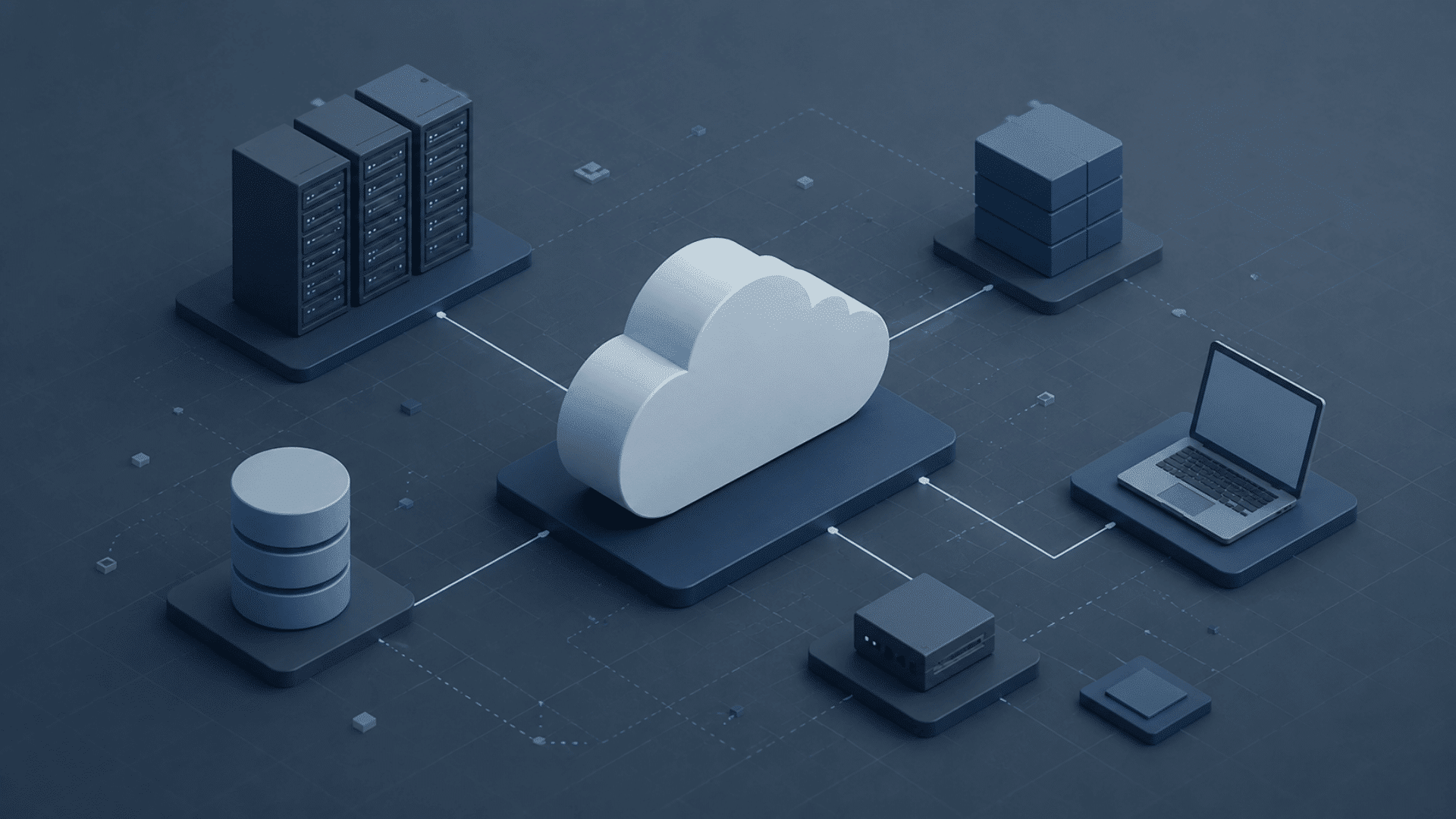
Cloud infrastructure comprises several key components that help keep cloud systems secure, fast, flexible, and easy to manage for businesses.
- Compute Resources: Compute resources include virtual machines and processors that run applications, websites, databases, and other workloads in cloud environments daily.
- Cloud Storage: Cloud storage keeps files, databases, backups, and business data secure while enabling quick access from any connected device, anytime.
- Networking Systems: Networking systems connect cloud service users and devices via routers, firewalls, and virtual networks to enable smooth communication and data transfer.
- Security Tools: Security tools protect cloud systems using encryption, firewalls, identity management, and threat detection to prevent cyberattacks and unauthorized access.
- Virtualization Technology: Virtualization enables multiple virtual systems to run on a single physical server, improving efficiency, flexibility, and overall resource management.
- Containers and Kubernetes: Containers package applications with the required files, while Kubernetes efficiently manages deployment, scaling, and performance across different cloud environments.
Types of Cloud Infrastructure
Different types of cloud infrastructure help businesses choose the best setup based on security, performance, flexibility, and budget needs.
| Type | Description | Best For |
| Public Cloud | Public cloud services are shared online and managed by providers such as AWS, Azure, and Google Cloud to lower costs. | Startups, variable workloads, dev/test environments |
| Private Cloud | Private cloud infrastructure is dedicated to a single business, offering greater control, stronger security, and more customization options. | Regulated industries, sensitive data, and enterprises with fixed workloads |
| Hybrid Cloud | A hybrid cloud combines public and private clouds, enabling businesses to balance flexibility, security, and workload management. | Businesses with mixed compliance and scalability needs |
| Multi-Cloud | Multi-cloud uses services from multiple cloud providers to improve reliability, reduce risk, and avoid reliance on a single provider. | Enterprises that need provider redundancy or specialized services |
Key Cloud Providers and Tools
Before choosing a setup, it helps to know the main cloud providers and tools available. These options can support storage, security, monitoring, automation, and app management.
- Amazon Web Services (AWS): AWS offers cloud storage, servers, databases, security tools, and monitoring features for businesses of all sizes and needs.
- Microsoft Azure: Azure is well-suited for companies using Microsoft tools, offering cloud computing, app hosting, data storage, and robust security services.
- Google Cloud Platform: Google Cloud is known for data analytics, machine learning, storage, networking, and scalable cloud services for growing businesses.
- Terraform: Helps teams create and manage cloud infrastructure with code, making setup faster, clearer, and easier to repeat.
- Kubernetes: Kubernetes helps manage containers, scale applications, handle updates, and keep cloud-based apps running smoothly across different environments.
- Cloud Monitoring Tools: Tools like CloudWatch, Azure Monitor, and Google Cloud Monitoring help track performance, uptime, errors, and resource usage.
Why Is Managing Cloud Infrastructure Important?
Managing cloud infrastructure is important because it keeps business systems secure, fast, reliable, and cost-efficient.
It also helps companies avoid downtime and improve performance. Businesses depend on cloud services for websites, apps, storage, and daily operations.
Cloud infrastructure management helps monitor systems, fix issues quickly, and protect business data from threats.
It also allows companies to scale resources based on traffic and workload needs without buying expensive hardware.
Good management improves system performance, reduces unnecessary spending, and keeps applications running smoothly for users.
Businesses can automate tasks, manage backups, and maintain strong security controls more easily.
As more companies move to digital platforms, cloud infrastructure management has become necessary for maintaining stable operations, improving productivity, and supporting business growth in a competitive online environment.
Best Cloud Infrastructure Management Services

Businesses use various cloud infrastructure management services to improve performance, enhance security, reduce downtime, and manage their cloud systems more efficiently.
1. Managed Cloud Providers
Managed cloud providers help businesses manage their cloud infrastructure without having to manage it all internally.
These companies handle cloud setup, monitoring, maintenance, security, and performance optimization.
Providers like AWS, Microsoft Azure, and Google Cloud offer managed services that reduce technical workload and improve system reliability.
Businesses use these services to scale resources faster, reduce downtime, and improve operational efficiency.
Managed cloud providers also support backups, disaster recovery, and cost management for better long-term cloud performance.
2. Infrastructure Monitoring Services
Infrastructure monitoring services help businesses track the performance, health, and uptime of their cloud systems in real time.
These services monitor server applications, networks, and storage systems to detect issues before they affect users.
Monitoring tools also provide alerts, performance reports, and analytics to improve system reliability.
Companies use infrastructure monitoring to reduce downtime, improve response times, and maintain stable cloud operations.
Popular monitoring platforms for cloud performance management include Datadog, New Relic, AWS CloudWatch, and Microsoft Azure Monitor.
3. Security Management Services
Security management services protect cloud infrastructure from cyber threats, data breaches, and unauthorized access. These services include firewalls, encryption, identity management, threat detection, and compliance monitoring.
Businesses use security management solutions to keep sensitive customer and company data safe across cloud environments.
Security providers also help organizations comply with industry regulations and strengthen overall cloud protection strategies.
Strong cloud security management reduces risks, prevents attacks, and supports safer business operations in modern digital environments.
4. Migration and Consulting Services
Migration and consulting services help businesses smoothly migrate applications, data, and workloads from traditional systems to cloud platforms.
Cloud consultants guide organizations through planning, deployment, optimization, and security improvements during migration processes.
These services reduce migration risks, minimize downtime, and improve cloud adoption for all business sizes.
Companies also receive expert advice on choosing cloud providers, managing costs, and improving infrastructure performance.
Migration and consulting services help businesses transition to cloud environments more efficiently and successfully.
How to Choose a Managed Cloud Services Provider?
Choosing a managed cloud services provider requires balancing performance, security, support, and scalability with your business needs.
- Industry Experience: Choose a provider with proven cloud management experience and a strong track record supporting businesses like yours.
- Security and Compliance: Ensure the provider offers robust security measures and supports industry-specific compliance and regulatory requirements.
- Service Level Agreements (SLAs): Review uptime guarantees, response times, and support commitments to understand expected service performance.
- Scalability and Flexibility: Select a provider that can easily scale resources and adapt services as your business grows.
- Technical Support Quality: Look for responsive, knowledgeable support teams available to resolve issues and provide ongoing assistance.
- Cloud Platform Expertise: Verify expertise in major cloud platforms such as AWS, Microsoft Azure, Google Cloud, or hybrid environments.
- Pricing Transparency: Choose a provider with clear pricing models that help prevent unexpected costs and simplify budgeting.
Top Cloud Infrastructure Management Solutions
Different cloud solutions help businesses improve security, performance, automation, and overall cloud infrastructure management more efficiently.
| Solution Type | Description |
| Cloud Monitoring Solutions | Monitor system performance, uptime, and resource usage to reduce downtime and improve reliability. |
| Infrastructure Automation Solutions | Automate cloud tasks, deployments, and configurations to improve efficiency and reduce manual errors. |
| Cloud Security Solutions | Protect cloud systems with encryption, firewalls, access controls, and threat detection tools. |
| Backup and Disaster Recovery Solutions | Recover important business data quickly during outages, cyberattacks, or accidental data loss. |
| Cost Management Solutions | Track cloud spending, remove unused resources, and reduce unnecessary operational costs. |
| Container Management Solutions | Manage and efficiently scale containerized applications across different cloud environments. |
| Network Management Solutions | Improve cloud connectivity, traffic management, and communication between systems and users. |
| Performance Optimization Solutions | Improve application speed, workload distribution, and overall cloud infrastructure performance. |
How to Monitor Cloud Infrastructure Performance?
Cloud infrastructure performance monitoring helps companies keep their cloud systems running smoothly.
It means checking factors such as speed, storage, network traffic, and server health. Businesses use monitoring tools to watch their systems in real time and find problems early.
These tools can send alerts when something goes wrong, such as when performance is slow or traffic is high.
Monitoring also helps reduce downtime and improve user experience. IT teams can review reports and logs to quickly fix issues and make better decisions.
It also helps companies save money by using cloud resources more efficiently.
Regular monitoring keeps cloud applications stable, secure, and ready for daily business operations.
Best Practices to Manage Cloud Infrastructure
Following the right cloud management practices helps businesses improve security, reduce costs, and keep cloud systems running without major issues.
- Use Automation for Daily Tasks: Automation handles repetitive cloud tasks faster, reduces manual errors, and improves overall infrastructure management and deployment efficiency.
- Track Cloud Performance Regularly: Regular monitoring helps businesses identify system issues early, improve performance, and prevent unexpected downtime or service interruptions.
- Reduce Unnecessary Cloud Spending: Cost optimization helps businesses remove unused resources, control budgets, and avoid paying for services they no longer need.
- Set Up Proper Backup Systems: Reliable backups protect important files and business data while helping companies recover quickly after technical failures or attacks.
- Use Infrastructure as Code Tools: Infrastructure as Code simplifies cloud setup, improves consistency, and reduces errors during infrastructure deployment and configuration.
- Control User Access Carefully: Access management ensures only authorized employees can use specific cloud resources, improving security and protecting sensitive business information.
- Follow Compliance and Governance Rules: Governance policies help businesses meet legal requirements, maintain security standards, and manage cloud operations more effectively.
Understanding IaaS, PaaS, And SaaS
These cloud service models differ mainly in how much of the infrastructure, platform, and software management is handled by the provider.
| Feature | IaaS (Infrastructure as a Service) | PaaS (Platform as a Service) | SaaS (Software as a Service) |
|---|---|---|---|
| What It Provides | Virtual servers, storage, and networking resources | Development platform and application deployment tools | Fully managed software accessible through the internet |
| Best For | Businesses needing infrastructure control | Developers building and deploying applications | End users who need ready-to-use software |
| User Responsibility | Manage applications, data, OS, and configurations | Manage applications and data | Primarily manage data and user settings |
| Provider Responsibility | Hardware, networking, and virtualization | Infrastructure, operating system, and runtime environment | Entire application, infrastructure, and maintenance |
| Setup Complexity | High | Moderate | Low |
| Examples | AWS EC2, Azure Virtual Machines | Google App Engine, Heroku | Microsoft 365, Salesforce, Google Workspace |
Cloud Security Management Tips
Cloud security management includes several important practices that help businesses keep their cloud environments safe and protected from cyber risks.
- Identity and Access Management: Controls user roles, permissions, and login rules to ensure only approved users can access critical cloud systems.
- Encryption Methods: Turn stored and shared data into unreadable code, helping protect sensitive information from hackers and unauthorized users.
- Firewall Configuration: Sets rules for incoming and outgoing traffic, blocking unsafe connections before they reach cloud networks or applications.
- Threat Detection: Monitors cloud activity to find unusual behavior, security risks, malware, or attacks before they cause major damage.
- Compliance Monitoring: Regularly checks cloud systems to ensure compliance with required security standards, industry rules, and legal regulations.
Managed Cloud vs Self-Managed Infrastructure
The core question businesses face is where to draw the line between what they manage internally and what they hand off to a provider.
Managed cloud services handle updates, security, backups, and monitoring, so your team can focus on growth.
Self-managed infrastructure gives you full control, but it requires skilled staff, continuous maintenance, and a structured process for every operational task.
The risk isn’t just cost; it’s the opportunity cost of engineers spending time on infrastructure firefighting instead of building.
For most small and mid-sized businesses, managed cloud is the faster path to a stable, secure environment.
Larger enterprises often find that a hybrid approach works best: managed services for commodity infrastructure and self-managed systems that require tight customization or compliance controls.
Multi-Cloud vs Hybrid Cloud Management
Multi-cloud and hybrid cloud management are two popular cloud strategies that help businesses improve flexibility, performance, and data management.
| Factor | Multi-Cloud Management | Hybrid Cloud Management |
| Meaning | Uses services from different cloud providers to improve flexibility and avoid vendor lock-in. | Combines private and public cloud systems to balance security, performance, and flexibility. |
| Data Storage | Stores data across multiple cloud providers. | Keeps sensitive data in private environments while using public cloud when needed. |
| Cost Management | Helps compare pricing between different providers. | Controls costs by mixing private and public cloud resources. |
| Security Control | Depends on the security settings from multiple providers. | Offers stronger control for sensitive business information. |
| Business Flexibility | Gives businesses more provider choices. | Supports customized infrastructure needs. |
Cloud Disaster Recovery and Backup Planning
Cloud disaster recovery and backup planning help businesses protect critical data and quickly recover systems in the event of unexpected failures or cyberattacks.
- Importance of Backups – Regular backups protect critical business data from accidental deletion, cyberattacks, hardware failures, and unexpected system issues or outages.
- Recovery Planning – Recovery planning outlines clear steps for quickly restoring systems, applications, and data after disasters or major technical failures.
- Failover Systems – Failover systems automatically switch operations to backup servers during failures, helping businesses avoid downtime and service interruptions completely.
- Disaster Recovery Testing – Testing disaster recovery plans helps businesses verify that backup systems function properly during real emergencies and outages.
Mistakes to Avoid when Managing Cloud Infrastructure
Cloud infrastructure management requires proper planning and regular monitoring to keep systems running smoothly and securely.
| Mistake | Explanation |
| Ignoring Security Updates | Outdated software can create security risks and make cloud systems easier for hackers to attack. |
| Poor Backup Planning | Without regular backups, businesses may lose important data during system failures or cyberattacks. |
| Giving Too Much Access | Allowing unnecessary access increases the risk of data leaks and accidental changes to important systems. |
| Not Monitoring Performance | Ignoring system performance can lead to slow applications, downtime, and unhappy users. |
| Overlooking Cost Tracking | Poor cost monitoring can result in unexpected cloud bills and wasted resources over time. |
Conclusion
Cloud infrastructure management keeps businesses fast, secure, and reliable. Monitoring performance, improving security, and planning backups help protect critical data and daily operations.
The right cloud setup saves time reduces costs and supports growth. Small steps like better access controls and regular system checks can make a big difference.
As cloud technology continues to grow, businesses that manage their systems wisely will stay more prepared for future challenges.
Hopefully, this guide helped you better understand cloud infrastructure management in a simple and practical way.
Every business has different needs, so finding the right approach matters.
Have you used managed cloud services or handled infrastructure on your own? Share your thoughts and experiences in the comments below.
Frequently Asked Questions
Is Netflix a SaaS or PaaS?
Netflix is commonly considered SaaS because users access its streaming service online without managing the software, servers, storage, or infrastructure behind it.
What Are the 6 Pillars of Cloud?
The 6 pillars are operational excellence, security, reliability, performance efficiency, cost optimization, and sustainability. They guide the development of strong, stable, and efficient cloud systems.
What Is the Structure of AWS?
AWS is structured around regions, availability zones, edge locations, and services. These parts help deliver cloud computing, storage, networking, security, and databases worldwide.
What Are EC2, S3, and Lambda?
EC2 provides virtual servers, S3 stores files and data, and Lambda runs code without managing servers, helping teams build flexible cloud applications.

