


Every day, scammers send messages that appear to come from trusted companies, banks, or even people you know.
At first glance, these emails or texts can seem completely normal, making them easy to trust.
In this article, I’ll explain what phishing is in simple terms and show you how these scams work.
You’ll also learn how to recognize warning signs, understand common phishing techniques, and see examples of phishing scams via email, SMS, and other channels.
I’ll share tips you can use to avoid becoming a victim and explain what to do if you accidentally click a suspicious link.
By the end, you’ll have a better understanding of phishing and feel more confident about spotting fake messages before they can cause problems.
What Is Phishing?
Phishing is a cyber scam in which attackers impersonate trusted people or organizations to steal personal information or install malicious software.
Phishing relies on deception rather than breaking into a device. Criminals create convincing emails, text messages, phone calls, social media messages, or fake websites that appear legitimate.
Their goal is to steal passwords, banking details, and other sensitive information.
Some phishing attempts also encourage victims to download attachments or click links that install malware.
Because these messages often imitate well-known companies or government agencies, they can be difficult to recognize.
Learning how phishing works and knowing the common warning signs are the best ways to avoid becoming a victim and protect your personal and financial information online.
How Does a Phishing Attack Work?
Most phishing attacks follow a similar pattern, using trust and urgency to trick people into revealing sensitive information.
- A Trusted Identity Is Created: Attackers impersonate a legitimate company, bank, coworker, or government agency to make their message appear genuine and trustworthy.
- A Convincing Message Is Sent: The victim receives an email, text, social media message, or phone call that encourages immediate action by appealing to a sense of urgency or offering rewards.
- A Link or Attachment Is Shared: The message includes a fake website link or malicious attachment designed to steal information or install harmful software.
- The Victim Takes the Bait: Clicking the link, opening the attachment, or entering login details unknowingly gives attackers access to valuable personal information.
- Sensitive Data Is Collected: Passwords, financial details, personal information, or account credentials are captured through fake forms or malicious software.
- The Information Is Misused: Stolen data may be used for identity theft, financial fraud, account takeovers, or sold to other cybercriminals for profit.
Common Types of Phishing Attacks
Phishing attacks use different communication channels and tactics, but they all share the same goal: tricking people into revealing sensitive information or taking unsafe actions.
1. Email Phishing
Email phishing is the most common type of phishing attack.
Cybercriminals send emails that appear to come from trusted organizations, such as banks, online stores, delivery services, or government agencies.
These messages often contain fake login pages, malicious links, or harmful attachments designed to steal passwords or financial information.
Attackers frequently create a sense of urgency, encouraging people to act quickly without first verifying the message.
2. Spear Phishing
Spear phishing targets a specific person or organization instead of sending the same message to thousands of recipients.
Attackers research their target using publicly available information, making the message appear personal and believable.
The email may mention the recipient’s name, employer, or job role to build trust.
Because these attacks are carefully tailored, they are often more convincing and harder to detect than general phishing campaigns.
3. Whaling
Whaling is a specialized form of spear phishing aimed at executives, business owners, or other senior decision-makers.
These attacks often imitate legal notices, financial requests, or confidential business communications.
The goal is usually to steal sensitive corporate information or persuade executives to authorize fraudulent payments.
Since senior leaders have access to valuable data and financial systems, successful whaling attacks can result in major financial and operational losses.
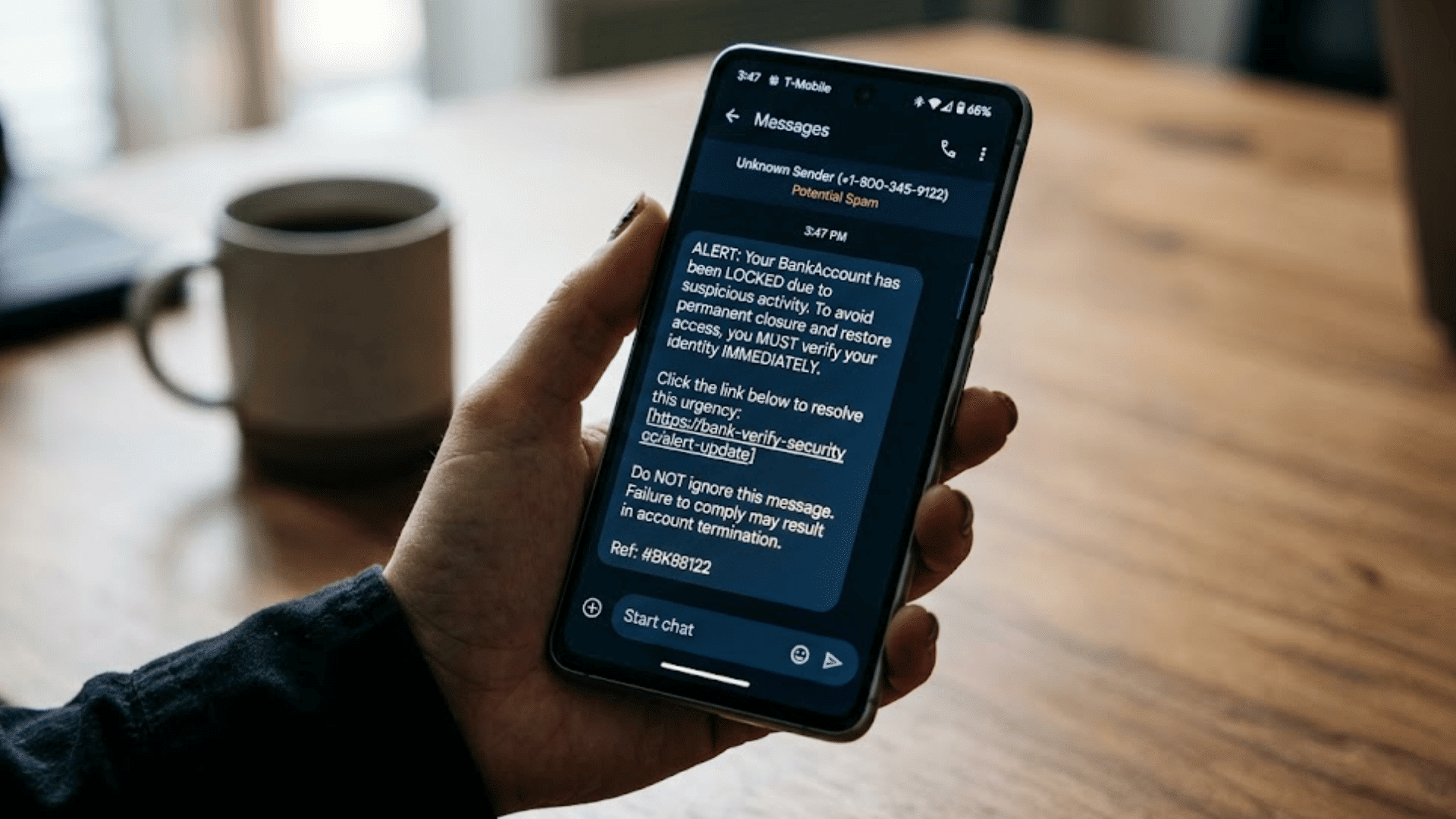
4. Smishing
Smishing, or SMS phishing, uses text messages instead of emails. Scammers often impersonate banks, delivery companies, mobile carriers, or government agencies.
The message usually contains a link and claims immediate action is required, such as confirming a package delivery or verifying an account.
Clicking the link may lead to a fake website that steals login details or installs harmful software on the device.
5. Vishing
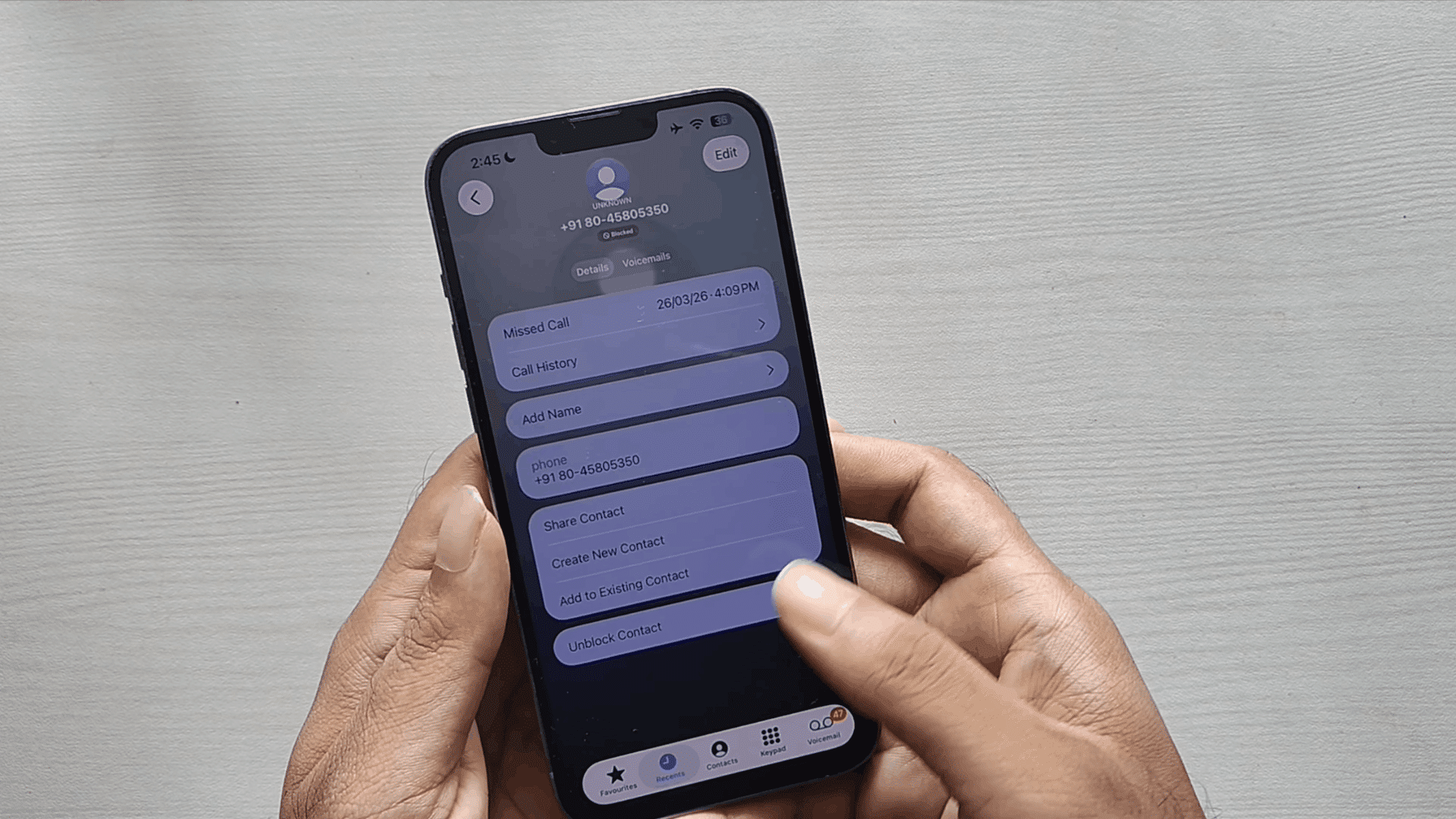
Vishing, short for voice phishing, involves fraudulent phone calls or voicemail messages.
Scammers may impersonate bank employees, technical support agents, government officials, or law enforcement officers.
They often use caller ID spoofing to appear legitimate and pressure victims into sharing passwords, verification codes, or financial information.
Some vishing attacks also direct people to fake websites or persuade them to transfer money immediately.
6. Social Media Phishing
Social media phishing takes place through fake profiles, direct messages, advertisements, or fraudulent customer support accounts.
Attackers may pose as well-known brands, influencers, or friends to gain trust. Victims are encouraged to click malicious links, claim fake prizes, or verify account details.
Because people often communicate casually on social platforms, these scams can appear more believable than traditional phishing emails.
7. QR Code Phishing
QR code phishing, sometimes called “quishing,” uses malicious QR codes instead of standard links.
Victims scan the code with a smartphone and are redirected to a fake login page or fraudulent website.
QR codes may appear in emails, posters, invoices, restaurant menus, or printed advertisements, making them difficult to inspect before scanning.
This method is increasingly used because many people trust QR codes without checking where they lead.
8. Business Email Compromise (BEC)
Business email compromise occurs when an attacker hijacks or closely imitates a legitimate work email account, often that of a manager or vendor, to request a payment, a payroll change, or sensitive files.
There is usually no malware and no obvious fake link, which is why BEC slips past filters designed to catch typical phishing email traffic.
Confirming payment or payroll requests through a second channel, such as a phone call, is the most effective safeguard against it.
What Happens If Someone Falls for a Phishing Scam?
The impact of a phishing scam depends on what information is shared and how quickly the victim responds.
| What Can Happen | What It Means |
| Identity Theft | Personal information may be used to impersonate the victim or open fraudulent accounts. |
| Financial Loss | Stolen banking or payment details can lead to unauthorized transactions. |
| Account Takeover | Attackers may gain access to email, social media, or online accounts by using stolen login credentials. |
| Malware Infection | Clicking a malicious link or attachment can install harmful software on the device. |
| Data Breach | Personal or business information may be copied, stolen, or exposed to unauthorized users. |
| More Scam Attempts | Stolen contact details may be used to target the victim with additional phishing or fraud attempts. |
| Time-Consuming Recovery | Recovering accounts, changing passwords, and reporting fraud can take significant time and effort. |
What to Do After Clicking a Phishing Link?
Taking quick action after clicking a phishing link can help reduce the risk of data theft or device compromise.
- Disconnect From the Internet: If suspicious downloads begin or malware is suspected, disconnect the device to help limit further communication with attackers.
- Do Not Enter Any Information: Close the webpage immediately if no details were submitted, and avoid interacting with any additional prompts or pop-ups.
- Change Passwords Immediately: Update the affected account’s password first, then change passwords for any other accounts that use the same credentials.
- Enable Multi-Factor Authentication: Turn it on to add another layer of security, even if attackers already know the account password.
- Run a Security Scan: Use trusted antivirus or security software to scan the device and remove any detected malware or suspicious files.
- Contact the Affected Organization: Notify the company whose account was targeted so they can secure the account and monitor unusual activity.
- Monitor Financial and Online Accounts: Watch bank statements, credit card statements, and online accounts closely for unauthorized transactions or suspicious changes over the coming weeks.
How to Protect Yourself from Phishing Attacks?
Good online habits can greatly reduce the chances of falling for phishing scams, even as attackers continue to change their tactics.
1. Verify the Sender Before Responding
Always check who sent the message before clicking links or replying.
Look closely at the sender’s email address rather than just the display name, as scammers often use addresses that closely resemble legitimate ones.
If the message claims to be from a bank, employer, or service provider, contact the organization via its official website or phone number to verify the request before taking any action.
2. Avoid Clicking Suspicious Links
Never click links simply because they appear in an email or text message.
Hover over links on a computer to preview the destination and check that the web address matches the official website.
On mobile devices, press and hold the link to view the URL before opening it. If anything looks unusual, visit the company’s website by typing the address directly into your browser.
3. Use Strong Passwords and Multi-Factor Authentication
Create unique passwords for each online account and avoid reusing the same password across multiple websites.
Consider using a password manager to generate and securely store complex passwords.
Turn on multi-factor authentication whenever it is available, as it adds an extra security step that helps protect accounts even if a password is accidentally exposed during a phishing attack.
4. Keep Software and Devices Updated
Install updates for your operating system, web browser, antivirus software, and mobile apps as soon as they become available.
Software updates often include security patches that fix vulnerabilities attackers may try to exploit.
Enabling automatic updates can help ensure your devices remain protected without requiring you to check for new versions regularly.
5. Be Careful with Attachments and Downloads
Avoid opening attachments or downloading files from unexpected emails, even if the sender appears familiar.
Malicious files can install malware or steal information as soon as they are opened.
If someone sends an unexpected attachment, verify with the sender using another communication method before downloading or opening the file, especially if it requests urgent action.
6. Learn the Common Warning Signs
Understanding how phishing works makes suspicious messages easier to identify.
Watch for urgent requests, generic greetings, unexpected login alerts, spelling mistakes, fake invoices, or offers that seem too good to be true.
While many modern phishing emails look professional, combining these warning signs with careful verification helps reduce the risk of becoming a victim.
7. Report Phishing Attempts
If you receive a phishing email or message, report it instead of simply deleting it.
Many email providers include built-in options to report phishing attempts, helping to block similar scams in the future.
If the message impersonates your bank, employer, or another organization, notify them through their official support channels so they can warn other users and investigate the incident.
8. Turn on Phishing-Resistant Multi-Factor Authentication
Standard MFA codes sent by text can still be intercepted or approved by mistake under pressure.
Phishing-resistant options, such as passkeys or physical security keys, tie your login to the specific device and site, so a fake login page cannot capture and reuse the approval.
Banks and major email providers increasingly offer this option in account security settings, and it is worth turning on wherever it exists.
Phishing vs Spam vs Scam
These messages may look similar, but their purposes, risks, and methods differ.
| Feature | Phishing | Spam | Scam |
| Main Purpose | Steal sensitive information or install malware | Send unwanted bulk messages | Trick someone for money or personal gain |
| Common Format | Fake emails, texts, calls, or websites | Ads, promotions, or repeated messages | Fake offers, requests, or promises |
| Typical Target | Specific people or large groups | Large mailing lists | Individuals or selected groups |
| Main Risk | Account theft, malware, or data loss | Annoyance and possible unsafe links | Financial loss or identity theft |
| Example | Fake bank login email | Unwanted sales email | Fake prize or investment offer |
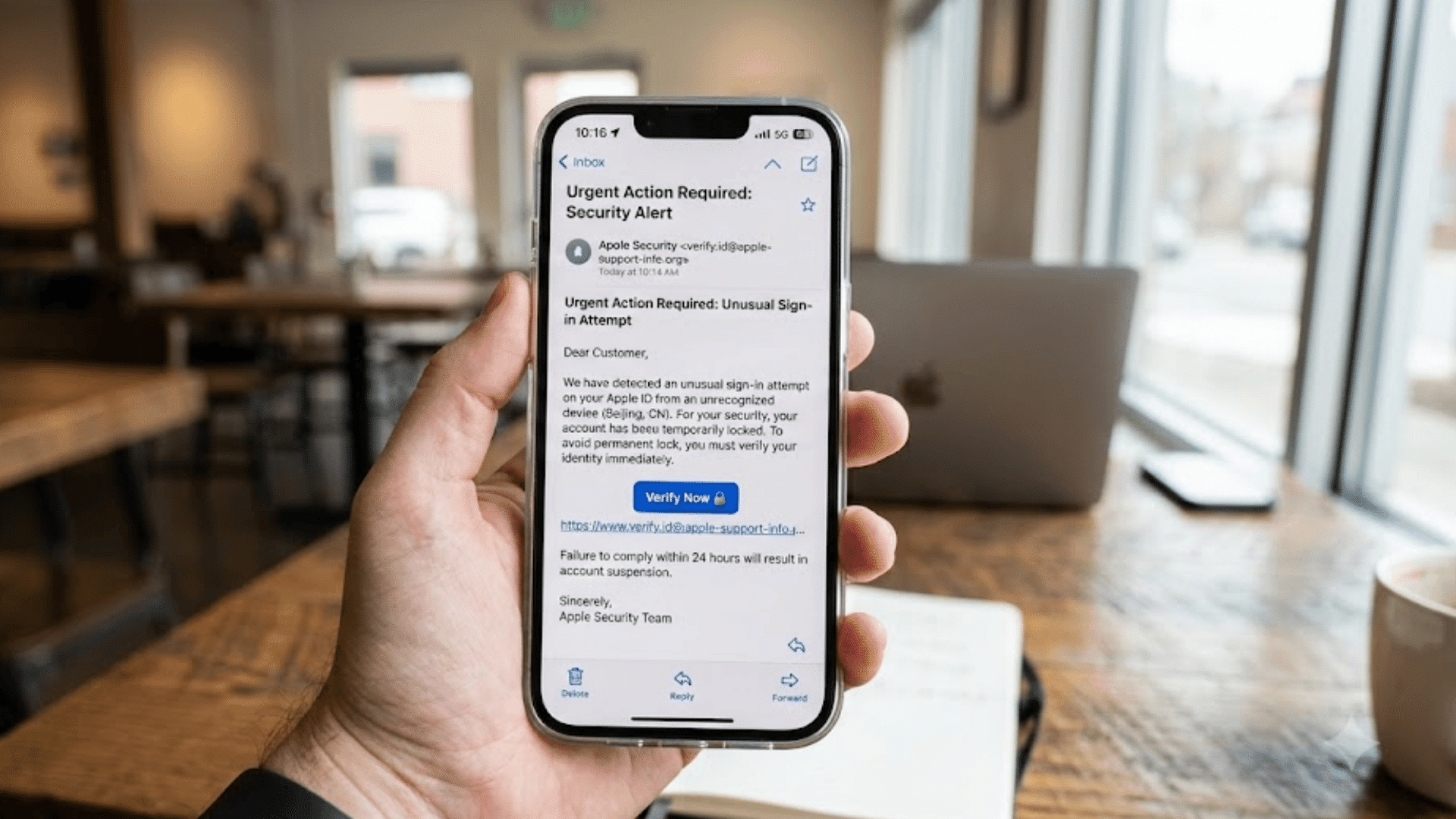
How to Recognize a Phishing Email?
Most phishing emails follow similar patterns, making them easier to identify when you know the warning signs.
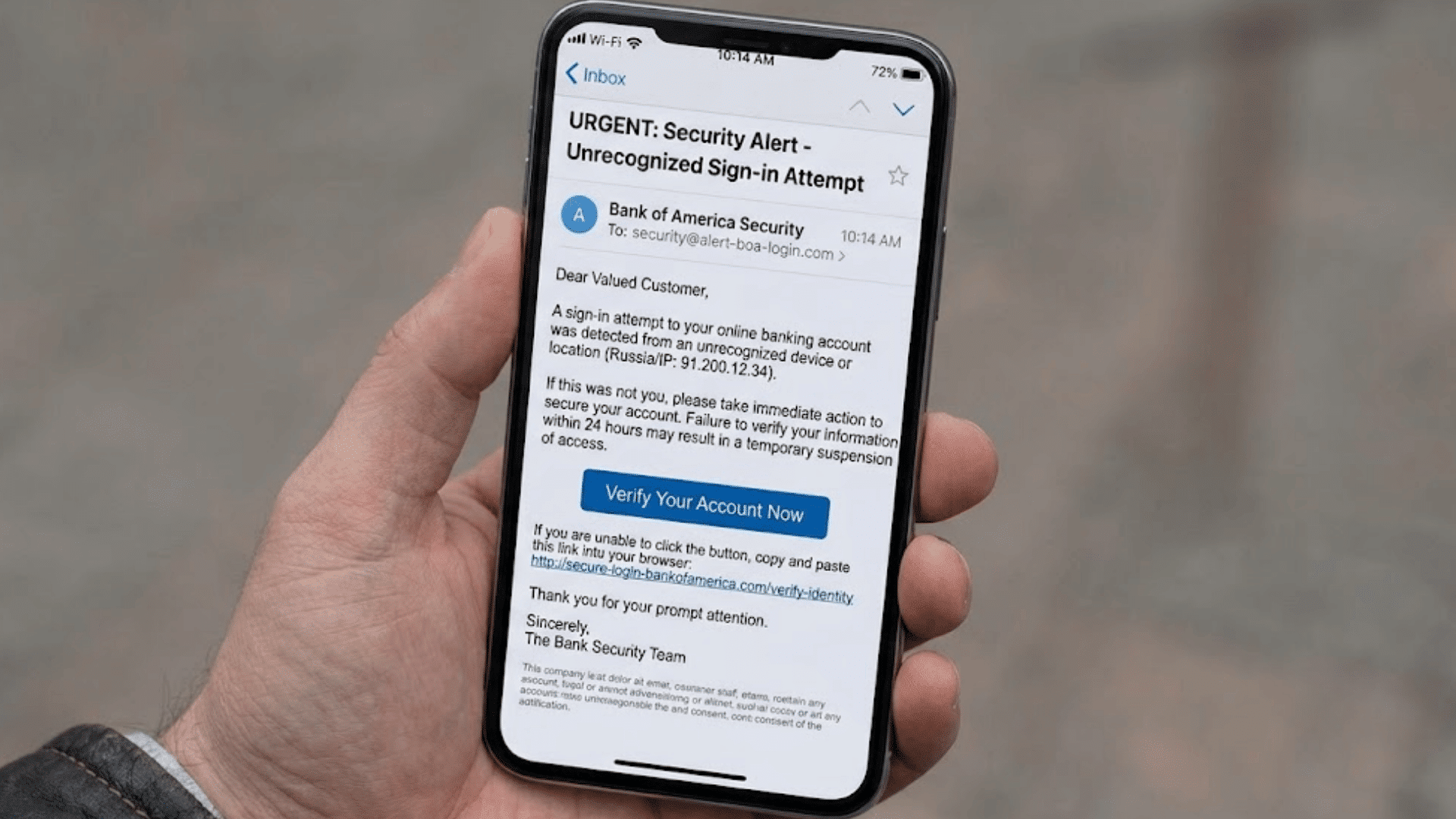
- Suspicious Sender Address: Check the sender’s email address carefully, as scammers often use addresses that closely resemble legitimate company domains or official contacts.
- Urgent or Threatening Language: Messages claiming that immediate action is required often pressure recipients to respond before verifying if the request is genuine.
- Requests for Personal Information: Legitimate organizations rarely request passwords, verification codes, banking details, or other sensitive information via unsolicited emails.
- Suspicious Links or Attachments: Hover over links before clicking, and avoid opening unexpected attachments because they may lead to fake websites or malware.
- Generic Greetings: Emails that use greetings like “Dear Customer” instead of your name are often sent to many people at once.
- Poor Grammar or Unusual Formatting: Awkward wording, spelling mistakes, mismatched logos, or inconsistent formatting can indicate the message is not from a trusted source.
- Offers That Seem Too Good: Unexpected prizes, refunds, discounts, or rewards are common tactics used to persuade people to click fraudulent links or share information.
Common Myths About Phishing
Many misconceptions about phishing can make scams harder to recognize.
| Myth | Reality |
| Only older adults fall for phishing. | Anyone can become a victim. |
| Phishing only happens through email. | It also occurs through texts, calls, social media, and QR codes. |
| Poor grammar always means phishing. | Many phishing messages are professionally written. |
| Antivirus stops every phishing attack. | Security software cannot block every scam. |
| Mobile devices are safe from phishing. | Phones and tablets are common targets. |
| Trusted brands cannot be impersonated. | Scammers often copy well-known organizations. |
| Only businesses are targeted. | Individuals and organizations are both targeted. |
Examples of Phishing Emails
Phishing emails often imitate trusted organizations and use familiar situations to encourage quick, unverified actions.
- Fake Bank Security Alert: Claims suspicious account activity and asks recipients to verify login details via a fraudulent website that resembles the bank.
- Password Reset Request: Pretends an account password is about to expire and urges an immediate reset via a fake login page to steal credentials.
- Package Delivery Notification: Says a delivery failed and asks you to click a tracking link or pay a small fee via a fake website.
- Tax Refund Email: Promises a tax refund after verifying personal and banking information using a fraudulent government-looking website or online form.
- Microsoft or Google Login Alert: Warns of an unusual sign-in attempt and immediately directs users to a fake account verification page.
- PayPal or Invoice Scam: Claims an unexpected payment was made and urges recipients to cancel it by clicking a malicious verification link.
- Employer or HR Email: Requests that employees update payroll details or verify benefits via a fake company portal that steals sensitive information.
- Vendor Payment Change Request: Impersonates a supplier or manager asking to update banking details for an upcoming invoice, a classic business email compromise tactic that skips the fake link entirely.
Conclusion
Phishing scams continue to evolve, but the goal remains the same: to trick people into giving away valuable information.
I hope this article has made it easier to understand how phishing works, how to recognize suspicious emails, and what steps to take if something seems wrong.
A few careful habits, such as checking the sender, verifying links, and avoiding rushed decisions, can make a big difference in protecting your personal and financial information.
Staying informed is one of the best ways to reduce your risk and feel more confident online.
If this article helped, share your thoughts, tips, or questions in the comments to help others learn too.
Frequently Asked Questions
What Do Hackers Hate the Most?
Hackers hate strong passwords, multi-factor authentication, timely software updates, and users who verify suspicious emails before responding.
What Device Gets Hacked the Most?
Smartphones are among the most commonly hacked devices because they store sensitive data and are frequently used for online accounts.
What Is 90% of Cyber Attacks?
Many cybersecurity studies estimate that about 90% of cyber attacks begin with phishing or other social engineering tactics.
Which State Is No. 1 in Cyber Crime?
California reports the highest number of cybercrime complaints in the United States, according to recent FBI Internet Crime Complaint Center data.