







With strong experience in cloud infrastructure, I have built and managed systems across AWS, Azure, and Google Cloud, working with both startups and large enterprise environments.
In that time, I’ve seen how fast teams need to ship code and how hard it can be to manage servers at scale in production environments.
You might be asking if there’s a simpler way to run applications without handling all that setup and maintenance.
In this article, I’ll share the real benefits of serverless computing in clear, simple terms. You’ll learn how it works, when it makes sense, and where it can save you time and cost.
I’ll also share practical use cases from deployment scenarios I’ve personally worked on.
And by the end, you can decide whether serverless is the right fit for your next project and long-term cloud strategy.
What Is Serverless Computing?
Serverless computing is a cloud model where you run code without managing servers. You write your code, upload it, and the cloud provider handles everything else, like setup, scaling, and maintenance.
You only pay for what you use, so there is no cost for idle time. This makes it a good choice for apps with changing traffic.
No server management is needed, which saves time and effort for developers.
It also scales automatically, so your app can handle more users without manual changes. Many companies use serverless for web apps, APIs, and background tasks.
It helps teams build and launch faster since they can focus on code instead of infrastructure.
Overall, serverless computing is a simple and cost-friendly way to run modern applications in the cloud.
Key Benefits of Serverless Computing
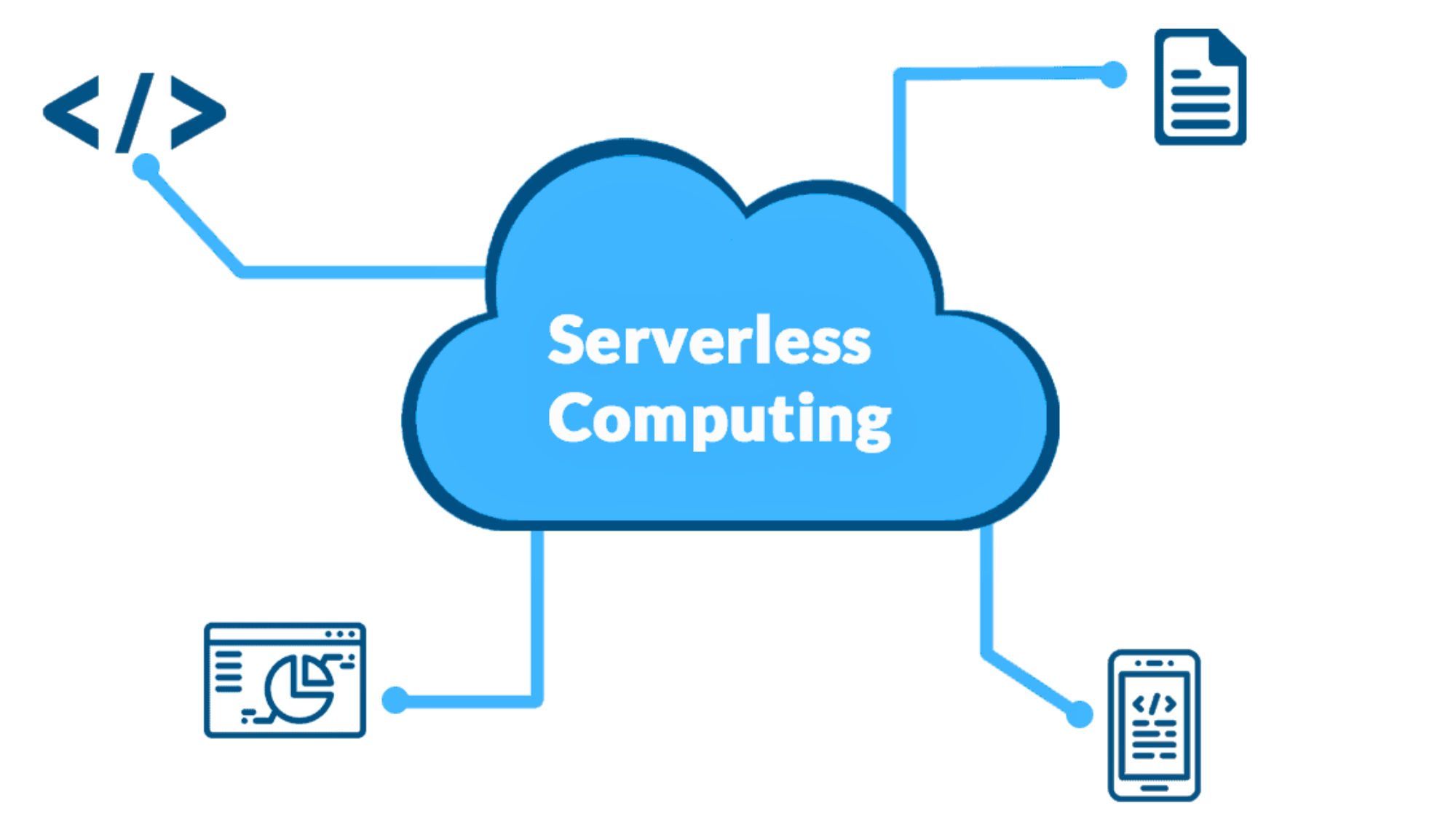
Serverless computing offers many practical advantages for modern businesses. It helps teams build, scale, and manage applications with less effort and cost.
1. Lower Infrastructure Costs
One big benefit of serverless computing is lower cost. You do not need to buy or maintain servers. The cloud provider handles the hardware for you.
You only pay for the time your code runs, so you avoid extra costs, and scaling stays simple and low-cost.
To put it in concrete terms: AWS Lambda charges per request and per 100ms of compute time.
A team running occasional background jobs might pay a few dollars a month for workloads that would otherwise require a constantly running EC2 instance.
I’ve seen early-stage teams cut their monthly cloud bills by over 60% simply by migrating event-driven workflows off dedicated servers onto Lambda.
2. Automatic Scalability
Serverless computing can scale up or down on its own, similar to scalability in cloud computing, where resources adjust based on demand. When traffic goes down, it reduces resources too.
You do not have to adjust anything manually. It can handle sudden traffic spikes without any extra effort.
One project I worked on involved a retail client whose traffic would spike 40x during promotional events. Instead of over-provisioning servers to handle peak load, we migrated their order processing pipeline to AWS Lambda.
The system scaled automatically without any manual intervention, and cost practically nothing during the off-peak periods between campaigns.
3. Faster Development and Deployment
With serverless computing, developers can focus only on writing code. They do not need to set up or manage servers. This reduces setup time and removes many technical steps.
Teams can build, test, and launch apps more quickly. Because there is less backend work to manage, new features can go live faster.
This helps businesses reach users sooner and stay competitive.
It shortens development cycles and speeds up product launches. Teams can respond quickly to market changes and customer needs.
4. Built-in High Availability
Serverless platforms are built to stay online. The cloud provider handles fault tolerance in the background. If one part fails, another part takes over.
This keeps your app running without interruption. You do not have to build complex backup systems yourself.
The provider manages reliability and recovery for you. AWS Lambda, for example, runs across multiple availability zones by default.
You get multi-region fault tolerance without writing a single line of infrastructure code.
For most teams, replicating that level of redundancy on traditional servers would require significant engineering investment.
5. Reduced Maintenance
Serverless computing reduces daily maintenance work. You do not need to patch servers or install updates. The cloud provider manages the backend infrastructure for you.
They handle security updates, system upgrades, and performance checks. This means your team spends less time fixing servers and more time improving the product.
It makes managing applications much simpler and less stressful.
You can spend more time improving features instead of fixing servers. This leads to faster updates and better overall results.
Serverless vs. Traditional Cloud: Key Differences
One of the most common questions I get from teams evaluating serverless is how it actually stacks up against traditional cloud setups in practice.
| Factor | Serverless | Traditional Cloud (IaaS/PaaS) |
| Cost Model | Pay per execution; near-zero cost at idle | Pay per hour/instance; costs accrue even at idle |
| Scaling | Automatic, near-instant, event-driven | Manual or auto-scaling with configuration lag |
| Setup Time | Minutes to deploy a function | Hours to days for full server provisioning |
| Maintenance | Provider handles OS, runtime, patches | Team responsible for OS, patching, and upgrades |
| Execution Limits | Typically 15-minute max (AWS Lambda) | No enforced runtime limits |
| State Management | Stateless by default; needs external store | Stateful applications are supported natively |
| Best For | Event-driven, bursty, and API workloads | Long-running, high-volume, latency-sensitive apps |
Understanding Serverless Computing Architecture
Serverless architecture explains how cloud platforms run code without manual server management.
It combines managed services and event-driven functions to create a scalable system.
1. Core Components of Serverless Architecture
Serverless architecture is built on a few key building blocks. Functions as a Service (FaaS) lets developers deploy individual functions that run on demand.
Backend as a Service (BaaS) handles database management, authentication, and storage without requiring server management.
Event triggers kick off those functions automatically based on specific actions. API gateways act as the front door, routing incoming requests to the right function.
Together, these components create a fully managed, scalable system that runs without you ever touching a server.
2. Event-Driven Model Explained
In serverless, nothing runs until something happens. Functions are triggered by events like a file upload, a form submission, or an incoming API call.
Once triggered, the function runs, completes its task, and shuts down.
Each execution is stateless, meaning it doesn’t hold onto data between runs. This keeps things clean, efficient, and easy to scale, since each function operates independently and doesn’t depend on prior events.
It reduces system complexity and improves overall performance. It also makes testing and updating individual functions much easier.
3. Role of Cloud Providers
Cloud providers make serverless work. They handle infrastructure behind the scenes, spinning up resources your functions need in milliseconds.
When traffic spikes, they scale automatically. They also handle monitoring, providing logs and performance data so you can track how your functions behave.
Providers like AWS, Azure, and Google Cloud essentially become your ops team, so you don’t have to be.
They handle server setup, scaling, and monitoring in the background.
They also manage security patches and system updates. This allows your team to focus fully on building and improving applications.
Common Use Cases of Serverless Computing
Serverless computing supports many real-world applications across industries. It works best for tasks that need flexibility, speed, and automatic scaling.
| Use Case | How Serverless Helps | Example |
| Web and Mobile Applications | Serverless runs the backend for apps without managing servers. It scales automatically when more users join. Developers can build features faster and focus only on code. | A shopping app that handles more users during a big sale without crashing. |
| Real-Time Data Processing | It processes data instantly when an event happens. The system reacts in seconds without waiting. It scales up if large amounts of data come in. | A fitness app that updates your steps and calories right away. |
| APIs and Microservices | Serverless works well for small services that perform a single task. Each function runs only when needed. This keeps systems simple and cost-effective. | A login API that checks user details only when someone signs in. |
| Automation and Scheduled Tasks | Tasks can run automatically at set times or when triggered by events. No manual action is needed. It saves time and reduces errors. | Sending daily email reports or backing up data every night. |
Challenges and Limitations of Serverless Computing
Serverless computing offers many benefits, but it also comes with some trade-offs. It is important to understand these limits before choosing it for your project.
1. Cold Start Delays
Cold start delays happen when a function runs after being idle for some time. The system needs to start it again, which can slow down the response.
This delay is usually small, but it can affect apps that need fast speed every time.
For example, real-time apps may face issues with user experience. While cloud providers try to reduce this delay, it still exists.
Planning your app design well can help reduce the impact of cold starts.
2. Limited Control Over Infrastructure
With serverless computing, you do not manage the servers directly. This means you also have less control over how things run in the background.
Developers cannot fine-tune the system like they can with traditional setups.
This can be a problem for apps that need specific settings or deep customization.
You depend fully on the cloud provider’s setup. While this makes things simple, it can limit flexibility for advanced use cases.
3. Vendor Lock-In Risk
Serverless platforms often tie your app to a specific cloud provider. Moving your code to another provider later can be hard and time-consuming.
Each platform has its own tools, services, and formats. This makes switching costly in terms of time and effort.
It is known as vendor lock-in. To reduce this risk, some developers use tools that work across platforms, but complete freedom is still difficult to achieve.
4. Debugging and Monitoring Issues
Debugging serverless apps can be tricky compared to traditional systems. Since the system is managed by a cloud provider, you cannot always see what is happening behind the scenes.
Tracking errors and performance issues may take more time. Logs and monitoring tools are available, but they may not give full visibility.
This can slow down problem-solving, especially in complex applications that rely on many small functions working together.
5. Execution Time Limits
Serverless functions have a maximum time limit for running tasks. If a function takes too long, it will stop automatically.
This makes it hard to use serverless for long or heavy processes.
Developers must break tasks into smaller parts, which can add complexity. While this works for many use cases, it is not ideal for all types of workloads.
Understanding these limits is key when planning your application structure.
6. Security Concerns
Security in serverless computing depends on both the cloud provider and the developer.
While providers offer strong security features, misconfigurations can still create risks. Each function must be set up correctly with proper permissions.
Since apps often use many small functions, managing security across all of them can be challenging.
Developers need to follow best practices and keep monitoring their setup to avoid possible threats or data exposure.
When Should You Choose Serverless Computing?

Choosing serverless depends on your workload, traffic patterns, and team priorities. It works best when flexibility, speed, and reduced maintenance are most important.
1. Ideal Business Scenarios
Serverless works best when your app doesn’t need to run all the time. If you’re building something that handles tasks like sending emails, processing form submissions, or resizing images, it’s a fit.
Startups love it because there’s no upfront infrastructure cost.
It also works well for APIs, chatbots, and scheduled background jobs.
Basically, if your workload comes and goes in bursts rather than running nonstop, serverless can save you a lot of time and money.
2. When Traditional Infrastructure Is Better
Sometimes the old way is still the better way. If your application runs continuously and handles a high volume of traffic around the clock, traditional servers are usually cheaper in the long run.
Apps that handle large data without limits or need constant low latency are better suited for dedicated infrastructure.
If your team already has deep server management experience and your workload is predictable, sticking with a traditional cloud setup just makes more sense.
3. Signs You’re Ready to Go Serverless
If your team is constantly bogged down by infrastructure management rather than building features, then its a sign that serverless could help.
You’re probably ready to make the switch if you’re dealing with unpredictable traffic spikes, want faster deployment cycles, or are looking to cut down on operational overhead.
When the goal is to ship faster and spend less time on server maintenance, serverless is often the natural next logical step forward for teams.
Is Serverless Computing Right for Your Workload?
Before committing to serverless, run your workload through these four questions. They won’t give you a definitive answer, but they’ll surface the trade-offs quickly.
| Question | Serverless Fits If… | Consider Traditional If… |
| How long do tasks run? | Under 15 minutes per execution | Tasks run continuously or exceed time limits |
| How predictable is traffic? | Bursty, unpredictable, or event-driven | Steady, high-volume, always-on traffic |
| How sensitive is latency? | Occasional cold starts are acceptable | Sub-100ms responses required at all times |
| What does your team own? | Focus should be on application logic | Team has DevOps capacity and infra expertise |
I use a version of this checklist on every new project before recommending an architecture direction to clients. It doesn’t replace a detailed cost model, but it gets teams to the right conversation faster.
The future of Serverless Computing
Serverless continues to evolve as cloud platforms improve speed, scale, and reliability. Businesses are adopting it faster because it supports more complex, mission-critical workloads.
- Faster performance improvements: Cloud providers are working to reduce cold start delays, making apps respond quicker and more smoothly.
- Better developer tools: New tools will help developers build, test, and manage serverless apps with less effort and fewer errors.
- Wider use across industries: More industries like healthcare, finance, and retail will use serverless for different types of applications.
- Stronger security features: Providers will improve built-in security, helping protect data while keeping systems easy to manage.
- Hybrid and multi-cloud support: Serverless will work better across different cloud platforms with the help of multi-cloud management platforms, giving teams more flexibility.
- Support for AI and data apps: Serverless will play a bigger role in handling AI tasks and processing large data workloads.
- Easier scaling for global apps: Apps will handle traffic from users around the world without manual setup or changes.
Conclusion
Serverless computing has improved over time and continues to evolve. It helps reduce the need to manage servers, so teams can focus more on building applications.
It offers automatic scaling, lower costs, and faster development without much setup.
This works well for many teams. Still, it is not the right fit for every case. Long tasks, high-traffic systems, and apps that need very low delay may still work better on traditional infrastructure.
For startups and growing teams, serverless can be a practical option. The key is to understand your workload and choose the right approach.
As cloud technology improves, serverless will become more reliable and easier to use.
If you want to simplify your setup, you can start with a small serverless project and see how it fits your needs.
Frequently Asked Questions
Is Serverless Better than Kubernetes?
It depends on your needs. Serverless is simpler and faster for small, event-based apps, while Kubernetes gives more control and suits complex, long-running, and high-scale systems.
Is Serverless Computing Really Serverless?
No, servers still exist. The cloud provider manages them, so you don’t have to handle setup, scaling, or maintenance.
Can Serverless Computing Handle High Traffic?
Yes, it scales automatically to handle sudden traffic spikes without manual changes or extra setup.
Is Serverless Good for Startups?
Yes, it helps startups save costs, build faster, and avoid managing infrastructure in early stages.
Can You Build Full Applications with Serverless?
Yes, you can build full apps using serverless with APIs, databases, and storage services working together.

