




Cloud migration does not guarantee better performance. It makes performance easier to measure, but that only matters when the data drives decisions instead of just filling dashboards.
Many teams track cloud performance metrics without connecting them to operational action or business outcomes.
They configure alerts, review reports, and build visualizations, but the underlying architecture does not change, costs continue drifting upward, and reliability incidents recur on the same cadence as before.
The problem is not the data. It is the absence of an ownership structure, a review cadence, and a clear line between a metric crossing a threshold and a team making a decision.
This guide covers which metrics matter and how to build a framework that generates action.
And how to connect technical data to the cloud transformation solutions driving the underlying infrastructure decisions.
Why Cloud Metrics Differ from IT Metrics?
On-premise performance management was designed for a static environment, fixed capacity, slow change cycles, and a bounded asset list.
Cloud breaks all three of those assumptions simultaneously. Cloud environments are dynamic. Resources scale automatically. New services appear in minutes.
Cost, reliability, and speed are interdependent in ways that legacy monitoring tools were not built to capture.
Static thresholds become unreliable when infrastructure changes daily. A p99 latency alert calibrated on Monday may be meaningless by Friday if a new service tier was deployed mid-week.
Cloud performance metrics require a different mental model.
Cost efficiency should be treated as a performance metric alongside latency and availability, not as a separate finance function.
The Core Categories of Cloud Performance Metrics
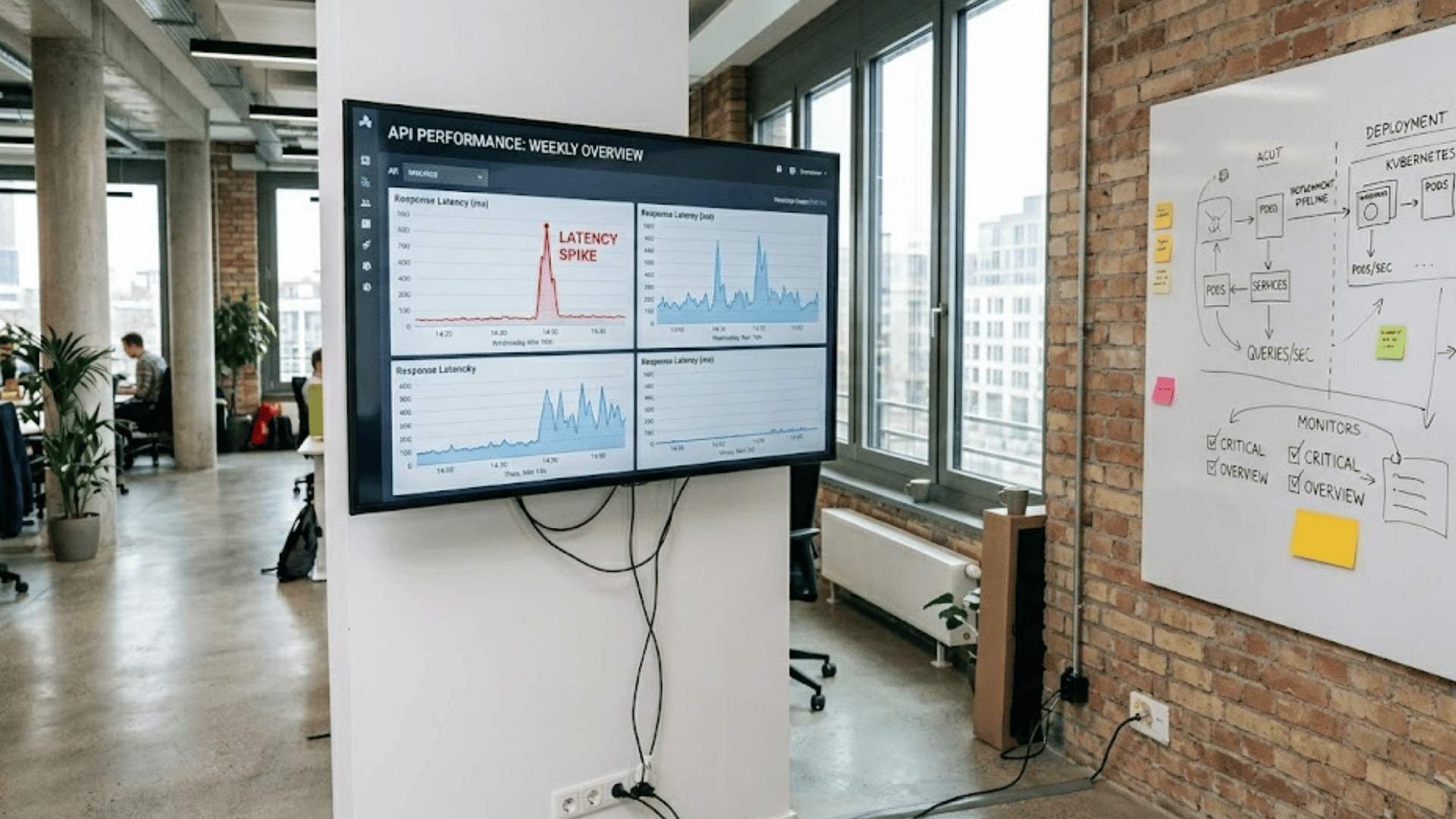
Each category below represents a distinct operational dimension, and a complete performance framework covers all of them, not just the ones that are easiest to instrument.
1. Availability and Reliability
These metrics define whether systems are doing what users need them to do, not merely whether the infrastructure is technically running.
Mean Time to Recovery (MTTR) is the single most actionable reliability metric for operations teams.
It captures how long it takes to restore normal operations after an incident and directly correlates with business impact.
Uptime percentage is a lagging indicator; MTTR is a leading one.
Error rate by service is an early warning signal: rising error rates often precede availability incidents by hours, giving teams time to intervene before users are affected at scale.
Key Metrics in This Category:
- Uptime and SLA adherence: Measured against defined service level agreements, not internal assumptions
- Mean Time to Recovery (MTTR): Hours or minutes to restore normal operation post-incident
- Error rate by service: Percentage of requests that fail; rising trends precede availability incidents
- Blast radius of incident: Number of users or dependent services affected when a failure occurs
2. Latency and Response Time
Speed from the user’s perspective is often different from what server logs report, and both measurements serve different diagnostic purposes.
Percentile-based latency (p95, p99) catches tail latency that averages consistently hides.
P99 reflects what the worst 1% of users experience, and in high-volume systems, that 1% represents thousands of real interactions per hour.
Database query latency often causes performance issues after migration, especially when workloads move without checking that cloud database network paths match on-premise assumptions.
Key Metrics in This Category:
- API response time at p50, p95, and p99: The percentile distribution reveals tail latency that averages obscure.
- Database query latency: Slow queries are a leading post-migration performance issue, especially in rehosted workloads.
- Core Web Vitals (LCP, INP, CLS): Google’s user-facing performance measures connect infrastructure performance to real user experience and search ranking.
3. Scalability and Capacity
These metrics confirm whether the cloud environment is actually behaving elastically, or just running on more expensive infrastructure with the same fixed-capacity limitations as before.
Auto-scaling efficiency measures the lag between demand increase and capacity expansion.
Long lags indicate misconfigured scaling policies or poorly defined trigger thresholds, and they show up as latency spikes during traffic bursts before any alert is triggered.
Resource utilization that consistently runs above 80% signals undersizing; consistently below 30% signals waste.
Both are correctable, but neither correction happens without the metric being tracked in the first place.
- Auto-scaling lag time: The delay between a demand spike and new capacity coming online; under 90 seconds is a reasonable target for most web workloads.
- Resource utilization by service: Target 30–80% as a healthy operating band; outside that band, act.
- Scaling event frequency: Excessive autoscaling events on stable workloads indicate over-sensitive trigger thresholds.
4. Cost Efficiency
In cloud environments, cost is a performance dimension; overspend often signals architectural inefficiency rather than budget management failure alone.
Cost per workload or transaction is one of the most important FinOps metrics. It links infrastructure spending directly to business activity.
This makes cloud cost discussions easier for finance teams that do not work with compute units.
Organizations with mature cloud programs usually run 60–80% of steady-state workloads on reserved capacity, cutting compute costs by 30–60% compared to on-demand pricing.
Key Metrics in This Category:
- Cost per workload or per transaction: The unit economic metric that bridges engineering and finance conversations.
- Reserved vs. on-demand spend ratio: Mature cloud programs target 60–80% reserved for steady-state workloads.
- Idle resource percentage: Resources provisioned but not actively serving workloads; target below 5% in a governed environment.
- Cost anomaly rate: The frequency of unexpected spend spikes that cross a defined percentage threshold week-over-week. Teams with a governed environment should be catching these within 24 hours.
5. Security and Compliance
Security metrics in cloud environments need to reflect the speed of the threat surface; annual compliance reviews do not move at the same pace as cloud configuration changes.
Policy violation frequency, the number of cloud resources or configurations that fall outside defined guardrails, should trend toward zero in a well-governed environment.
When it rises, it indicates either a governance gap or a process breakdown rather than intentional deviation.
Mean Time to Detect (MTTD) is the security counterpart to MTTR: the faster a threat is identified, the smaller the potential blast radius of a security incident.
- Policy violation frequency: Number of resources outside defined guardrails; track week-over-week trend, not just the raw count.
- Mean Time to Detect (MTTD): Faster detection means smaller blast radius; set a target and track it the same way you track MTTR.
- Exposed credentials or misconfigured public access events: A zero-tolerance metric that should trigger an immediate response procedure.
6. Deployment and Delivery (DORA Metrics)
DORA metrics connect engineering velocity to cloud reliability and are used by CTOs as an organizational health indicator beyond traditional IT performance reporting.
The four DORA metrics measure software delivery performance in cloud environments.
Elite-performing organizations deploy multiple times daily with change failure rates below 5% and recovery times under one hour.
These benchmarks are achievable with cloud-native CI/CD tooling, but only when the underlying infrastructure and governance model are designed to support them.
The DORA research program, now published annually by Google, is the authoritative benchmark source for these numbers.
| DORA Metric | What It Measures | Elite Benchmark | Why It Matters for Cloud |
|---|---|---|---|
| Deployment frequency | How often does code reach production | Multiple times per day | Reflects whether cloud CI/CD pipelines are removing friction from delivery |
| Lead time for changes | Time from code commit to production | Less than 1 hour | Indicates pipeline automation maturity and environment stability |
| Change failure rate | Percentage of deployments that cause incidents | 0–5% | Measures the quality of testing and rollback capability in cloud environments |
| Time to restore service | Recovery time after a production failure | Less than 1 hour | Reflects observability maturity and runbook automation in cloud operations |
How to Set Alert Thresholds that Actually Work?
Most teams set alerts on absolute values, then stop paying attention when those alerts fire too often. A p99 latency alert at 400ms will page engineers at 2 AM, whether the traffic volume is 100 requests or 100,000.
Threshold design should account for baseline variability, not just absolute limits.
A more reliable approach is trend-based alerting: alert when a metric moves a defined percentage above its rolling average over a defined window.
A p99 latency value of 400ms triggers an alert only when it is 25% above the 7-day rolling baseline, for example.
This reduces noise without sacrificing signal. For cost metrics, week-over-week percentage change is a more actionable trigger than absolute spend thresholds, which require constant manual updating as workloads scale.
Set the alert logic once; let the baseline adapt automatically.
How to Build a Cloud Performance Dashboard?
The most common dashboard failure is optimizing for completeness rather than actionability. A dashboard with 60 metrics gives operations teams no useful signal about what to do next.
- Start with 8–12 metrics tied to SLAs or business outcomes: Every metric on a production dashboard should have a named owner, a defined threshold, and a documented response procedure.
- Separate engineering and leadership views: Engineers need latency percentiles, error logs, and deployment frequency. Leadership needs reliability percentage, cost-per-transaction trends, and incident frequency.
- Set alert thresholds on trends, not just absolute values: A p99 latency of 400ms means nothing in isolation. The same value, trending upward by 15% week over week, is an early warning.
- Choose tooling that matches your environment: AWS CloudWatch is sufficient for single-cloud AWS environments. Multi-cloud or hybrid environments benefit from Datadog or Dynatrace for cross-platform visibility.
Connecting Performance Metrics to Business Outcomes
Technical metrics only create business value when they are translated into the language of impact, and the translation is the responsibility of the engineering team, not the finance team.
A 47-minute MTTR does not resonate with a CFO. What does resonate: “Each major incident costs approximately $85,000 in lost transactions and support overhead.
Our MTTR improvements have reduced incident frequency by 40% this quarter.”
The difference is framing, not the data. I have used this exact translation approach in quarterly business reviews, and it reliably shifts the cloud investment conversation from cost reduction to value creation.
The most business-focused metrics are deployment frequency, change failure rate, cost per transaction, and error rate trends.
Building these translations into quarterly business reviews shifts cloud investment from a cost discussion to a value discussion.
How Performance Metrics Feed Back Into Cloud Strategy?
Metric trends over time are signals for architectural and investment decisions, not just operational reports for the engineering team’s weekly standup.
Consistently high latency despite autoscaling suggests architecture constraints that cannot be resolved with additional compute.
Rising cost-per-transaction without rising error rates suggests overprovisioning.
Declining deployment frequency despite stable error rates indicates process friction rather than technology problems, a very different remediation path.
These signals belong in the cloud strategy review cycle, not just operations meetings.
Performance benchmarking works best when it is built into the cloud adoption roadmap from the very beginning, not added after go-live when baselines no longer exist, and comparisons have no starting point.
Conclusion
Cloud performance metrics only matter when teams use them to make better decisions. Dashboards and alerts alone will not improve reliability, lower costs, or prevent repeated incidents.
The real value comes from turning performance data into action that improves user experience and supports business goals.
Strong cloud strategies depend on clear ownership, regular reviews, and metrics tied directly to operational outcomes.
When engineering teams connect technical insights to business impact, cloud investments become easier to manage and justify.
As cloud environments continue to grow, organizations that treat metrics as decision-making tools will stay ahead.
Which cloud performance metrics have helped your team the most? Share your experience in the comments below.
Frequently Asked Questions
What are the Most Important Cloud Performance Metrics?
MTTR, p99 latency, deployment frequency, and change failure rate matter most.
How Often Should Cloud Metrics be Reviewed?
Operational metrics need continuous review, while strategy metrics need quarterly review.
What Tools Help Track Cloud Performance?
CloudWatch, Datadog, Dynatrace, and Grafana are commonly used tools.
How Do DORA Metrics Support Cloud Performance?
DORA metrics measure deployment speed, stability, and recovery performance.
What Is the Difference Between Monitoring and Performance Management?
Monitoring collects data, while performance management improves outcomes using that data.