







I’ve seen many businesses struggle when they first think about moving their apps to the cloud. It sounds simple, but the process needs the right planning and clear steps.
You may feel unsure about where to begin and what choices will work best for your setup. In this guide, I will walk you through what application migration really means and why companies choose it.
You will also learn about different migration strategies, simple step-by-step processes, and common challenges you may face.
I will also share best practices and tools that can make your work easier. By the end, you will have a clear idea of how cloud migration works and how to plan it the right way.
This will help you make better decisions and avoid common mistakes when moving your applications.
What Is Application Migration to Cloud?
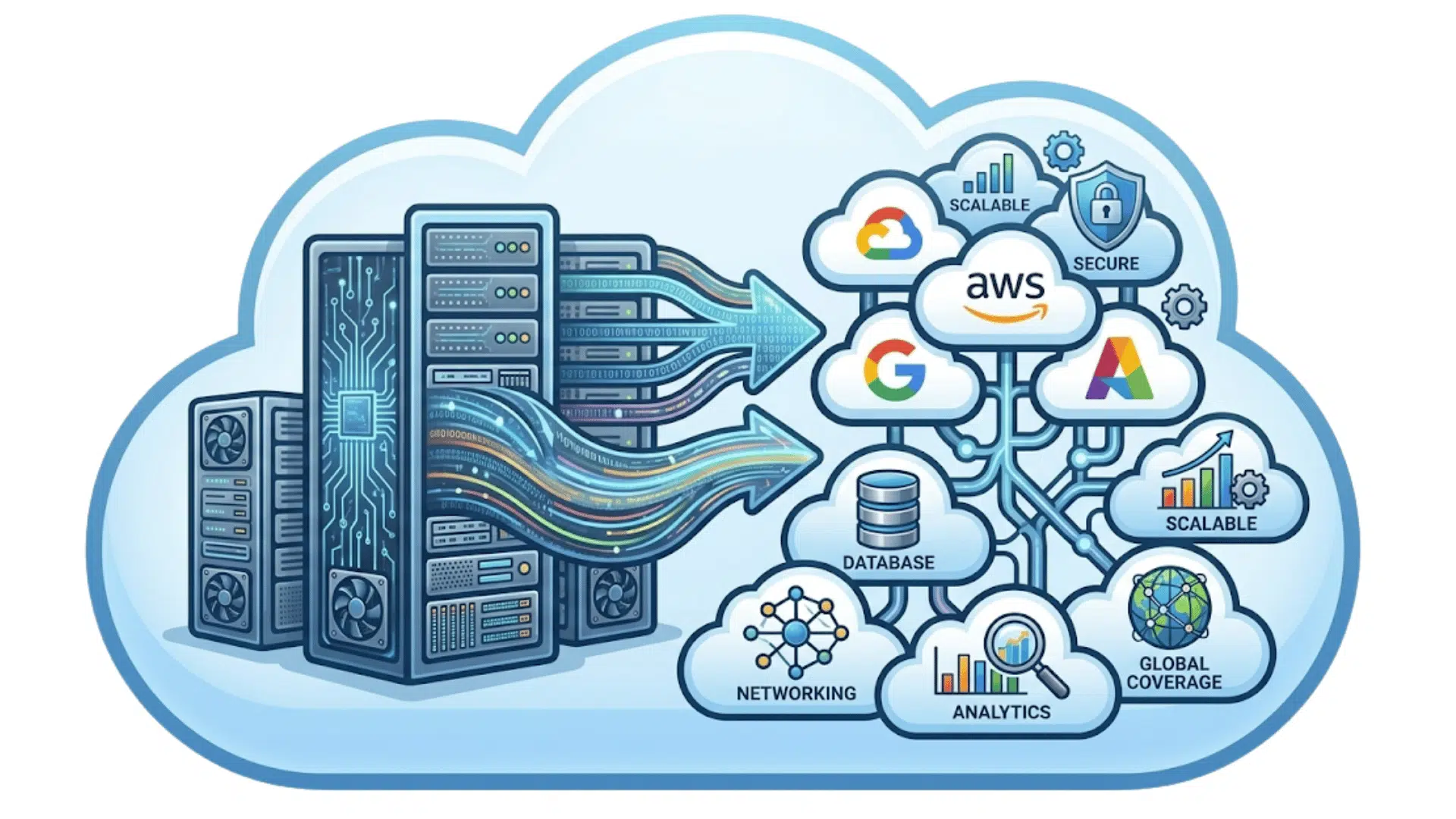
Application migration to the cloud means moving apps, data, and systems from local servers to cloud platforms like AWS, Azure, or Google Cloud.
It allows businesses to run applications without relying on physical hardware. In simple terms, application migration means changing where your app runs and how it uses computing resources.
Instead of managing local servers, companies use cloud platforms to store data, run apps, and handle workloads more easily.
Application migration to the cloud can involve different levels of change. Some apps are moved as-is, while others are updated to work better with cloud services and tools.
Before choosing a migration path, it also helps to understand your target cloud environment. Most businesses choose from three main deployment models:
- Public cloud: Resources are hosted by a third-party provider like AWS, Azure, or Google Cloud and shared across many customers. This is the most common model for speed, scalability, and cost control.
- Private cloud: Resources are dedicated to a single organization, either on-premises or hosted by a provider. This suits businesses with strict compliance or data residency requirements.
- Hybrid cloud: A mix of public and private clouds where workloads can move as needed. Many businesses keep some apps on-site and move others to the public cloud.
Knowing which model fits your business before you start will shape every migration decision that follows.
With proper planning, application migration to the cloud helps improve performance, lower costs, and make systems easier to manage over time.
The 7 R’s of Cloud Migration
The “R’s” framework helps businesses choose the best path for application migration to cloud-based services based on their needs.
- Rehost: Move the app to the cloud without changing its structure. This is the fastest way to start migrating an application to the cloud with minimal effort, and it works well for simple systems that need quick results.
- Replatform: Make small updates to improve how the app runs in the cloud. It helps us use cloud services more effectively without changing the entire system, such as moving databases to managed cloud services.
- Refactor: Redesign the app to run more efficiently in a cloud environment. This improves performance and enables better use of cloud features, but it requires more time and development effort.
- Repurchase: Replace the current app with a cloud-based software option. This is useful when existing tools no longer meet business needs or when switching to a SaaS product makes more sense.
- Retain: Keep the app in the current setup for now. This works when migration is not urgent, or when the app has complex dependencies that require more planning.
- Retire: Remove apps that are no longer useful. This helps reduce costs, free up resources, and simplify the overall system before or during migration.
Application Migration Process and Strategy
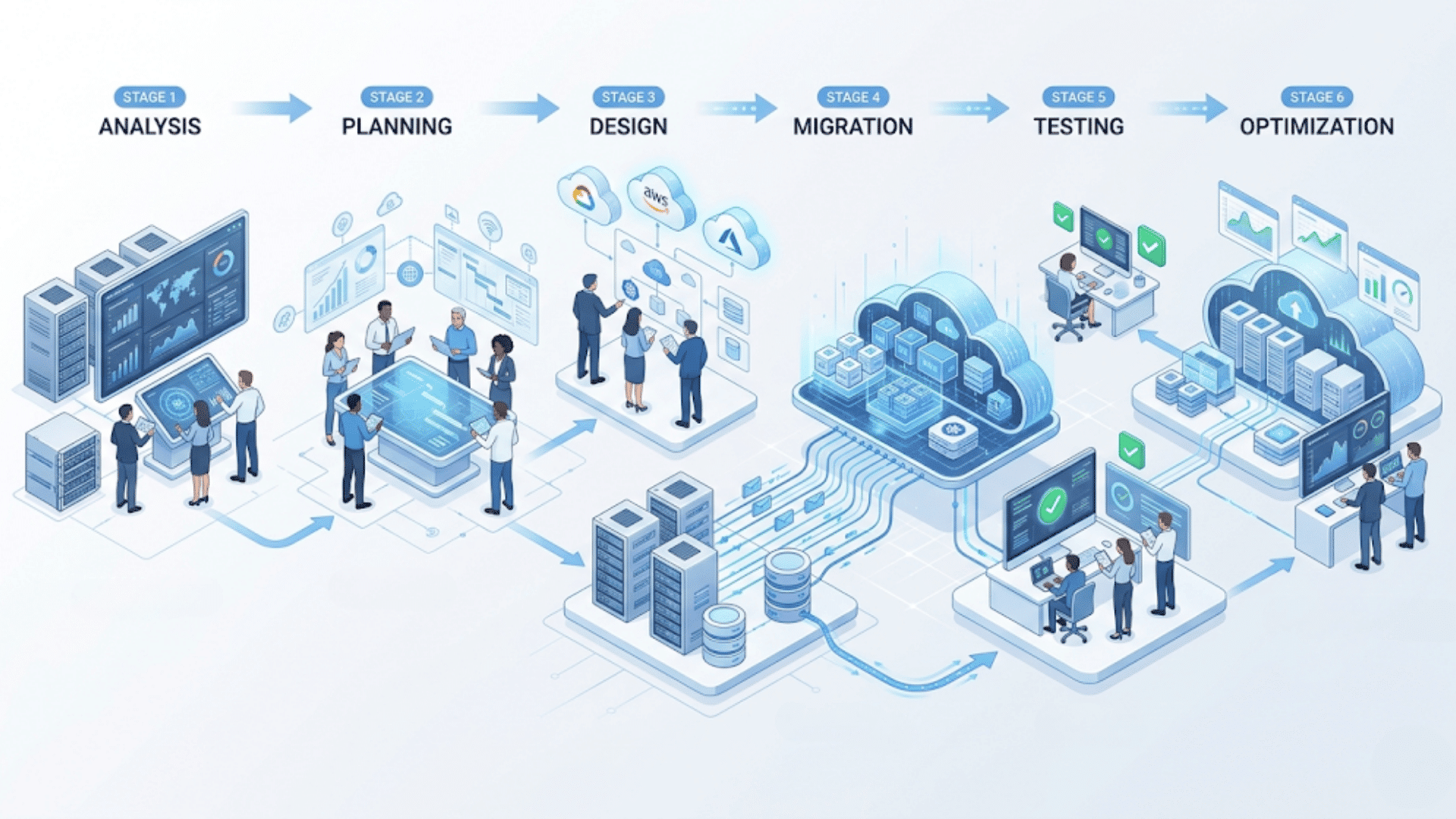
Application migration to the cloud follows a clear process to reduce risks and keep systems running without issues. Each step helps plan, move, and improve applications in a controlled way.
1. Assess Current Environment
The first step in migrating your application to the cloud is to assess your current environment in detail. This includes reviewing applications, databases, dependencies, and system performance.
Flexera’s 2024 State of the Cloud Report shows that 54% of businesses say understanding app dependencies is their biggest migration challenge.
Even a small accounting app can depend on a legacy database that also supports your CRM.
If you find this out during migration, it can lead to delays and extra costs. I suggest using tools like AWS Application Discovery Service or Azure Migrate first.
These tools help you map dependencies before you create your migration plan.
A proper assessment ensures that application migration to the cloud starts with clear data and avoids unexpected issues later.
2. Plan the Migration
Planning is a critical stage in application migration to the cloud. Here, you define your goals, timeline, and migration approach for each application.
You also choose between strategies like rehost, replatform, or refactor based on business needs. Your plan should also define a rollback strategy for each workload.
Before executing any migration, document exactly how you will restore a previous state if something goes wrong.
This includes VM snapshots, database backups, and a defined window in which you can revert without data loss.
Teams that skip this step often discover mid-migration that rolling back is far more complicated than moving forward. Security, compliance, and backup plans should be included in this phase.
A well-structured plan helps teams stay aligned and reduces downtime during application migration to the cloud.
3. Choose Tools and Cloud Provider
Selecting the right tools and provider is an important part of application migration to the cloud. Platforms like AWS, Azure, and Google Cloud offer built-in services for migration, monitoring, and automation.
These tools help teams manage workloads, track progress, and reduce manual effort.
Choosing the right provider depends on factors like pricing, system compatibility, and future goals.
A well-matched platform supports smooth migration and better performance. It also helps avoid delays, lowers risks, and makes the overall process easier to handle from start to finish.
4. Migrate Applications
This step involves migrating applications, data, and workloads to the cloud. Application migration to the cloud is often done in phases, starting with less critical systems to reduce risk.
Data transfer, system setup, and configuration happen during this stage.
Careful execution ensures that applications remain stable and users experience minimal disruption during the migration process.
5. Test and Validate
After migration, testing ensures that everything works correctly in the cloud environment.
This step checks application performance, data accuracy, and system behavior. Teams fix any errors and adjust settings if needed.
Testing is important in application migration to the cloud because it confirms that applications are running properly and meeting expected performance standards before full use.
One tip I have found valuable: involve actual end users in testing, not just your IT team.
They surface workflow issues that technical testing misses, broken integrations, missing data fields, and permission errors that only appear under real usage patterns.
6. Optimize Performance
The final step in application migration to the cloud is optimization. This includes monitoring performance, managing costs, and improving system efficiency.
Teams review usage patterns and adjust resources to avoid waste. Continuous optimization ensures that applications run smoothly and deliver better results over time. Cost optimization deserves specific attention here.
Cloud bills can grow fast if resources are not right-sized from the start.
Many teams use FinOps practices, aligning finance, engineering, and operations around cloud spend, to set budget guardrails and identify unused resources early.
Tools like AWS Cost Explorer, Azure Cost Management, and Google Cloud’s Cost Management suite make this easier to implement.
Common Challenges in Cloud Migration
Application migration to the cloud can bring many benefits, but it also comes with a few common challenges that businesses need to manage carefully.
| Challenge | Mistake People Make | How to Avoid It |
| Downtime | Moving all systems at once without planning | Use phased migration and move less critical apps first |
| Cost Risks | Not tracking cloud usage and hidden expenses | Set budgets, monitor usage, and choose the right pricing plan |
| Compatibility Issues | Ignoring app dependencies and system requirements | Test apps before migration and check compatibility early |
| Data Security | Not securing data during transfer | Use encryption and follow security best practices |
| Performance Issues | Not testing apps after migration | Run proper testing and optimize settings after migration |
| Skill Gaps | Lack of a trained team for cloud tools | Train staff or work with cloud experts |
Tools and Services for Cloud Migration
Application migration to the cloud becomes easier with the right tools and services from major cloud providers. These tools help move data, manage systems, and monitor performance during and after migration.
- AWS Migration Tools: AWS offers services like AWS Application Migration Service and AWS Database Migration Service. These tools help move applications and databases with minimal downtime and support.
- Microsoft Azure Tools: Azure provides tools such as Azure Migrate and Azure Site Recovery. These services help assess systems, plan migrations, and move workloads safely to the cloud.
- Google Cloud Tools: Google Cloud offers tools like Database Migration Service and Migrate for Compute Engine. These help transfer data and virtual machines while keeping systems stable.
- Cloud Monitoring Tools: Tools like Amazon CloudWatch, Azure Monitor, and Google Cloud Monitoring help track system performance, usage, and errors after migration.
- Automation Tools: Automation tools help reduce manual work during application migration to the cloud. Services like AWS CloudFormation and Azure Resource Manager help quickly set up and manage resources.
- Security Tools: Cloud platforms provide built-in security tools such as AWS IAM, Azure Security Center, and Google Cloud IAM. These tools help manage access, protect data, and maintain system security.
- Data Transfer Tools: Tools like AWS Snowball and Azure Data Box help move large amounts of data to the cloud safely and efficiently, especially for large-scale migrations.
Best Practices for Application Migration
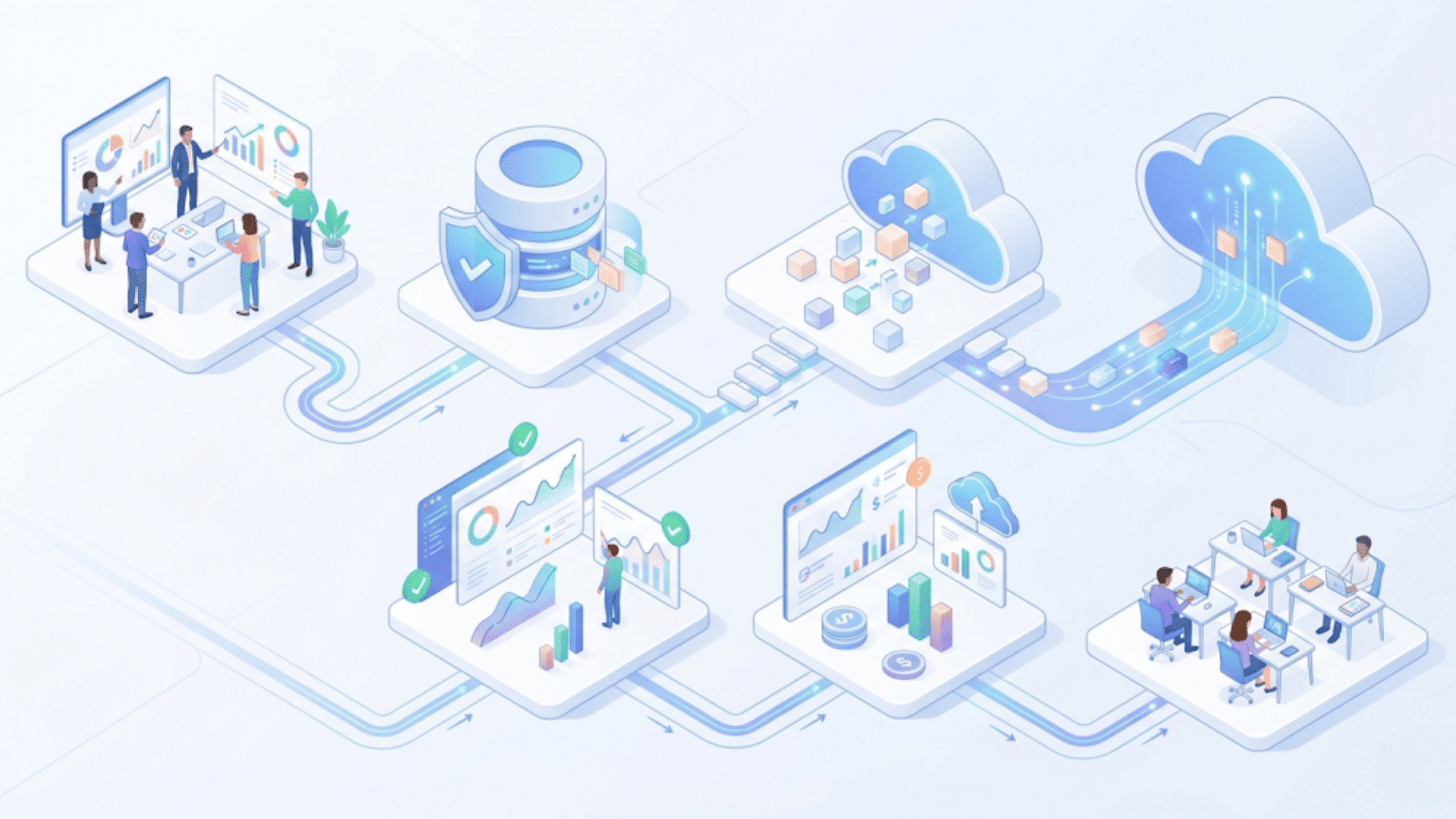
Using the right approach in application migration to the cloud helps reduce risks, improve performance, and keep systems stable after the move.
1. Set Clear Migration Goals
Start migrating applications to the cloud with clear, measurable goals. These can include reducing costs, improving system speed, or upgrading outdated applications.
Clear goals help guide every step and make decision-making easier during the process.
Without defined goals, teams may face delays or confusion. Setting goals early also helps track progress and measure the success of the migration once it is complete.
2. Create Reliable Backups
Before migrating your application to the cloud, always ensure your data is securely backed up. This includes applications, databases, and system files.
Backups protect your business from data loss during migration. If something goes wrong, you can restore systems quickly without major impact.
This step serves as a safety layer, ensuring that important data remains secure throughout the migration process.
3. Move Applications in Phases
Instead of shifting everything at once, handle application migration to the cloud in smaller phases.
Start with less critical applications and move step by step. This reduces pressure on systems and allows teams to fix issues early.
A phased approach helps maintain system stability and prevents major disruptions to users during the migration.
4. Validate Performance and Access
After migration, check how applications perform in the cloud environment. Review system speed, user access, and data accuracy.
This step ensures that application migration to the cloud delivers expected results. If any issues appear, they can be fixed before full deployment.
Proper validation helps maintain a smooth user experience and confirms that systems are working correctly.
5. Monitor Usage and Costs
Once application migration to the cloud is complete, regularly track system usage and costs. Monitor resource use and adjust allocations in response to demand.
This helps avoid unnecessary spending and improves efficiency.
Continuous monitoring ensures applications run smoothly and businesses stay within budget when using cloud services.
6. Train Teams and Update Skills
A successful application migration to the cloud also depends on the team’s knowledge.
Train your staff to use cloud tools and manage systems properly. This reduces errors and improves system handling after migration.
Skilled teams can respond faster to issues and maintain better performance. Regular training ensures your team stays up to date on cloud technologies and best practices.
7. Define a Rollback Plan Before You Start
Every migration should begin with a documented exit strategy. Before you move any workload, define exactly how you will roll back if the migration fails or causes unexpected behavior.
This means taking full snapshots of your VMs, maintaining live database replicas during the transition window, and setting a clear go/no-go deadline after which the old system can be decommissioned.
In my experience, teams that skip this step spend far more time recovering from problems than they would have spent documenting the plan upfront.
Benefits of Application Migration to Cloud
Application migration to the cloud offers several practical benefits that help businesses improve performance, manage costs, and run systems more efficiently.
- Lower Costs: Application migration to the cloud reduces spending on hardware, maintenance, and energy. Businesses only pay for the resources they use, which helps control overall costs.
- Better Performance: Cloud platforms handle traffic and workloads more efficiently. Applications run faster and remain stable even under heavy load.
- Easy Scaling: Application migration to the cloud allows systems to handle more users or data without major setup changes. Resources can be adjusted based on demand.
- Improved Security: Cloud providers offer built-in security features like encryption and regular updates. This helps protect data and reduce risks.
- Faster Deployment: New applications and updates can be launched quickly in the cloud. This helps teams release features faster and respond to changes easily.
- Remote Access: Applications can be accessed from anywhere with an internet connection. This supports flexible work and better team collaboration.
- Access to Modern Tools: Application migration to the cloud provides access to tools such as AI, automation, and data analytics, which help improve system efficiency and decision-making.
Why Businesses Move Applications to the Cloud?
Businesses migrate their applications to the cloud primarily to reduce costs, improve performance, and simplify system management.
Instead of using expensive on-site servers, companies switch to platforms like AWS, Azure, or Google Cloud.
They only pay for what they use, which helps control costs and avoids heavy upfront spending.
Working with cloud systems and data analytics, I can say this shift delivers real results. We reduced hardware and maintenance costs while improving app speed and uptime.
As user demand increased, the cloud handled the load easily, enabling us to serve more customers and boost revenue.
Cloud platforms also offer tools like AI, analytics, and automation. I’ve used these tools to study user data and improve decision-making, which directly supported better services and higher profits.
Security and backup are also stronger. Cloud providers include built-in protection and recovery systems, reducing the risk of data loss and downtime, and allowing teams to focus more on growth.
Application Migration Use Cases
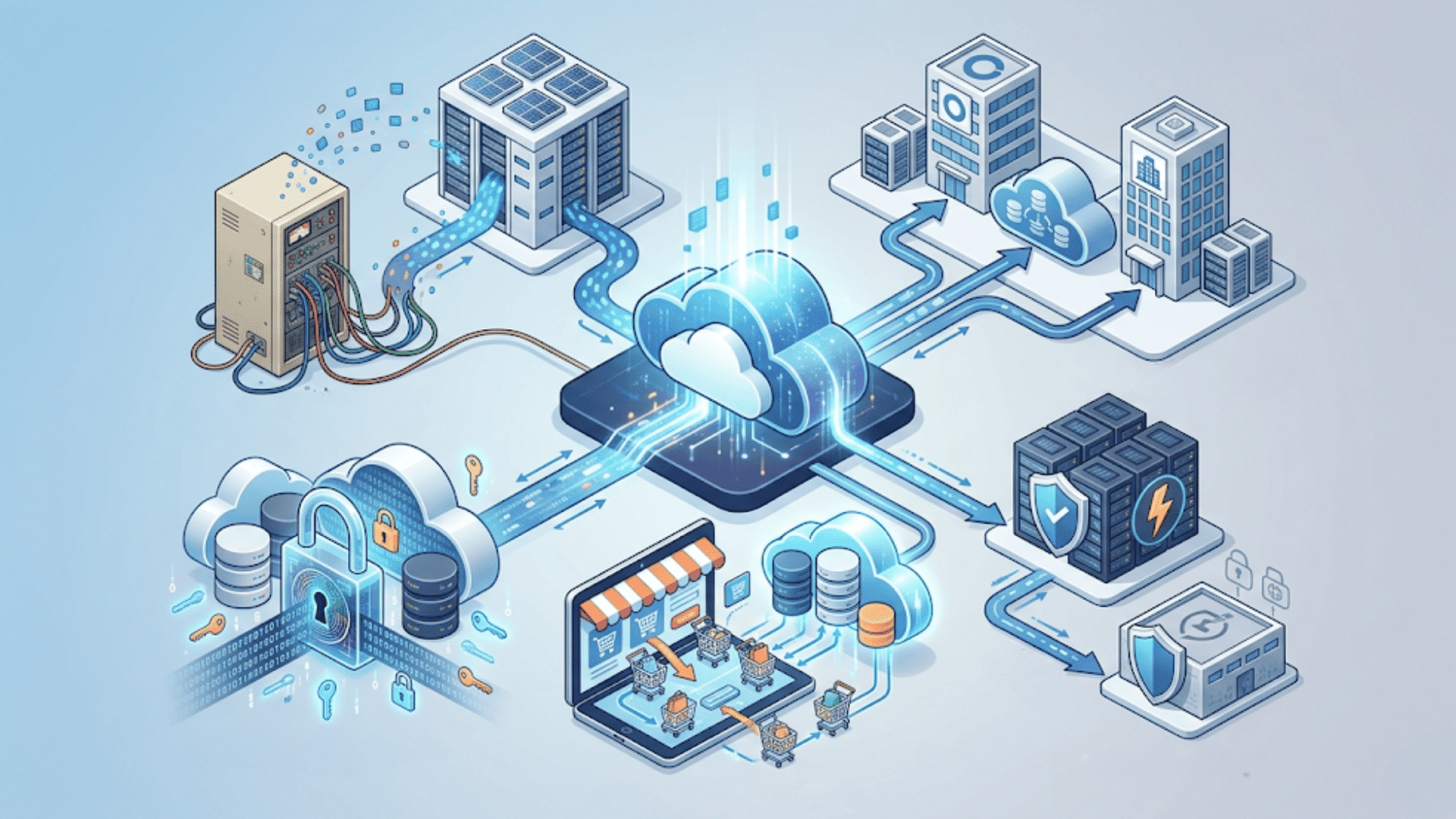
Businesses the cloud application migration for various practical needs, such as improving systems, handling growth, and keeping data safe.
1. Legacy System Modernization
Many businesses still use old systems that are hard to maintain and slow to update.
Application migration to the cloud helps move these systems to a better environment where performance improves, and maintenance becomes easier.
It also allows businesses to replace outdated tools with cloud-based services. This helps reduce costs, improve system speed, and make applications easier to manage over time.
2. Mergers and Acquisitions
During mergers, companies need to combine different systems and data. It reduces system conflicts and improves data consistency across teams.
Application migration to the cloud helps consolidate these systems onto a single platform, simplifying management.
This approach saves time and helps businesses operate smoothly after the merger without long delays in system integration.
3. Disaster Recovery Planning
Application migration to the cloud plays an important role in disaster recovery.
Cloud platforms store data across multiple locations, helping protect it from failures or attacks. If a system goes down, data can be restored quickly.
This reduces downtime and keeps business operations running. It also ensures that critical data remains safe and accessible when needed.
4. E-commerce Platform Growth
Online businesses often experience sudden traffic spikes, especially during sales or peak seasons.
Application migration to the cloud helps manage this growth by supporting higher user loads without slowing down systems.
It improves performance for order processing, payments, and customer services.
This ensures that users have a smooth experience even during high demand. It also helps businesses grow without needing to invest in new hardware or systems.
Major League Baseball moved to Google Cloud to handle heavy fan traffic during peak seasons, achieving better performance than on-premises systems.
5. Compliance and Data Security
Businesses that handle sensitive data must follow strict rules and standards.
Application migration to the cloud helps meet these requirements through built-in security features such as encryption and controlled access.
Cloud platforms also support compliance checks and regular updates.
This helps protect data from risks and keeps systems aligned with industry standards. It also builds trust by ensuring user data is handled securely.
Conclusion
Application migration to the cloud is not just about moving systems. It is about making smarter decisions that help your business run better over time.
When you understand the process, strategies, and best practices, the whole transition becomes easier to manage.
From choosing the right migration approach to handling challenges and using the right tools, each step plays an important role.
Taking time to plan and test properly can help you avoid common issues and get better results.
If you are planning your own application migration to the cloud or have already started, your experience can help others.
Share what worked for you, what challenges you faced, and any tips you learned along the way in the comments below.
Frequently Asked Questions
Can Application Migration to Cloud Cause Data Loss?
Data loss is rare if proper backups, secure transfer methods, and testing are used during migration.
Do All Applications Need to be Redesigned for Cloud Migration?
No, some apps can be moved as-is, while others may need updates based on performance and business needs.
Is Application Migration to Cloud Expensive?
Initial costs may be high, but long-term savings come from reduced hardware and maintenance expenses.
What Skills Are Needed for Application Migration to Cloud?
Basic knowledge of cloud platforms, networking, security, and migration tools is required for smooth execution.
Can Businesses Move Only Part of Their System to the Cloud?
Yes, companies can migrate selected applications using a phased or hybrid approach to reduce risk and maintain control.

