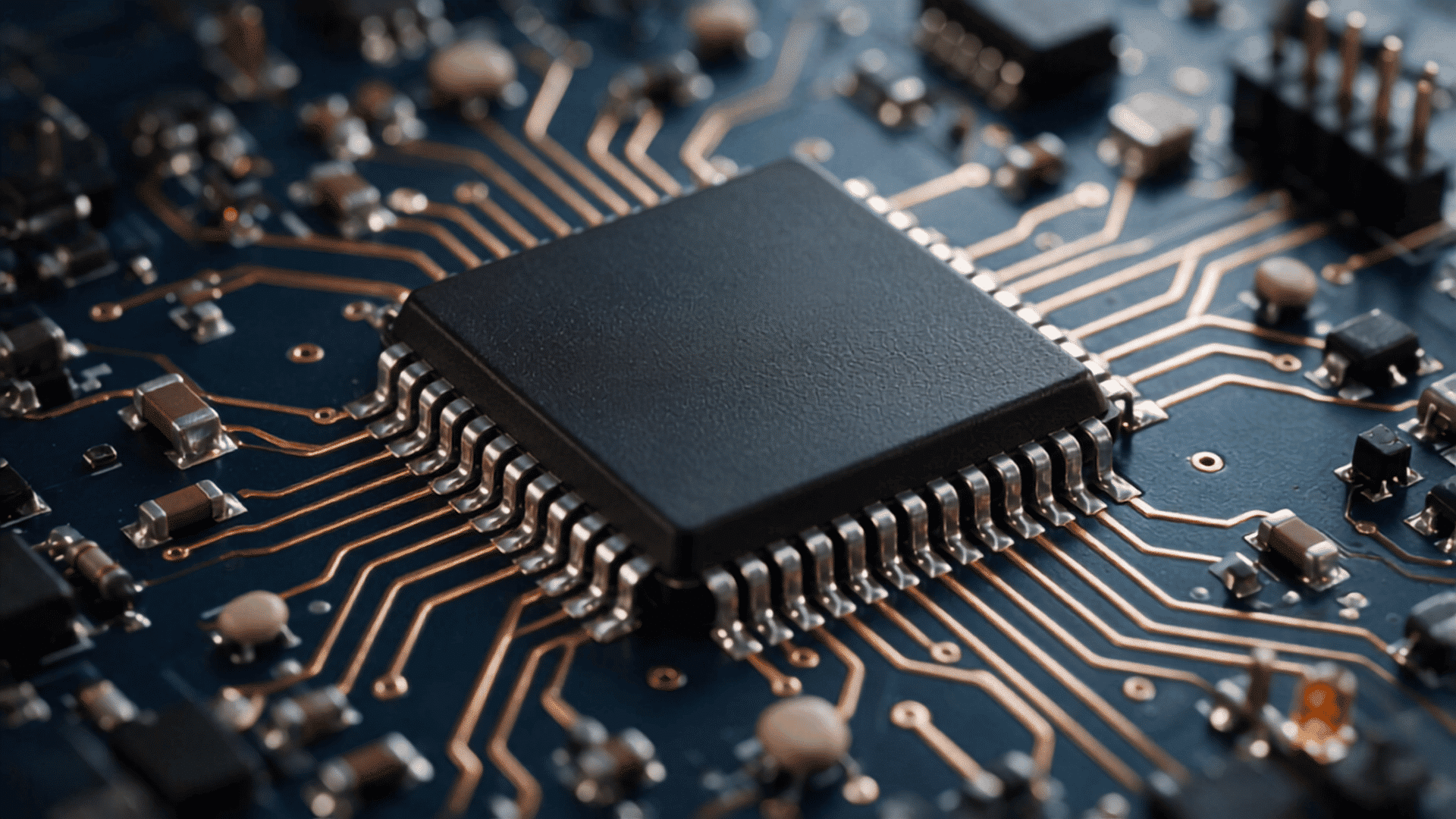




Embedded software is the code built into a device to control a specific hardware function.
Unlike regular computer programs, embedded software usually works in the background and performs a limited set of tasks.
Having spent more than a decade creating technical documentation and working closely with engineering teams, I’ve found that embedded systems become much easier to understand when you connect the code to the physical task it controls.
Embedded software is nothing but a software that receives information, follows programmed rules, and tells a device’s hardware what to do.
Unlike general-purpose software, it is built for a specific device and task. This blog explains what it’s used for and where. Familiar examples await as you read!
What is Embedded Software?
Embedded software is code built into a larger electronic or mechanical product to control a specific task or a small group of related functions.
It communicates closely with hardware such as sensors, motors, buttons, and displays. The code often runs continuously after the device is turned on, even when users cannot see a screen or interface.
It is designed around the device’s available memory, processing power, energy use, timing needs, and safety requirements.
Embedded software is only the code. An embedded system is the complete combination of that code and the hardware it controls.
How does Embedded Software Work?
Embedded software operates through a repeating input-processing-output cycle.
- First, it receives information from a sensor, a button, a switch, or a connected system.
- It then compares that input with programmed rules and decides what should happen next.
- Finally, it sends a command to a motor, screen, alarm, light, valve, or another hardware component.
Example: A washing machine uses a sensor to measure the water level. The embedded software checks the sensor reading and the selected wash cycle. It then tells the inlet valve when to stop filling the drum.
Six parts handle the work in most embedded designs, and the code coordinates them all. Have a look!
| Component | What It Does | Washing Machine Example |
|---|---|---|
| Processor or microcontroller | Runs the instructions that control the machine | Manages the selected wash cycle |
| Sensor | Collects information from the machine | Measures water level, temperature, or drum speed |
| Memory | Stores software, settings, and operating data | Saves wash programs and user selections |
| Actuator | Creates movement or another physical action | Rotates the drum or opens the water valve |
| Communication connection | Sends and receives information | Connects the machine to a mobile app through Wi-Fi or Bluetooth |
| Power supply | Provides electrical power | Powers the control board, motor, sensors, and display |
Common Embedded Software Applications and Examples
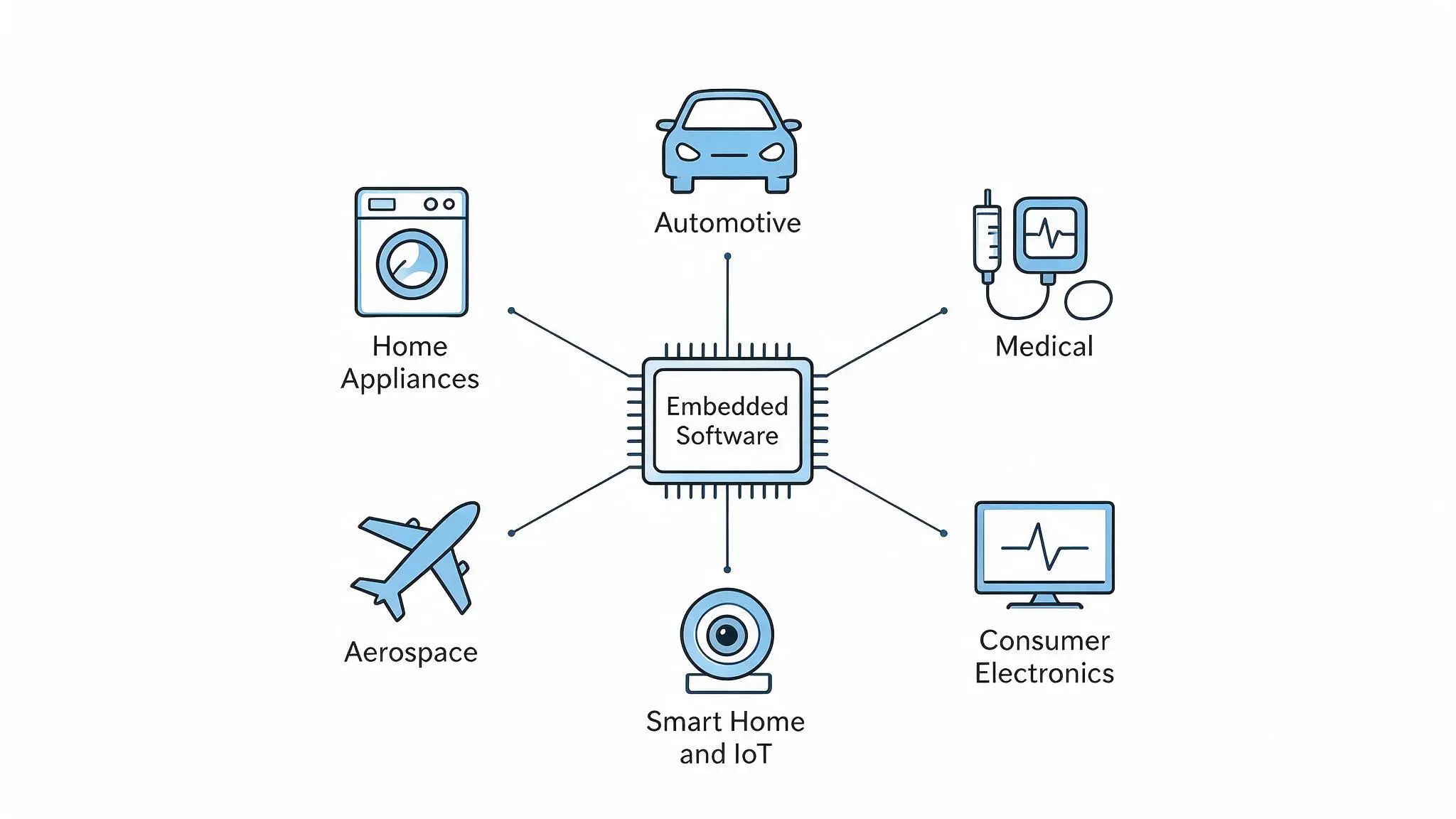
Embedded software applications are designed around specific device functions, such as measuring temperature, controlling motor speed, sharing information, or supporting safety features.
Some of the most common embedded software applications include:
1. Home Appliances
Washing machines, refrigerators, dishwashers, microwave ovens, and air conditioners use embedded software to manage everyday functions.
The software controls operating cycles, adjusts temperatures, monitors sensors, and responds to user settings.
It can also improve energy efficiency by changing how the appliance runs based on load size, temperature, or usage patterns.
In most cases, this software works quietly in the background without direct user interaction.
2. Automotive Systems
Modern vehicles contain many embedded systems that control important mechanical and electronic functions.
These systems manage engine performance, anti-lock braking, power steering, airbags, climate control, and driver-assistance features.
Embedded software reads sensor data, processes it quickly, and sends commands to the appropriate components.
Because many vehicle functions affect safety, the software must respond reliably, operate within strict time limits, and continue working under changing driving conditions.
3. Medical Equipment
Medical devices such as insulin pumps, infusion pumps, portable ECG machines, and patient monitors rely on embedded software to collect and process health-related data.
The software may measure signals, calculate treatment amounts, trigger alarms, or control how medication is delivered.
Since these devices can directly affect patient care, their software must be accurate, carefully tested, and designed to respond safely when sensors fail or readings fall outside normal limits.
4. Consumer Electronics
Smart TVs, digital cameras, gaming devices, printers, and fitness trackers use embedded software to manage hardware and provide device-specific features.
The software processes button presses, touchscreen inputs, sensor readings, and stored settings. It may control a display, camera sensor, speaker, battery, or wireless connection.
Although users interact with menus and controls, much of the software works behind the scenes to keep the device responsive, stable, and easy to use.
5. Smart Home and IoT Devices
Smart thermostats, security cameras, door locks, speakers, and connected lighting systems use embedded software to automate tasks and communicate over networks.
The software reads sensor data, follows user settings, and sends commands to connected components. It may also exchange information through Wi-Fi, Bluetooth, or mobile apps.
This allows devices to respond remotely, share updates, and work together as part of a larger smart home system.
6. Aerospace and Defense
Aircraft control systems, satellites, radar equipment, navigation systems, and unmanned vehicles depend on embedded software for precise and reliable operation.
The software processes sensor information, controls movement, supports communication, and helps systems respond to changing conditions.
These applications often operate in demanding environments where failure can have serious consequences.
As a result, the software must be thoroughly tested, highly dependable, and capable of performing critical tasks within strict time constraints.
Although these products serve different industries, they all rely on embedded software to connect hardware with programmed instructions.
Embedded Software vs Firmware and General-Purpose Software
Embedded software, firmware, and general-purpose software can overlap, but they usually serve different roles.
Embedded software controls the behavior of a specific device while firmware typically manages startup and low-level hardware functions.
On the other hand, general-purpose software enables users to perform a wide range of tasks on computers, phones, and tablets.
The table below helps you better understand the differences.
| Feature | Embedded Software | Firmware | General-Purpose Software |
|---|---|---|---|
| Purpose | Controls a specific device or hardware function | Initializes and provides low-level control of hardware | Performs a wide variety of user tasks |
| Runs On | Embedded devices such as appliances, vehicles, and medical equipment | Embedded devices | Computers, smartphones, and tablets |
| Hardware Dependency | Designed for a specific hardware platform | Tightly tied to specific hardware | Runs on many compatible devices and operating systems |
| Level | May include high-level application logic and control functions | Low-level software that communicates directly with hardware | High-level application software |
| Operating System | May run directly on hardware or on top of an RTOS or Embedded Linux | Usually runs without a full operating system | Runs on operating systems such as Windows, macOS, Android, or Linux |
| Updates | Updated when manufacturers add features, improve performance, or fix issues | Updated less frequently, usually for bug fixes or hardware support | Users can install and update independently |
| Example | Smart thermostat software, printer software, vehicle control software | Printer startup code, router firmware, BIOS/UEFI | Microsoft Word, Google Chrome, Adobe Photoshop |
What Are the Main Layers of an Embedded System?
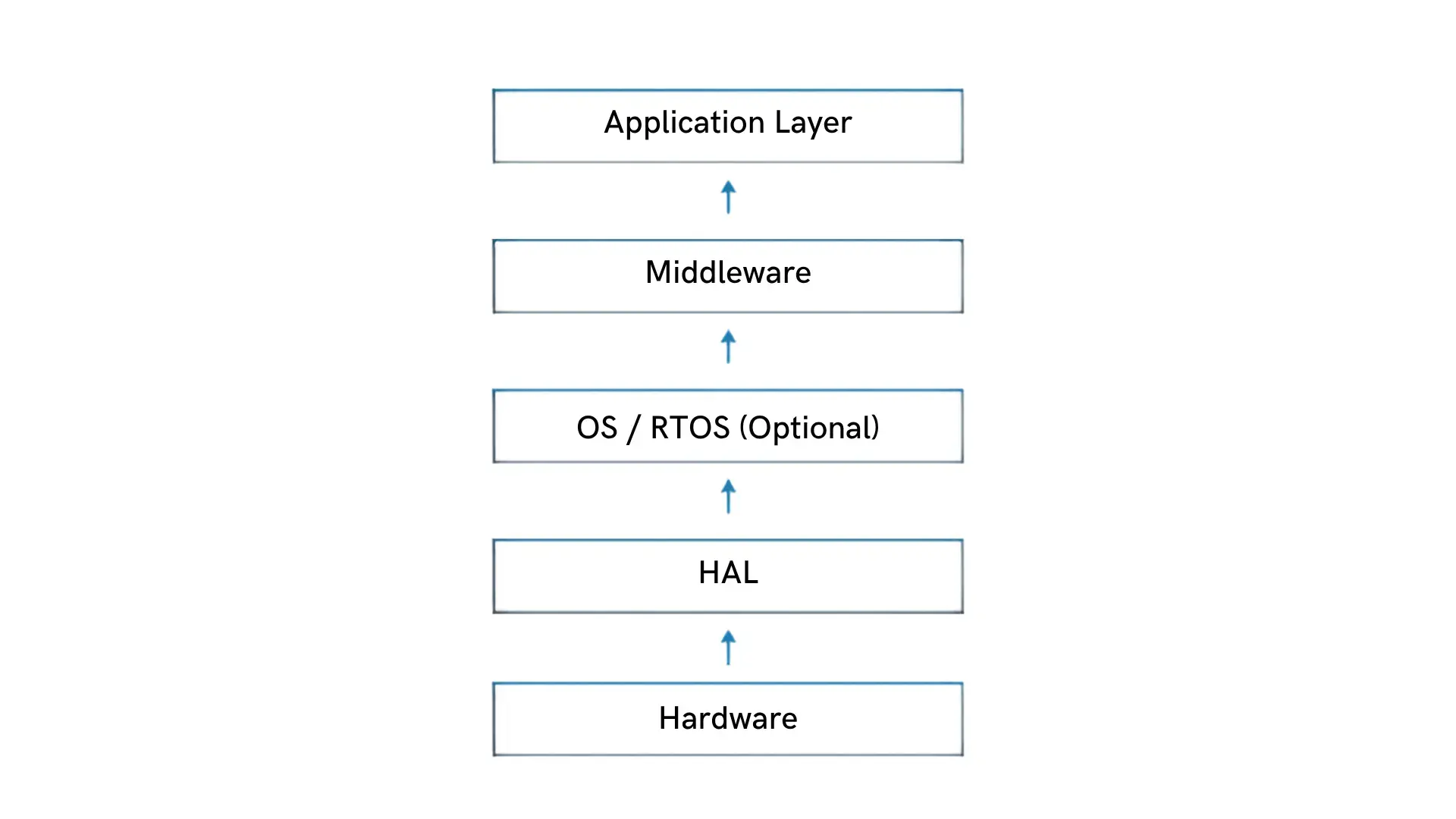
More complex embedded systems may organize their hardware and software into layers. This structure can make the system easier to develop, test, update, and maintain.
Simple devices may use only a few of these layers, so the following structure is a common example rather than a fixed rule.
The common layers include:
- Hardware: The physical components, such as the processor, memory, sensors, displays, and communication modules, that allow the device to operate.
- Hardware Abstraction Layer (HAL): A software bridge between the hardware and the rest of the program. It lets developers work with hardware features without repeating device-specific code throughout the application.
- Operating System or Real-Time Operating System (Optional): This layer manages tasks, memory, and timing. An RTOS is useful when the device must complete actions within predictable time limits.
- Middleware: This layer provides ready-made services for features such as Bluetooth, USB, networking, and file management. Developers can use these services instead of building each feature from the beginning.
- Application Layer: This is the highest layer and contains the logic that performs the device’s main function.
How is Embedded Software Developed?
Embedded software development starts by defining the device’s purpose and selecting suitable hardware, including the processor, sensors, and memory.
Engineers then design, write, review, and test the code on the actual device before release. They also check timing, power use, failures, and recovery.
C and C++ are commonly used, while Rust, Python, assembly, and other languages may suit specific hardware requirements.
Let’s understand this using an example: A thermostat feature can be developed by following one requirement from input to testing:
- Requirement: Turn on heating when the room temperature is below the selected temperature.
- Input: Read the current temperature from the sensor.
- Logic: Compare the sensor reading with the selected setting.
- Output: Send a command to the heating relay.
- Testing: Check normal readings, sensor failures, and sudden temperature changes.
Can Embedded Software be Updated?
Many modern devices support embedded software updates, but the method depends on the product and its hardware.
An update may be installed through USB, a service tool, a mobile app, a local network, an internet connection, or an over-the-air system.
Manufacturers may release software updates to fix faults, improve security, support new hardware, increase performance, or change how the device behaves.
Some products update automatically, while others require a technician or user action.
The update process must be handled carefully. If power is lost or the wrong file is installed, the device may stop working.
For this reason, reliable products include a recovery method, backup copy, or protected startup process that can restore operation after a failed update.
Common Challenges in Embedded Software Development
Developing embedded software can be challenging because the code must operate reliably on specific hardware and with limited resources. Common issues include:
- Limited Resources: Devices may have restricted memory, storage, processing power, and battery capacity.
- Hardware Compatibility: Changes in sensors, processors, or other components may require software updates.
- Timing Requirements: Safety-critical systems must complete important actions within strict time limits.
- Testing Difficulties: Problems may come from the code, hardware, wiring, power supply, or sensor readings.
- Security Risks: Connected devices must protect stored data, network communication, and software updates.
- Update Failures: Interrupted or incorrect updates can cause the device to stop working properly.
Careful testing, efficient coding, and reliable recovery methods help engineers manage these challenges.
The Bottom Line
Embedded software gives electronic devices the instructions needed to sense information, make decisions, and control hardware.
It works through a simple input-processing-output cycle, whether it is managing a washing machine, monitoring a patient, controlling a vehicle system, or connecting a smart-home device.
Unlike general-purpose software, it is built for a specific product and must work closely with processors, sensors, memory, and other components.
Its development also requires careful testing of timing, power consumption, security, hardware compatibility, and potential failures.
Which everyday device do you think relies most on embedded software? Share your answer in the comments.
Frequently Asked Questions
What are the Different Types of Embedded Software?
Embedded software can include firmware, real-time operating systems, and application software. Firmware handles startup and basic hardware control, while drivers connect the software to components such as sensors or displays.
Can One Device Contain Multiple Embedded Systems?
Yes. A car, factory machine, or medical device may contain several controllers, each running separate software for a specific function while exchanging information.
Can Embedded Software be Reused in Different Products?
Some code can be adapted, but hardware differences often require changes to drivers, timing, memory use, safety checks, and communication methods.
Is Embedded Software the Same as IoT Software?
No. IoT software is embedded software with a network stack added, so it also handles connections, authentication, and data sent to a server.
What Tools are Used for Embedded Software Development?
Engineers use code editors, compilers, debuggers, simulators, development boards, and testing tools to build and check embedded software.