


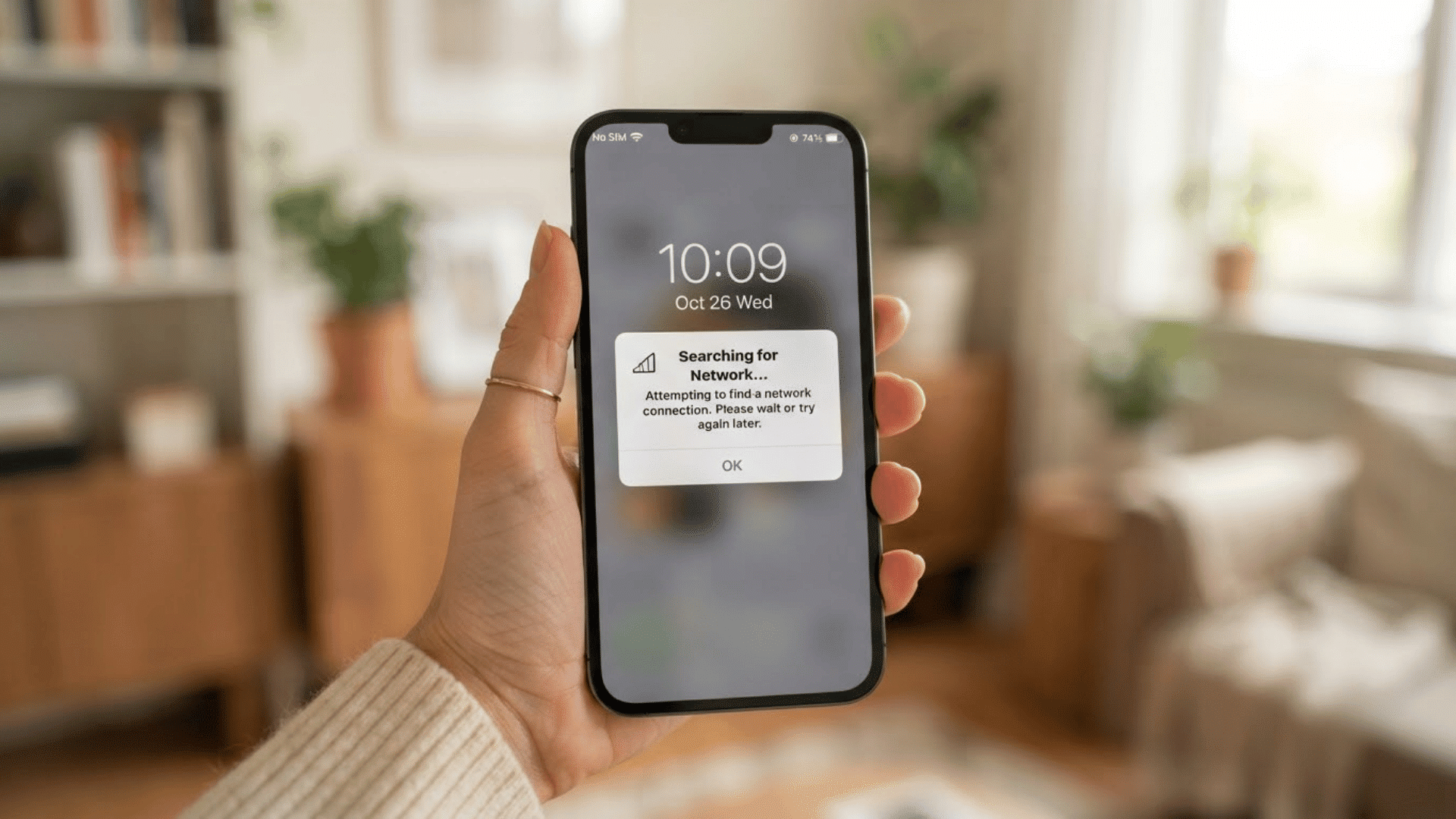
Quick Answer: What does 5G UC mean? “UC” stands for Ultra Capacity. It’s T-Mobile’s label for the faster, higher-capacity layer of its 5G network, built mainly on mid-band spectrum. Regular “5G” (Extended Range) uses low-band spectrum instead, which reaches farther but carries less data.
If 5G UC appears in your phone’s status bar, it means your device is connected to T-Mobile’s 5G Ultra Capacity network.
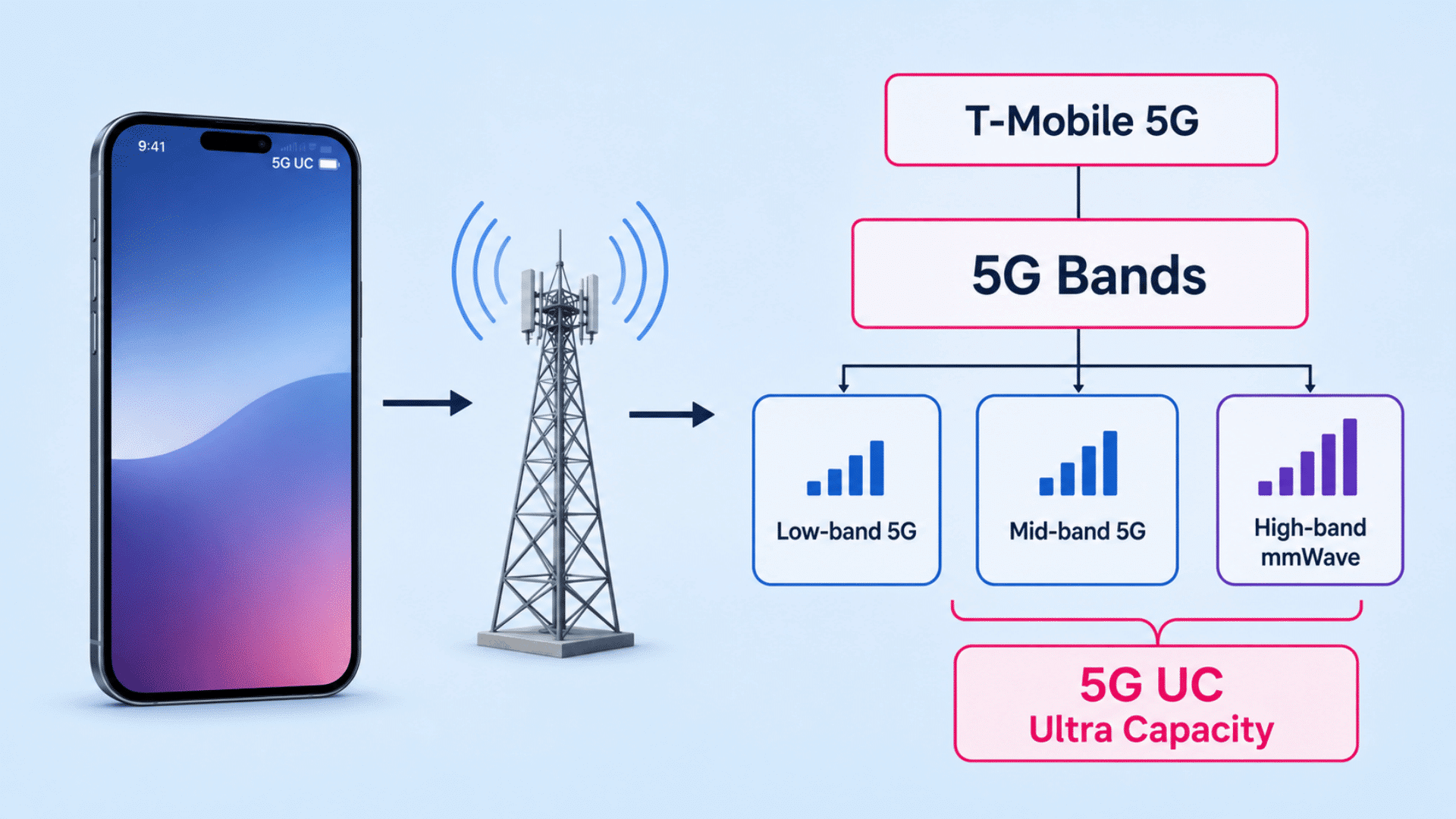
The label identifies the faster, higher-capacity part of T-Mobile’s 5G service, which mainly uses mid-band spectrum and may also include high-band mmWave coverage.
When I look at network symbols like 5G UC, I treat them as indicators of the connection type rather than guarantees of speed.
Actual performance can still change with signal strength, congestion, location, and device support.
Below, I will explain what 5G UC means in everyday use, how Ultra Capacity works, how it compares with regular 5G, and why the icon may change.
What does 5G UC Mean on Your Phone?
To understand what 5G UC means on your phone, start with the letters UC, which stand for Ultra Capacity.
T-Mobile uses this label for the higher-capacity part of its 5G network, which primarily relies on mid-band spectrum and may also include high-band millimeter-wave (mmWave) coverage in select locations.
These frequencies can carry more data than the low-band spectrum typically used in standard 5G. The 5G UC icon appears when a compatible phone detects or connects to this network.
Your device must support the required 5G bands, 5G must be enabled, and your SIM, mobile plan, software, carrier settings, and local coverage must support the connection.
The icon is not a warning, a paid feature, or a separate generation after 5G. You do not need to activate it manually.
As you move between locations or enter buildings, your phone may automatically switch from 5G UC to standard 5G or LTE when Ultra Capacity coverage weakens.
How does 5G Ultra Capacity Work?
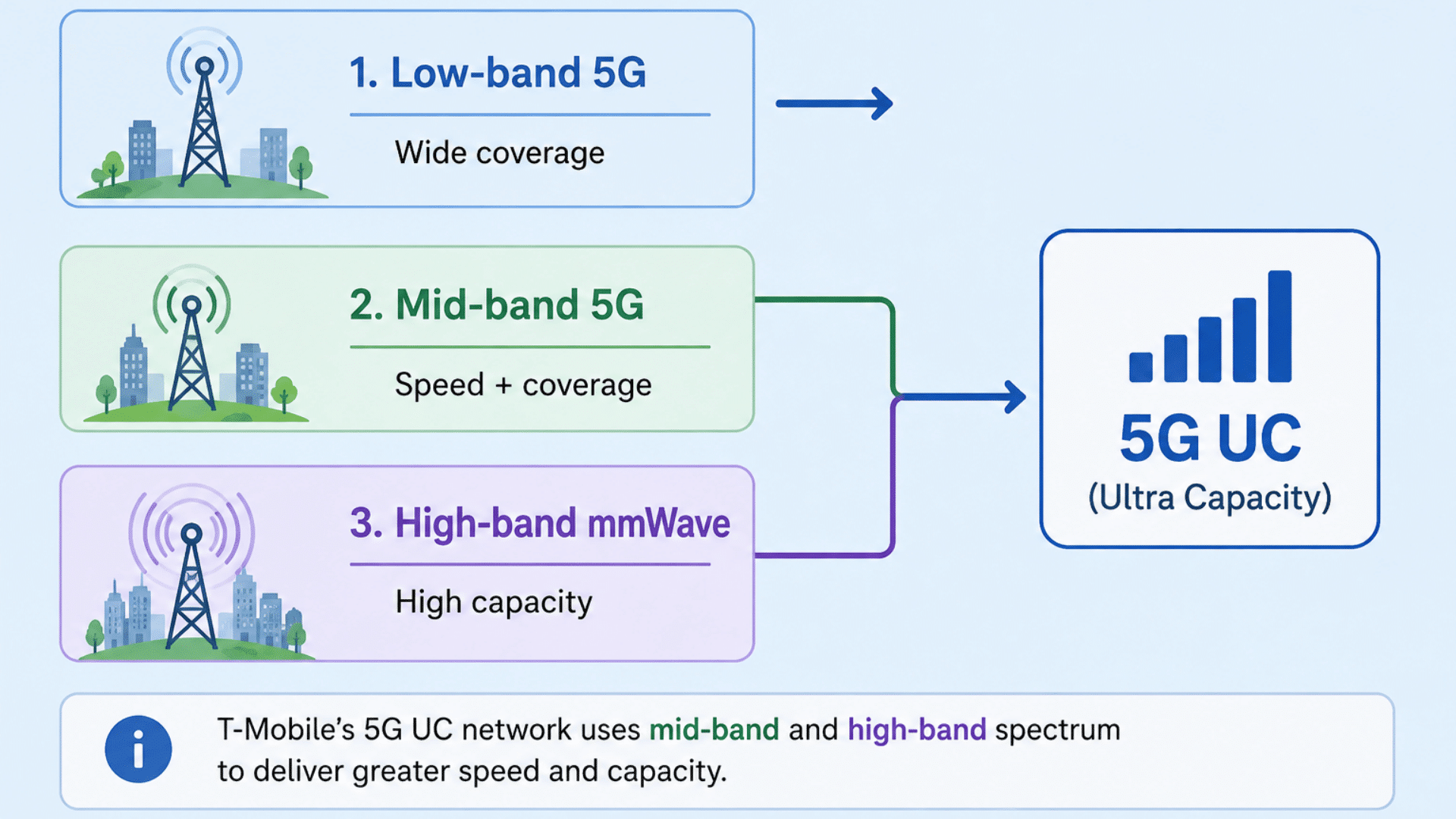
Mobile carriers operate 5G across different frequency ranges. Each range affects how far the signal travels, how much data it can carry, and how well it passes through walls or other obstacles.
Understanding what does 5G UC mean starts with the three frequency ranges used to provide 5G coverage.The main 5G network layers are:
- Low-band 5G: Covers wider areas and usually reaches farther indoors, but it offers lower peak capacity.
- Mid-band 5G: Offers a strong balance of speed, coverage, and capacity, making it well-suited for everyday 5G service.
- High-band mmWave: Can deliver very high capacity in supported areas, but it has a shorter range and weaker indoor reach.
T-Mobile’s 5G UC network mainly uses mid-band frequencies and may also include high-band mmWave. Standard 5G relies more heavily on low-band spectrum, which travels farther but generally offers less capacity.
What is the Difference Between 5G and 5G UC?
Regular T-Mobile 5G and 5G UC are both genuine 5G services, but they are built for different priorities. Standard 5G focuses more on coverage, while 5G UC is designed to deliver higher speeds and greater network capacity.
Understanding what 5G UC means also clarifies the comparison: regular 5G emphasizes wider coverage, while UC emphasizes higher speeds and capacity.
| Feature | Regular 5G | 5G UC |
| Network type | Extended Range 5G | Ultra Capacity 5G |
| Main frequencies | Low-band | Mid-band and high-band |
| Main advantage | Wider coverage | Greater speed and capacity |
| Status-bar icon | 5G | 5G UC |
| Common use | Calls, browsing, and messaging | Streaming, downloads, gaming, and busy areas |
Because 5G UC uses mid-band and high-band frequencies, it is generally faster than regular 5G and can handle data-heavy tasks more efficiently. However, the icon does not guarantee a fixed speed.
Distance from the cell site, buildings, network congestion, phone hardware, and supported frequency bands can all affect performance.
When I compare mobile connections, I look at real-world load and download performance rather than the status bar icon alone.
A strong standard 5G or LTE signal can sometimes perform better than a weak or congested 5G UC signal.
Neither option is automatically better in every location because signal quality and network conditions still matter.
How do 5G UC, 5G UW, 5G+, and 5G Standalone Compare?
T-Mobile, Verizon, and AT&T use different icons for higher-capacity 5G services. These labels describe spectrum and performance, while 5G Standalone describes the network architecture.
| Term or Icon | Carrier | What It Describes |
| 5G UC | T-Mobile | Mid-band or high-band 5G with greater speed and capacity |
| 5G UW | Verizon | Verizon’s higher-capacity 5G service |
| 5G+ | AT&T | AT&T’s higher-capacity 5G service |
| 5G SA | Not carrier-specific | A 5G core that does not rely partly on 4G LTE |
I remember the distinction this way: UC, UW, and 5G+ identify carrier network layers, while SA identifies the architecture.
A phone can display 5G UC while using either non-standalone or standalone architecture. The icon indicates the speed and capacity tier, not the network core beneath the connection.
Does 5G UC Always Use mmWave?
No. Seeing the 5G UC icon does not automatically mean your phone is connected to a high-band mmWave network.
T-Mobile uses Ultra Capacity for both mid-band and high-band 5G, so the icon may represent either connection type.
In everyday use, 5G UC is more likely to use mid-band spectrum because it balances speed, capacity, and coverage. Mid-band reaches farther than mmWave while providing better performance than low-band 5G in many locations.
MmWave supports very high capacity, but walls, buildings, trees, and distance can weaken its shorter-range signal. It is therefore used mainly in selected high-traffic areas.
When I see the UC icon, I interpret it as confirmation of higher-capacity 5G, not as proof of a specific frequency band.
Why does 5G UC Appear, Disappear, or Run Slowly?
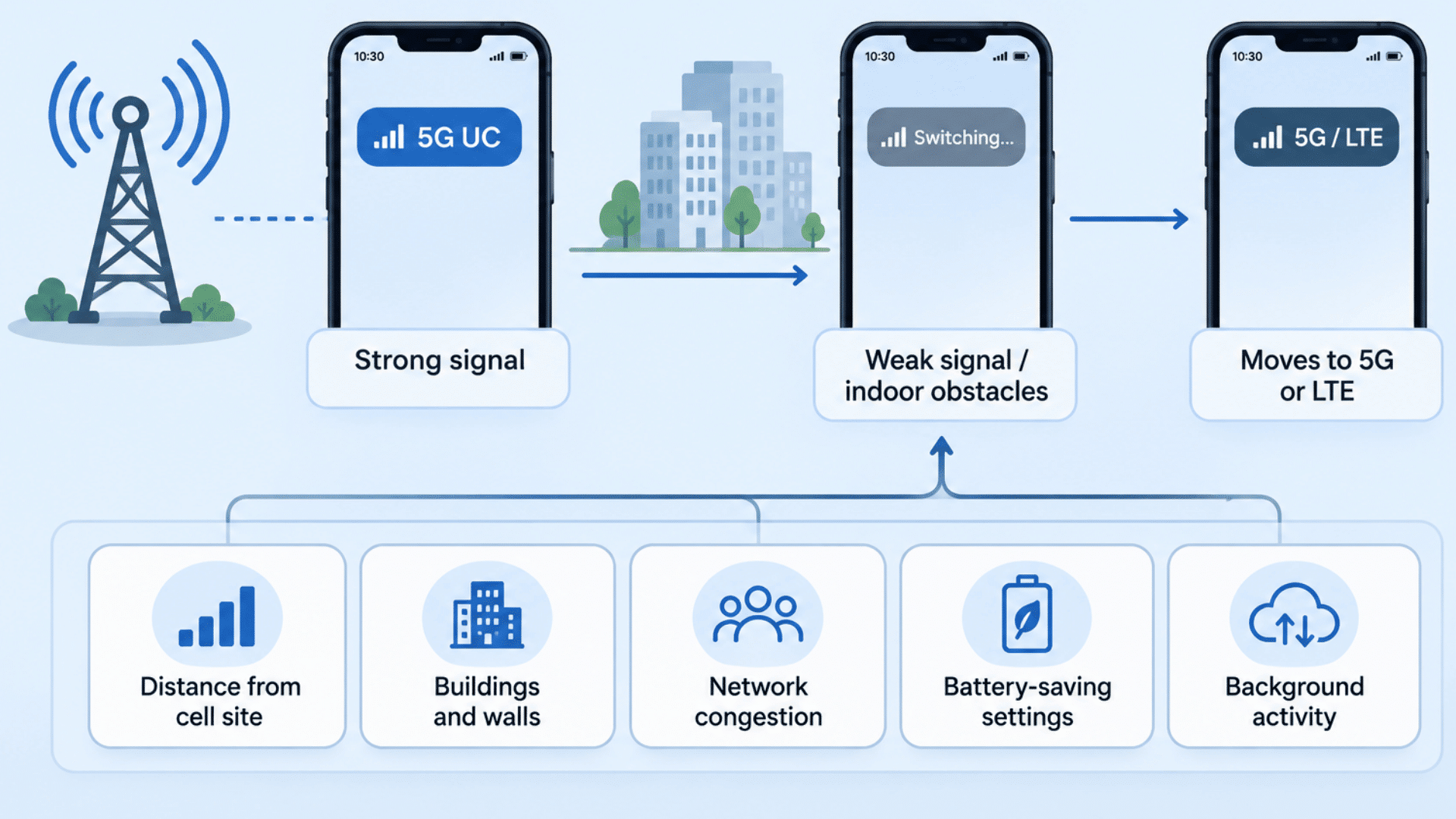
The 5G UC icon can change as your phone moves between coverage areas, buildings, and cell sites. A weak signal or changing network conditions may cause the phone to switch to standard 5G or LTE.
Common reasons include:
- Weak signal: Distance from a cell site can reduce 5G UC strength.
- Indoor obstacles: Walls, buildings, and other structures can interfere with higher-frequency signals.
- Network congestion: Heavy local traffic can slow speeds even when 5G UC is displayed.
- Network switching: Your phone may move between 5G UC, standard 5G, and LTE to maintain a stable connection.
- Battery-saving settings: Some devices reduce 5G use to conserve power.
- Background activity: Downloads, updates, or cloud syncing can affect performance.
- App or website issues: A slow service does not always mean the cellular network is the problem.
Understanding what 5G UC means is useful here because the icon identifies a network type, not a guaranteed level of speed or signal strength.
I usually compare the same task on LTE before assuming something is wrong with the phone. A strong LTE connection can sometimes feel faster than weak or congested 5G UC.
Does 5G UC Affect Battery Life or Data Usage?
5G UC can affect battery life in some situations, but the impact largely depends on signal quality and how the phone is used.
Battery drain may increase when the device repeatedly searches for a 5G signal, switches between 5G UC and other networks, or maintains a weak connection for long periods.
Data-heavy activities can also increase power consumption, especially when using:
- Mobile hotspot
- High-resolution video streaming
- Large file downloads
- Cloud backups
- Video calls
- Online gaming
5G UC does not automatically use more mobile data for the same task. A 100 MB file remains 100 MB whether it is downloaded over LTE, regular 5G, or 5G UC.
However, faster speeds can indirectly increase data usage. Streaming apps may select higher video quality, cloud services may complete larger backups, and apps may download updates more quickly in the background.
Automatic network settings can help balance performance and battery life. I also check streaming quality, backup settings, and background data permissions when mobile data usage increases after switching to 5G.
Can You Turn Off 5G UC, and When Should You?
There is usually no separate switch specifically for 5G UC. To stop your phone from connecting to it, you need to change the preferred network from 5G to LTE or another available option.
On an iPhone, go to Settings → Cellular → Cellular Data Options → Voice & Data, then select LTE. You can also choose 5G Auto if you want the phone to use 5G only when it offers a clear performance benefit.
On Android, the exact menu varies by manufacturer and carrier. The option is commonly found under Mobile Network, SIM Settings, or Preferred Network Type.
Most users can leave 5G enabled and let the phone switch networks automatically. Turning it off may make sense when:
- 5G UC coverage is weak or unstable
- Battery life is a higher priority
- LTE performs more consistently indoors
- The phone keeps switching between 5G and LTE
- You are troubleshooting slow or unreliable mobile data
Comparing both connections in the same location can show which one performs more consistently. The better option is the network that delivers the most stable everyday connection for your phone.
Bottom Line
The simplest answer to what does 5G UC mean is that your phone has access to T-Mobile’s faster 5G network layer.
Mid-band and high-band frequencies can offer higher speeds and capacity, while standard 5G or LTE may sometimes remain more stable in areas with weaker coverage.
Factors such as buildings, distance from a cell site, network traffic, phone compatibility, and battery settings can all affect performance. The icon may also change as your phone moves between different network layers.
The practical approach is to judge the connection by how consistently your phone handles browsing, streaming, downloads, and calls.
The strongest everyday network is the one that performs reliably where you actually use your device.
Which network symbol do you see most often on your phone, and does it match the performance you experience? Share your experience below.
Frequently Asked Questions
Do All Phones Support 5G UC?
No. Your phone must support T-Mobile’s compatible 5G bands and carrier settings. Older or unsupported devices may show regular 5G or LTE instead.
Can You Get 5G UC Indoors?
Yes, but indoor performance depends on building materials, distance from the cell site, and the frequency being used. Mid-band 5G generally performs better indoors than mmWave.
Does 5G UC Affect Calls and Text Messages?
The 5G UC label primarily refers to your mobile data connection. Calls and texts may use different network technologies depending on your phone and carrier configuration.
Can You Use 5G UC While Roaming?
It depends on the roaming partner, location, device, and plan. The 5G UC icon may not appear when your phone is connected to another carrier’s network.
How Can You Check 5G UC Coverage?
If you are checking what UC means next to 5G in your area, T-Mobile’s coverage map can show where Ultra Capacity service is available. Actual indoor and street-level coverage can still vary from the map.