


Microsoft’s Cortana was a virtual assistant designed to help users interact with Windows and manage everyday tasks using voice commands and natural language.
Introduced as a built-in assistant for millions of Windows users, Cortana made it easier to search the web, set reminders, organize schedules, and interact with the operating system hands-free.
I found it especially useful for handling simple daily tasks without switching between multiple apps or settings.
Microsoft officially retired the standalone Cortana app in 2023, shifting its focus to Copilot, the newer AI assistant built into Windows 11 and Microsoft 365.
In this article, we will learn what Cortana is, its key features, and how it has influenced the evolution of virtual assistants at Microsoft.
What is Cortana?
Cortana was a virtual assistant created by Microsoft, first introduced with Windows Phone 8.1 in 2014 and later built into Windows 10 in 2015.
It helped users manage tasks, answer questions, and stay organized through voice and text commands using natural language processing and machine learning.
The assistant’s name and persona were inspired by the AI character from Microsoft’s Halo series, with Jen Taylor voicing both the game character and the US assistant.
Cortana relied on Bing for search and drew its language understanding from Tellme Networks, acquired by Microsoft in 2007, alongside the Satori semantic database.
Saying ” Hey Cortana ” enabled hands-free tasks like setting timers or dictating Outlook emails.
What was the Purpose of Cortana?
The purpose of Cortana was to help users complete everyday tasks more easily using voice commands and AI-powered assistance, instead of a mouse and keyboard.
People used the Cortana virtual assistant further for:
- Answer questions by searching the web for relevant information through Bing.
- Set reminders based on a specific time, place, or person.
- Manage your calendar by creating and tracking appointments.
- Open apps and Windows settings using voice or text commands.
- Search files, folders, and the web from one place.
Similar to Apple’s Siri and Google Assistant, Cortana was designed to be a virtual assistant that made interacting with a computer more natural.
Siri arrived first, in 2011. Cortana followed in 2014, the same year as Alexa.
What are the Top Features of Cortana?
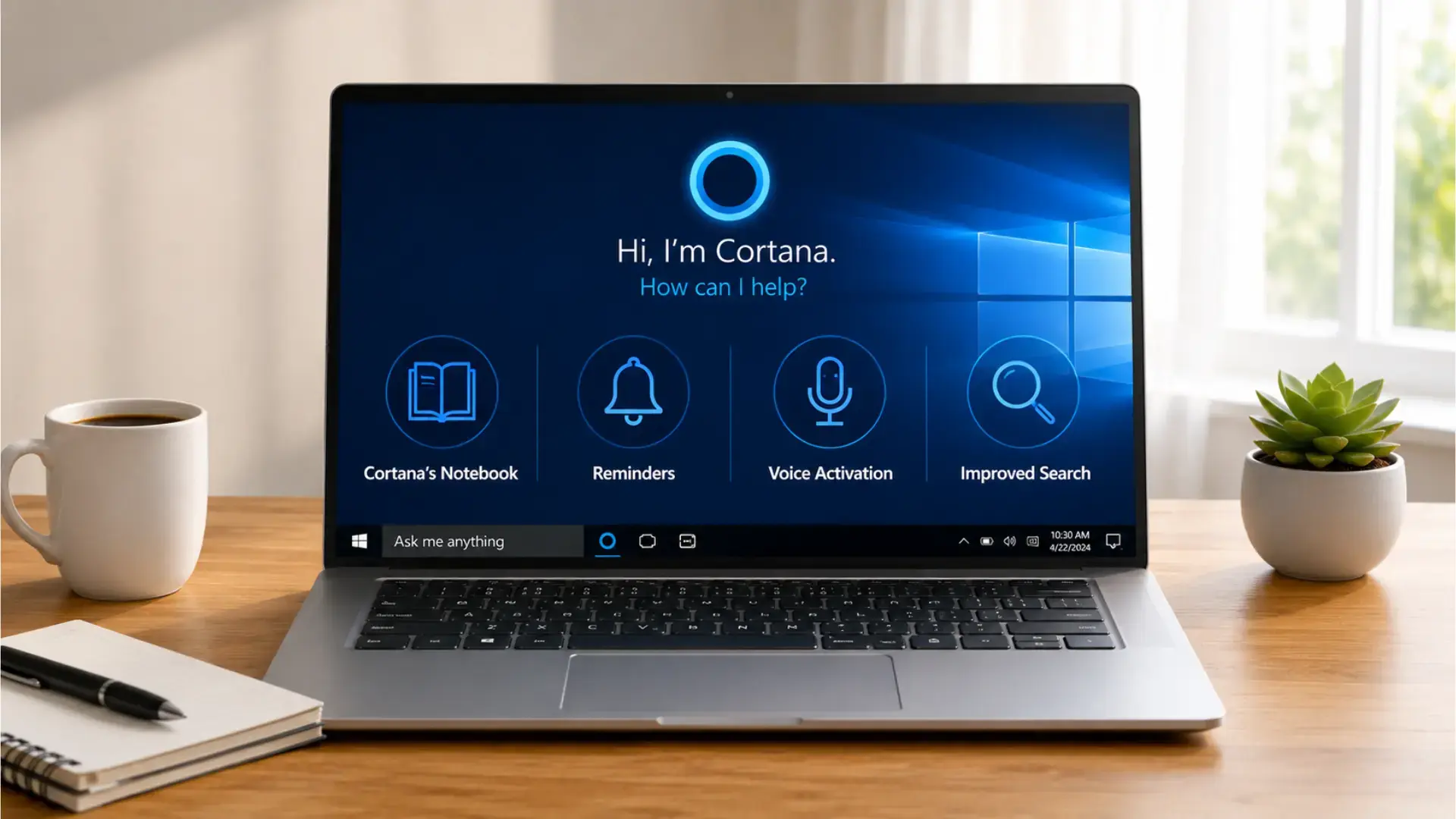
Here are the top features that made Cortana a valuable AI assistant for millions of users.
1. Cortana’s Notebook
The Notebook held what Cortana knew about you: interests, home and work locations, quiet hours, favorite teams, and the contacts you flagged.
Microsoft’s team designed it after interviewing human personal assistants, and the point of it was control.
You could open each category, see what had been stored, and delete it. Reviewers at the time treated that as a real privacy feature rather than a settings screen, because no rival assistant showed you its own profile of you in that much detail.
2. Reminders
One of Cortana’s most powerful features is the ability to set reminders that are time-based, people-based, and even location-based.
- A location reminder fired when the phone reached a set address, so asking to be reminded about the bins on arriving home worked with no extra setup.
- A person reminder waited until you next emailed or messaged that contact, then surfaced.
From February 2015, reminders synced across devices, so one set on a phone appeared on the desktop.
Google Now had location reminders too, but person-based triggers had no direct equivalent.
3. Voice Activation
Always listening activation arrived on phones with the Lumia Denim update in late 2014, which let the handset wait for “ Hey Cortana ” with nothing pressed.
On Windows 10 desktops, the same phrase worked once it was switched on in settings.
It stayed off by default on most hardware to protect battery life, and on phones it depended on Qualcomm Snapdragon sensor support, which is why some carrier versions of the Denim update shipped without it.
Voice Access in Windows 11 now covers most of the same hands-free ground.
4. File and Web Search
Cortana searched local files, OneDrive, and the web from one box. Requests could be phrased loosely, so asking for documents from last week returned results without any date syntax.
Web answers came from Bing only: in April 2016, Microsoft blocked other search engines and browsers from completing Cortana searches, which drew antitrust complaints and irritated anyone whose default browser was Chrome.
Local file search is the piece that outlived the assistant, since Windows search still handles it.
Which Devices Ran Cortana?
The Cortana virtual assistant was not limited to Windows computers. It expanded across phones, PCs, gaming devices, speakers, wearables, and smart home platforms before Microsoft began removing it from its products.
This wide platform reach is one reason its shutdown happened gradually over several years.
Cortana was available on:
- Windows Phone 8.1 and Windows 10 Mobile, where it launched and replaced the older Bing search button.
- Windows 10 desktops and laptops, first through the search bar and later as a standalone app.
- Android and iOS devices, through a standalone app launched in December 2015 and discontinued in March 2021.
- Xbox One, where it provided dashboard voice control until the July 2020 redesign removed it.
- Harman Kardon Invoke speaker, the only major Cortana-powered hardware product, along with smart home integrations for devices and services such as Ecobee, Honeywell, LIFX, TP-Link Kasa, and IFTTT.
- Microsoft Band, which supported Cortana when paired with a Windows phone over Bluetooth.
Together, these platforms positioned Cortana as a broader digital assistant rather than just a Windows feature.
How did Cortana Work Across Devices?
Cortana was designed as a cross-platform personal assistant, providing hands-free help across computers, phones, gaming consoles, and smart devices.
Its features varied by platform, but the core purpose remained the same: delivering quick answers, reminders, and personalized information.
| Platform | Availability | Period |
|---|---|---|
| Windows | Cortana was integrated into Windows 10 through the search bar and Cortana app. | 2015–2023 |
| Android & iOS | Cortana was available through standalone mobile apps. | 2015–2021 |
| Xbox | Cortana was available through Xbox dashboard voice integration. | Until 2020 |
| Smart Speakers | Cortana was available on the Harman Kardon Invoke speaker and selected smart home devices. | 2017 onwards |
Why and When was Cortana Discontinued?
Cortana was discontinued because Microsoft changed its AI strategy from a consumer assistant competing with Siri and Alexa to productivity-focused AI built into its own products.
In January 2019, Satya Nadella stated that Cortana was no longer positioned as a direct rival to those assistants.
Microsoft shifted its focus toward Copilot, which took over tasks such as answering questions, drafting content, and summarising information.
The retirement process began in 2023, when Microsoft deprecated the standalone Cortana app on Windows. Cortana was then gradually removed from other platforms through 2023 and 2024, marking the end of its ten-year run.
Its shutdown represented Microsoft’s move toward integrated AI features.
Cortana’s Entire Timeline (Launch to Removal)
Cortana’s story followed a clear progression: it launched as Microsoft’s answer to Siri and Alexa, expanded across devices, and was gradually retired as the company moved toward a different AI strategy.
The major milestones are listed below:
- April 2014: Demonstrated at Build, then shipped with Windows Phone 8.1.
- October 2014: The Lumia Denim update adds always-listening “Hey Cortana”.
- 2015: Announced for Windows 10 in January, then ships with the OS in July.
- December 2015: Standalone Android and iOS apps launch.
- 2017: The Harman Kardon Invoke speaker ships with Cortana built in.
- January 2019: Satya Nadella says he no longer sees Cortana as an Alexa or Siri rival.
- April 2019: Cortana is split from the Windows 10 search bar.
- July 2020: Cortana is removed from the Xbox dashboard.
- March 2021: The iOS and Android apps shut down worldwide.
- August 2023: The standalone Windows app is deprecated and stops working.
- June 2024: Outlook mobile loses Voice Search and Play My Emails, ending Cortana across Microsoft products.
- Windows 11 24H2: The update removes Cortana from the operating system, completing Microsoft’s Cortana end-of-support timeline.
Final Takeaway
Cortana marked an important step forward for Microsoft, introducing users to the convenience of a built-in virtual assistant.
I think it also showed how voice assistants could make everyday computing more convenient for many users.
Even though Cortana has been retired, its influence continues through Microsoft Copilot, which delivers a more powerful and integrated AI experience.
The transition from Cortana to Copilot reflects both the rapid advancement of AI technology and Microsoft’s commitment to creating tools that improve productivity for today’s users.
Although Cortana is no longer available as a standalone Windows assistant, its conversational AI, voice interaction, and productivity-focused approach helped shape Microsoft’s next-generation AI experiences.
What are your memories of Cortana? Share your thoughts on how Microsoft’s AI assistant evolved over the years.
Frequently Asked Questions
Can You Still Use Cortana on Windows 11?
No, you can no longer use Cortana on Windows 11. Microsoft officially deprecated and disabled the standalone Cortana application on Windows 11 and Windows 10 devices.
Is Cortana Better than Siri?
Cortana focused on workplace productivity with Microsoft 365, Outlook, and enterprise tools, while Siri prioritized consumer convenience through iPhone features and smart home integration.
What Devices Use Cortana AI?
Currently, no active consumer devices use Cortana AI. Microsoft removed the assistant from all mobile platforms and killed third-party smart hardware integration.
How is Cortana Different from Microsoft Copilot?
Cortana focused on voice-based personal assistance, while Microsoft Copilot is an AI assistant designed to help with work, content creation, coding, and productivity tasks.
Can I Uninstall Cortana from My PC?
Yes. Removing the deprecated app won’t break anything, including Windows search. Right-click Start, open Terminal as admin, and remove the Microsoft.549981C3F5F10 package.