



Starlink internet is good when you need dependable broadband in an area where fiber, cable, or strong fixed wireless is limited.
Its low-Earth-orbit satellite network can deliver fast home internet with lower latency than traditional satellite services, making it practical for streaming, gaming, video calls, downloads, and everyday browsing.
Is Starlink internet good? In my view, it usually is when it replaces a slow or unreliable connection. The value drops if you already have affordable high-speed wired internet.
I would judge Starlink by the options available at your exact address rather than its highest advertised speed. Below, I’ll look at real-world performance, reliability, plans, pricing, common slowdowns, gaming and streaming, Reddit user experiences, and when Starlink makes the most sense.
Is Starlink Internet Good and Worth It?
Yes, Starlink can be both good internet and worth the cost when it provides a meaningful upgrade over the broadband already available at your address.
Australian government testing in March 2026 measured Starlink Residential Max at an average 230.4 Mbps download speed across all hours and 199.1 Mbps during busy hours. Average uploads were 47.5 Mbps and 45.5 Mbps, respectively.
These figures show that Starlink can deliver substantial broadband performance, although actual speeds vary by location, congestion, weather, obstructions, and plan.
For me, Starlink internet is good when the connection remains useful and consistent throughout the day, not just during a speed test.
When is Starlink Worth It?
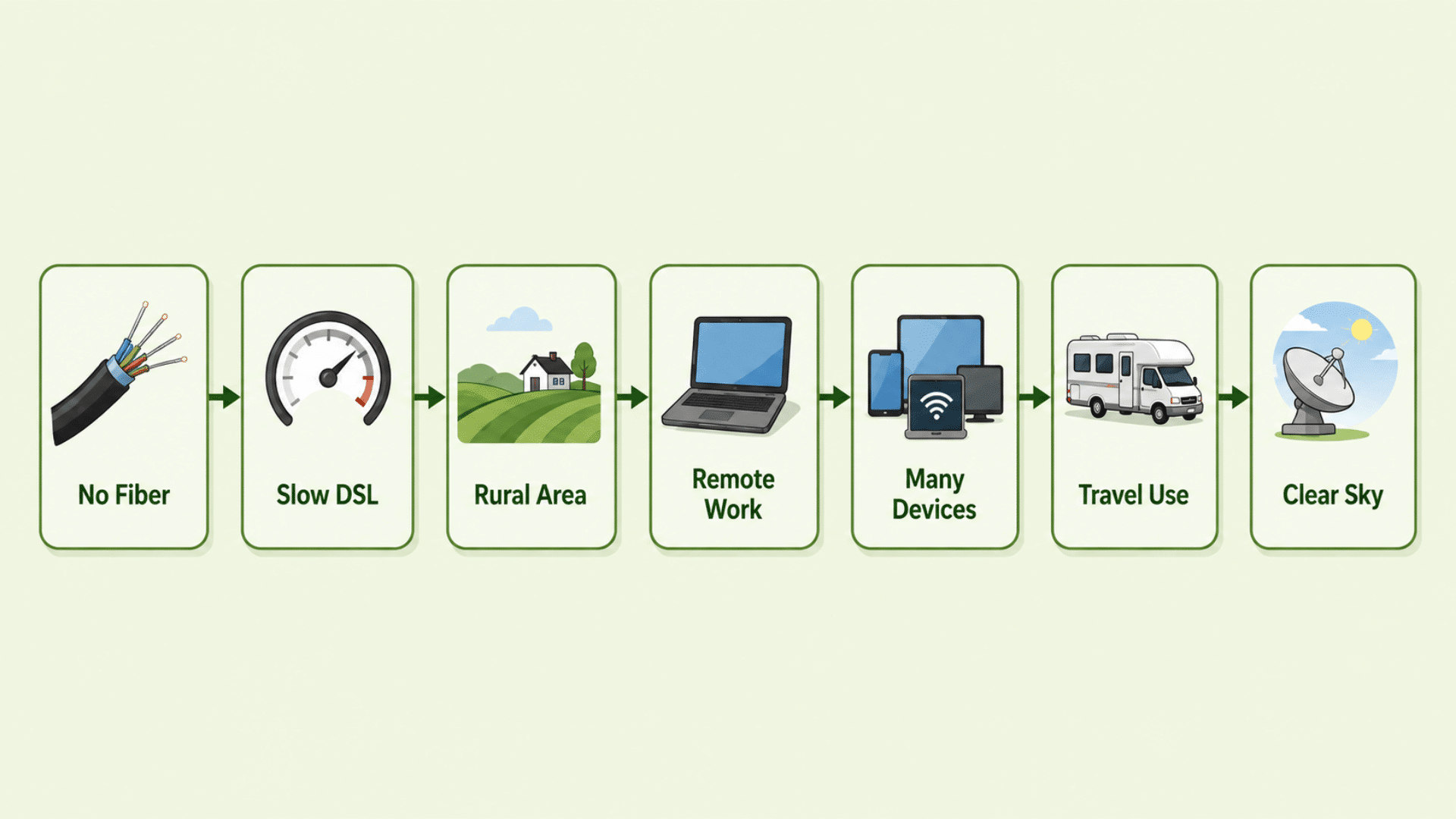
Starlink is usually worth considering when:
- Fiber or cable does not reach your property
- Your DSL or fixed wireless connection is very slow
- You depend on traditional satellite internet
- Cellular home internet is unreliable
- You live in a rural or remote area
- You need the internet for streaming, remote work, or multiple devices
- You want a portable option for RV or travel use
In these situations, Starlink is worth it because it can deliver a much greater improvement than simply switching between similar local broadband plans.
When Is Starlink Not Worth It?
Starlink may offer less value when:
- Reliable fiber is available
- Fast cable meets your household needs
- Affordable fixed wireless performs consistently
- Your property has major sky obstructions
- Extremely stable latency is essential
- A comparable local service costs considerably less
I would compare Starlink with the actual alternatives at your address rather than asking whether it is better than every type of internet.
For someone replacing an unreliable 10 Mbps connection, Starlink could be a major upgrade. For someone already getting stable high-speed fiber, the practical benefit may be much smaller.
How Reliable is Starlink Internet?
Starlink is generally reliable enough to serve as a primary home internet connection, although brief interruptions can still occur.
Starlink reports an average network uptime of more than 99.9%. Its terminals can also switch between available satellites as they move overhead, helping maintain the connection when one path becomes less suitable.
In everyday use, reliability depends on more than uptime alone. Trees, buildings, severe weather, network congestion, or an unsuitable dish location can still cause brief drops in performance or other changes.
The impact depends on what you are doing. A brief interruption may go unnoticed while browsing or watching buffered video, but it can be more disruptive during a video call, a remote desktop session, a live stream, or an online game.
I would therefore describe Starlink as reliable for regular home use, but not completely interruption-free.
How Fast is Starlink Internet?
Speed is another major factor when deciding whether Starlink internet is good for your household. Starlink download speeds vary by Residential plan, with current U.S. options ranging from up to 100 Mbps to 400+ Mbps.
| Plan | Maximum Download Speed |
| Residential 100 Mbps | Up to 100 Mbps |
| Residential 200 Mbps | Up to 200 Mbps |
| Residential Max | Up to 400+ Mbps |
The 100 Mbps and 200 Mbps plans are available only in selected areas. Residential Max receives the highest priority in the Residential network and access to the fastest available speeds.
These figures are maximums, not speeds you should expect constantly. Actual results can change throughout the day and between locations.
For most households, even the lower tiers provide enough bandwidth for browsing, streaming, video calls, and several connected devices. The more important question is whether those speeds remain consistent for the activities you use most.
What are Reddit Users Saying About Starlink?
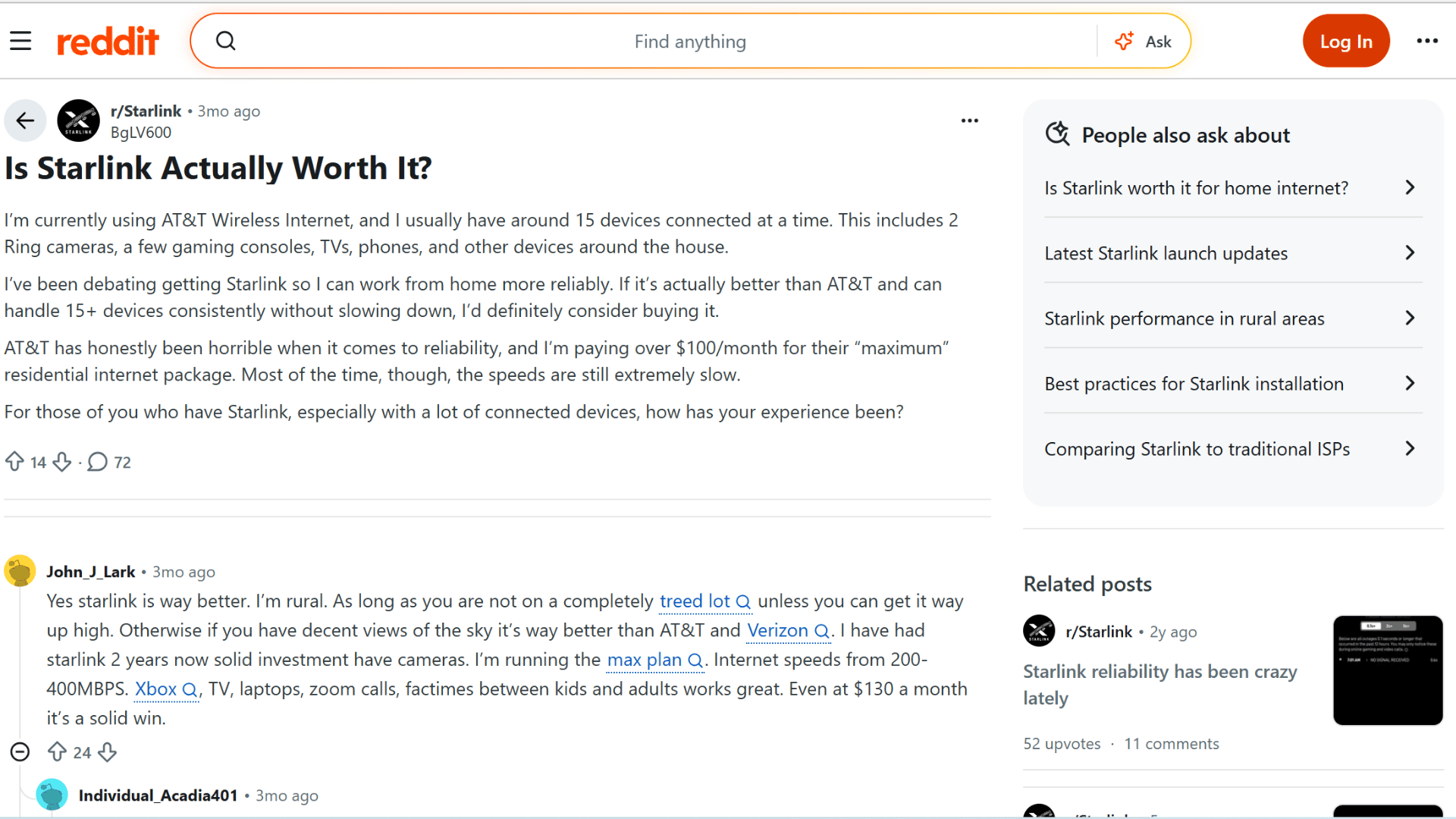
Recent discussions among Starlink users largely support the idea that its value depends on the internet options available locally.
- Many rural users say Starlink performs much better than slow DSL, cellular internet, or other unreliable connections.
- Some users report running 15–50 connected devices, including TVs, cameras, consoles, and work equipment.
- Individual users report download speeds of 200–400 Mbps, though results vary by location.
- Trees and other obstructions can reduce reliability and affect gaming, calls, or other real-time activities.
- Some users still prefer fiber or wired broadband when it is available and reasonably priced.
Overall, Starlink seems most worthwhile when the alternative is already slow, unstable, or limited.
I would treat these comments as practical context rather than performance benchmarks. The recurring takeaway is that Starlink feels most worthwhile when the alternative is already slow or unreliable.
Why Can Starlink Be Slow Sometimes?
Several factors can reduce Starlink performance, even when the service itself is working normally. Most slowdowns come from network demand, installation conditions, or temporary environmental factors.
- Network congestion: More users online in the same area can lower speeds, especially during busy hours.
- Trees and obstructions: Trees, roofs, poles, and buildings can block the dish’s view of satellites, causing brief interruptions.
- Dish placement: A poorly positioned dish may struggle to maintain a clear connection. I would check the location with the Starlink app before installation.
- Heavy weather: Moderate-to-heavy rain, snow, or hail can temporarily reduce performance or cause short dropouts.
- Plan priority: Lower-priority plans may experience slower speeds during periods of high network demand.
Is Starlink Good for Working From Home, Gaming, and Streaming?

Yes. Starlink can handle remote work, gaming, and streaming well when the dish has a clear view of the sky and the local network is performing consistently.
- For working from home, it provides enough bandwidth for email, cloud software, file transfers, browser-based work, and video calls. I would pay closer attention to reliability if my work involved long meetings, VPN use, or remote desktop sessions, where even a brief interruption can be noticeable.
- Forgaming, latency and stability matter more than raw speed. Starlink reports a median peak-hour latency of about 25.7 ms in the U.S., which is practical for many multiplayer games, although competitive gaming can still be affected by latency spikes or short dropouts.
- For streaming, Starlink can support multiple HD and 4K streams under good conditions, making it suitable for typical multi-device households.
For these everyday uses, Starlink internet is good enough for most households, particularly when the alternative is a much slower rural connection.
How Much does Starlink Cost?
Starlink offers several plan types for different users, so the total cost depends on whether you need fixed home internet, portable service, or priority business connectivity.
For U.S. households, the main Residential options currently include:
| Plan | Monthly Price | What It Includes |
| Residential 100 Mbps | $55 | Up to 100 Mbps, unlimited data |
| Residential 200 Mbps | $85 | Up to 200 Mbps, unlimited data |
| Residential Max | $130 | Up to 400+ Mbps, unlimited data and top Residential network priority |
The 100 Mbps and 200 Mbps plans are available only in selected areas, while Residential Max receives the highest Residential priority.
Starlink also offers Roam plans for RVs, campers, travelers, and people who need portable internet:
- Roam 100 GB – $55/month: includes 100 GB of high-speed data, followed by unlimited low-speed data.
- Roam 300 GB – $80/month: includes 300 GB of high-speed data before switching to unlimited low-speed service.
- Roam Unlimited – $175/month: provides unlimited high-speed data and is intended for heavier mobile use.
For businesses or higher-demand users, Starlink also has Local Priority plans. Current U.S. options include 50 GB for $55, 500 GB for $155, 1 TB for $280, and 2 TB for $530 per month.
These plans include features such as network priority, a public IP address, in-motion use, dashboard tools, and priority support.
There is also Global Priority, designed for maritime and global connectivity rather than ordinary home use. It supports international and ocean coverage and receives prioritized network access
Pros and Cons of Starlink
Starlink has clear advantages for rural and remote users, but its value depends on the internet options available at your address.
The main trade-off is better access and satellite performance in exchange for more variable speeds, installation requirements, and potentially higher costs.
| Pros | Cons |
| Reaches many rural and remote locations | Speeds can vary by location and time of day |
| Faster than many traditional satellite services | Network congestion can reduce performance |
| Lower latency than older satellite internet | Trees and buildings can cause interruptions |
| Suitable for streaming, gaming, and remote work | Heavy weather may cause brief slowdowns or dropouts |
| Supports multiple connected household devices | A clear view of the sky is important |
| Unlimited data on Residential plans | Competitive gaming may still experience latency spikes |
| Multiple Residential speed options | Higher-tier plans can be expensive |
| Roam plans support RV and travel use | Equipment or installation can add upfront costs |
| No long-term Residential contract | Performance is less predictable than strong wired broadband |
| Can replace slow DSL or unreliable cellular internet | Fiber or cable may offer better value where available |
For me, Starlink’s biggest advantage is bringing usable high-speed internet to places where conventional broadband falls short.
Its main disadvantage is that performance depends more heavily on location, network demand, dish placement, and environmental conditions than on a strong wired connection.
Final Verdict: Is Starlink Internet Good?
Starlink internet is good enough to replace conventional home broadband in many locations, but whether it is worth it depends on the price, reliability, and alternatives available to you.
Consider the monthly plan, equipment or installation costs, dish placement, network congestion, reliability, and how sensitive your everyday activities are to brief interruptions.
Starlink can handle typical household demands, including multiple devices, streaming, remote work, and gaming, but results still vary by location and conditions.
Its biggest advantage remains coverage, while its biggest limitation is that performance can be less predictable than a strong wired connection.
Before ordering, check the available plans at your address and use the Starlink app to confirm that your property has a clear location for installation.
Compare those factors with your current provider, then decide whether the improvement is worth the switch.
Frequently Asked Questions
Does Starlink Require a Long-Term Contract?
No, Starlink Residential service is generally month-to-month, so you can cancel without being locked into a multi-year agreement.
Does Starlink Include TV Channels?
No, Starlink provides internet access only, so services such as live TV and streaming subscriptions must be purchased separately.
Can Starlink Work During a Power Outage?
Starlink can continue working if the dish and router have backup power, such as a generator, UPS, or compatible battery system.
Can You Use Starlink as a Backup Internet Connection?
Yes, Starlink can serve as a secondary connection when your main wired or wireless internet becomes unavailable.
Does Starlink Need Professional Installation?
Not usually, as the standard equipment is designed for self-installation, although professional help may be useful for roof or difficult mounting locations.