

Text message scams have become a growing problem, and many people receive suspicious texts without realizing they could be fraudulent.
The recent FBI Smishing Warning highlights a rise in scam messages designed to steal personal information, login credentials, and financial details.
These texts often appear legitimate, making them difficult to spot at first glance.
If you use a smartphone regularly, it’s important to understand how these scams work and why they continue to spread.
This article breaks down what smishing is, why the FBI is warning the public about it, and the tactics scammers commonly use to gain trust.
You’ll learn how to recognize the warning signs of a smishing text, what steps to take if you receive one, how to report suspicious messages, and practical ways to protect your information.
The goal is to help you stay informed, make safer decisions, and reduce your risk of becoming a target.
Understanding the Latest FBI Warning Text Message Alert
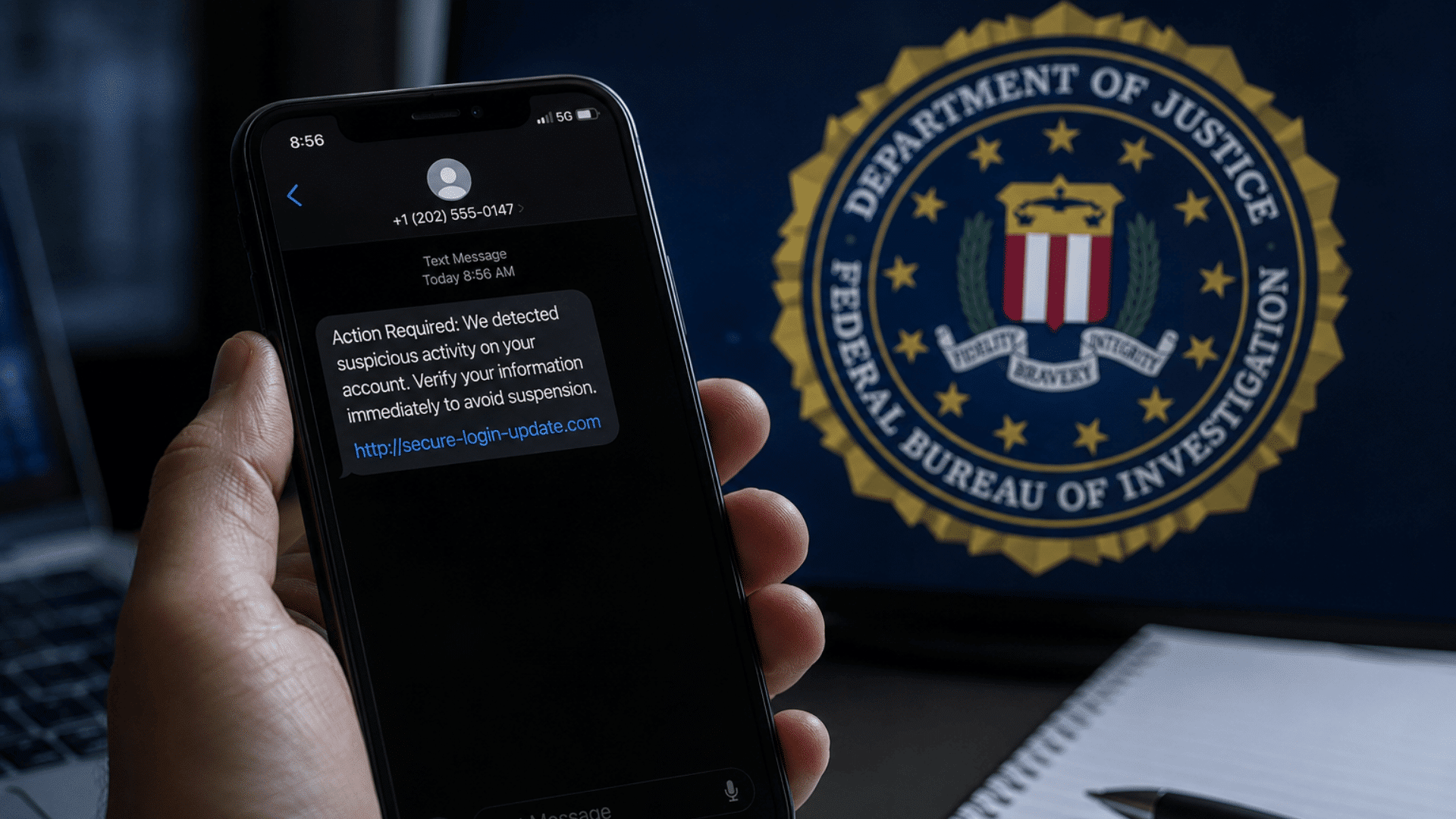
The FBI has warned the public about a growing wave of smishing scams sent through text messages. These messages often appear legitimate and claim you owe money, need to verify an account, or must take immediate action to avoid a penalty.
Their goal is usually to get you to click a link and share sensitive information.
Scammers create a sense of urgency by claiming your account will be locked, a payment is overdue, or a delivery cannot be completed.
If you receive a message claiming to be from a bank, government agency, delivery company, or service provider, verify it through the organization’s official website or trusted contact information.
The FBI also recommends deleting suspicious texts, reporting them when possible, and monitoring your accounts if you’ve already interacted with one.
Recognizing these warning signs can help protect you from stolen information, financial loss, and compromised accounts.
What is a Smishing Text Message?
A smishing text message is a scam sent through SMS or messaging apps. The word “smishing” comes from “SMS” and “phishing.”
It means someone is using a text message to trick you into sharing private information or clicking a harmful link.
These messages may look like they come from a bank, delivery company, toll service, government office, or online account.
They often ask you to confirm details, pay a small fee, reset a password, or fix a problem with your account.
The main goal of smishing is to make you act before you stop and check if the message is real.
If you click the link, you may land on a fake website that asks for your login, card number, or personal details. Some links may also try to install harmful software on your device.
Smishing works because text messages feel quick and personal. You may read them while busy, which makes it easier to miss warning signs. That is why it helps to pause, check the sender, and avoid clicking links in unexpected messages.
Why Has the FBI Issued a Warning About Smishing Texts?
The FBI has warned about smishing texts because these scams are becoming more common and convincing.
Criminals send fake messages that appear to come from trusted organizations, such as banks, delivery companies, toll agencies, and government offices.
These texts often contain links to fraudulent websites designed to steal personal information, login credentials, or payment details.
In some cases, clicking a link may also expose your device to security risks.
The FBI is concerned not only about the volume of these messages but also about the number of people who interact with them.
Phishing and related scams remain among the most frequently reported cybercrimes in the United States.
Recent campaigns have used fake toll notices, delivery alerts, and account security warnings because they target everyday situations.
The FBI’s advice is simple: be cautious of unexpected texts, especially those asking you to click a link, make a payment, or share personal information.
Verifying messages through official channels can help prevent fraud, identity theft, and account compromise.
Common Types of FBI Warning Text Message Scams
Scammers often copy messages that feel routine, so you may not question them right away. I’d treat any unexpected text with a link, payment request, or account warning as something to verify first.
- Fake Toll Payment Messages: These texts claim you owe an unpaid toll or small road fee. They often include a link that takes you to a fake payment page.
- Package Delivery Alerts: These messages say your package is delayed, missing details, or needs a small fee. The link may ask for your address, card number, or login information.
- Bank Account Warnings: These texts claim there is a problem with your bank account. They may ask you to “verify” activity or sign in through a fake link.
- Government Agency Impersonation: These messages pretend to come from an official office or law enforcement group. Real agencies do not ask for sensitive information through random text links.
- Account Security Alerts: These texts say your account was locked or accessed from a new device. The goal is to push you into clicking before you check the source.
- Prize or Gift Card Claims: These messages say you won a reward or qualify for a free gift. You may be asked to pay a fee or enter personal details to claim it.
- Subscription or Payment Failure Notices: These texts say a payment failed for a service you use. The fake link may lead to a page that steals your login or card details.
A safe rule is simple: do not use links from unexpected texts. Go directly to the official website or app instead.
How Smishing Scams Trick Mobile Phone Users
Many scam texts are designed to fit into everyday situations. Knowing the tactics behind them can help you spot suspicious messages before they cause problems.
- Creating a Sense of Urgency: You may receive a text saying a payment is overdue, an account has been locked, or a package cannot be delivered. The message is meant to make you act quickly without taking time to verify the information.
- Pretending to Be a Trusted Organization: Scammers often impersonate banks, delivery companies, toll agencies, government offices, and popular online services. The message may look official even though it comes from a criminal.
- Using Fake Links That Look Real: Some scam texts include links that closely resemble legitimate websites.
When you click them, you may be taken to a fake page that asks for login details, payment information, or personal data. - Taking Advantage of Everyday Activities: Scammers often use situations that feel familiar, such as tracking a package, paying a bill, or securing an account. Because these tasks are common, the message may seem believable at first.
- Encouraging You To Share Sensitive Information: Many smishing texts are designed to collect usernames, passwords, credit card numbers, or other personal details. Once that information is submitted, scammers can use it for fraud or identity theft.
- Making Messages Look Professional: Some texts use official-sounding language, company names, and realistic formatting.A professional-looking message is not proof that it is legitimate.
- Counting on Quick Reactions: Most people read text messages while busy or on the go. Scammers know this and try to get you to respond before you stop and think about whether the request makes sense.
Signs that a Text Message May be a Smishing Attempt
Most smishing messages follow a few common patterns. Learning to recognize these warning signs can help you avoid clicking harmful links or sharing sensitive information.
1. Suspicious Links or Shortened URLs
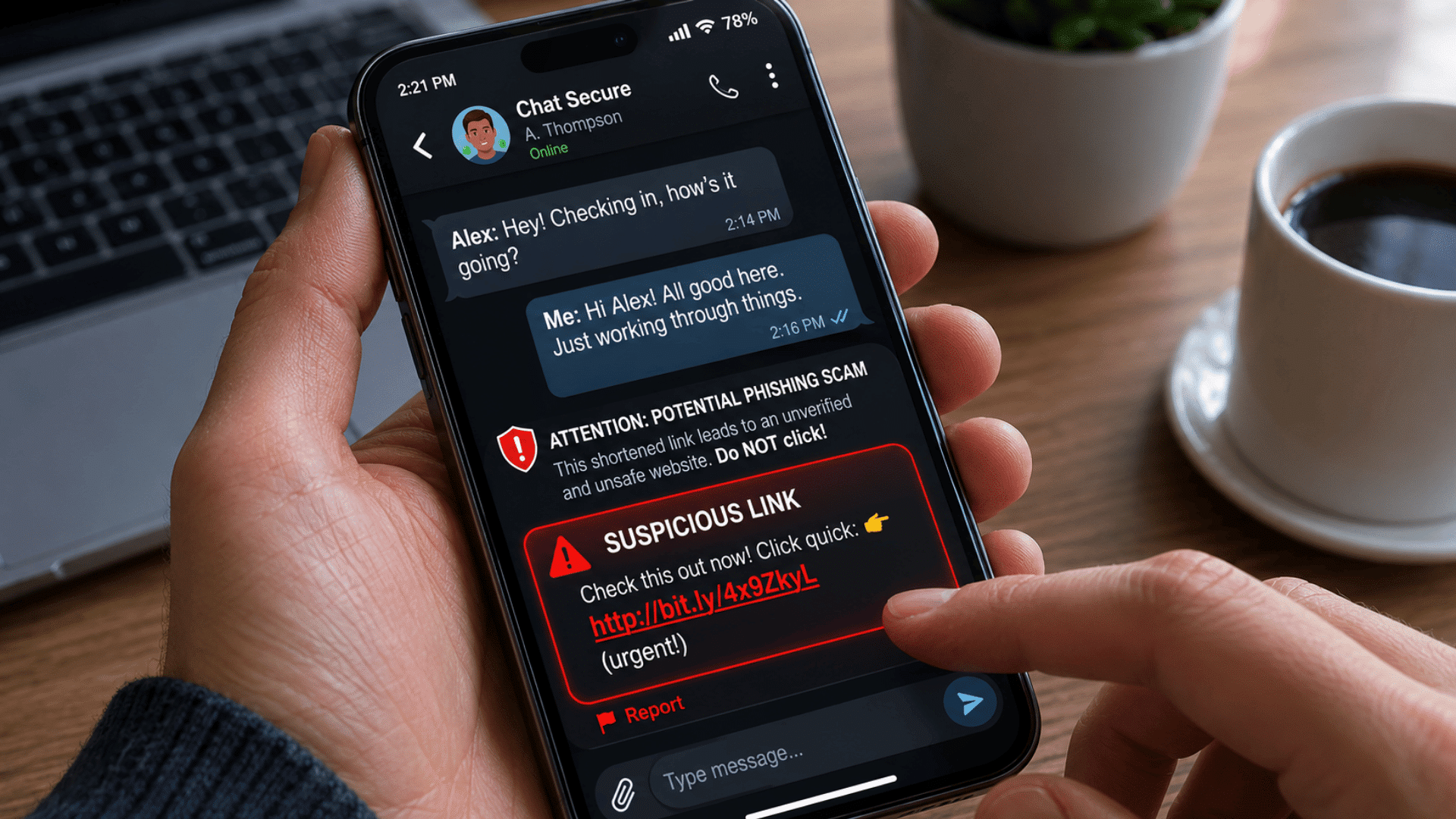
One of the easiest warning signs to spot is a suspicious link. Many smishing texts include shortened URLs or web addresses that look slightly different from a legitimate company’s website.
You may notice extra letters, unusual characters, or unfamiliar domain names. Scammers use these links to direct you to fake websites that collect personal information.
If a link looks unusual or you were not expecting the message, avoid clicking it.
Instead, visit the organization’s official website directly through your browser or mobile app to verify the request.
2. Unexpected Requests for Personal Information
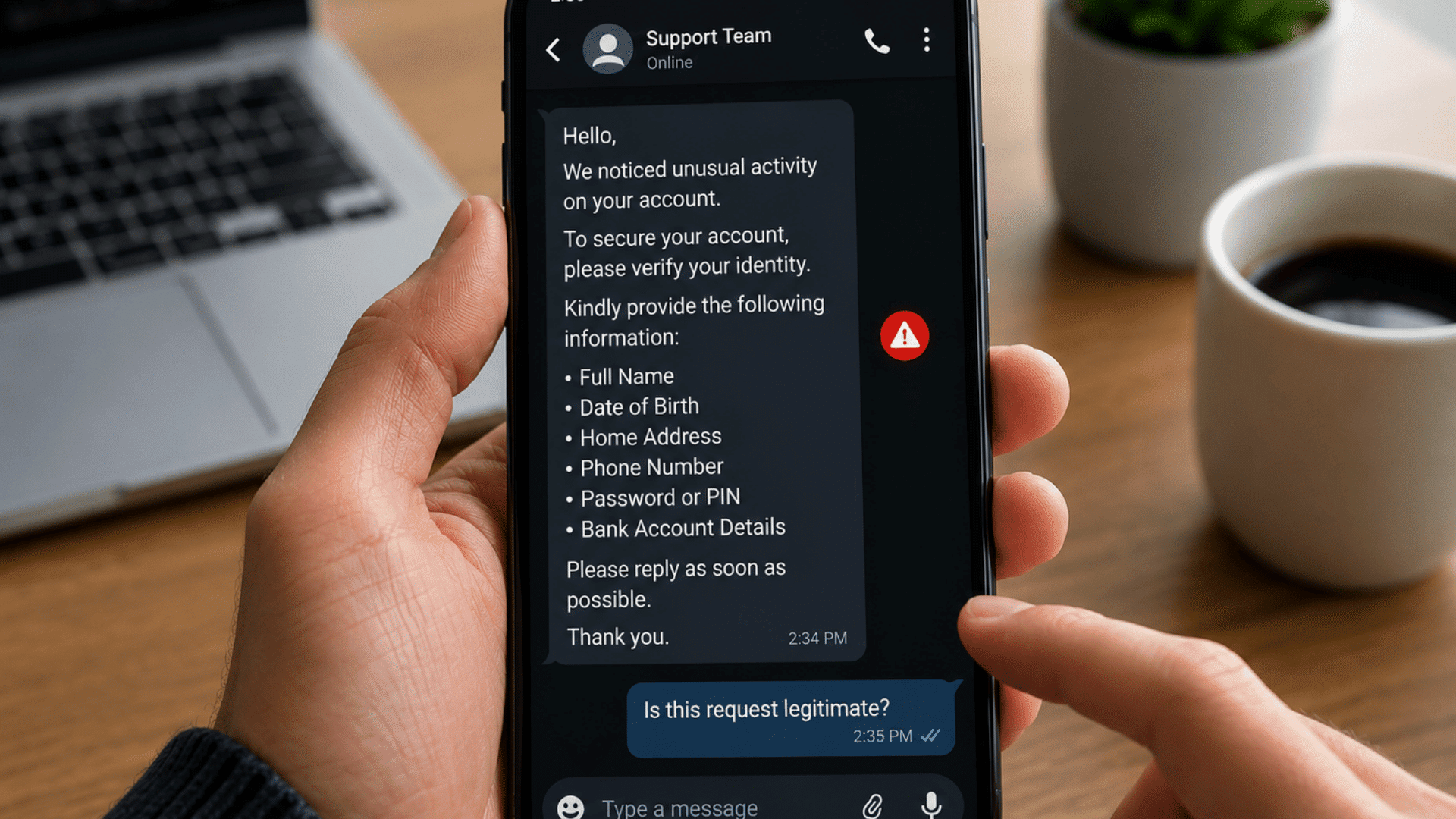
Legitimate organizations rarely ask for sensitive information through text messages.
If you receive a text asking for passwords, account numbers, Social Security numbers, verification codes, or payment details, you should be cautious.
Scammers often pretend to be banks, government agencies, or service providers to gain your trust.
A text message should never be treated as a secure place to share personal information.
When in doubt, contact the organization using verified contact details rather than responding to the message.
3. Urgent Language Requiring Immediate Action
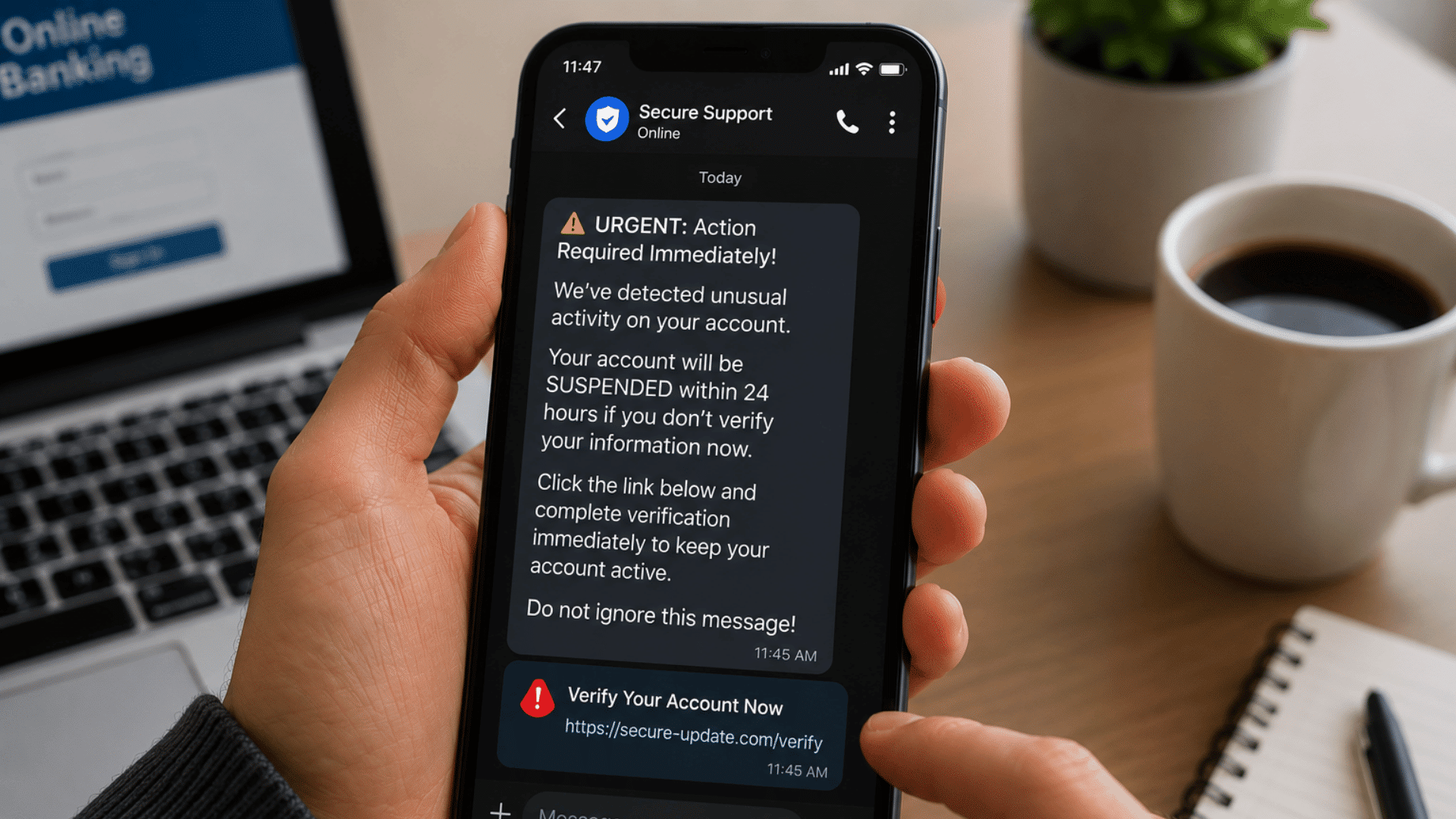
Many smishing scams create a false sense of urgency. The message may claim that your account is locked, a payment is overdue, or immediate action is required to avoid a penalty.
The goal is to pressure you into acting before you have time to think.
Real organizations may send important notifications, but they usually provide multiple ways to verify information.
If a message demands immediate action, take a moment to confirm whether the request is legitimate before responding.
4. Poor Grammar or Unusual Formatting
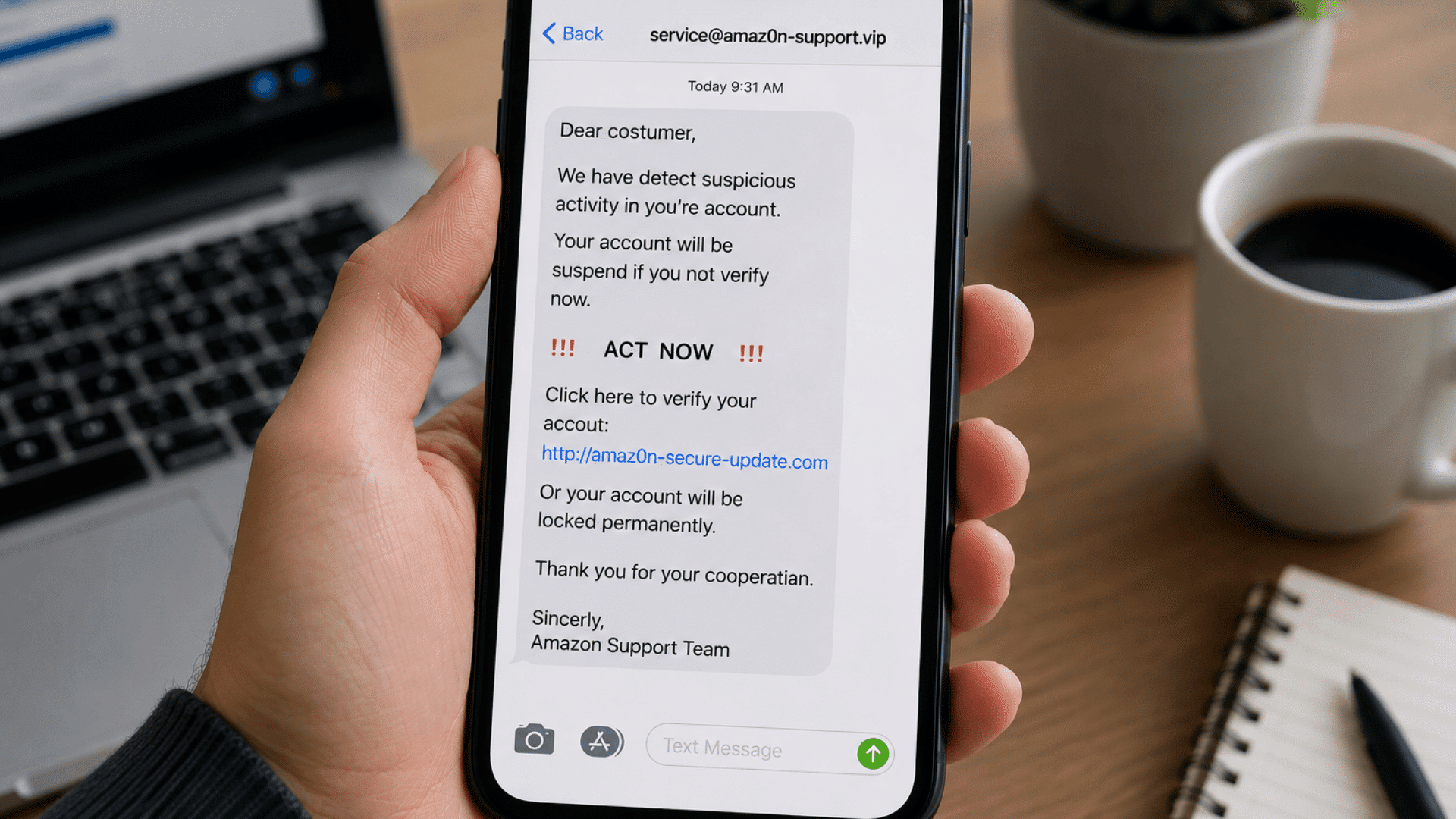
Some scam messages contain spelling mistakes, grammar errors, awkward wording, or unusual formatting.
While scammers have become better at creating convincing messages, many still include details that feel unprofessional.
You may notice random capital letters, missing punctuation, or phrases that sound unnatural, or the whole message looks AI-generated.
These small clues can indicate that the message was not sent by a legitimate organization.
Although poor grammar alone does not prove a scam, it should encourage you to examine the message more carefully before taking any action.
5. Messages from Unknown or Unverified Senders
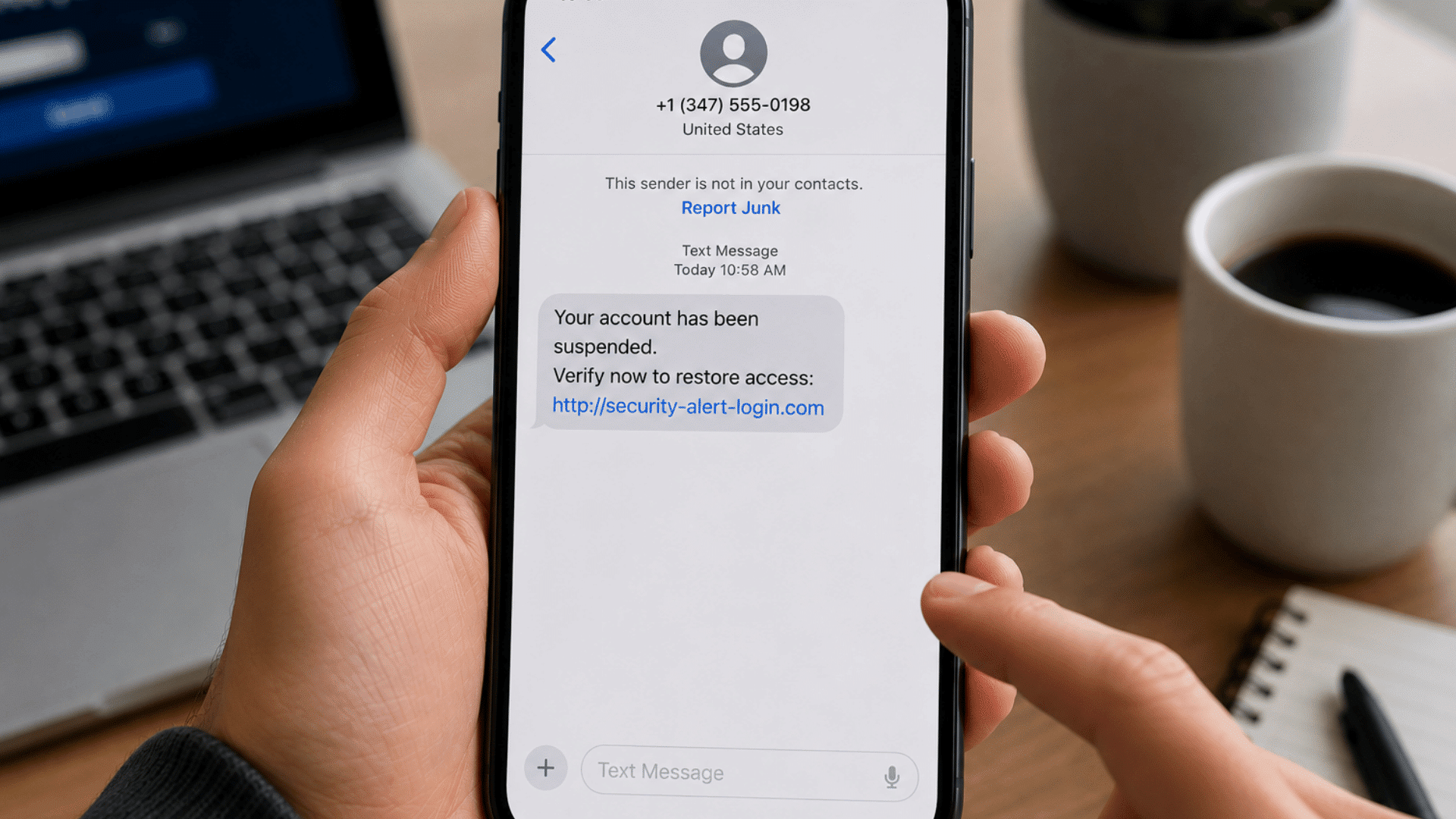
A text from an unfamiliar number does not automatically mean it is a scam, but it should make you more cautious.
Some smishing messages come from random phone numbers, while others use sender names that cannot be verified.
Scammers may also spoof numbers to make messages appear more trustworthy.
If you do not recognize the sender and the message contains a link, payment request, or demand for information, verify the source independently before interacting with it.
A few extra minutes can help prevent bigger problems later.
What Happens If You Click a Smishing Link?
Clicking a smishing link does not always cause immediate harm, but it can put your information at risk.
Many smishing links lead to fake websites designed to steal login credentials, payment details, or other personal information.
The biggest danger comes from entering information on these fraudulent sites. Some links may also attempt to install malicious software that can collect data or create security issues.
If you clicked a link but did not provide any information, your risk may be lower. Still, close the page immediately and avoid downloading anything.
If you entered personal or financial details, change affected passwords, monitor your accounts, and contact your bank or service provider if needed.
Enabling multi-factor authentication can add extra protection. Most importantly, don’t panic; taking quick action can help limit potential damage and keep your accounts secure.
FBI Recommendations for Dealing With Smishing Texts
The FBI’s advice is practical: slow down, verify the message, and avoid giving scammers a direct path to your information.
These steps can help you respond safely when a suspicious text appears on your phone.
- Do Not Click Unexpected Links: The FBI says not to click links in unsolicited emails or text messages. A smishing link may lead you to a fake website built to steal passwords, banking details, or card numbers.
- Do Not Share Personal Information: Be careful if a text asks for usernames, passwords, account numbers, PINs, or payment details.Companies generally do not contact you by text to ask for your username or password.
- Verify the Message Yourself: If a text claims to be from your bank, delivery company, toll agency, or another service, do not use the contact details in the message. Look up the official website or phone number yourself.
- Check the Website Address Carefully: The FBI warns that spoofed websites may look like real ones but use changed spellings or different domains. Type the official address directly into your browser when possible.
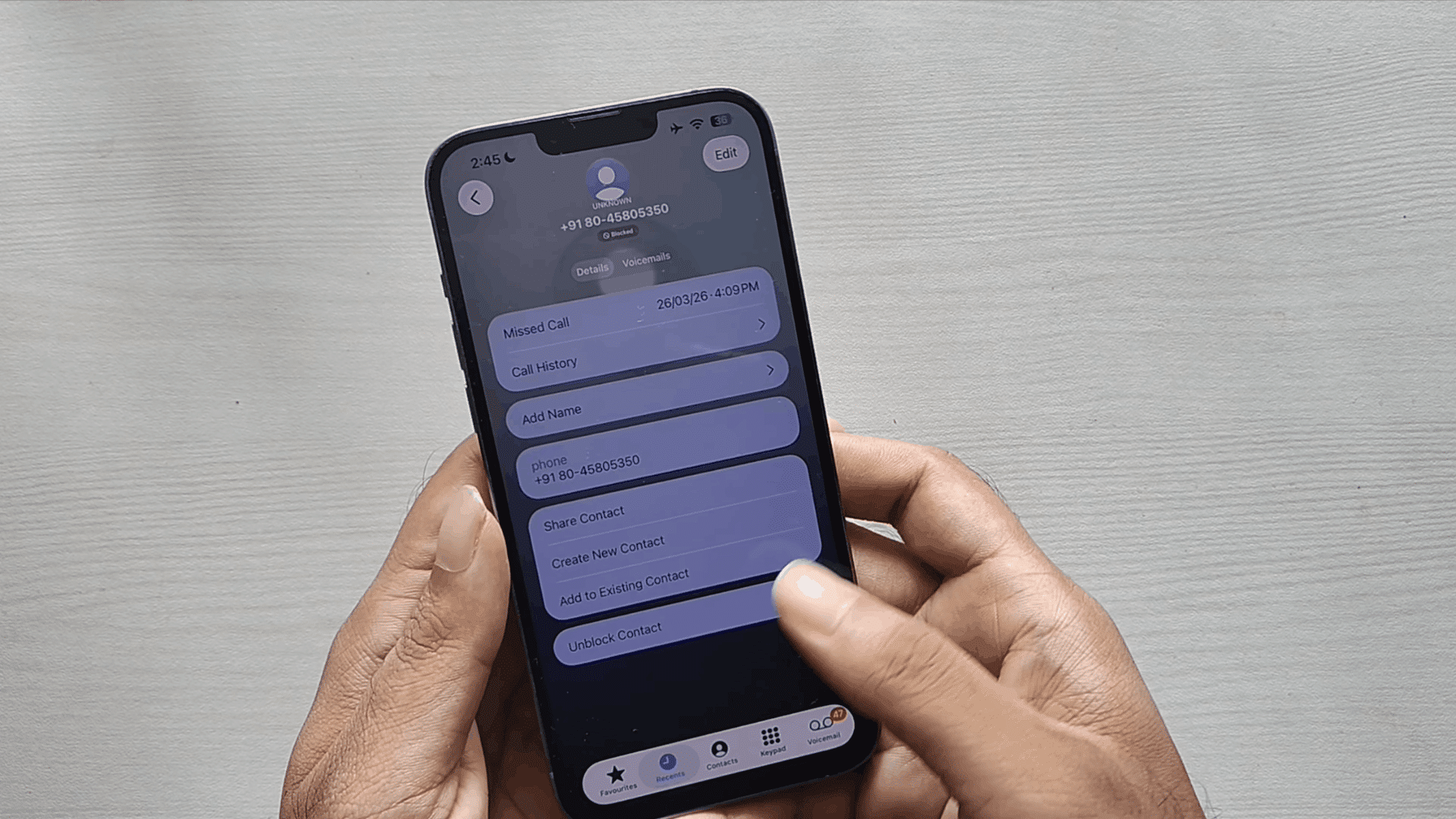
- Delete Suspicious Messages: If the message looks fake or you cannot verify it, delete it. Do not reply, because responding may confirm that your number is active.
- Report the Scam to IC3: If you were targeted or lost money, report it through the FBI’s Internet Crime Complaint Center at IC3.gov. IC3 says you can file a report even if you are unsure whether your complaint qualifies.
- Monitor Your Accounts: If you clicked a link or entered information, check your bank, email, and online accounts for unusual activity. Change affected passwords and turn on multi-factor authentication where available.
How to Protect Yourself From Smishing Attacks
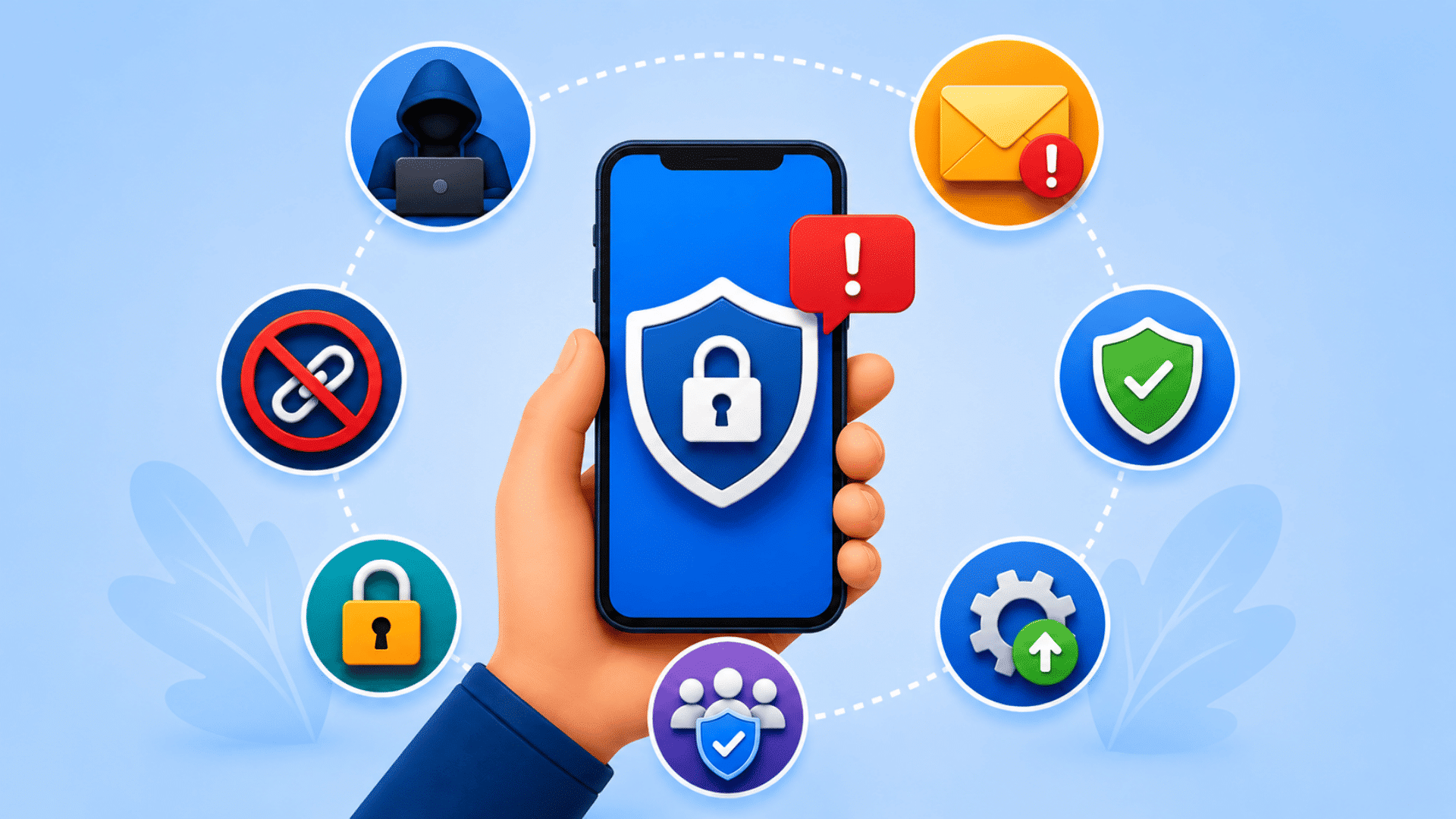
You do not need advanced technical skills to reduce your risk of smishing scams.
A few simple habits can make it much harder for scammers to trick you into sharing information or clicking harmful links.
1. Verify Messages Before Taking Action
If a text claims to be from a bank, delivery company, toll agency, or government office, take a moment to confirm it is legitimate. Instead of using the link in the message, visit the organization’s official website or mobile app directly.
2. Avoid Clicking Links in Unexpected Texts
Many smishing scams depend on getting you to click a link. If you were not expecting the message, do not trust the link automatically. Even if the text looks professional, it is safer to verify the request through official channels.
3. Enable Multi-Factor Authentication
Multi-factor authentication (MFA) adds an extra layer of security to your accounts. If someone gets your password, MFA can help prevent unauthorized access by requiring an additional verification step.
4. Keep Your Phone and Apps Updated
Software updates often include security fixes that help protect your device from known threats. Installing updates regularly can reduce the likelihood that criminals exploit security weaknesses.
5. Use Strong and Unique Passwords
Using the same password for multiple accounts increases your risk if one account is compromised. Choose strong passwords and use a different password for important accounts whenever possible.
6. Be Careful With Personal Information
Think twice before sharing personal details through text messages. Legitimate organizations rarely ask for sensitive information such as passwords, PINs, or banking details by text.
7. Monitor Your Accounts Regularly
Checking your bank accounts, credit card statements, and online accounts can help you spot suspicious activity early. The sooner you notice a problem, the faster you can take action.
8. Report and Delete Suspicious Texts
If a message appears fraudulent, report it through the appropriate channels and delete it from your device. Reporting scams helps authorities track new tactics and may help protect other people from becoming victims.
The best defense against smishing is slowing down before you respond. Taking a few extra seconds to verify a message can help you avoid much bigger problems later.
How to Report Smishing Text Messages to the FBI
Reporting suspicious messages helps authorities identify scam trends and warn the public about new threats.
A quick report can also provide useful information for ongoing investigations and fraud prevention efforts.
- Report Through IC3.gov: The FBI recommends submitting smishing complaints through the Internet Crime Complaint Center (IC3) at IC3.gov.
This is the FBI’s primary platform for collecting reports related to online scams and cybercrime. - Forward the Message to 7726 (SPAM): Most major mobile carriers support reporting spam texts through the number 7726. This helps carriers identify and block fraudulent messages more effectively.
- Notify the Organization Being Impersonated: If the text pretends to be from your bank, a delivery company, a toll agency, or another business, report the message to that organization. They may already be tracking similar scams and can alert other customers.
- Report Even If You Didn’t Lose Money: The FBI encourages reporting suspicious messages even when no financial loss occurs. Complaint data helps authorities identify emerging scam campaigns and issue public warnings.
Smishing vs. Phishing: Understanding the Key Differences
While smishing and phishing share the same goal, they use different methods to reach potential victims. The table below highlights the key differences so you can identify each threat more easily.
| Feature | Smishing | Phishing |
| Communication Method | Text Messages (SMS) | Email Messages |
| Primary Target | Mobile Phone Users | Email Users |
| Common Examples | Toll payment texts, delivery alerts, bank messages | Fake invoices, account warnings, password reset emails |
| Main Goal | Steal personal or financial information | Steal personal or financial information |
| Typical Action Requested | Click a link, reply to a message, make a payment | Click a link, open an attachment, log in to an account |
| Sense of Urgency | Usually very high | Can range from moderate to high |
| Common Warning Signs | Unknown sender, suspicious links, payment demands | Suspicious attachments, fake login pages, unusual sender addresses |
| Best Defense | Verify texts through official websites or apps | Verify emails through official websites and avoid suspicious links |
Key Takeaway: Smishing is essentially phishing delivered through text messages.
The attack method differs, but the goal remains the same: getting you to share sensitive information or take an action that benefits the scammer.
At the End
Smishing scams are not always easy to spot, especially when they look like messages from organizations you know and trust.
The good news is that a little caution can go a long way.
By checking links carefully, verifying requests through official channels, and avoiding the urge to act immediately, you can reduce your risk of becoming a victim.
The FBI’s warnings are a reminder that scammers continue to adapt their tactics, but the basic defense remains the same: pause, verify, and protect your information.
Staying informed is one of the most effective ways to keep your accounts and personal data secure.
Have you ever received a suspicious text message or encountered a smishing scam? Share your experience in the comments below.
Your story could help other readers recognize warning signs and avoid similar scams.
Frequently Asked Questions
Should I Reply to a Suspicious Text Message?
No. Replying may confirm your number is active. Delete the message, block the sender, and report it if needed.
How Can I Stop Receiving Smishing Messages?
Block suspicious numbers, enable spam filtering, report scam texts to 7726, and avoid sharing your phone number publicly.
What do Hackers Hate the Most?
Hackers hate strong passwords, multi-factor authentication, regular updates, and cautious users because these measures make attacks harder.