



I remember when I first started looking for a hosting service, I felt stuck between too many options.
Most of them looked good at first, but either the price was too high or the setup felt confusing.
I just wanted something simple that worked without wasting time. If you are looking into pebble hosting, you are likely searching for the same kind of easy and budget-friendly solution.
PebbleHost has become popular among people seeking reliable game server hosting, especially for Minecraft.
It focuses on keeping things simple while still offering good performance and useful features. That is why many beginners and small communities choose it over more complex platforms.
In this article, I share its services, pricing, features, and overall performance so you can decide if it fits your needs.
What Is PebbleHost Hosting?
PebbleHost is a hosting company that provides game server hosting, VPS hosting, and web hosting services. It is best known for Minecraft server hosting because it offers low prices and simple setup options.
Users can pick different plans based on how many players they want to support and the level of performance they need.
The platform includes useful features like instant server setup, DDoS protection, SSD storage, and full control over server files. Many beginners prefer PebbleHost because the dashboard is easy to understand and manage.
More advanced users can also change server settings and install custom files or plugins.
PebbleHost Minecraft hosting has servers in different locations, which helps improve speed and connection quality for players.
It is often chosen by gamers, small communities, and developers who want reliable hosting without spending too much money.
Types of Hosting Services at PebbleHost
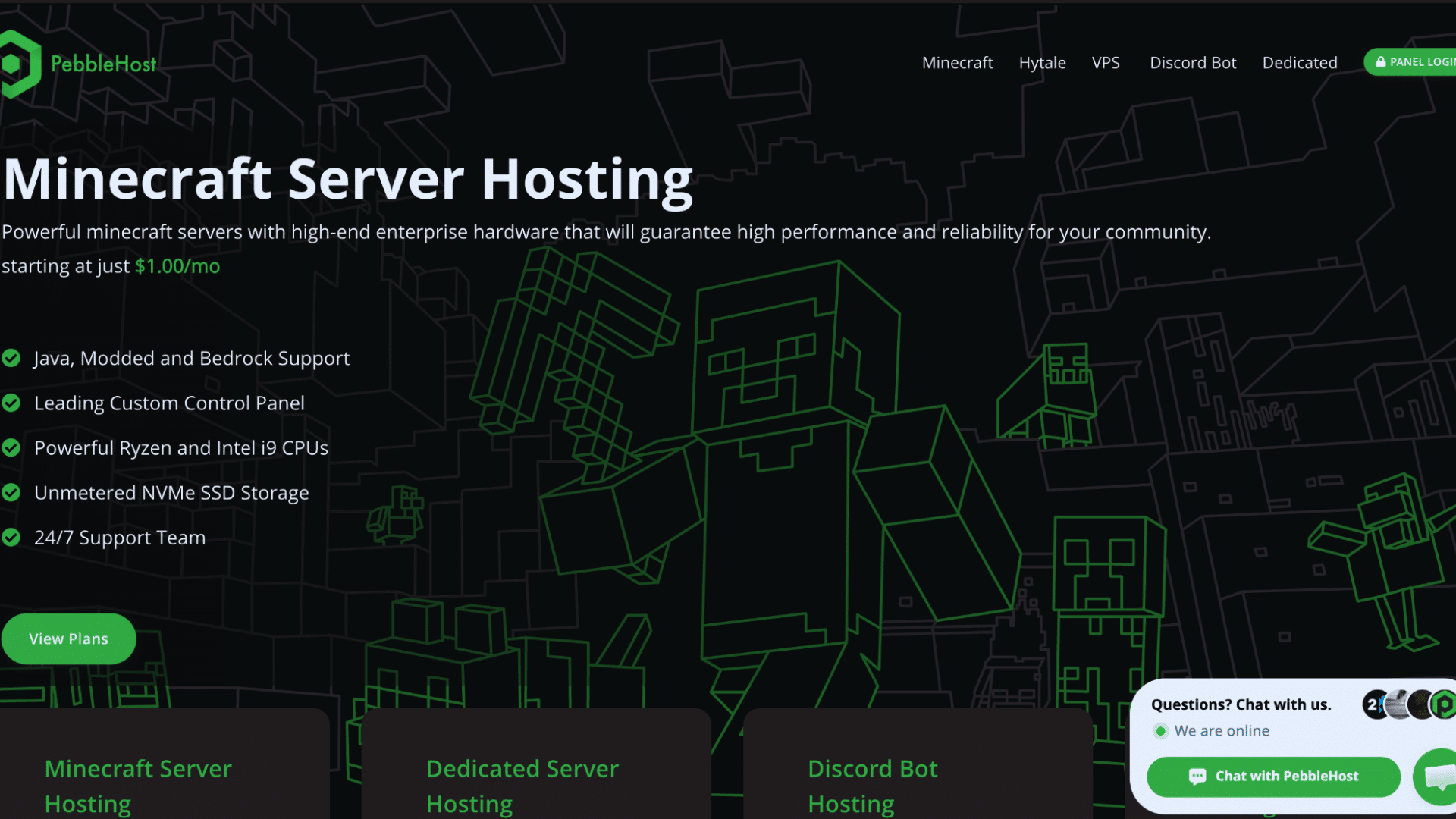
PebbleHost offers a range of hosting services for gamers, developers, and website owners. Each service focuses on speed, ease of use, and affordable pricing.
1. Minecraft Server Hosting
Minecraft server hosting is the main service offered by PebbleHost. It supports Java and Bedrock editions, as well as modded setups like Forge and Fabric.
Users can install plugins, manage files, and control server settings through a simple panel.
The setup process is quick, and servers go live within minutes. It works well for both small friend groups and large public servers. Features like backups and DDoS protection provide additional security.
Many users choose this service because it offers strong performance at a low price, making it a practical option for most Minecraft players.
2. Dedicated Server Hosting
PebbleHost also provides dedicated server hosting for users who need full control and higher performance.
These servers are not shared, so all resources are used by a single user. This makes them suitable for large gaming communities or heavy workloads.
Users can customize hardware to their needs and run multiple applications on a single server.
It also offers better stability and faster speeds than shared hosting.
While it costs more than basic plans, it offers more power and flexibility. This option is best for advanced users who need reliable and consistent performance.
3. VPS Hosting
VPS hosting from PebbleHost Minecraft gives users a balance between cost and control. It works like a virtual server, with resources divided, yet it still offers good performance.
Users can install custom software, run websites, or host game servers.
It is more flexible than shared hosting and cheaper than a dedicated server. The setup is simple, and users can scale resources as needed.
This makes it a good choice for developers and small businesses.
VPS hosting also provides better security and stability, making it useful for users who want more control without spending too much.
4. Discord Bot Hosting
PebbleHost offers Discord bot hosting for users who want to run bots without keeping their own system online.
It supports multiple programming languages like Node.js, Python, and Java. Users can manage files, install packages, and keep bots running 24/7.
This service is useful for communities that rely on bots for moderation, music, or automation. It also includes features like database support and backups.
The setup is simple, and even beginners can get started easily.
This hosting option helps keep bots active without interruptions, making it a reliable choice for Discord server owners.
5. Web Hosting
PebbleHost Minecraft hosting also provides web hosting for users who want to run websites. It includes features like cPanel, one-click WordPress installation, and SSL certificates.
Users can manage domains, emails, and files through an easy dashboard. The hosting plans come with NVMe storage and good bandwidth options. This service works well for small business sites, blogs, or personal projects.
It is simple to set up and does not require technical skills.
While it is not as advanced as premium web hosts, it offers enough tools to meet most basic needs at an affordable price.
Best PebbleHost Gosting Plans by Use Case
Choosing the right plan depends on what you want to run and how many resources you need. Some plans work better for small private servers, while others are built for larger projects and custom setups.
| Use Case | Recommended Plan | Why It Works Best |
| Small Minecraft server for friends | Budget Minecraft Hosting | Affordable and simple to manage for small groups with light gameplay needs |
| Modded Minecraft server | Premium Minecraft Hosting | Better CPUs, faster storage, and modpack support help reduce lag |
| Large public Minecraft community | Dedicated Server Hosting | Full hardware access gives better stability and stronger performance |
| Beginner starting first server | Budget Minecraft Hosting | Easy setup and low monthly cost make it beginner-friendly |
| Discord bot hosting | Discord Bot Hosting | Keeps bots online 24/7 without using your own computer |
| Personal website or blog | Crystal Web Hosting Plan | Includes cPanel, SSL, and enough storage for basic websites |
| Growing business website | Onyx Web Hosting Plan | Higher storage and bandwidth support larger traffic needs |
| Custom apps or developer projects | VPS Hosting | Gives more control, scalability, and software customization |
| Multiple game servers | Dedicated Server Hosting | Allows users to run several servers with better resource control |
| Testing plugins or server builds | VPS Hosting | Flexible setup works well for development and testing tasks |
Key Features of PebbleHost Hosting Minecraft Hosting
These features improve server performance, control, and the overall user experience. They make it easier to run, manage, and scale a Minecraft server without hassle.
- Instant Server Setup: Servers are ready within minutes after purchase, so users can start playing or managing their world without delays.
- High Performance Hardware: Uses modern CPUs and fast NVMe SSD storage to keep gameplay smooth and reduce lag during peak usage.
- Mod and Plugin Support: Supports Forge, Fabric, and Spigot, enabling users to easily add mods and customize gameplay.
- DDoS Protection: Built-in protection helps keep servers online and stable during unexpected traffic spikes or attacks.
- Global Server Locations: Multiple data centers help reduce latency, enabling players to achieve faster connection speeds across different regions.
- Automatic Backups: Regular backups help protect server data and allow quick recovery if something goes wrong.
- Easy Control Panel: A simple dashboard lets users manage files, settings, and updates without needing technical skills.
- 24/7 Support Access: Support is available at all times, helping users fix issues and keep their servers running smoothly.
PebbleHost Hosting Plans and Costs
PebbleHost offers flexible pricing across different hosting types, making it easy to choose the plan that best suits your needs and budget.
| Plan Type | Starting Price | Key Features | Best For |
|---|---|---|---|
| Budget Minecraft Hosting | $1/GB per month | Basic performance, NVMe storage, DDoS protection | Small servers and beginners |
| Premium Minecraft Hosting | ~$13.50/month (6GB example) | Ryzen CPUs, faster SSDs, backups, modpack installer | Modded and large servers |
| Web Hosting (Crystal Plan) | $5/month | 5GB NVMe SSD, 50GB bandwidth, cPanel, SSL | Small websites and blogs |
| Web Hosting (Onyx Plan) | $10.50/month | 20GB NVMe SSD, unlimited bandwidth, full tools | Growing websites |
| VPS Hosting | $10–$112/month | Scalable resources, full control, custom setup | Developers and apps |
| Dedicated Servers | From $27.49/month | Full hardware access, high performance, upgrades | Large communities and heavy workloads |
Who Should Use PebbleHost Hosting?
PebbleHost works best for users who want reliable hosting without spending too much money. Its simple setup and flexible plans make it useful for beginners, gamers, developers, and small online communities.
1. Beginners Starting Their First Server
PebbleHost is a good choice for beginners who have never managed a server before. The setup process is simple, and the control panel is easy to understand without technical experience.
Users can create a Minecraft server, install plugins, and manage files with only a few clicks.
The low pricing also helps new users avoid spending too much while learning.
Since support is available through Discord and tickets, beginners can get help quickly if they face setup problems or performance issues during the early stages of hosting.
2. Small Minecraft Friend Groups
Small groups that want a private Minecraft server can benefit from PebbleHost’s budget plans. These plans provide enough performance for survival worlds, mini-games, and light mod usage without high monthly costs.
Friends can join from different regions because PebbleHost offers multiple server locations for better connection speeds.
The instant setup feature also helps users start playing quickly after purchase.
For groups that only need a stable and affordable server for casual gameplay, PebbleHost offers a practical balance between price, speed, and easy management tools.
3. Users Running Modded Servers
Users who enjoy modded Minecraft servers may find PebbleHost Premium Hosting useful because it supports Forge, Fabric, and large modpacks.
Better hardware and faster storage help reduce lag when multiple mods are active at the same time. Users can upload custom files, install plugins, and manage server settings without restrictions.
The control panel also makes it easier to restart servers, monitor usage, and manage backups.
This setup works well for players who want extra features and smoother gameplay while using heavily customized Minecraft worlds and modpacks.
4. Developers and Advanced Users
Developers and advanced users who need more control can use PebbleHost VPS or dedicated servers. These hosting options allow users to install custom software, host multiple projects, and adjust server settings freely.
It works well for developers testing applications, running bots, or managing large gaming communities.
Since the servers are scalable, users can increase resources as their projects grow over time.
Advanced users also benefit from root access, better hardware options, and flexible configurations that provide more control than standard shared hosting plans usually offer.
5. Discord Community Owners
Discord community owners who rely on bots for moderation, music, or automation can use PebbleHost Discord Bot Hosting to keep services online all day.
This removes the need to keep a personal computer running constantly. The hosting supports languages like Node.js and Python, making it useful for different types of bots.
Users can also manage files, restart applications, and install packages through the dashboard.
For growing Discord communities that need stable uptime and simple management, PebbleHost offers a low-cost and reliable hosting option for daily use.
Pros and Cons of Using PebbleHost Hosting
This quick comparison helps you understand where PebbleHost performs well and where it may fall short.
It makes it easier to decide if the service fits your needs.
| Pros | Cons |
|---|---|
| Very affordable pricing, Minecraft servers start at $1 per GB | Interface feels outdated and not very modern |
| 24/7 support available through Discord with quick replies | Some users report billing issues and refund delays |
| Strong performance on premium plans with fast hardware | Budget plans do not include one-click modpacks |
| DDoS protection helps keep servers stable | Some features, like backups, cost extra on budget plans |
| Instant setup, servers ready in minutes | The refund window is short for testing |
| Clear pricing with no hidden costs | Support experience can vary for some users |
| Focused on Minecraft hosting with good optimization | Servers may stop if resource limits are exceeded |
| Multiple server locations for better connection speed | Users must cancel manually to avoid extra charges |
Who Should Avoid Using PebbleHost Hosting?
Not every hosting service fits every type of user or project. Some users may need stronger support, advanced tools, or higher performance than PebbleHost Minecraft hosting currently offers.
- Users Wanting Premium Customer Support: PebbleHost mainly offers support through Discord and tickets instead of phone support. Users who want direct or faster premium assistance may prefer other hosting providers.
- Users Expecting a Modern Dashboard Design: While the control panel is easy to use, some users may feel the interface looks outdated compared to newer hosting platforms with cleaner and more advanced dashboards.
- People Testing Servers for a Long Time: PebbleHost has a shorter refund window compared to some competitors. Users who want extended testing periods before committing to a hosting plan may not find this ideal.
- Users Who Forget Subscription Management: PebbleHost requires manual cancellation for active services. Users who do not regularly track subscriptions could accidentally continue paying for unused hosting plans.
- Businesses Requiring Advanced Web Hosting Features: PebbleHost web hosting works well for small sites, but larger businesses may need more advanced hosting features and security tools.
What Reddit Users Say About PebbleHost Hosting?
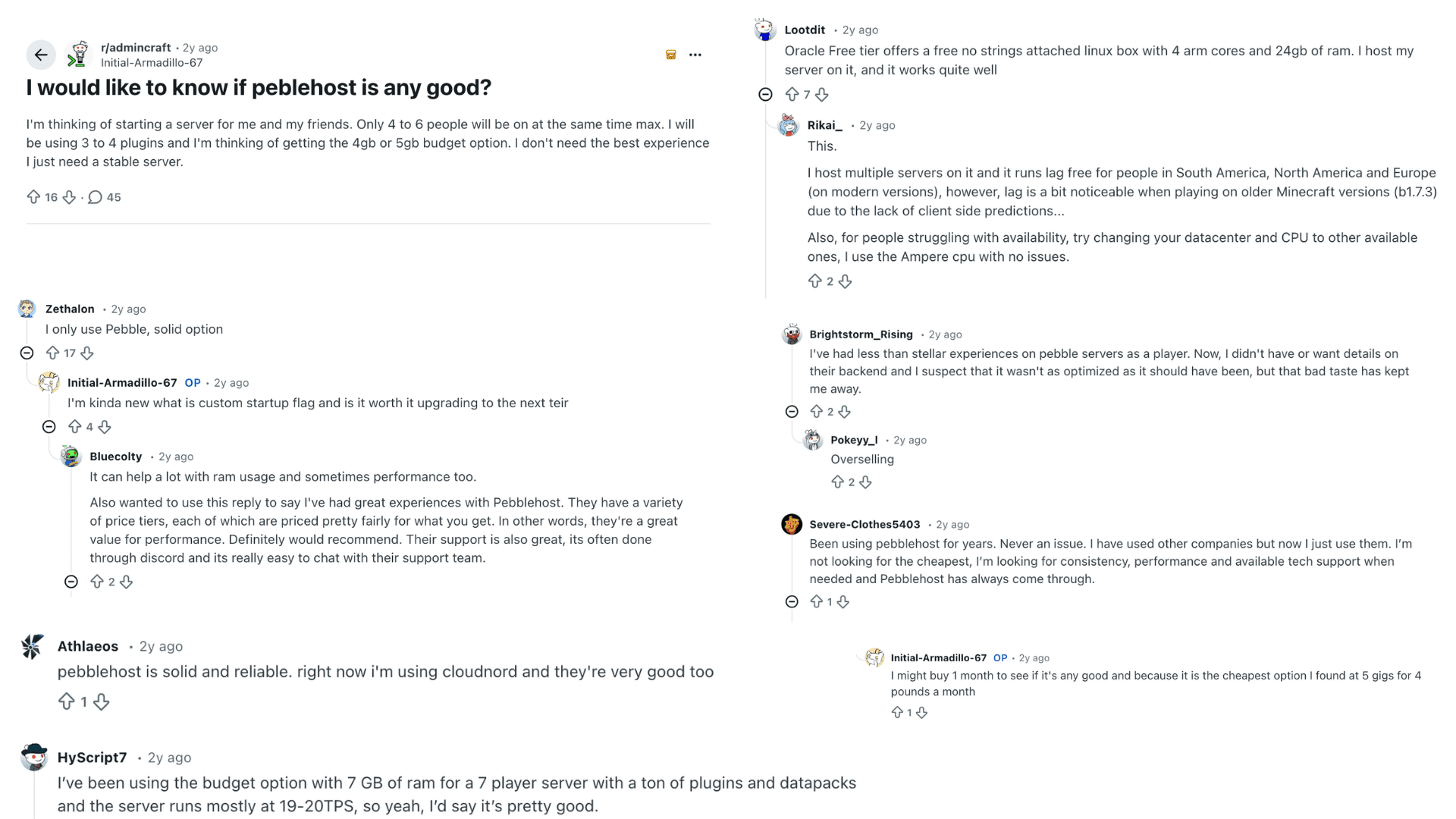
The Reddit discussion shows mixed but mostly positive views about PebbleHost. Several users say it is a solid and affordable option, especially for small Minecraft servers with friends.
People highlight good value for money, stable performance, and easy setup. Some users report running servers with multiple plugins and still achieving smooth TPS, which is a good sign of performance.
Support through Discord is also seen as helpful and responsive by some users. However, not everyone had a perfect experience.
A few comments mention issues such as lag on older versions, possible overselling, and suboptimal performance in some cases.
Overall, most users agree that PebbleHost works well for budget users, but premium plans or alternatives may be better for larger or more demanding servers.
PebbleHost Refund Policy
PebbleHost offers a refund policy for users who are not satisfied with their hosting service, but the rules depend on the type of plan purchased.
Most game hosting plans come with a short refund period, usually within 72 hours after purchase.
Users need to contact support and submit a refund request during that time.
Some services, like dedicated servers and custom setups, may not qualify for refunds because of setup costs. It is a good idea to read the refund policy before placing an order so you understand the terms clearly.
PebbleHost also requires users to cancel subscriptions manually to avoid future payments.
Refund requests are handled through the support ticket system, and users should keep their payment and order details ready to help speed up the process when contacting support.
PebbleHost Hosting vs Other Minecraft Hosts
This comparison shows how PebbleHost performs against popular Minecraft hosting providers. It helps you quickly understand differences in price, features, and overall experience.
| Feature | PebbleHost | Apex Hosting | Shockbyte |
|---|---|---|---|
| Starting Price | From $1/GB | From ~$5.99/month | From ~$2.99/month |
| Ease of Use | Simple and beginner-friendly | Very easy with guides and tools | Easy but slightly more technical |
| Performance | Good (better on premium plans) | High-performance servers | Solid mid-tier performance |
| Mod Support | Full mod/plugin support | One-click modpacks | Manual or partial automation |
| Hardware Quality | Budget + premium tiers | Premium-focused hardware | Mixed hardware setups |
| Support | 24/7 Discord support | Strong 24/7 live chat support | 24/7 but slower responses reported |
| Best For | Budget users and small servers | Users wanting premium support | Users needing balanced pricing |
Quick takeaway: PebbleHost is best for budget-friendly hosting, Apex Hosting is better for premium support and features, and Shockbyte sits in the middle with balanced pricing and performance.
Conclusion
Choosing a hosting service often comes down to what you truly need and how much you want to spend. PebbleHost hosting stands out because it keeps things simple while still giving you enough power to run your server smoothly.
It works well for beginners, small groups, and even growing communities that don’t want to deal with complex setups or high costs.
Before making a decision, take a moment to reflect on your goals. If you want something easy to get started with and manage, this could be a good fit. If your needs grow, you can always upgrade to a higher plan later.
Have you tried PebbleHost or are you planning to use it soon? Share your thoughts and experience in the comments below.
Frequently Asked Questions
What Is Pebble Host Used For?
PebbleHost is primarily used to host game servers, especially Minecraft servers. It also supports web hosting, VPS, and Discord bot hosting.
Do Pebble Host Servers Run 24/7?
Yes, PebbleHost servers are designed to run all the time without stopping. This helps keep games, websites, and bots active day and night.
How Much Does a PebbleHost Hosting Server Cost?
Minecraft hosting starts at about $1 per GB on budget plans. Other services, like VPS and dedicated servers, cost more based on the resources they use.
Does Pebble Host Support Mods?
Yes, PebbleHost fully supports mods and modpacks for Minecraft servers. It even offers one-click modpack installs and allows custom mods using tools like Forge and Fabric.
Can Beginners Use Pebble Host Easily?
Yes, beginners can use PebbleHost without much trouble. It offers a simple control panel and quick setup, making server management easy even for new users.