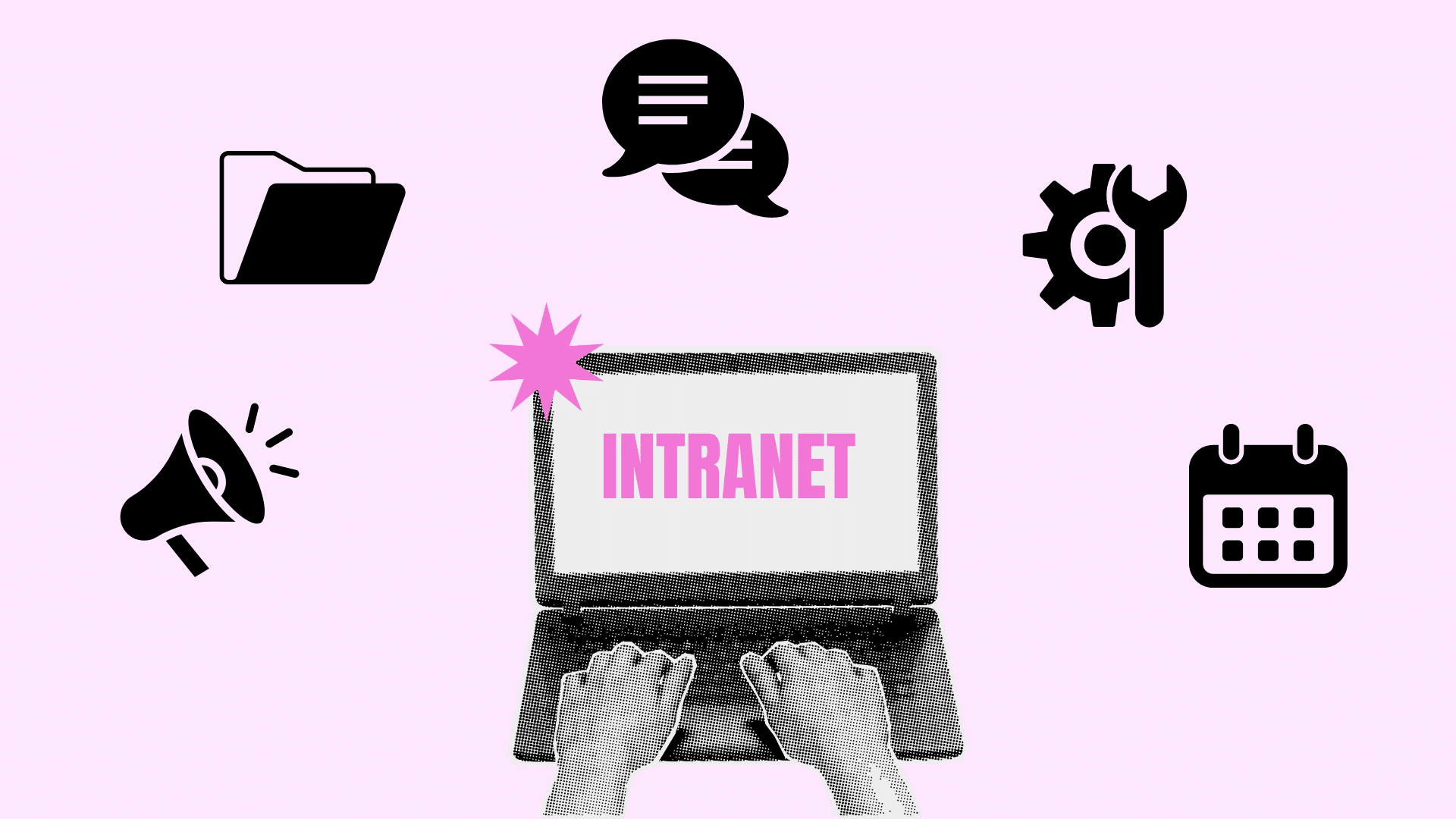





An intranet gives employees a secure place to access company information, documents, tools, and services. Although it is often compared to an internal website, an intranet can support much more than announcements.
It may connect teams, store approved files, simplify HR tasks, guide new employees, and provide access to workplace systems. I find it useful to think of an intranet as the digital starting point for daily work.
Instead of searching through emails, shared drives, and separate applications, employees can begin with an organized platform.
In this blog, I will give you an intranet definition and tell you how it works, which features matter most, and where it adds value.
You will also learn its main benefits, possible drawbacks, and how it differs from the internet and an extranet.
What Is an Intranet?
An intranet is a private digital network or workplace platform available to authorized users within an organization.
It uses technologies like websites, browsers, servers, links, search tools, and online applications, similar to the internet. However, it remains protected from public access.
Employees usually sign in using a company account. Contractors, temporary workers, board members, or other approved users may receive limited access when required.
A basic intranet may include company policies, staff contact details, forms, and internal announcements.
Whereas advanced intranets may include document libraries, employee profiles, discussion spaces, project pages, HR services, training materials, approval workflows, and links to business applications.
Common intranet examples! Microsoft SharePoint, Confluence, Zoho Connect, Google Sites Intranet etc.
Intranet vs Internet vs Extranet
The intranet, internet, and extranet are three types of networks that differ based on access, users, and purpose. The table below compares these networks to highlight their key differences.
| Internet | Intranet | Extranet |
|---|---|---|
| Access: Public users | Access: Authorized members of an organization | Access: Approved internal and external users |
| Main Purpose: Public information, websites, and online services | Main Purpose: Internal communication, information, and workplace tasks | Main Purpose: Controlled collaboration with customers, suppliers, or partners |
| Publicly available for anyone to access. | Restricted to people approved by an organization. | Provides selected external users access to specific information or services. |
| Example: Users browse websites, access online services, and find public information. | Example: Employees access internal documents, announcements, and workplace tools. | Example: A supplier checks inventory, uploads invoices, or reviews order details. |
Key Features of an Intranet
A useful intranet focuses on tools that make workplace information, services, and systems easier to access.
- Company News Feed:Shares announcements, events, and updates based on role, location, or department.
- Document Library:Stores searchable files with version history, permissions, and review details.
- Employee Directory:Helps staff find coworkers by role, department, skills, and contact details.
- HR Portal:Provides access to benefits, payroll, policies, training, and onboarding resources.
- Forms and Workflows:Manages requests for leave, expenses, equipment, IT, and purchases.
- Personalized Dashboard:Shows relevant tasks, updates, tools, and approvals.
- Mobile Access:Allows employees to access resources through phones and tablets.
- Application Integrations:Connects workplace tools like calendars, meetings, and support systems.
- Security Controls:Protects information through permissions, monitoring, and access controls.
What Is an Intranet Used For?
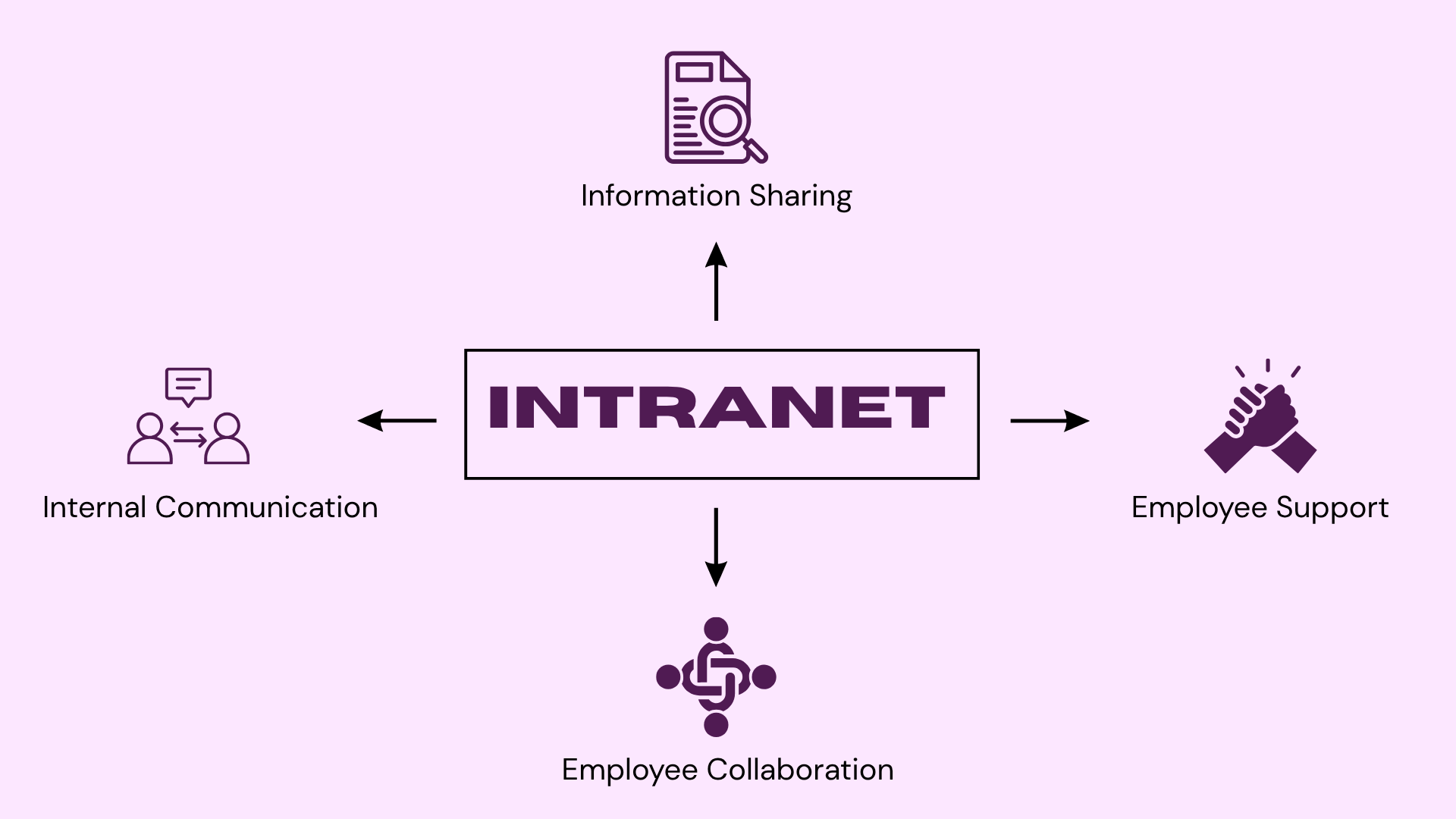
The purpose of an intranet is to help employees access the information, people, and services they need to do their jobs.
Most workplace uses fall into the following main categories.
1. Internal Communication
Companies use intranets to publish official news and announcements. Communication can include:
- Leadership messages
- Policy updates
- Department news
- Upcoming events
- Office closures
- Safety notices
- Business performance updates
- New employee announcements
An intranet keeps official updates in a central, searchable location.
Some platforms also allow employees to comment, answer polls, ask questions, or respond to announcements. These features can make communication more interactive.
2. Document and Information Sharing
An intranet can serve as the main storage location for employee handbooks, policies, procedures, technical guides, forms, templates, training resources, compliance documents, product information, safety instructions, and department processes.
Keeping these materials in one central system makes it easier for employees to find approved information instead of relying on files saved in personal folders or attached to old emails.
Version control is quite important because outdated instructions can lead to errors or security risks.
3. Employee Support and Knowledge Hub
An intranet combines employee self-service tools with a searchable knowledge base. Employees can request leave, submit expenses, access benefits, complete training, and report issues through one platform.
It also provides FAQs, guides, tutorials, and internal resources. This reduces routine requests for HR, finance, and IT teams while preserving workplace knowledge and improving information access.
4. Employee Collaboration
Teams can use an intranet to share project information and work together across locations.
Collaboration features may include:
- Team workspaces
- Shared documents
- Project pages
- Discussion groups
- Comments
- Department communities
- Progress updates
- Internal blogs
An intranet does not need to replace every collaboration tool. It can instead provide a consistent place where employees can find those tools and understand how they fit into company processes.
How does an Intranet Work?
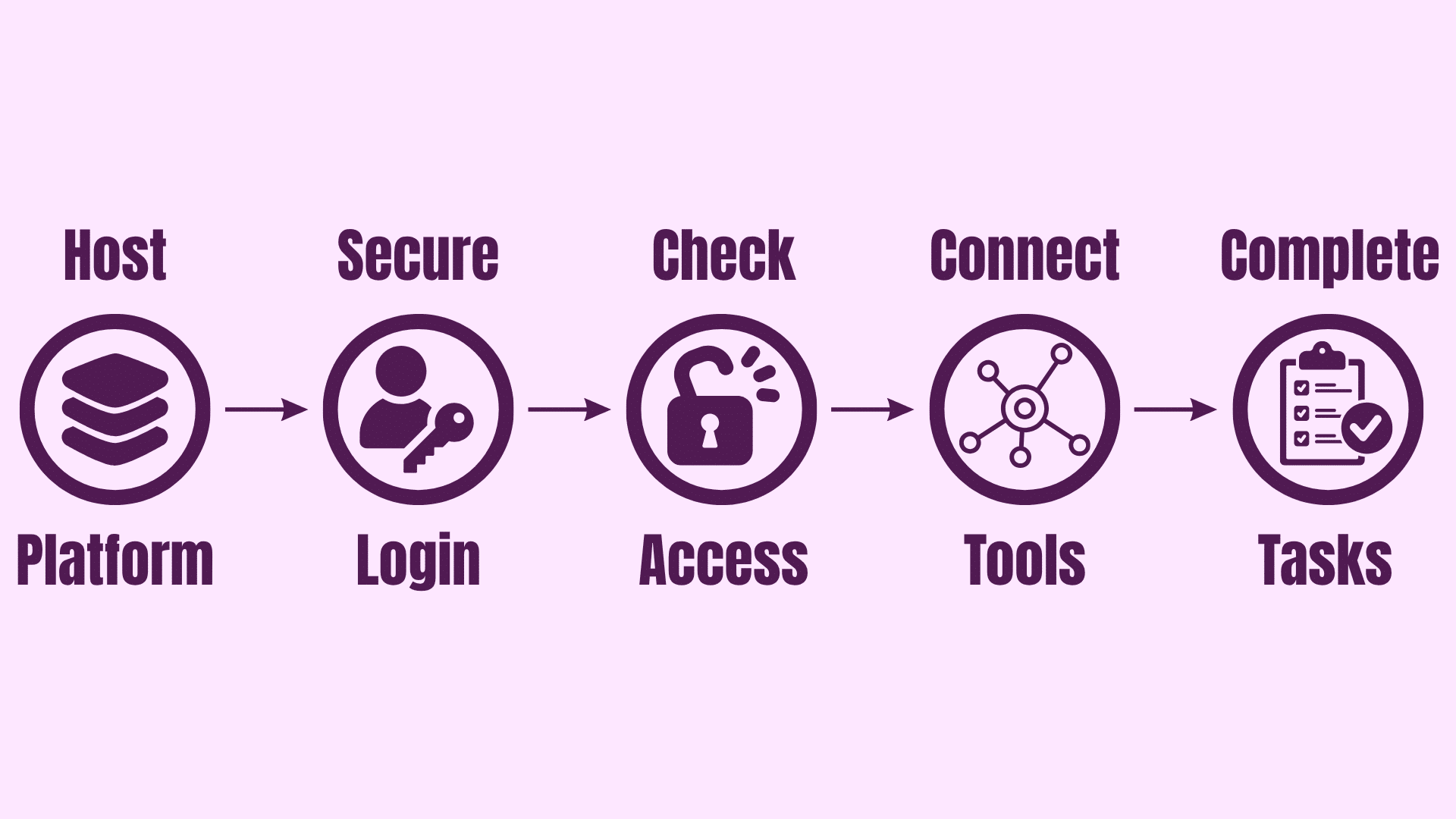
Understanding the intranet definition also requires knowing how internal information and workplace tools operate inside a controlled digital environment.
The exact technology may vary, but most intranets follow the same basic process.
1. The Organization Hosts the Platform
An intranet must be stored on a server or hosted through a cloud service.
An on-premises intranet runs on servers managed by the organization. This gives the company direct control over its infrastructure, but it also requires internal maintenance, updates, backups, and security management.
A cloud-based intranet is hosted by an external provider and accessed securely online. This option is common because it can support employees working from offices, homes, customer sites, and other locations.
Some organizations use a hybrid setup that combines internal servers with cloud services.
2. Users Sign In
Employees normally access the intranet through a web browser, desktop application, or mobile app. The system then double-checks each user’s identity through one or more security methods, such as:
- A username and password
- Single sign-on
- Multifactor authentication
Single sign-on allows employees to use one company identity across several connected applications. It can make access simpler while reducing the number of passwords users must manage.
Note: Remote access may also require an approved device or VPN.
3. Permissions are Set Up
Not every employee should have access to every page, file, or system.
Permissions control what a user can view, edit, upload, approve, or manage. These permissions may be assigned according to department, location, seniority, job role, or project membership.
For example, all employees may be able to read the company handbook. Managers may also see team reports and approval requests. Human resources staff may have access to restricted employee records.
Clear permissions protect sensitive information and prevent users from being distracted by content that does not apply to their work.
4. The Intranet Connects to Other Systems
A modern intranet rarely operates on its own. It often connects with tools the company already uses.
These may include:
- Document storage
- Email and calendars
- Payroll platforms
- Human resources software
- Project management tools
- Communication applications
- Customer management systems
- IT support services
- Learning platforms
Employees can then open these tools from one central location instead of remembering several separate web addresses.
5. Employees Access Information and Complete Tasks
Once signed in, employees can use the intranet to read updates, search for documents, contact colleagues, submit requests, complete training, or open connected applications.
A typical employee may use the intranet to check a policy, download a form, request leave, find an internal expert, and submit an IT ticket during the same session.
What are the Benefits and Drawbacks of an Intranet?
A well-managed intranet can improve how employees access information, complete tasks, and collaborate. However, a poorly planned intranet can create challenges related to cost, usability, and security.
Refer to the table below for a quick comparison of the key benefits and drawbacks of an intranet.
| Benefits | Drawbacks |
|---|---|
| Employees can quickly find policies, forms, guides, and contacts from one platform. | Software, integrations, migration, security, and training can require a large investment. |
| Official updates stay in one place, ensuring consistent information across teams. | Employees may need guidance before using new tools and workflows correctly. |
| Remote and hybrid employees can access company resources from approved devices. | Old policies and expired updates can create outdated information. |
| Self-service pages answer common HR, IT, and policy questions, reducing routine requests. | Too many pages and links can create information overload. |
| Version controls and permissions help maintain accurate documents. | Slow or confusing platforms can lead to low employee adoption. |
| New employees can access training and policies through a structured onboarding process. | Weak passwords and incorrect permissions can create security risks. |
Final Thoughts
Long story short, an intranet is a private network that gives employees one secure place to find information, communicate, and get routine tasks done.
In practice, it only works when the basics hold up: hosting, sign-in, permissions, clear menus, and content someone keeps current.
Get those right, and the platform pays for itself in fewer routine requests, faster onboarding, and less time spent hunting through email. Get them wrong, and it turns into another tool employees quietly route around.
If your organization already has an intranet, audit it this quarter: check what is outdated, ask a few employees what they actually use, and fix the permissions no one has reviewed in years.
Then drop a comment below and tell us how it went.
Frequently Asked Questions
Who Can Access an Intranet?
Employees and other approved users can access an intranet. The organization decides who receives an account and what each person can view.
Can Employees Access an Intranet from Home?
Yes. Many cloud-based intranets allow secure remote access. Some companies may require multifactor authentication, a VPN, or an approved device.
Is SharePoint an Intranet?
SharePoint is a platform that companies can use to build an intranet. It must be configured with content, navigation, permissions, and integrations.
Is an Intranet Secure?
An intranet can be secure when the organization uses strong authentication, encryption, correct permissions, software updates, monitoring, and regular access reviews.
What is the Difference Between an Intranet and an Internal Website?
An intranet is a private network for internal communication and resources, while an internal website is a specific site within that network used for sharing information or tools.