


Scroll through the audio menu on any TV, soundbar, or AV receiver, and a wall of unfamiliar labels shows up: PCM, Dolby Digital, DTS, Bitstream.
Most people click past them, then wonder later why a movie sounds flat or why the receiver shows the wrong format.
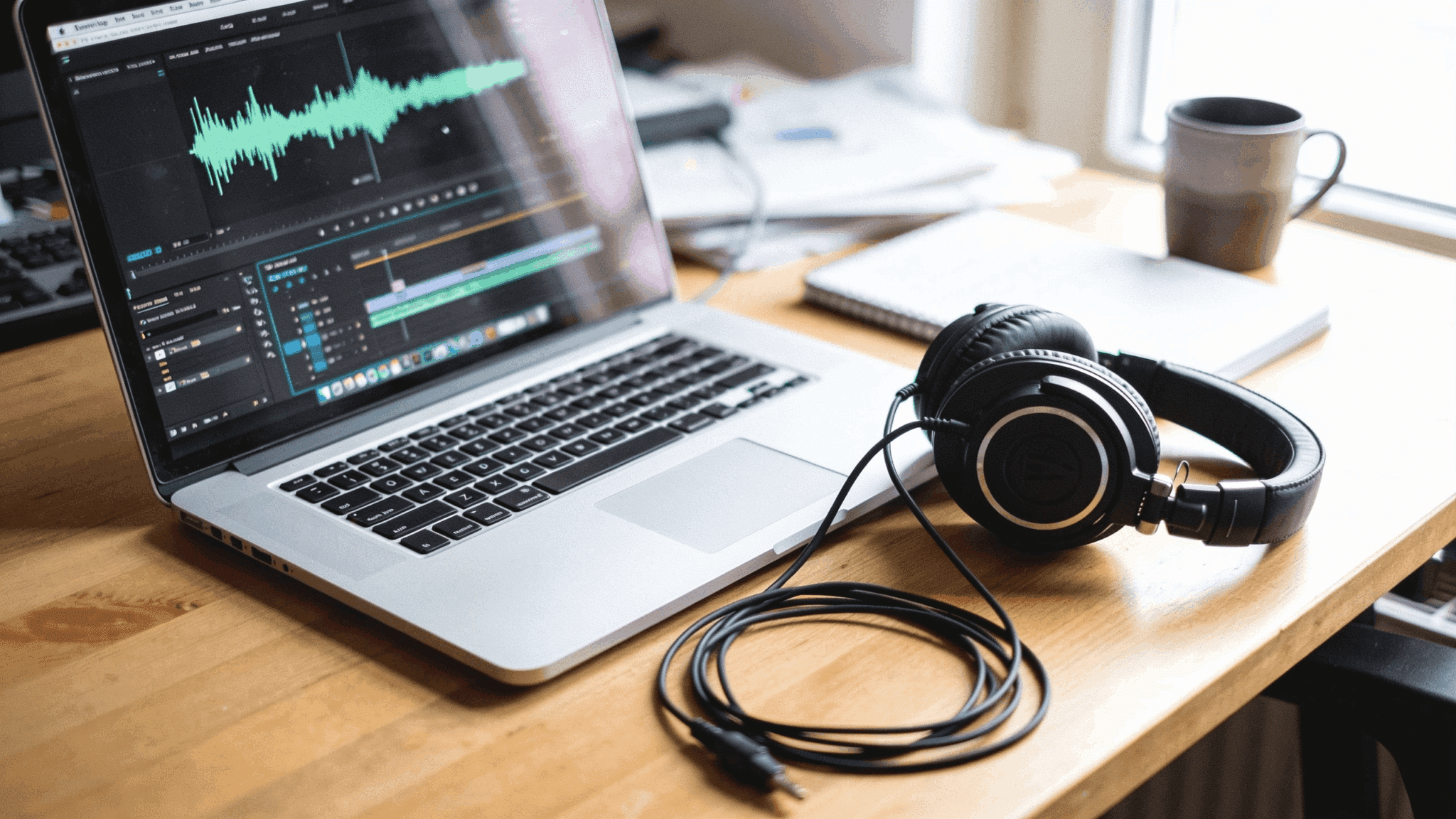
PCM audio is an uncompressed digital audio format, meaning nothing gets stripped out to save space.
Dolby Digital, on the other hand, compresses the audio instead and hands the decoding job to your receiver, which is why the two settings can sound and behave so differently.
Long story short: If a modern AV receiver is doing the decoding, send it bitstream . If a TV, a stereo amp, or an older soundbar is doing the decoding, send it PCM .
Continue reading to understand PCM in detail, its comparison, and what settings to check when the setting does not behave the way the menu implies.
What is PCM Audio Output?
PCM is the format almost every other audio setting gets measured against, so it’s worth understanding before touching a single receiver setting.
- Full Name: Pulse-Code Modulation, a method for converting analog sound waves into digital samples.
- Audio Quality: Uncompressed, meaning nothing gets stripped out or reduced to save space, unlike formats such as MP3.
- Compatibility: Universal, as virtually every TV, soundbar, and receiver can play a PCM signal without extra decoding hardware.
- Origin: The standard format behind audio CDs and most WAV files.
- Alternate Name: Linear PCM and LPCM mean the same thing on consumer gear. The PS5 and most Blu-ray players use that label.
- Channel Limits: Older connections often cap PCM at 2 channels, though modern HDMI carries up to 8 channels uncompressed.
PCM is the already-decoded version of audio. What changes on output is which box does the decoding.
How does PCM Audio Output Work?
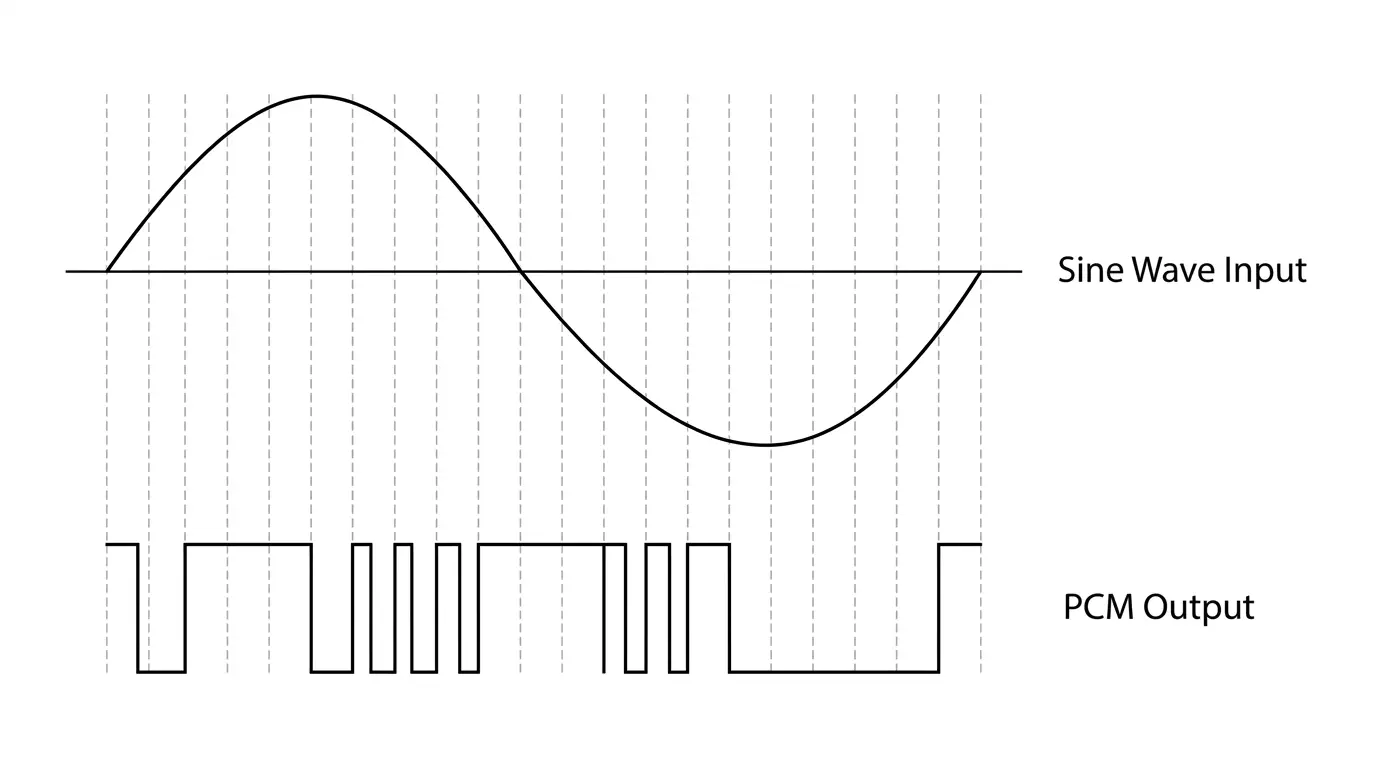
PCM audio output shifts the decoding job away from the receiver and hands it to the source device instead.
- The source device (a streaming box, console, or disc player) reads the original soundtrack, usually encoded in Dolby Digital or DTS.
- The source decodes that track internally, turning it into raw digital audio samples.
- Decoded samples go out as a PCM signal over HDMI, optical, or coaxial cable.
- The receiving device plays the PCM stream directly, no further decoding needed.
Positioning data used by Dolby Atmos usually does not survive, because PCM carries plain channels. There is one common exception.
An exception worth noting! Apple TV 4K and Xbox consoles send Atmos inside a PCM stream using Dolby MAT, so the receiver still reads Atmos even though the setting says PCM.
Dolby Digital vs PCM: What’s the Difference?
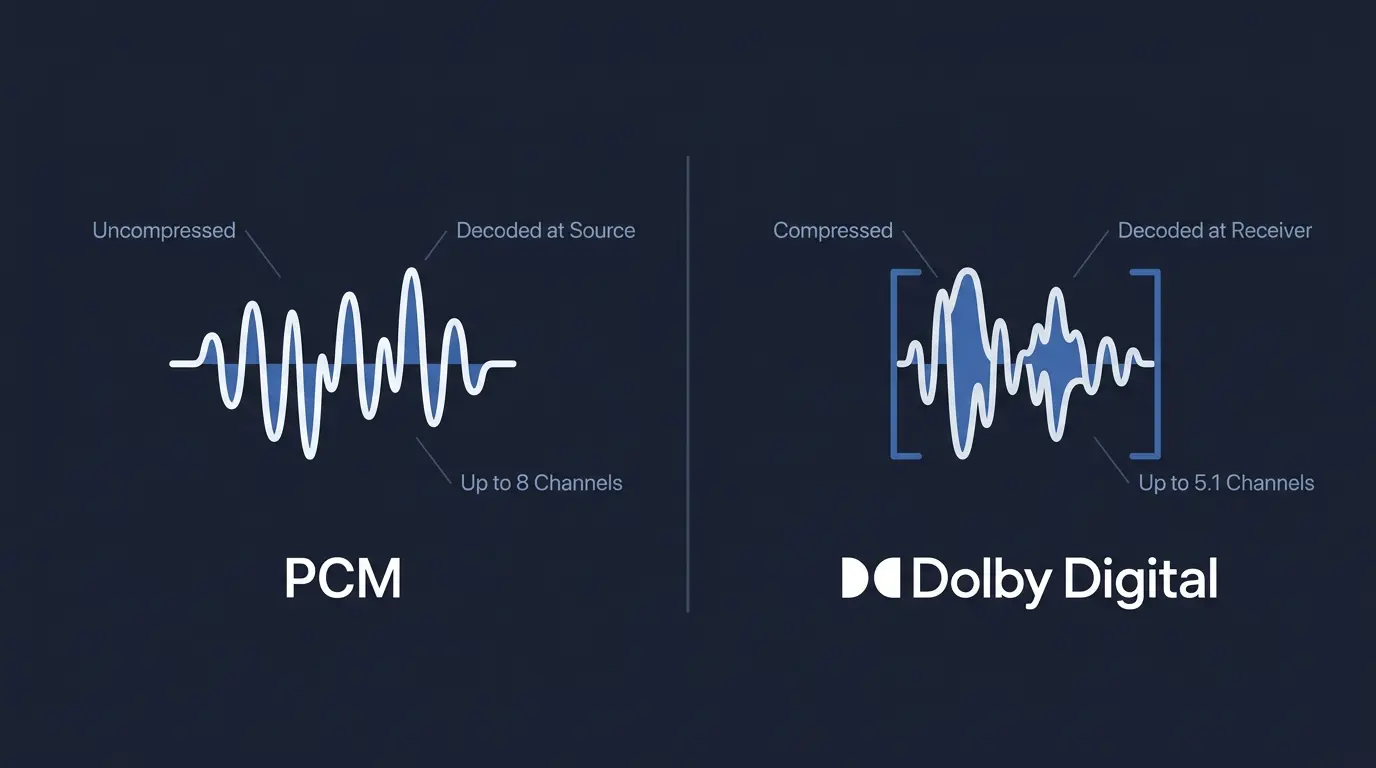
Switching a device between PCM and Dolby Digital changes who handles the decoding, and how much of the original soundtrack survives the trip to the speakers.
| Factor | PCM | Dolby Digital |
|---|---|---|
| Decoding happens on | Source device | Receiver or AV processor |
| Compression | Uncompressed | Compressed (lossy) * |
| Typical channel count | 2 (stereo) on older links; up to 8 over modern HDMI | Up to 5.1 |
| Atmos or height-channel metadata | Usually lost | Usually lost, except over Dolby MAT |
| Device compatibility | Works with almost any TV or soundbar | Needs a Dolby-compatible receiver |
| Bit rate | About 4.6 Mbps for 5.1 at 48 kHz | Up to 640 kbps on Blu-ray, often 384 kbps on broadcast |
| Best fit | Simple stereo setups or older equipment | Full home theater systems with surround speakers |
*Compressed does not mean bad here.
Dolby Digital at 640 kbps holds up well enough that most listeners cannot pick it out by ear in a normal room. The gap that matters is channel count and metadata, not bit rate.
Dolby Digital is one member of a family called bitstream formats , and the same trade applies to all of them.
Choose PCM Audio Output when:
- The receiver or soundbar is older and can’t decode Dolby or DTS formats
- Only two speakers (stereo) are hooked up
- The source is a modern console or streaming box on a direct HDMI run, since these decode reliably on their own
- Simplicity matters more than preserving every surround channel
- A second device in the chain keeps dropping audio, since PCM is the most widely accepted signal there is
Choose Dolby Digital, DTS, Atmos, and similar when:
- A modern AV receiver capable of decoding Atmos or DTS:X is part of the setup
- A full surround speaker layout (5.1, 7.1, or object-based) is in use
- Confirming the exact audio format on the receiver’s display matters
- Content is mastered in Dolby TrueHD or DTS-HD, common on Blu-ray and some streaming apps
Does Your Cable Affect PCM Audio Output?
Yes, The PCM setting behaves differently depending on the connection, and this trips up more people than the format itself.
- Optical and coaxial carry two-channel PCM and nothing wider. Set a source to PCM over optical and the receiver gets stereo, whatever the disc holds.
- Those same cables still pass Dolby Digital and DTS as compressed bitstreams, which is why optical often gains surround the moment PCM switches off.
- HDMI carries up to eight channels of PCM.
- Standard HDMI ARC has roughly the same ceiling as optical, so a soundbar on ARC gets stereo PCM or compressed Dolby.
- eARC is the only one with bandwidth for multichannel PCM and Dolby TrueHD.
Check which port the soundbar is plugged into first. Only one HDMI port typically supports eARC, labeled on the back panel.
Once the port is confirmed, the next question is which setting belongs on that connection.
PCM Audio Output Settings for TVs, Consoles, and Players
The same PCM-versus-bitstream decision plays out differently depending on whether the TV, the streaming box, or the receiver sits at the center of the setup.
1. TV Audio Output Settings
A TV’s audio menu is usually the last place people look and the first place the signal gets downgraded. The path is Settings, then Sound, then Digital Audio Out or Sound Output Format.
- If the TV connects straight to speakers, PCM keeps things simple and reliable.
- If a soundbar or receiver connects through HDMI ARC or eARC, Dolby Digital usually unlocks better surround.
- Some smart TVs default to PCM when no compatible receiver is detected.
Samsung labels the choice PCM, Dolby Digital, or Pass Through. LG uses PCM, Auto, or Pass Through. Sony calls it Auto 1, Auto 2, and PCM. The Auto or Pass Through option is the bitstream equivalent on all three.
2. Streaming Devices and Game Consoles
Consoles and streaming sticks are where the PCM setting most often gets forced by accident, usually during first-time setup.
- Most consoles and streaming sticks offer PCM, Dolby Digital, or “Auto” audio settings.
- “Auto” is often the safest option, letting the device detect what the receiver supports.
- Manually forcing PCM can downgrade Atmos content to plain stereo or 5.1 without spatial cues.
On the PS5, the path is Settings, Sound, Audio Output, then Audio Format (Priority). Linear PCM is the PCM option there. On Xbox, it sits under Volume, Audio output, and HDMI Audio.
3. Blu-ray and 4K Disc Players
Disc players give the most granular control of any device here, and the labels are the least obvious.
- PCM output decodes the disc’s soundtrack on the player itself before sending it out.
- Bitstream (Audiophile) sends the raw, undecoded track straight to the receiver for full-quality decoding.
- Bitstream (Re-encode) exists for older receivers without HDMI, converting high-res audio into a format they can handle.
- Re-encode also matters with secondary audio like director commentary, since that mixing has to happen before the signal leaves the player.
On my own setup, I leave the PS5 on Linear PCM because it feeds a stereo amp with no Dolby decoding at all. The Apple TV in the same room stays on its default, since it sends Atmos as PCM anyway and the receiver reads it correctly.
Sample Rate and Bit Depth: What the Numbers Mean
Two numbers describe any PCM stream. Sample rate is how many times per second the sound wave gets measured. Bit depth is how much detail each measurement holds.
- A CD is 16-bit at 44.1 kHz, which is where the format became a household standard.
- Most film and TV audio runs at 48 kHz, so that is what a streaming box or console usually outputs.
- Blu-ray and hi-res music files reach 24-bit at 96 kHz or 192 kHz.
- Higher numbers mean a larger file and more bandwidth on the cable, not automatically a better listening experience on a soundbar.
A receiver that reports 48 kHz when a disc holds 96 kHz is usually being fed a downsampled stream by the source, which is worth checking before blaming the speakers.
Common PCM Audio Output Problems and Fixes
A handful of recurring issues show up whenever PCM and bitstream settings get mixed up across a home theater chain.
These are the some failure patterns I’ve seen come up again and again, usually because the receiver, TV, and source device are all making silent decisions no one told the user about.
| Problem | Likely Cause | Fix |
|---|---|---|
| No sound after switching to PCM | Receiver expects a bitstream signal | Switch back to Bitstream or Auto |
| Audio drops to stereo only | Optical, coaxial, or ARC caps PCM at 2 channels | Use Bitstream, or move to an eARC port |
| Atmos height channels missing | PCM stripped the object-based metadata | Set source to Bitstream for direct Atmos decoding |
| Receiver display shows wrong format | Source is forcing PCM over native format | Change source setting to Auto or Bitstream |
| Volume noticeably lower on PCM | Dolby Digital carries dynamic range/dialogue normalization data | Raise volume, or use Bitstream if night mode helped |
Two habits prevent most of these. Check the receiver display after every change, because it names the format it actually received rather than the one the menu claims to be sending.
Then change one setting at a time. A TV, a source device, and a receiver each hold their own audio output menu, and they can quietly contradict each other.
If the display reads PCM after switching a player to Bitstream, the TV in the middle is almost always the culprit.
Final Thoughts
PCM keeps things simple: the decoding happens before the signal reaches your speakers, which is why it works with almost any TV or soundbar.
Dolby Digital and other bitstream formats take the opposite route, letting your receiver handle the decoding so surround channels and Atmos height cues arrive intact, cable and port limits permitting.
Neither setting is universally “correct.” What matters is matching it to your actual gear.
Check what your receiver or soundbar supports, confirm which HDMI port carries eARC, and set each device in the chain accordingly, rather than guessing.
If you’re running a full surround setup, test Bitstream first. If you’re keeping things simple, PCM will serve you just fine.
Did you switch from PCM to Bitstream or stick with one setting? Tell us what worked for your system.
Frequently Asked Questions
Is PCM the Same as LPCM?
On consumer audio gear, yes. LPCM stands for Linear PCM and is the label used in most console and disc player menus.
Does PCM Audio Support Dolby Atmos?
Usually no, since PCM strips positioning data. Apple TV 4K and Xbox are exceptions and send Atmos inside PCM using Dolby MAT.
Why does My Receiver Show PCM When I Selected Bitstream?
A device between the source and the receiver, usually the TV, is decoding first. Connect the source directly to the receiver.
Can PCM Audio Cause Lip-Sync Issues?
Rarely, because PCM decodes almost instantly. Most lip-sync issues actually come from the TV’s video processing delay, not the audio format, so resyncing usually starts with the display, not the receiver.
Does Streaming Change Whether PCM or Bitstream Sounds Better?
Not really. Streaming quality depends more on the app’s bitrate and codec than on the PCM-versus-Bitstream setting. A weak connection will hurt sound quality more than either format choice does.