




I used to think working with text in Python would be complicated, but the right method makes it much easier.
A well-organized recipe begins by separating ingredients before cooking, and Python works the same way.
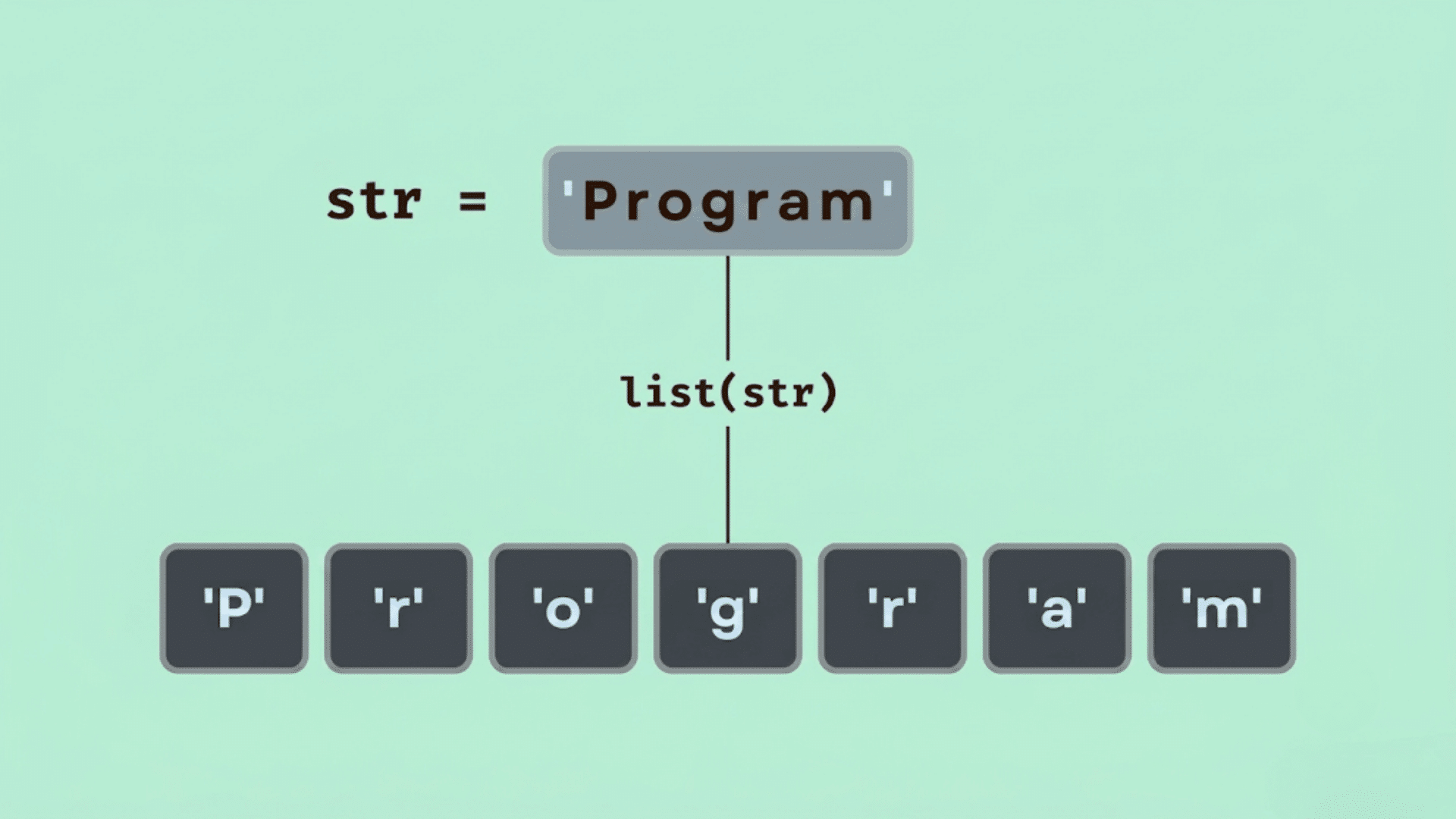
The Python split string method breaks a string into smaller parts, making data easier to read, process, and analyze.
Understanding Python split is one of the first skills beginners learn because it appears in everyday programming tasks, from handling user input to working with files.
In this tutorial, the split function in Python is explained with simple examples, common separators, practical use cases, and common mistakes to help you build a clear understanding.
Keep reading, and you’ll be able to use this method with more confidence in your own Python programs.
Quick Answer: What Is Python Split String?
The Python split string method uses the split function Python provides to divide a string into a list of smaller strings.
By default, split() Separates text wherever it finds whitespace, such as spaces, tabs, or newline characters.
A different delimiter, such as a comma, hyphen, or colon, can also be specified to split text based on a chosen character or sequence.
The resulting list makes it easier to access, process, and manipulate individual data points.
Because of its simplicity and flexibility,Python split is commonly used to handle user input, read files, process CSV-style data, parse log entries, and clean text before further analysis or program execution.
Python split() Syntax and Parameters
The split() method follows a simple syntax, making it easy for beginners to separate text into smaller parts. It accepts two optional parameters that control how the string is divided.
Syntax
string.split(separator, maxsplit)
separator: The character or string used to split the text. If omitted, Python automatically splits at whitespace, including spaces, tabs, and newlines.maxsplit: Limits the number of times the string is split. If omitted, Python splits at every occurrence of the separator.
Return Value: The split() method returns a list of strings, with each list element containing one part of the original string after it has been split.
Why Use the Python Split Function?
The split function in Python is a simple way to split strings into smaller parts, making strings easier to process for many everyday programming tasks.
- Extract Words: Split sentences into individual words for counting, searching, or further text processing.
- Read CSV-style data: Separate values, separated by commas, tabs, or other delimiters, into a usable list.
- Process User Input: Break multiple user-entered values into individual pieces for easier handling.
- Clean Text Data: Remove unwanted formatting and prepare strings for searching, filtering, or analysis.
- Work with File Paths: Separate folder names, filenames, or extensions from a complete file path.
- Handle Log Files: Parse structured log entries into meaningful sections for monitoring, debugging, or reporting.
Python Split String Tutorial with Examples
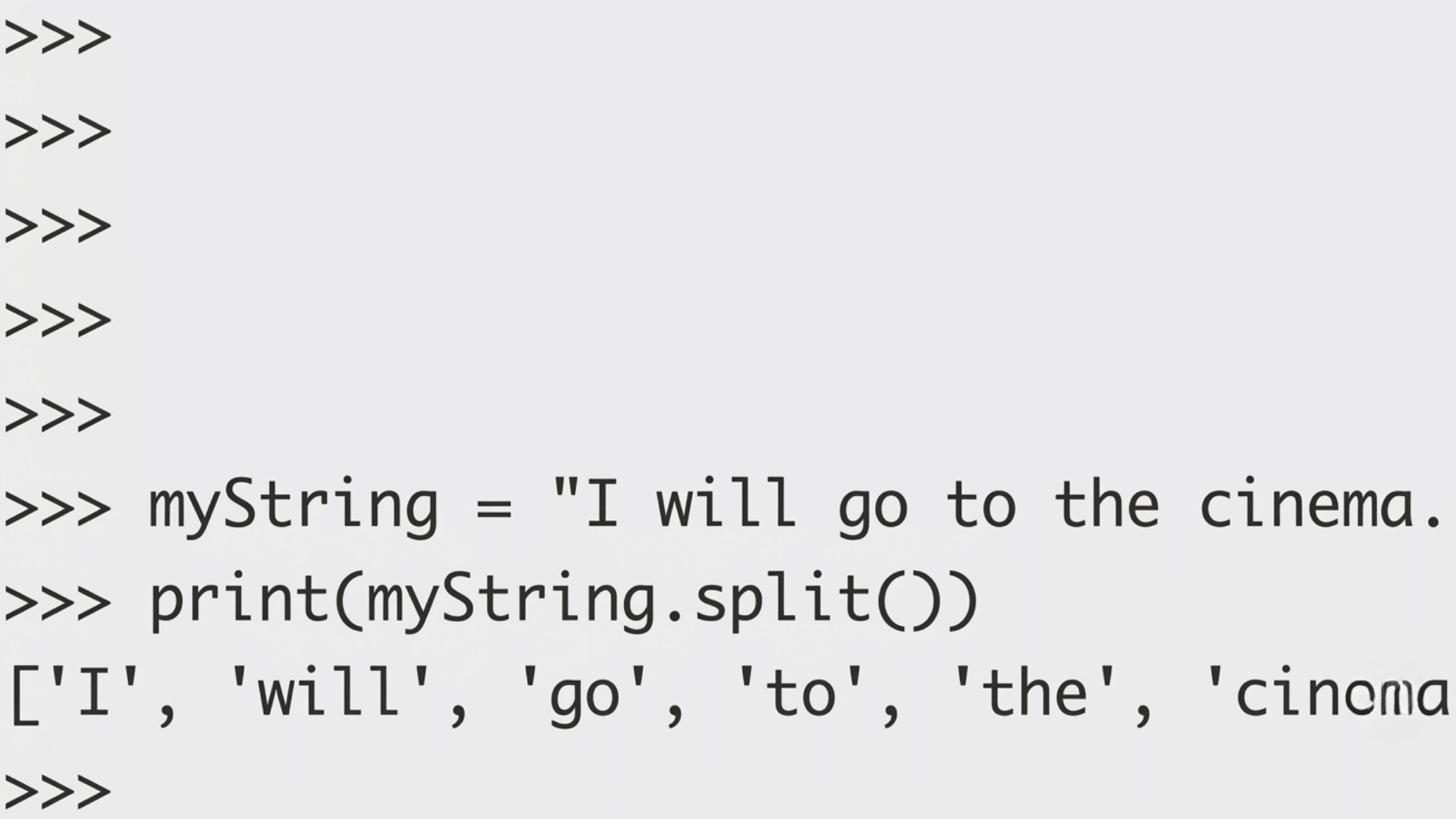
The following examples show how thePython split string method works in common scenarios, helping beginners understand the split function Python offers through practical use cases.
1. Basic Python Split Using Default Whitespace
The simplest way to use Python split is by calling split() Without any arguments.
By default, Python separates text wherever it finds whitespace, including spaces, tabs, and newline characters.
It also treats multiple consecutive spaces as a single separator, so no empty strings are added to the result.
For example, "Learn Python Programming".split() returns ['Learn', 'Python', 'Programming']. This default behavior is useful for processing sentences and user input without extra cleanup.
2. Split a String Using a Custom Separator
The split function in Python allows you to specify a delimiter that determines where the string is split. Common delimiters include commas, hyphens, pipes, slashes, and colons.
For example, "red,blue,green".split(",") returns['red', 'blue', 'green'], while "2026-07-13".split("-") Separates a date into individual values.
Choosing the correct delimiter depends on how the data is formatted, making custom separators useful when working with structured text files or imported data.
3. Limit the Number of Splits with maxsplit
The split() method accepts an optional second parameter calledmaxsplit, which limits how many times Python divides a string.
Once the specified number of splits is reached, the remaining text remains as a single element. For example, "apple,banana,orange,mango".split(",", 2) returns ['apple', 'banana', 'orange,mango'].
Changing the maxsplit value produces different results, making it helpful when only the first few sections of a string need to be separated while preserving the rest of the string.
4. Split Strings that Contain Multiple Spaces
There is an important difference between split() and split(" "). Using split() automatically ignores consecutive spaces and returns only meaningful values.
In contrast, split(" ") Treats every space as a separator, creating empty strings whenever multiple spaces appear together.
For example, "Python Basics".split() returns['Python', 'Basics'], while "Python Basics".split(" ") produces additional empty elements. Understanding this distinction helps avoid unexpected output when processing text with inconsistent spacing.
5. Split a String into Lines Using splitlines()
When working with multiline text, splitlines() is usually a better choice than split("\n").
It handles different newline characters used across operating systems and produces cleaner results.
For example, a string containing several lines of text is converted into a list, with each line as a separate element.
Unlike split("\n"), splitlines() Also works correctly with Windows and older Mac newline formats, making it the preferred method for reading text files and multiline user input.
6. Real World Python Split String Examples
The Python split string method appears in many everyday programming tasks.
It can parse comma-separated values (CSV), split full names into first and last names, extract sections from URLs, split log entries into readable fields, and process multiple user-entered values.
These practical applications show why the split function Python provides is one of the most commonly used string methods.
Learning these examples makes it easier to apply string splitting confidently in real Python projects.
Python Split vs Related String Methods
Understanding how split() Compares with similar string methods, making it easier to choose the right function for different text-processing tasks in Python.
| Method | Purpose | Returns | Best Used For |
|---|---|---|---|
split() | Splits a string from left to right using a delimiter. | A list of strings. | Separating words, CSV values, or user input. |
rsplit() | Splits a string from right to left using a delimiter. | A list of strings. | Splitting filenames, paths, or text from the end. |
splitlines() | Splits text at line boundaries. | A list of lines. | Reading multiline text or file content. |
partition() | Splits a string at the first occurrence of a separator. | A tuple of three elements: before, separator, and after. | Extracting text before and after the first delimiter. |
rpartition() | Splits a string at the last occurrence of a separator. | A tuple of three elements: before, separator, and after. | Separating the final section of a path, filename, or string. |
How to Choose the Right Python Split Method?
Choose split() for most string-splitting tasks, rsplit() when the split should begin from the end, splitlines() for multiline text, and partition() when only the first occurrence of a separator matters.
Start by identifying the structure of the data. If a string contains words, comma-separated values, or user input, split() it is usually the best option.
When only the last section of a string, such as a filename extension, needs to be separated, use rsplit().
For text containing multiple lines, splitlines() provides cleaner results than splitting on newline characters.
If the goal is to divide a string into two parts at the first delimiter while keeping that delimiter, partition() is the most suitable choice.
Common Python Split Mistakes and How to Fix Them
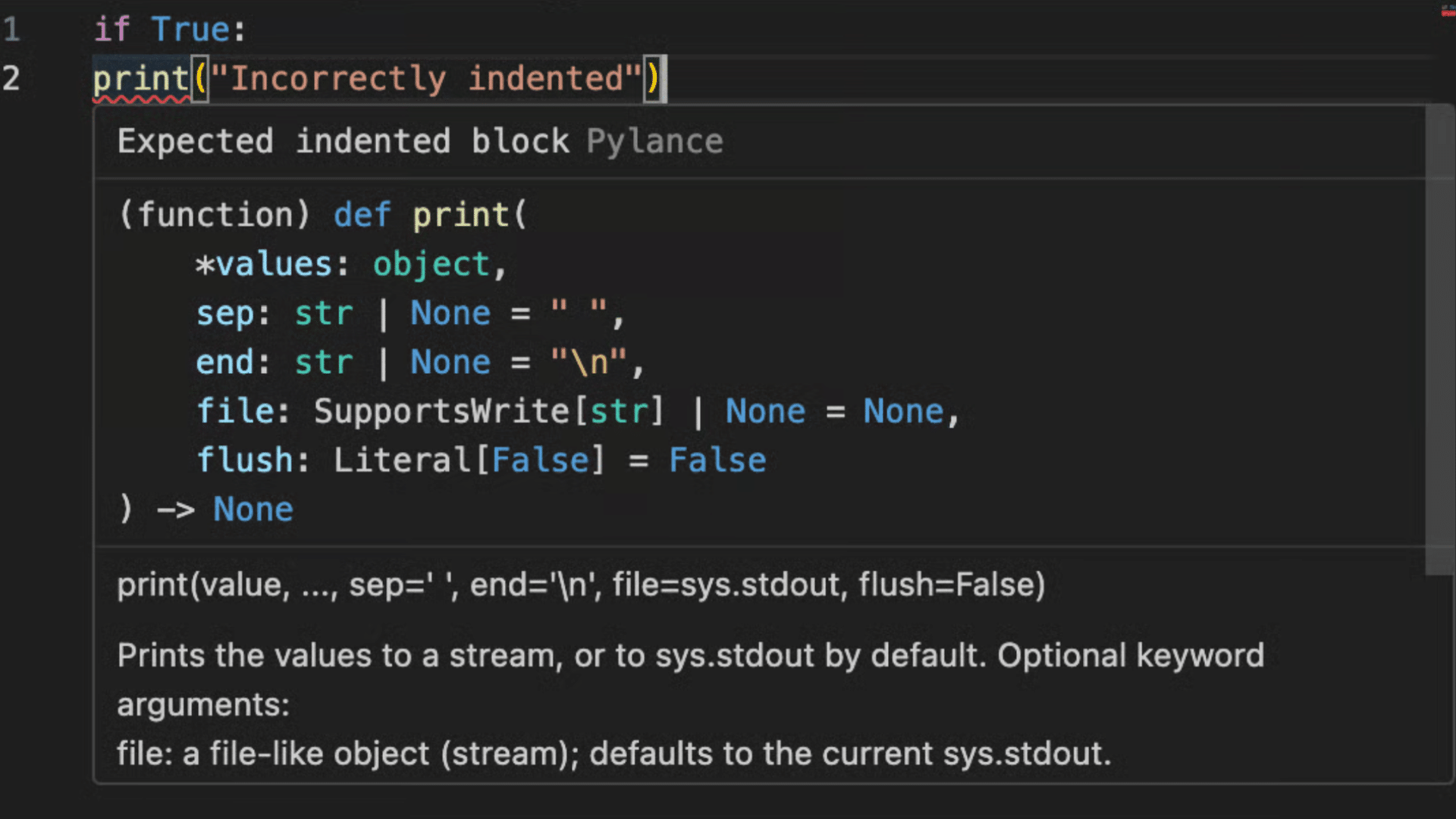
Avoiding these common mistakes will help produce accurate results and make the Python split string method easier to use in real programs.
1. Confusing split() with split(" ")
Many beginners assume split() and split(" ") Behave the same, but they produce different results.
Using split() Without arguments, it treats consecutive spaces as a single separator and ignores extra whitespace.
In contrast, split(" ") Splits at every individual space, which can create empty strings when multiple spaces appear together.
For example, "Python Basics".split() returns two words, while "Python Basics".split(" ") includes empty list elements. Choose the method based on how the text is formatted.
2. Using the Wrong Delimiter
A common mistake is selecting a delimiter that does not match the data.
If a string is separated by commas but split("-") is used, the string will remain unchanged because Python cannot find the specified separator.
Before calling the split function provided by Python, inspect the data carefully to identify the correct delimiter.
Matching the separator to the string format ensures the output contains the expected list of values and reduces unnecessary debugging.
3. Ignoring Empty Strings in the Output
Empty strings may appear in the output when delimiters occur next to each other or when split(" ") is used with multiple spaces.
Beginners often overlook these empty values, which can cause unexpected behavior later in the program.
Review the resulting list before processing it, especially when working with imported files or user input.
If necessary, remove empty strings using list filtering or use split() without arguments when whitespace is the intended separator.
4. Forgetting that split() Returns a List
The split() method does not change the original string. Instead, it creates and returns a new list containing the separated values.
Beginners sometimes expect the original variable to be modified automatically, which can lead to confusing results. Always store the returned list in a variable before using it.
For example, assigning words = text.split() allows each item to be accessed individually, while the original string remains unchanged and available if needed.
5. Using split() when Another Method Is Better
Although split() works well for many tasks, it is not always the best choice. When only the last section of a string needs to be separated, rsplit() is more suitable.
For multiline text, splitlines() handles different newline formats more effectively. If only the first occurrence of a delimiter is required, partition() provides a simpler solution.
Selecting the appropriate string method improves readability and often reduces the amount of code required.
6. Not Handling Missing Separators Safely
If the specified delimiter does not exist in a string, split() Simply returns a list containing the original string.
Beginners may assume that multiple elements will always be returned and directly access positions that do not exist, which can cause errors.
Before using the output, check the list length or confirm that the separator is present.
Adding these simple validation steps makes programs more reliable when processing inconsistent or unpredictable input data.
Common Mistakes at a Glance
Understanding these common mistakes can help avoid unexpected results and make string splitting more reliable.
| Common Mistake | What Happens | How to Fix It |
|---|---|---|
| Using the wrong delimiter | The string is not split as expected. | Match the delimiter to the actual character in the string. |
Using split(" ") with multiple spaces | Empty strings appear in the output. | Use split() To ignore consecutive whitespace. |
Forgetting maxsplit | More parts are created than needed. | Set the maxsplit Parameter to limit the number of splits. |
Expecting split() to modify the original string | The original string remains unchanged. | Assign the returned list to a new variable. |
| Splitting an empty string | The result may not match expectations. | Check if the string is empty before splitting if needed. |
| Assuming every split returns the same number of items | Code may fail when data is inconsistent. | Validate the output length before accessing list elements. |
Python Split String Cheat Sheet
Use this quick reference to remember the most common Python string split techniques and choose the right approach for different situations.
- Use
split()For Whitespace-Separated Text: Automatically splits strings at spaces, tabs, and other whitespace characters. - Use
split(",")For CSV-like values: Separate comma-delimited data into individual list elements. - Use
maxsplitWhen Only Part of the String Is Needed: Limit the number of splits while keeping the remaining text together. - Use
rsplit()When splitting the Right: Start splitting at the end of the string rather than the beginning. - Use
splitlines()For Multiline Text: Divide text into separate lines regardless of the operating system’s newline format. - Remember
split()Always Returns a List: Store or process the returned list instead of expecting the original string to change. - Test Delimiters Before Processing Large Datasets: Verify that the chosen separator matches the actual data format to prevent incorrect results.
How Does Python Split Handle Large Strings Efficiently?
For large strings, use the simplest split method that matches your data, avoid repeated splitting, and process only the text you need to improve performance and reduce memory usage.
Calling split() Creates a new list containing every separated value, which can consume significant memory for very large datasets.
If only a few sections are required, use the maxsplit parameter to limit unnecessary processing.
Choose split(), rsplit(), or splitlines() based on the text format instead of applying additional string operations afterward.
Also, avoid splitting the same string multiple times within a loop. Storing the result once and reusing it makes the code more efficient, easier to maintain, and better suited for handling large amounts of text.
Python split() Edge Cases Every Beginner Should Know
Although the split() method is straightforward, a few special cases can produce results that surprise beginners. Understanding these behaviors makes it easier to debug code and avoid unexpected output.
| Code | Output | Why It Happens |
|---|---|---|
''.split() | [] | Splitting an empty string without a separator returns an empty list. |
'abc'.split(',') | ['abc'] | If the separator is not found, Python returns the original string as the only list element. |
'a,,b'.split(',') | ['a', '', 'b'] | Consecutive separators create empty strings between them. |
' Python Basics '.split() | ['Python', 'Basics'] | The default split() ignores leading, trailing, and multiple whitespace characters. |
Conclusion
Python string splitting is a simple but essential skill used in nearly every Python project.
Once you understand how the split() method, custom delimiters, and maxsplit work, handling everyday text-processing tasks becomes much easier.
Avoiding common mistakes and choosing the right splitting method helps you write cleaner, more reliable Python code.
I still find that trying different inputs is the best way to understand how split() behaves in real programs, and you might notice the same as you practice.
Keep experimenting with different examples, stay curious, and you’ll soon use the split function in Python with confidence in your own projects.
Frequently Asked Questions
Can Python Split Handle Unicode Characters?
Yes, Python’s split () works with Unicode strings and splits text using the specified separator, regardless of the language.
Does Split Change the Original String?
No, strings are immutable in Python. Split returns a new list without modifying the original string.
Can Python Split Use Multiple Separators?
No, it accepts one separator. Use the re.split() function for splitting with multiple delimiters.
Does Python Split Remove Punctuation?
No, it only separates text. Punctuation remains unless it is used as the delimiter or removed separately.
Can Python Split Be Used on Numbers?
No, convert numbers to strings first, then use split() if the data contains separators.