




If you’ve been stuck watching that spinner and typing “why is ChatGPT so slow” into Google, you’re one of thousands asking the same thing this week. It happens to free and paid users alike, and it’s rarely due to a single cause.
ChatGPT feels slow mainly because of a few things: too many people using it at the same time, a long chat bogging down your browser, a full Cache, or an extension getting in the way.
Sometimes it comes down to the model you picked, since deeper “thinking” models take longer on purpose.
I’ll walk through the real reasons behind the lag, what other ChatGPT users are saying about it, and simple fixes you can try right now, from clearing your Cache to picking a faster model.
By the end, you’ll know exactly what’s slowing you down and how to speed things back up.
What are the Real Reasons ChatGPT Slows Down?
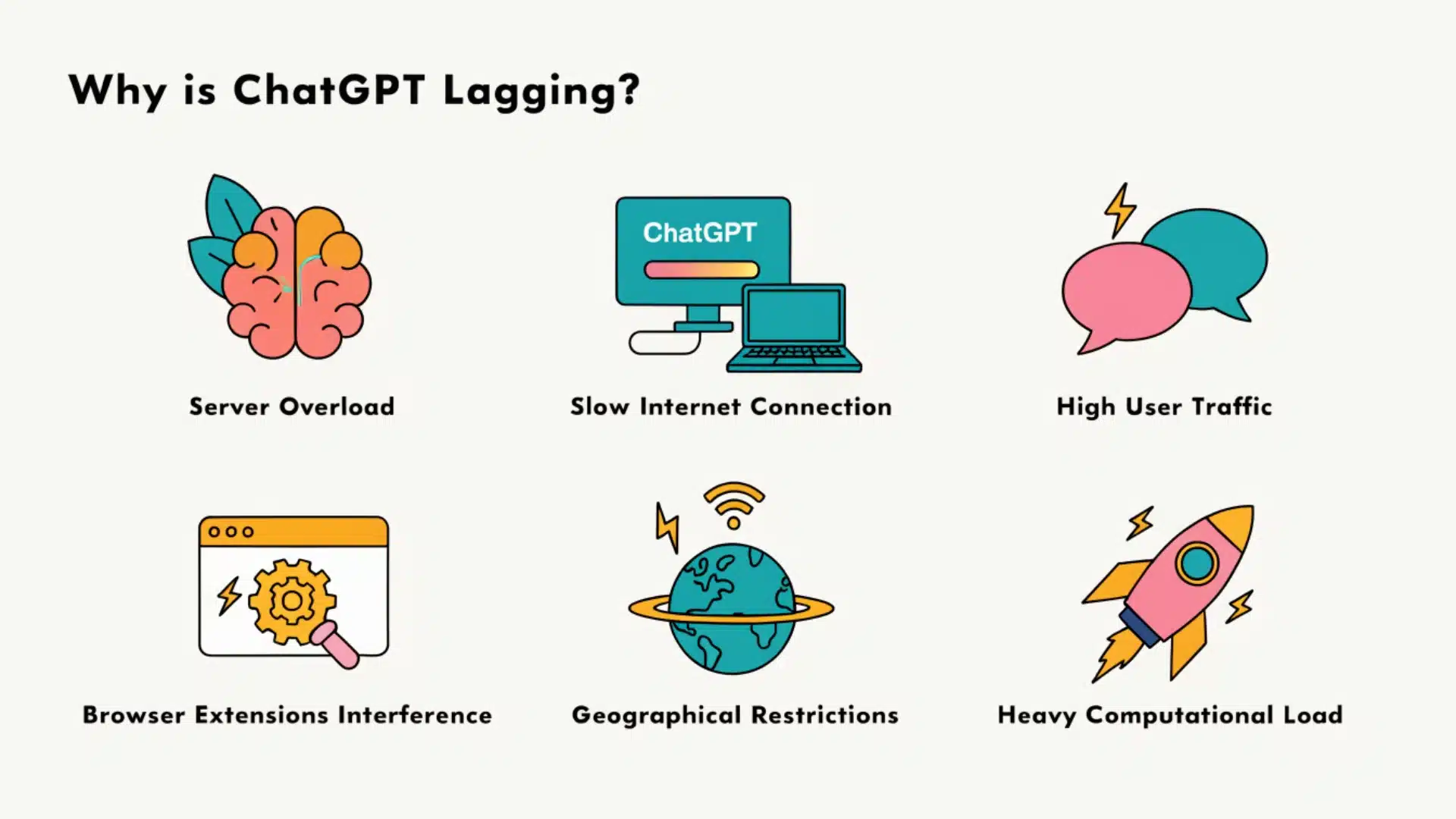
Let’s look at each of these on its own, so you can spot which one matches what you’re seeing. Before that you can check out:
Quick Self-Check Table
| Test | Result | What It Means |
|---|---|---|
| Try a different device or network | Still slow | Likely a server-side or account issue |
| Try a different device or network | Runs fine | Problem is local to your first setup |
| Open in incognito mode | Faster | An extension was slowing you down |
| Open in incognito mode | Same speed | Extensions aren’t the cause |
| Check OpenAI’s status page | Incident listed | Wait it out; nothing to fix on your end |
| Check OpenAI’s status page | All green | Issue may be local or a small regional slowdown |
1. Server Overload During Peak Hours
ChatGPT runs on shared servers. When too many people log in at once, everyone feels the slowdown. This usually happens between 8 a.m. and 5 p.m., and again around 7 to 9 p.m., when people are off work and online.
A big moment or news story can also send a sudden wave of traffic, slowing replies that once took seconds down to a much longer wait.
2. Your Account Tier and Model Choice
Free accounts have a message limit on the standard model. Once you hit that limit, ChatGPT switches you to a lighter, faster model that trades quality for speed, which can feel like a slowdown.
Paid plans raise that limit and give access to deeper reasoning models. Those models think through problems step by step, so they take longer than a quick, everyday model built for speed.
3. Browser Cache & Cookies
Your browser saves pieces of ChatGPT’s interface so pages load faster next time. But when OpenAI updates the site, that saved data can clash with the new version, causing lag, freezing, or slow loading.
This tends to show up suddenly, often right after a new feature rolls out. Clearing your Cache and cookies forces your browser to load a fresh copy of the page, which usually clears things up in under a minute.
4. Conflicting Browser Extensions
Ad blockers, privacy tools, and VPN extensions are useful, but they can block scripts that ChatGPT needs to run smoothly.
When that happens, the page can freeze, load slowly, or stop responding to your messages.
You can test this by opening ChatGPT in an incognito window, since most extensions are disabled there by default. If it runs noticeably faster, one of your extensions is likely the cause.
5. Long Conversation Threads
The longer a single chat gets, the more your browser has to keep loaded on the page. After a few hundred messages, your browser holds onto all that text, code, and formatting, and it starts to slow down.
This isn’t really ChatGPT’s fault. It looks like your browser is struggling to display everything in one thread. Starting a new chat once a conversation gets long usually fixes this right away.
6. Network/Latency Issues
A slow connection isn’t only about download speed. What matters more is latency, or how long it takes data to travel between your device and OpenAI’s servers.
A connection with low latency and modest speed can feel faster than a fast connection with high latency.
Streaming video or downloading files in the background while using ChatGPT can add extra delay too, so it helps to pause those first.
What Real ChatGPT Users are Saying (Community Roundup)
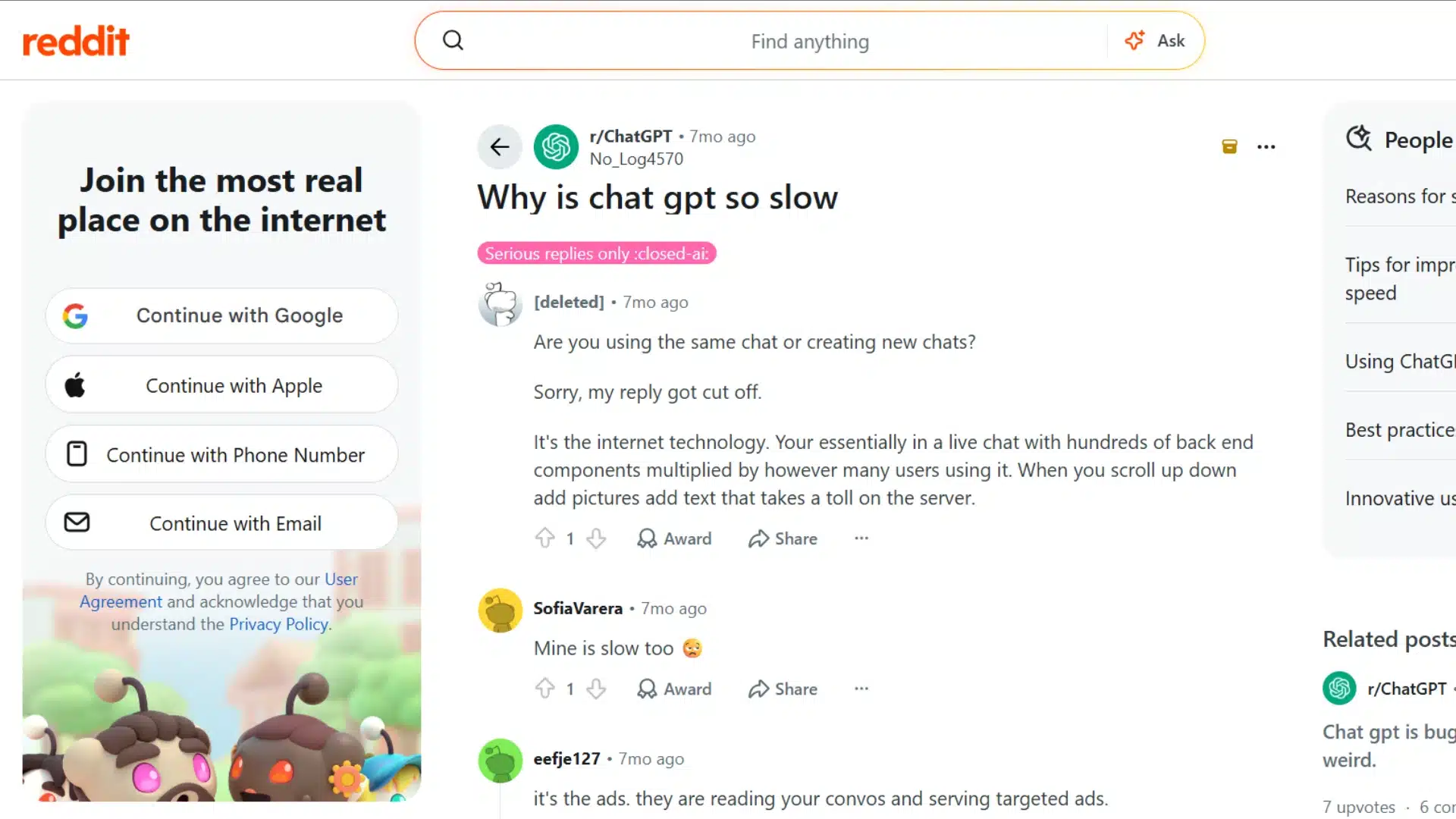
I checked a Reddit thread where a paid user asked why even short chats from a few months back had become slow to open, hard to scroll through, and slow to reply to.
Commenters suggested several possible causes and workarounds:
- Growing Memory Use: One user believed stored chat data builds up over time and slows the app.
- Desktop Performance: The same user claimed the mobile app runs more smoothly than the desktop version.
- Old-Chat Cleanup: Archiving or deleting older chats was suggested as a possible workaround.
- Server Strain: Another commenter blamed images, scrolling, and heavy demand from active users.
- Infrastructure Limitations: One user felt ChatGPT performed poorly compared with competing tools.
Frequent users also recommended splitting large requests into smaller prompts, using faster models for routine tasks, and starting a fresh chat when a thread becomes too long.
These points reflect individual user experiences and theories, not officially confirmed causes.
Step-by-Step Fixes for a Slow ChatGPT
Once you’ve figured out roughly what’s causing the slowdown, these fixes tackle each cause one at a time. Work through them in order, and test ChatGPT after each one.
1. Clear Browser Cache & Cookies
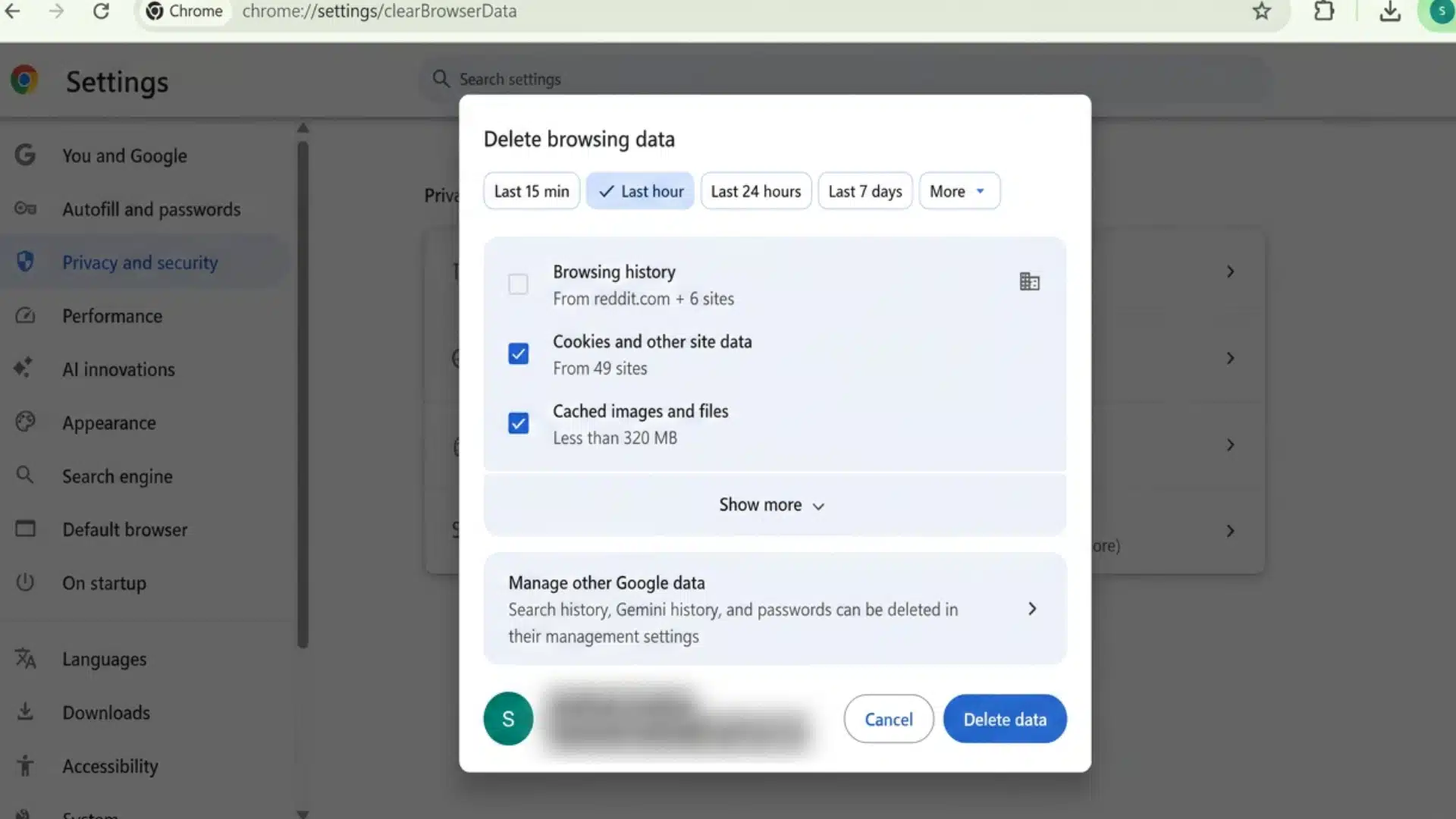
This should be your first move if ChatGPT suddenly feels slower than normal.
- In Chrome, go to Settings > Privacy and Security > Clear Browsing Data, and select Cached Images and Files.
- In Firefox, go to Settings > Privacy and Security > Cookies and Site Data, then click Clear Data.
- In Safari, open Preferences, then Privacy, then Manage Website Data, and remove all. In Edge, go to Settings > Privacy > Clear Browsing Data. Sign back in afterward.
2. Test and Disable Conflicting Extensions
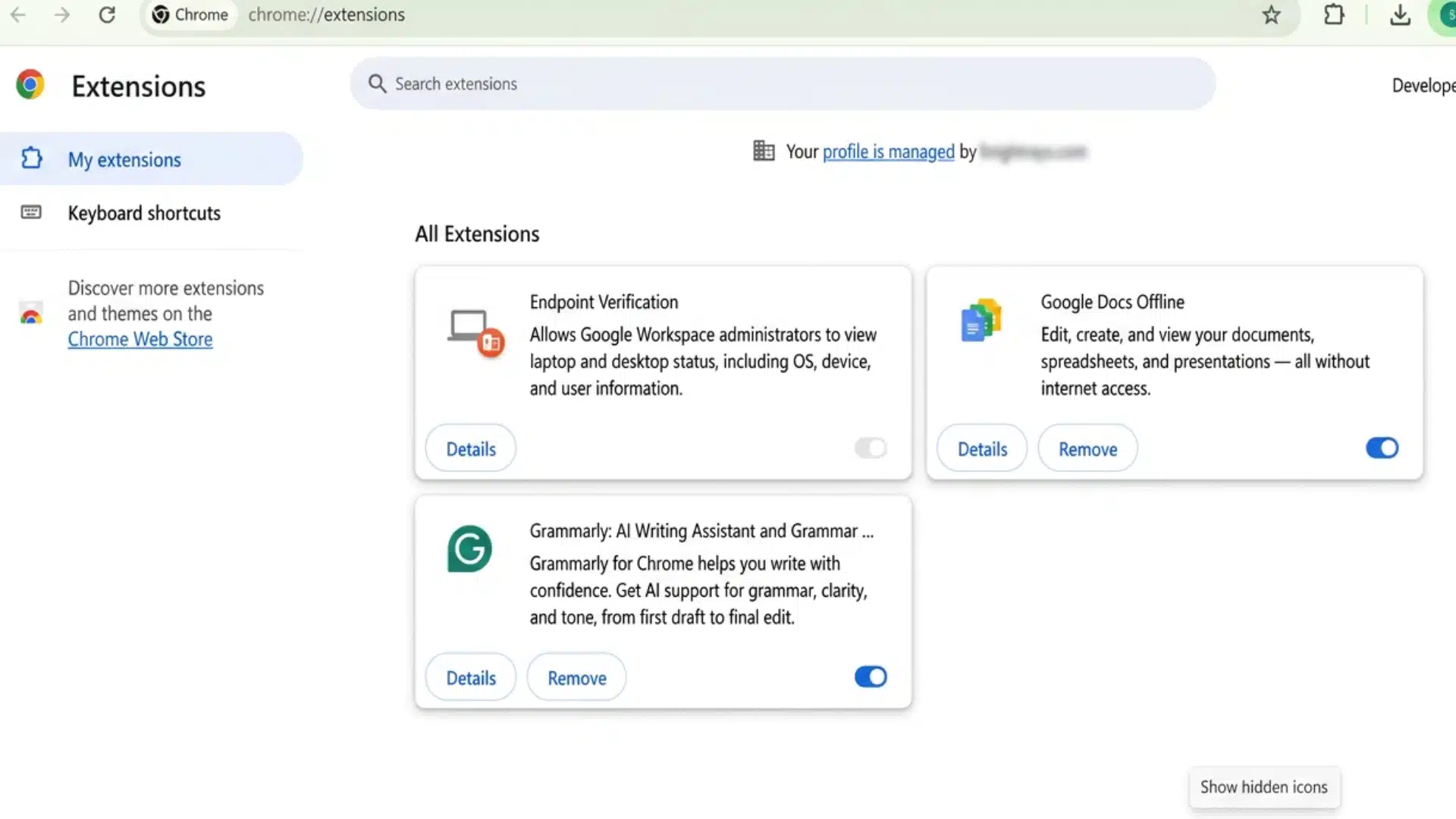
Open ChatGPT in an incognito or private window, since most extensions are disabled there by default.
If it runs faster, an extension is likely slowing you down. Go back to your normal browser and disable extensions one at a time, testing ChatGPT after each one, starting with ad blockers, VPN tools, and privacy extensions.
Once you find the culprit, either turn it off while using ChatGPT or add chatgpt.com to its allowed list.
3. Start a New Chat for Long Threads
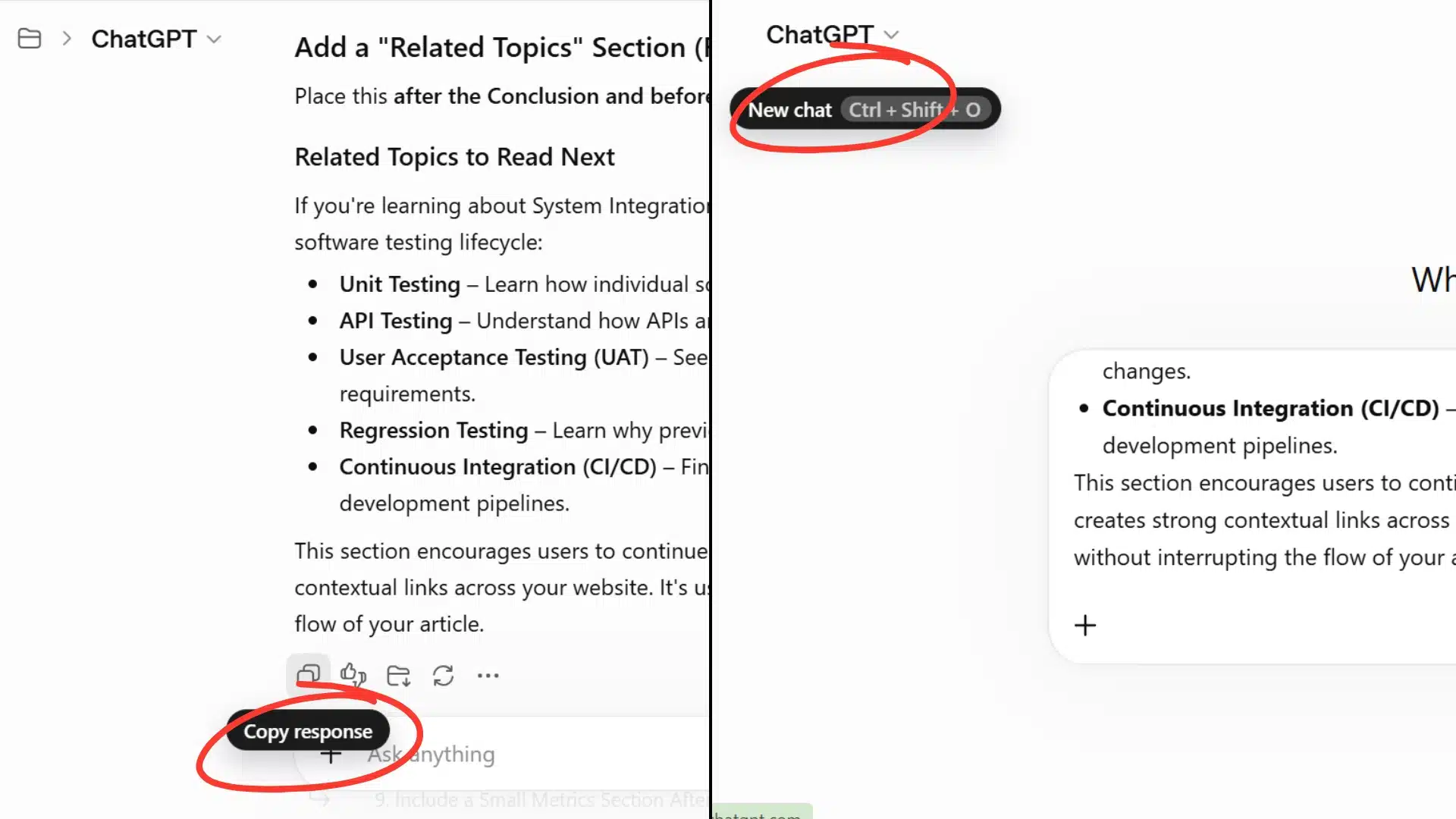
If a single conversation has grown into the hundreds of messages, your browser is likely struggling to render it all at once.
Copy a summary of what you need from the old thread, then start a fresh chat and paste that summary in.
This instantly clears the heavy load from your browser and usually makes ChatGPT feel fast again right away. Make this a habit whenever a chat starts feeling sluggish.
4. Enable Hardware Acceleration
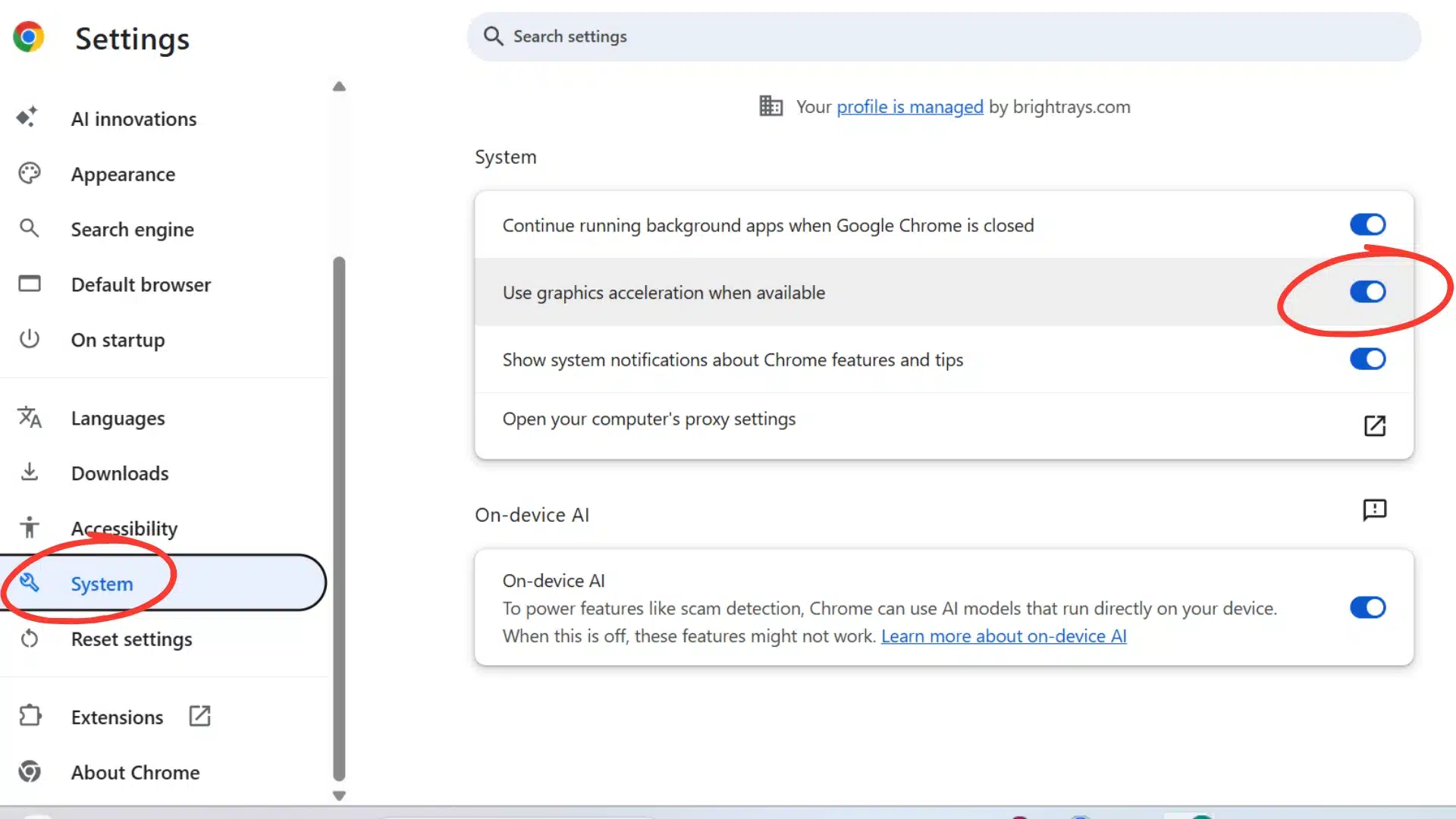
Your browser can use your device’s graphics processor for rendering instead of relying solely on the main processor.
- In Chrome, go to Settings > System, and turn on Use Hardware Acceleration When Available.
- In Firefox, go to Settings > General > Performance, and check the hardware acceleration box.
- In Edge, go to Settings > System and Performance, and turn the same setting on. Restart your browser afterward.
5. Optimize Your Network
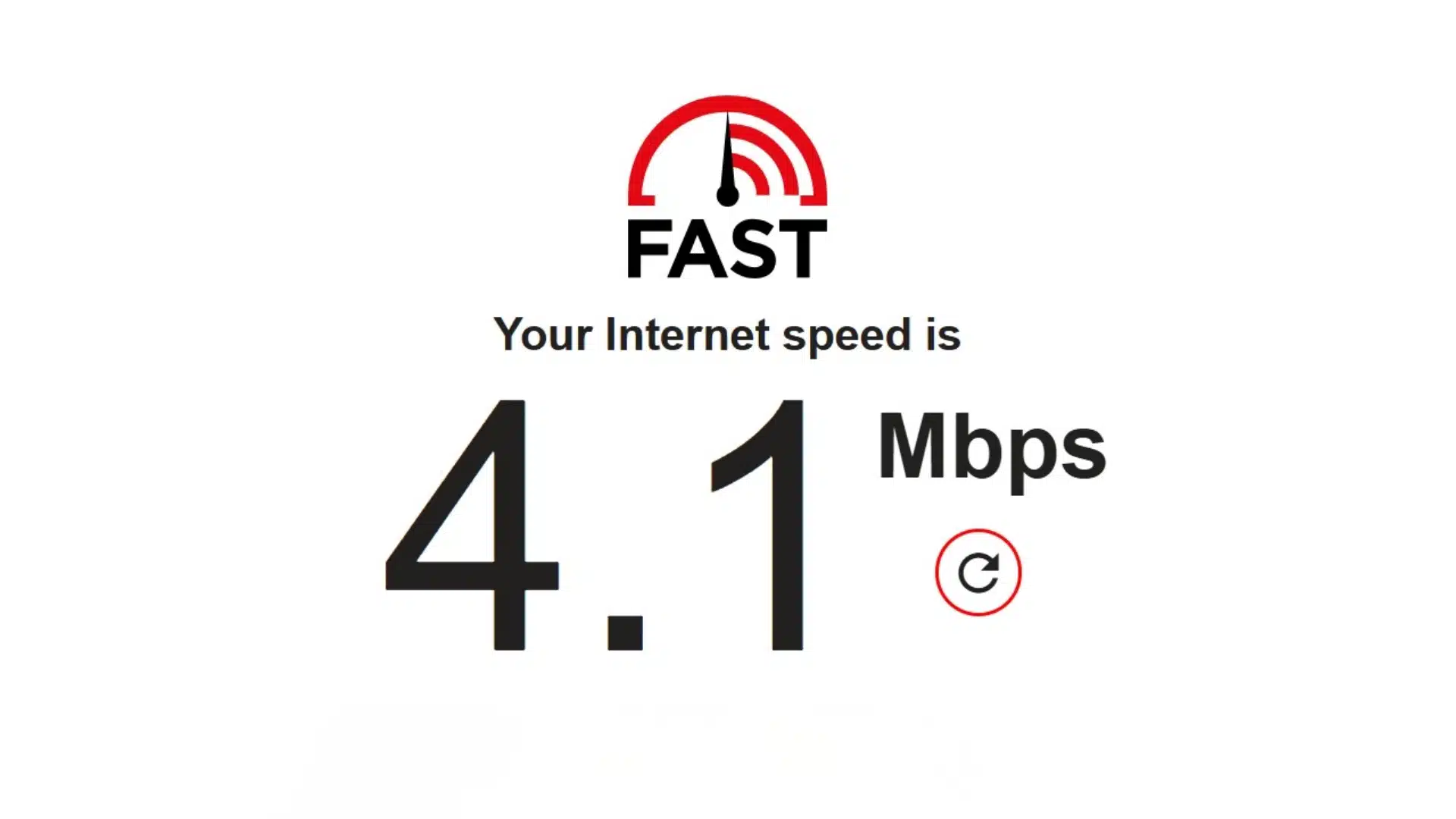
Run a quick speed test at a site like fast.com to check your connection. Close any background processes that use a lot of bandwidth, such as video streaming or large downloads.
If you’re on Wi-Fi, moving closer to your router or switching to a wired connection can lower latency, which matters more for ChatGPT than raw speed.
Choose lighter, faster models for quick tasks like brainstorming or simple emails, saving deep “thinking” models for complex analysis or problem-solving. Using a heavy model for light tasks wastes time unnecessarily.
Should You Upgrade to ChatGPT Plus (or Higher) for Speed?
Upgrading does help with speed, but only in certain ways. It won’t fix a slow browser, a bad extension, or weak Wi-Fi, so it’s worth ruling those out first.
Here’s what actually changes when you move from free to a paid plan:
| Factor | Free | Plus (or Higher) |
|---|---|---|
| Message limit before slowdown | Low, switches to a lighter model quickly | Much higher before any switch |
| Access during busy hours | Slower, no priority | Priority access, faster during peak times |
| Model options | Standard model only | Access to faster and deeper reasoning models |
| Cost | $0 | Monthly fee |
If you’ve already fixed your browser and network and you’re still waiting during busy hours or hitting your limit often, upgrading is worth it. If your slowdown is coming from your setup instead, fix that first and save the money.
When to Contact OpenAI Support
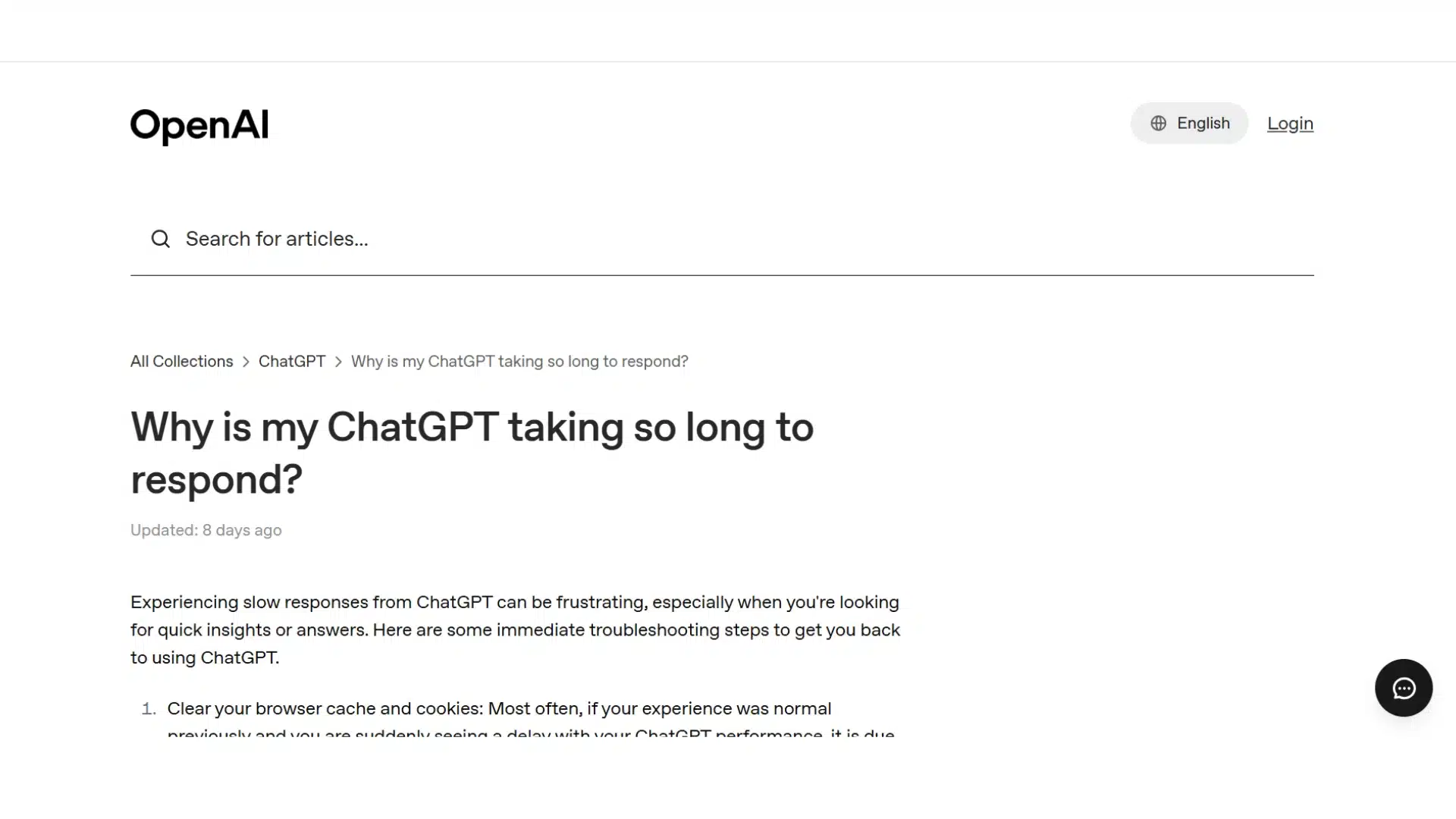
If you’ve worked through everything above and ChatGPT is still consistently slow, it’s a fair time to reach out to support.
Start by checking OpenAI’s status page one more time to rule out a known, ongoing issue. Before you file a ticket, have a few details ready: which browser and device you’re using, roughly how long responses are taking, and which fixes you’ve already tried.
Having this ready helps support figure out what’s going on faster, instead of asking you to repeat steps you’ve already covered.
Final Thoughts
At the end of the day, a slow ChatGPT usually isn’t one big mystery. It’s a mix of things like too much traffic, a Cache that needs clearing, an extension causing trouble, or a chat thread that’s grown too big for your browser to handle.
Sometimes it’s even memory building up in the background, like some users pointed out on Reddit.
The fixes are simple once you know where to look: clear your Cache, test in incognito, start fresh chats when things get heavy, and pick the right model for the job.
Try one or two of these today and see if things speed back up.
Got a fix that worked for you and isn’t on this list? Drop it in the comments so other readers can try it too.
Frequently Asked Questions
Does Restarting the App Fix ChatGPT Lag?
Yes, often. Restarting clears the memory the app has built up over time, especially on desktop. It’s a quick fix worth trying before anything else.
Is ChatGPT Slower on Mobile or Desktop?
Desktop and web versions tend to run slower over time due to memory buildup. Mobile apps are generally lighter and less prone to this issue.
Will Deleting Old Chats Speed Up ChatGPT?
Yes, especially old chats you rarely revisit. Archiving or deleting them frees up memory and can make loading and scrolling noticeably faster.
Does ChatGPT Get Slower the Longer You Use it in One Sitting?
Yes. The longer an app stays open with multiple active chats, the more memory it can use, which can gradually slow everything down.