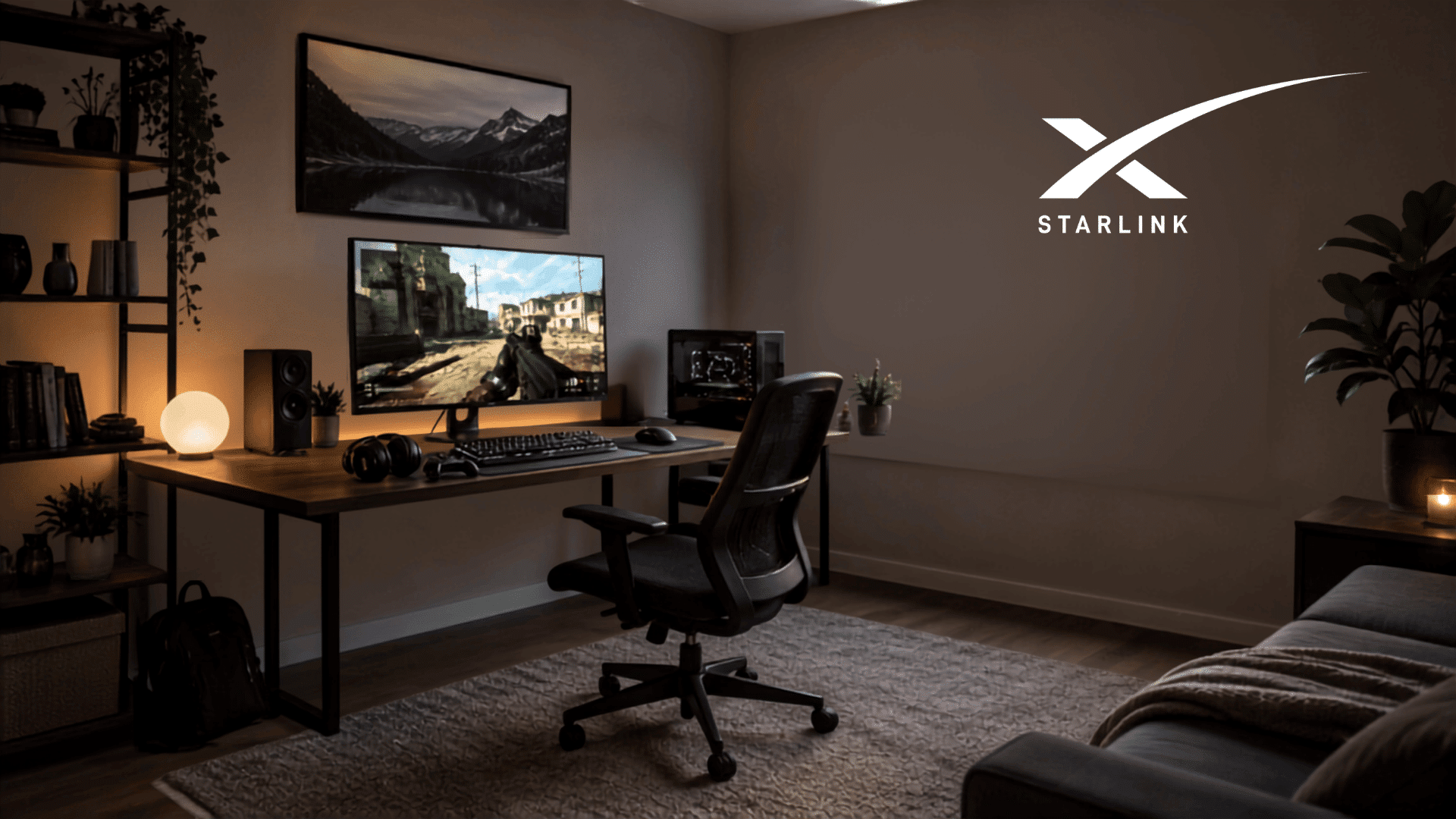


If you’re wondering if Starlink is good for gaming, real-user experiences suggest that it can be, especially where cable or fiber is unavailable.
Starlink gamers report everything from smooth multiplayer matches to frustrating ping spikes. The biggest difference usually is not download speed but how consistently the connection maintains low latency during a game.
Casual players and rural users upgrading from slower internet often report positive experiences. Competitive players are more divided because jitter, packet loss, and brief interruptions can affect fast matches.
Starlink reported a 25.7 ms median peak-hour latency across U.S. customers in June 2025, but averages don’t reflect every player’s experience.
Here is what Starlink gamers are actually reporting and what those experiences mean before you switch.
Is Starlink Good for Gaming?
Yes, Starlink is good for gaming for many players, especially if your alternatives are DSL, fixed wireless, or older satellite internet.
Casual multiplayer, console games, MMOs, and co-op titles generally work well when the connection is stable.
Starlink’s specifications list typical latency at 25–60 ms and identify online gaming as one of the activities the connection can support.
Competitive FPS games are also playable, but latency consistency matters more than average ping. Some gamers experience sudden ping changes, jitter, or packet loss, making Starlink less predictable than a fiber internet connection.
- For serious competitive or esports-level gaming, a stable wired connection remains the better option when available.
- For gamers with limited broadband choices, however, Starlink can provide a major improvement.
What do Starlink Gamers Say on Reddit?
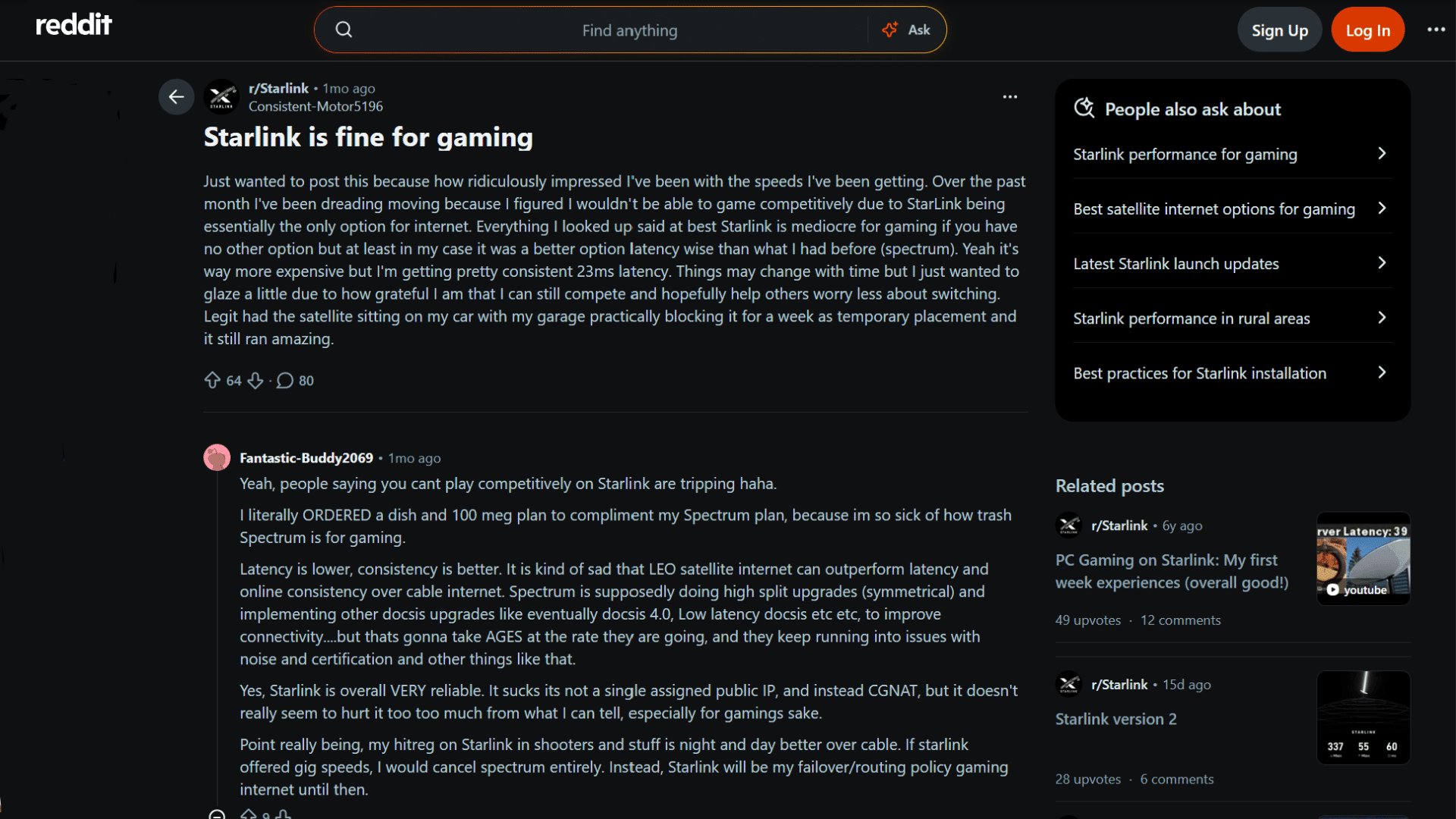
Reddit feedback shows that there is no single Starlink gaming experience.
Location, congestion, dish visibility, game-server routing, and the player’s home network can all influence the result.
The connection being replaced matters too: rural gamers moving from poor DSL often judge Starlink differently from players comparing it with fiber.
Recent discussions show just how wide that range can be:
| Reddit Experience | Gaming Result | Main Takeaway |
|---|---|---|
| User reporting ~23 ms | Competitive gaming felt good | Starlink can perform very well |
| Users reporting 20–40 ms | Multiplayer generally smooth | Common positive experience |
| COD player around 45–55 ms | Ping changed quickly | Jitter matters alongside average ping |
| Battlefield player reporting packet loss | High ping/loss occurred despite Ethernet | Good speed does not guarantee stable gameplay |
The Positive Experiences
Some recent Starlink users describe gaming performance that is much better than many players expect from satellite internet.
In a July 2026 Reddit discussion on Starlink, one user reported roughly 23 ms latency and said competitive gaming worked well.
Some users have also reported around 20–40 ms while playing games such as Apex Legends, Rainbow Six, and Call of Duty.
These reports show that low-latency Starlink gaming is possible, but they should not be treated as typical results for every location.
The most positive reports tend to come from gamers replacing poor rural broadband
The Complaints About Jitter and Packet Loss
Competitive players are more likely to criticize Starlink when they compare its latency consistency with fiber or cable.
Other gamers report a different problem: their Starlink speed and average latency look good, but gameplay still feels inconsistent.
One competitive Call of Duty player reported roughly 45–55 ms in-game ping despite lower latency in the Starlink app and an Ethernet connection.
Another Battlefield player described packet-loss issues even with an unobstructed setup.
Attention gamers! Two players with similar Starlink speeds can have very different opinions about Starlink’s gaming performance.
What Actually Determines Starlink Gaming Performance?
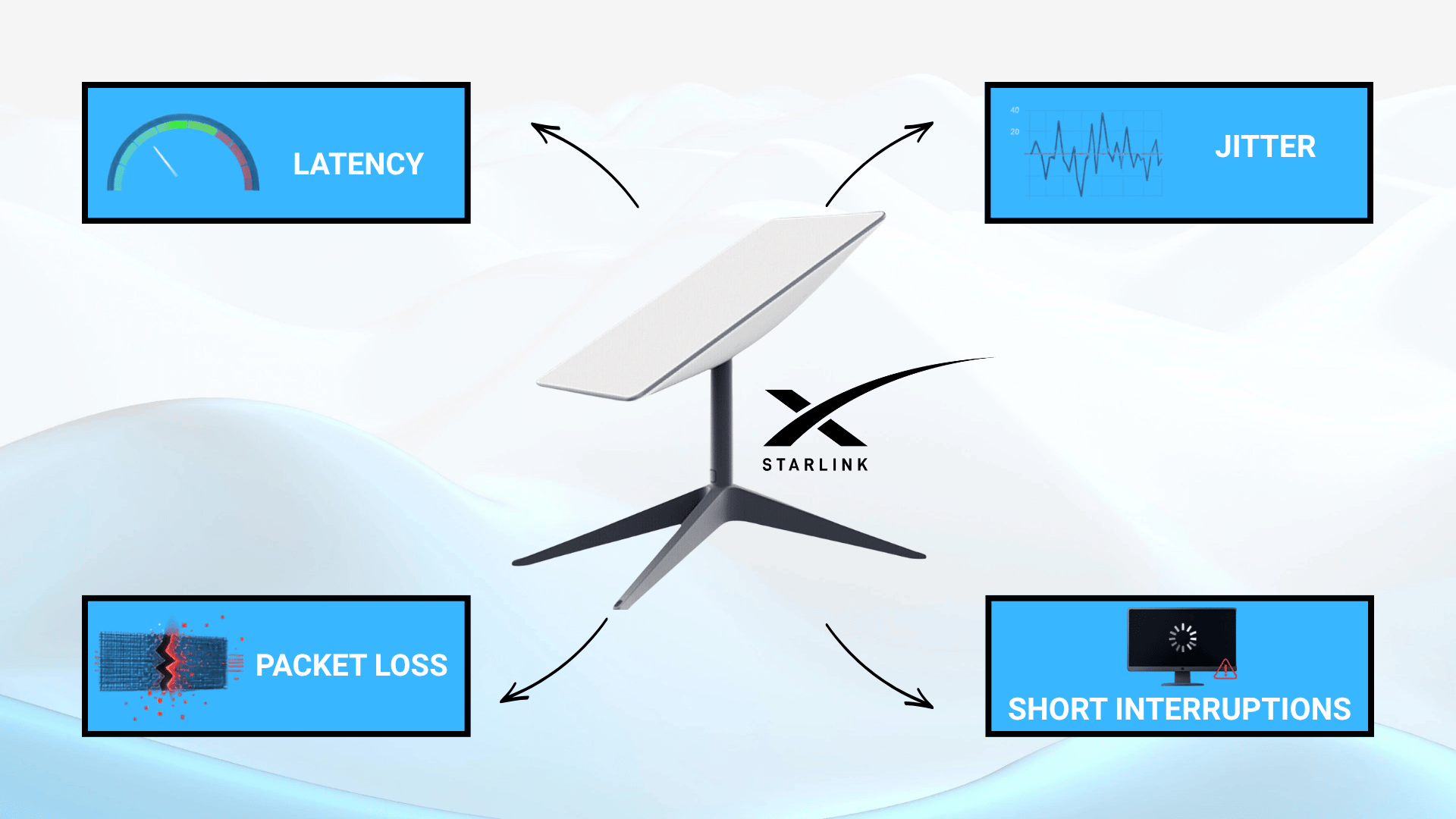
Starlink gaming performance depends less on headline download speed and more on connection stability during a match.
A speed test may show strong download speeds, but gameplay can still suffer from sudden delays or interruptions. The four factors that matter most are latency, jitter, packet loss, and short connection drops.
1. Latency
Latency measures how long data takes to travel between you and the game server. Server distance and routing can affect this number, which is why two Starlink gamers may see different ping while playing the same game.
Lower latency generally feels more responsive, especially in competitive shooters where small delays can affect aiming and movement.
2. Jitter
Jitter is the amount your latency changes during a session. A connection averaging 40 ms may still feel inconsistent if ping repeatedly jumps much higher.
Local Starlink capacity and slow speeds can contribute to this variation, making peak-hour gaming different from daytime performance.
3. Packet Loss
Packet loss occurs when some game data fails to reach its destination. It can appear as rubber-banding, delayed actions, or inconsistent hit registration.
Obstructions such as trees, roofs, or buildings can contribute to connection problems, so check the obstruction map in the Starlink app before judging gaming performance.
4. Short Interruptions
Brief connection drops can cause freezing or even disconnect a player from an online match. Unlike video streaming, games cannot rely on buffering to hide these interruptions.
Household downloads, uploads, weak Wi-Fi, dish visibility, and wider network conditions can all affect how stable the connection remains.
This is why two gamers with similar Starlink download speeds can still have very different gaming experiences.
Is Starlink Good for Competitive Gaming?
Starlink can handle competitive games, but whether it feels “good” depends on how seriously you play and how much latency variation you can tolerate.
The difference becomes easier to notice in Valorant, CS2, and similar tactical shooters, where a sudden ping change can affect aiming, peeking, or hit registration.
Recent Reddit discussions reflect both experiences: some competitive players report smooth matches, while others say latency swings make ranked play frustrating.
In practical terms:
- Casual competitive play: Usually good enough with stable ping.
- Ranked matches: Playable, but occasional spikes may be noticeable.
- Tactical shooters: More sensitive to jitter and packet loss.
- Esports-level play: Stable fiber remains the better option when available.
Starlink Gaming Experience by Game Type
Different game types tolerate latency variation differently. Based on Starlink’s typical latency characteristics and community experiences, here is a practical way to set expectations:
| Gaming Type | Starlink Suitability | Main Concern |
|---|---|---|
| Single-player downloads | Excellent | Download time |
| Casual online multiplayer | Good | Occasional latency variation |
| MMOs and co-op | Good | Brief interruptions |
| Battle royale | Good to mixed | Ping spikes |
| Competitive FPS | Mixed to good | Jitter and packet loss |
| Professional esports | Not ideal when fiber exists | Maximum consistency |
| Cloud gaming | Mixed | Added latency |
How to Make Starlink Better for Gaming?

You cannot remove every Starlink latency spike, but a few setup changes can make gaming more consistent.
- Clear the dish view: Trees, roofs, and other obstructions can cause brief interruptions.
- Use Ethernet when possible: A wired connection removes Wi-Fi instability between your device and router.
- Limit heavy network activity: Large downloads, uploads, or multiple streams can affect gaming performance.
- Test during peak hours: Evening results may differ from daytime performance.
- Watch ping and packet loss: High Mbps does not guarantee smooth gameplay.
- Improve Wi-Fi strength: If Ethernet is not practical, keep the gaming device on a strong, reliable router connection.
- Enable bypass mode: Running a third-party router behind the Starlink router without bypass mode creates double NAT, which can add 5–15 ms and block the open NAT type some games need.
Final Takeaway
So, is Starlink good for gaming? For many users, yes, particularly gamers who do not have reliable cable or fiber available.
Community reports show that smooth multiplayer and even competitive gaming are possible, but the experience varies considerably by location and connection conditions.
The biggest complaints are usually not slow downloads but jitter, packet loss, and occasional latency spikes. That makes your local performance more useful than any single advertised speed or Reddit ping result.
Before switching, check Starlink’s expected performance and sky visibility for your location, then test the connection during the hours you normally play.
Already gaming on Starlink? Share your game, typical ping, and whether you experience lag or packet loss in the comments.
Frequently Asked Questions
Does Starlink Work With PlayStation and Xbox?
Yes. Starlink can support PlayStation and Xbox online gaming, including multiplayer and game downloads. Performance still depends on connection stability, server location, and your home network.
Can You Use Voice Chat While Gaming on Starlink?
Usually, yes. Discord, Xbox party chat, PlayStation voice chat, and in-game communication generally work, although brief connection drops can occasionally interrupt conversations.
Does Starlink Have NAT Issues for Gaming?
Starlink commonly uses carrier-grade NAT, which can affect certain hosting or peer-to-peer situations. Most modern online games still work normally without requiring a public IPv4 address.
Can Multiple People Game on Starlink at the Same Time?
Yes, multiple devices can game simultaneously if the connection remains stable. Problems are more likely when gaming competes with large downloads, uploads, or heavy streaming.
Who is Starlink Best for When Gaming?
Starlink internet is good for gamers without reliable cable or fiber, especially in rural areas. If stable wired broadband is available, it usually offers more consistent latency.