

Your internet plan may promise 500 Mbps or even 1 Gbps, but that number only tells part of the story.
The type of connection bringing data into your home can affect speed, upload performance, lag, and how steady the connection feels when several devices are online.
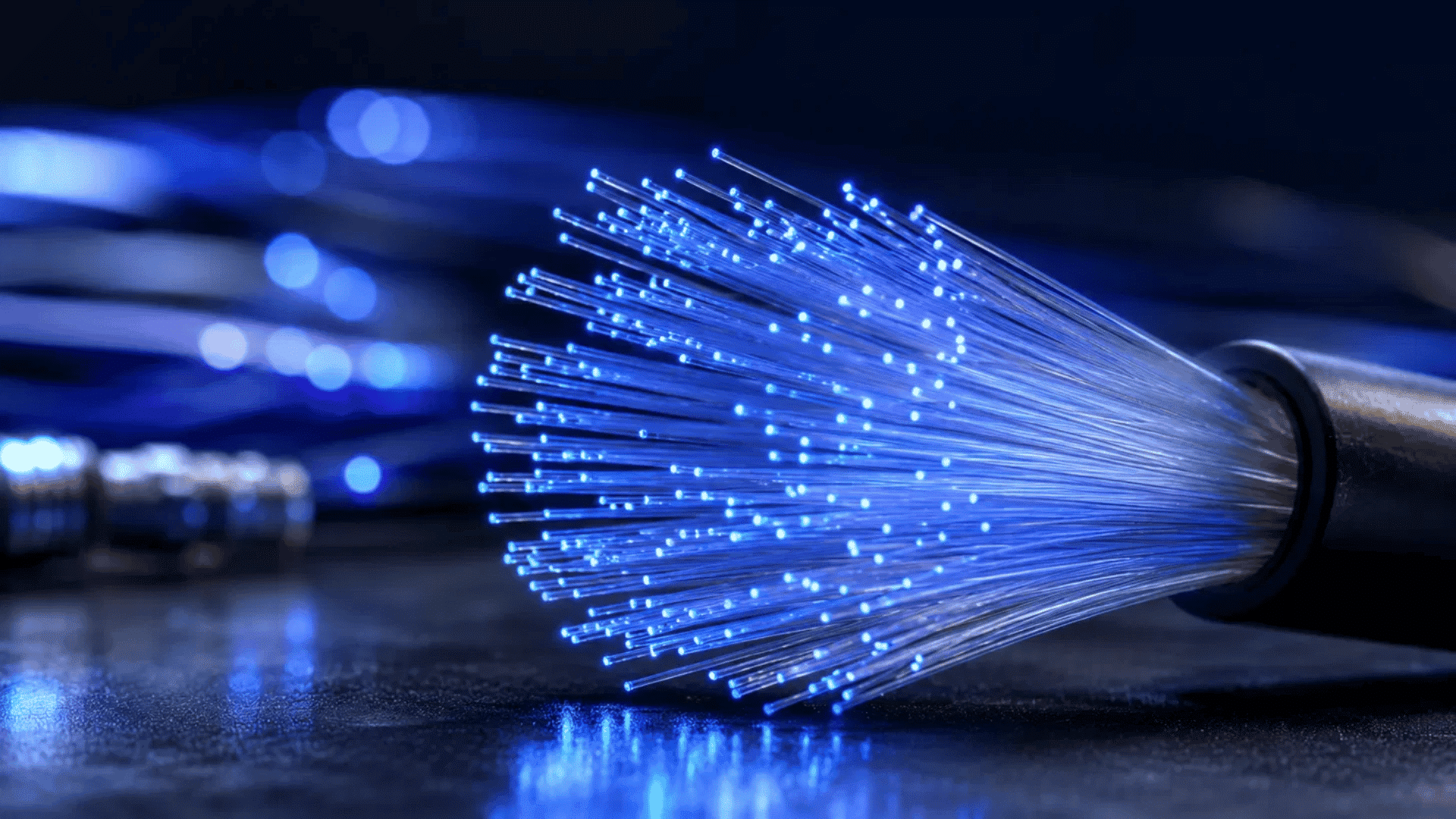
So, what is fiber internet, and why does it often perform differently from cable or DSL? Fiber sends data as pulses of light through very thin glass strands instead of using electrical signals over copper wires.
That basic difference can support faster speeds, lower latency, and similar upload and download rates.
This guide explains what fiber optic internet is, how it works, how it compares with cable, DSL, satellite, and Wi-Fi, and when paying for fiber actually makes sense.
What is Fiber Internet?
What is fiber internet? It is a type of broadband connection that sends data as pulses of light through thin strands of glass or plastic.
Cable and DSL connections rely on electrical signals moving through copper-based lines. Since light can carry large amounts of data quickly, fiber can support very fast internet speeds with strong performance over longer distances.
If fiber reaches your home directly, you may notice the biggest difference when uploading large files, joining video calls, gaming, or using several devices at once.
Fiber plans can also offer symmetrical speeds, which means the upload and download speeds are the same. AT&T, for example, currently offers symmetrical upload and download speeds on its fiber service.
Key Facts About Fiber Internet:
- Speed: Residential fiber plans commonly range from a few hundred Mbps to multi-gigabit speeds, depending on the provider and location.
- Upload speeds: Many fiber plans offer symmetrical speeds, so a 1 Gbps plan may provide close to 1 Gbps for both uploads and downloads.
- Connection type: Data travels through fiber strands as light rather than through copper as electrical signals.
- Availability: Fiber is still not available at every U.S. address. The FCC National Broadband Map tracks availability by individual serviceable location, and providers report updated coverage data twice each year. (BDC Help Center)
- Important: Availability percentages depend on the FCC dataset and date used. For example, an FCC report using December 2022 data placed fiber-to-the-premises availability at 39.8% of U.S. households, so you shouldn’t present a current “56%+” figure without a newer matching FCC dataset.
In simple terms, fiber gives your home a faster path for moving data, but its real value becomes clearer once you see how that light-based connection actually works.
How does Fiber Internet Actually Work?
Fiber internet works by sending data as light through thin fiber strands.
The process starts with the provider’s network, moves through fiber lines toward the home, and then connects to networking equipment that sends the connection to everyday devices.
1. Data Moves Through Fiber as Light

Fiber cables carry data using light instead of electrical signals. This lets the connection move large amounts of data through very thin strands.
Internet providers often use fiber across their main network, but the important part is how far that fiber continues before it reaches the customer.
The closer fiber gets to the home, the less the connection depends on older copper wiring.
2. Fiber Reaches a Specific Point Near the Home
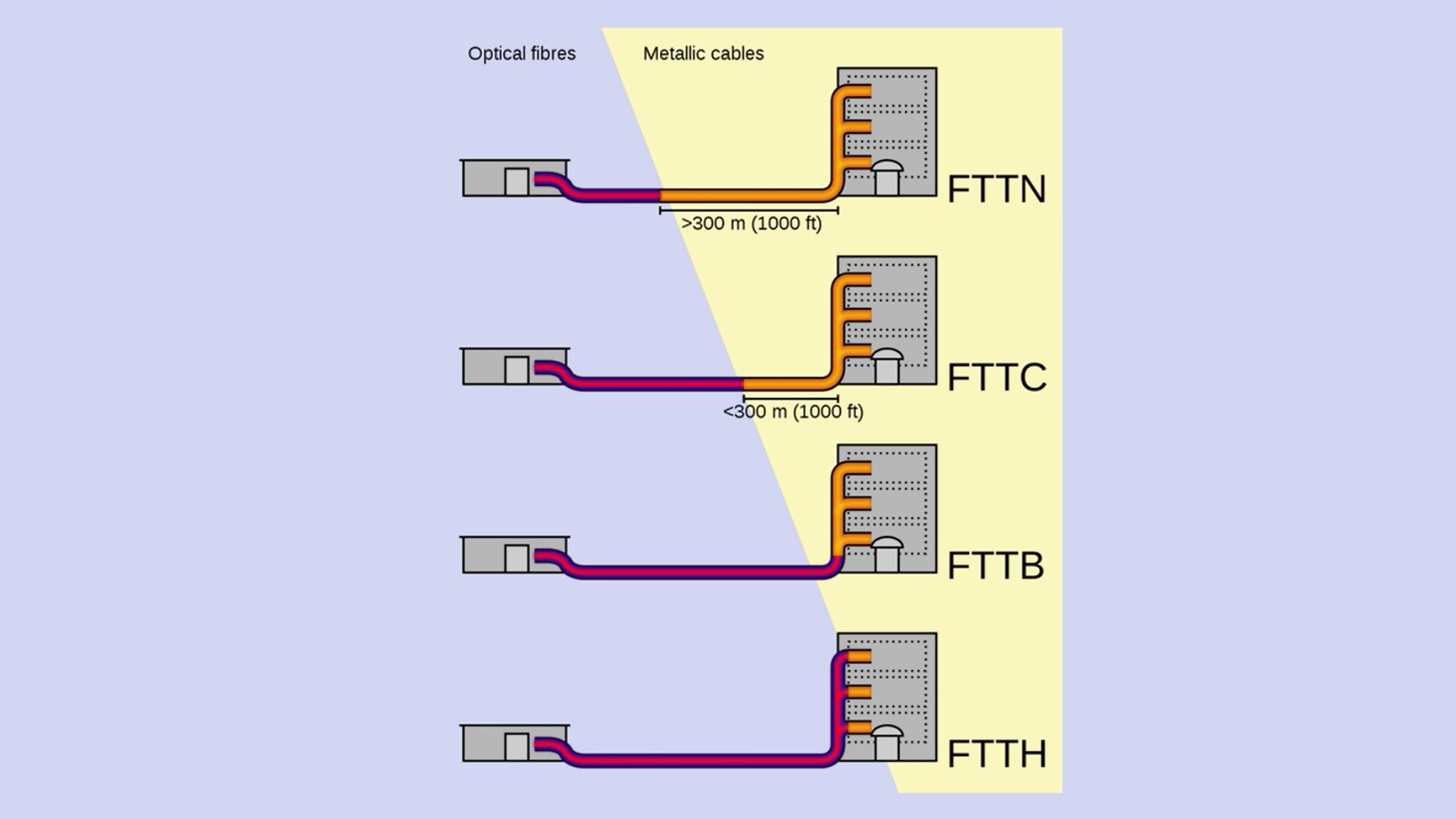
Fiber does not always end in the same place. It may reach the home itself, a nearby curb, or a neighborhood node.
| Fiber Setup | Where Fiber Ends |
|---|---|
| FTTH | At the home |
| FTTN | At a neighborhood node |
| FTTC | Near the curb |
A connection with fiber running directly to the home keeps fiber in the path for a longer distance.
3. Network Equipment Converts the Signal
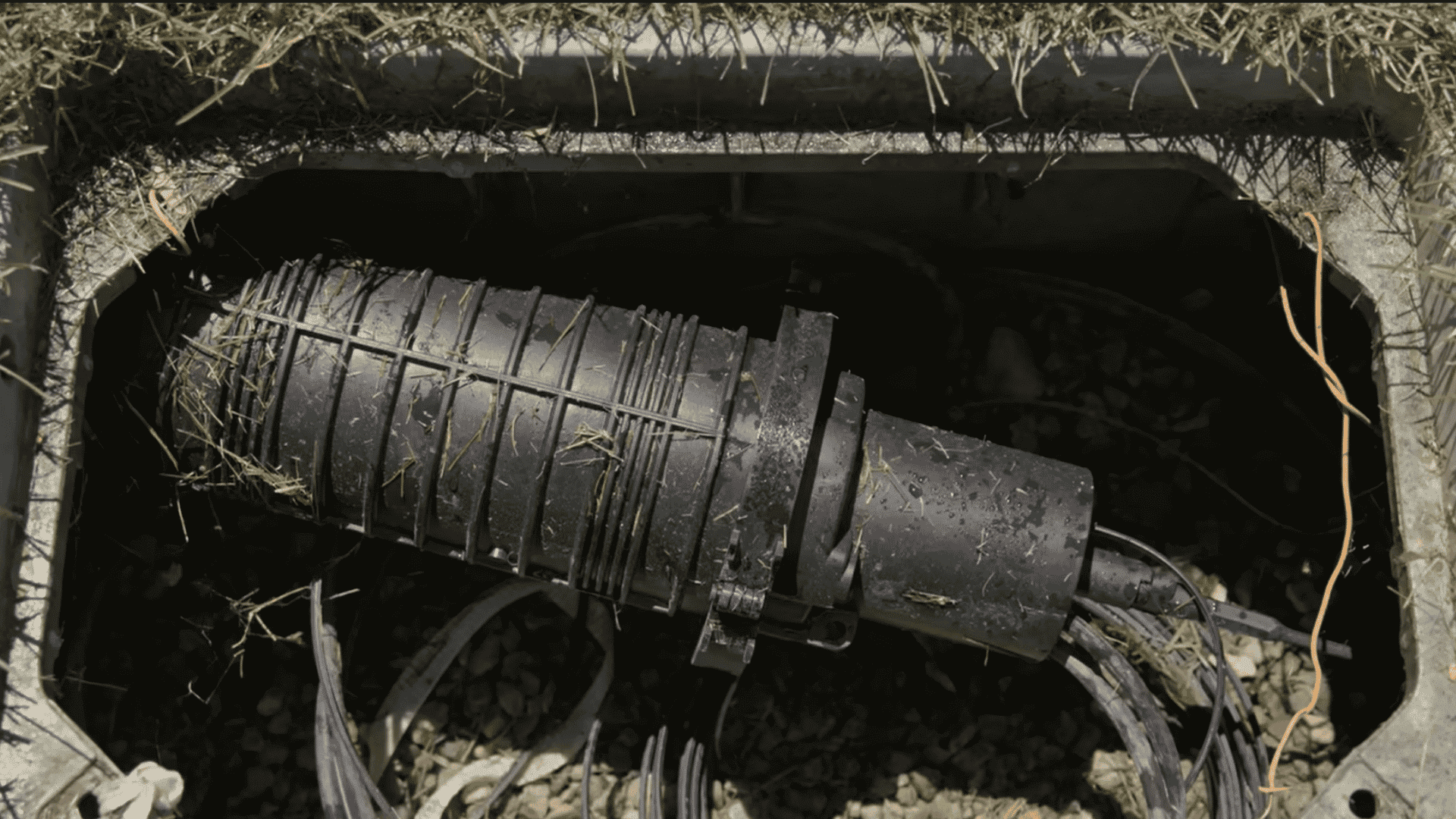
Once the fiber line reaches the property, networking equipment receives the optical signal and converts it into a form the local network can use.
In a typical setup, the connection then moves toward the router, where details such as the router’s IP address are used to manage the local network.
| Fiber line → signal conversion equipment → router |
This step connects the provider’s fiber network with the devices and cables used inside the home.
4. The Router Connects Your Devices
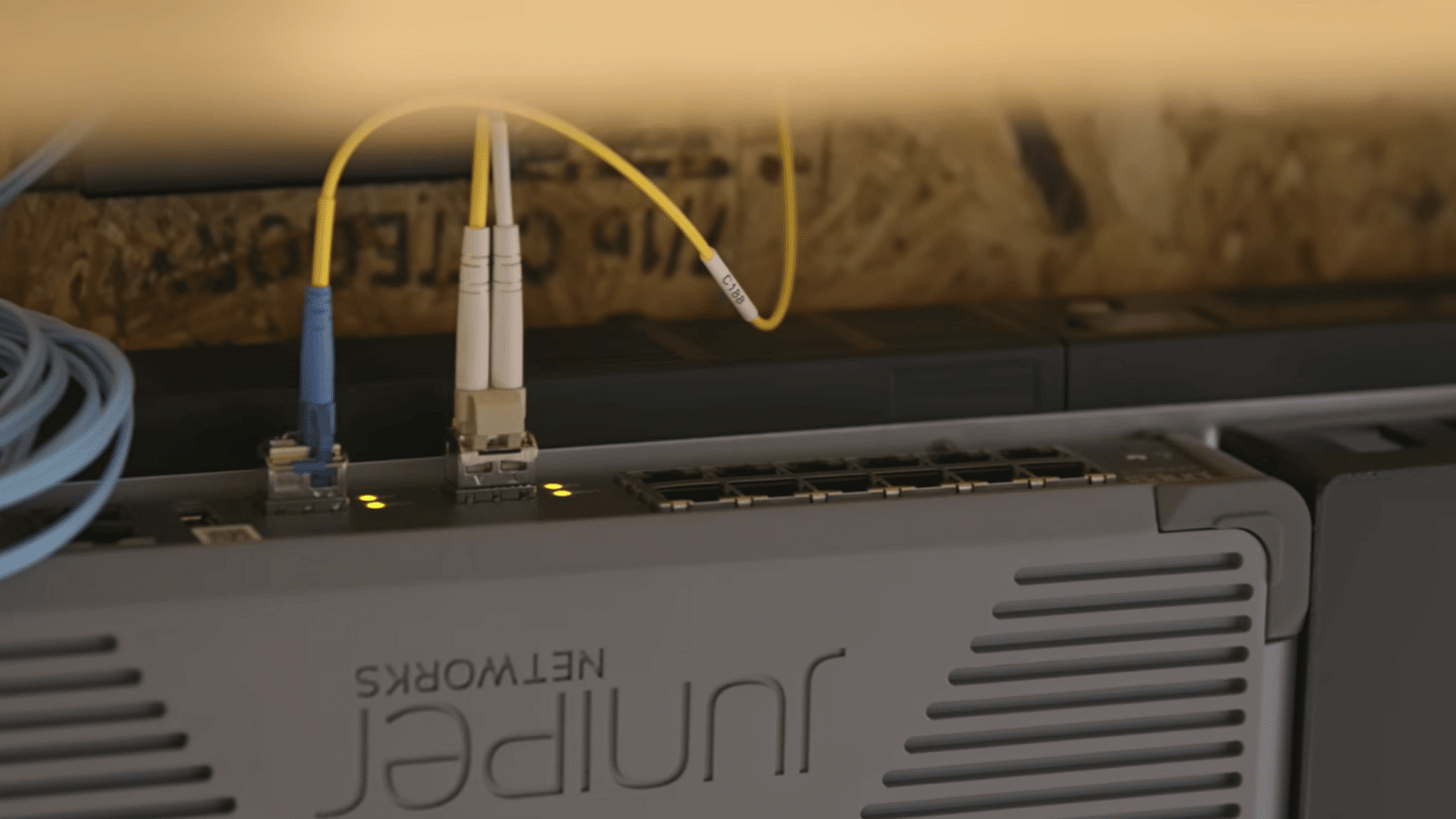
The router manages traffic between the internet connection and devices around the home. Devices can connect wirelessly or through a cable.
- Wi-Fi: Phones, tablets, laptops, and smart devices
- Ethernet: PCs, TVs, consoles, and other wired devices
The speed a device receives can still depend on the router, Wi-Fi signal, cable type, and device hardware.
5. Data Can Move Quickly in Both Directions
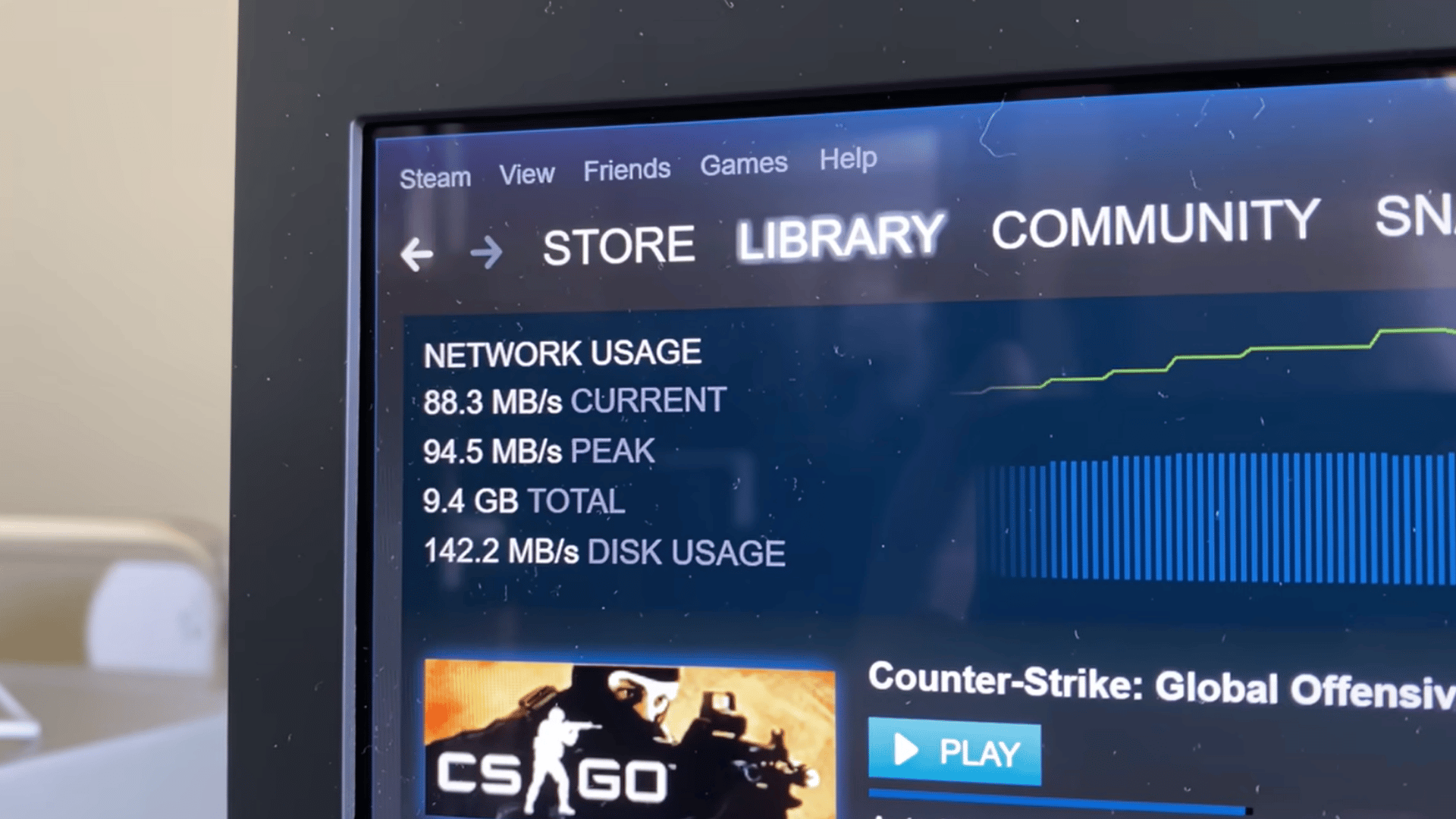
Fiber connections can support strong download and upload performance. A symmetrical 1,000 Mbps connection, for example, provides up to 1,000 Mbps in both directions.
That can make a noticeable difference when uploading large files, backing up data, joining video calls, or sending large videos.
Fiber can also reduce part of the delay between the home and the provider, though the final response time still depends on the server being contacted.
For a clearer visual explanation, watch this video by Snazzy Labs, which shows how a fiber connection is installed, connected, and tested in a real setup.
Fiber vs. Cable vs. DSL vs. Satellite vs. Wi-Fi
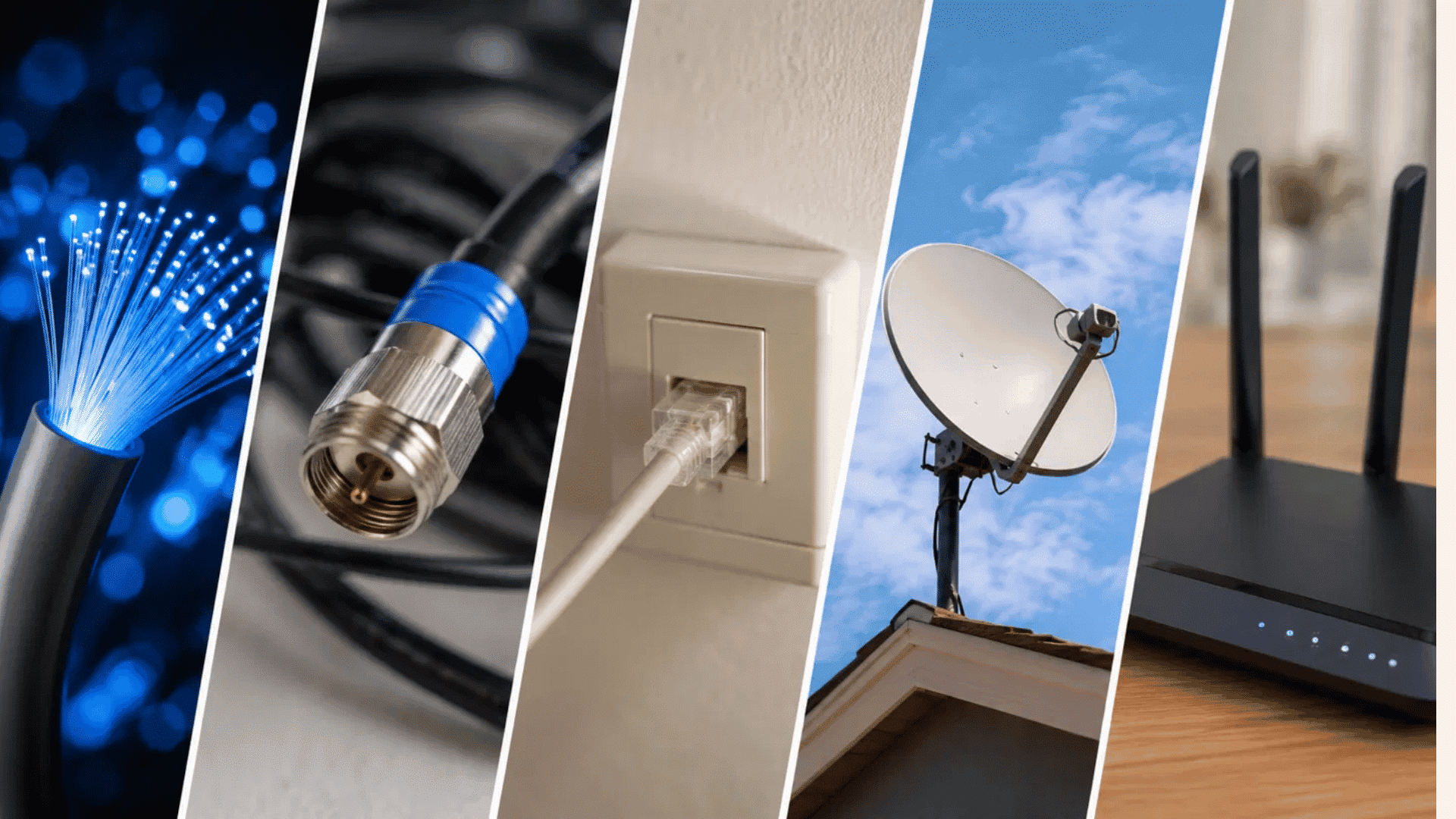
Fiber, cable, DSL, and satellite all bring internet service to a home in different ways.
The FCC’s fixed broadband technology definitions classify fiber as fiber to the premises, cable as coaxial or hybrid fiber-coaxial, DSL under copper wire, and satellite as a non-terrestrial wireless service.
| Connection Type | Technology | Typical Speed | Latency | Symmetrical Speeds? | Reliability | Availability |
|---|---|---|---|---|---|---|
| Fiber | Fiber-optic cable | Hundreds of Mbps to 5 Gbps+ | Low | Often yes | Strong wired connection | Limited by local fiber buildout |
| Cable | Coaxial or hybrid fiber-coaxial | Hundreds of Mbps to multi-gig plans | Low to moderate | Usually no | Strong, but shared local capacity can matter | Common in populated areas |
| DSL | Copper phone lines | Usually slower than cable and fiber | Moderate | Usually no | Distance from provider equipment can affect performance | Available in some areas with phone infrastructure |
| Satellite | Satellite dish and wireless signal | About 45 to 280 Mbps on current Starlink service | About 25 to 60 ms on land | No | Can vary with location, network load, and conditions | Useful where wired service is unavailable |
| Wi-Fi | Radio waves from a router | Depends on internet plan, router, device, and distance | Adds local network delay | Not applicable | Walls, interference, and distance affect it | Available wherever a Wi-Fi network is set up |
The FCC National Broadband Map is useful for checking which of these connection types are actually offered at a specific U.S. address. It shows reported providers, technologies, and maximum advertised upload and download speeds.
Fiber vs. Wi-Fi Is Not Really a Direct Comparison
The difference between Wi-Fi and internet becomes clear because fiber and Wi-Fi do two different jobs.
Fiber brings the internet connection into the home, while Wi-Fi sends that connection from the router to phones, laptops, TVs, and other nearby devices.
A simple way to see the difference is:
| Fiber → Router → Wi-Fi → Device |
This also explains why installing fiber does not automatically mean every phone or laptop will reach the full plan speed.
Router quality, Wi-Fi standard, distance, walls, and device hardware can still reduce performance, making Wi-Fi extender and booster options relevant for areas with weak coverage.
For a real provider example, AT&T’s broadband performance page states that its fiber speed tiers use similar download and upload speeds, while its copper-based IPBB tiers use different download and upload speeds.
Types of Fiber Internet
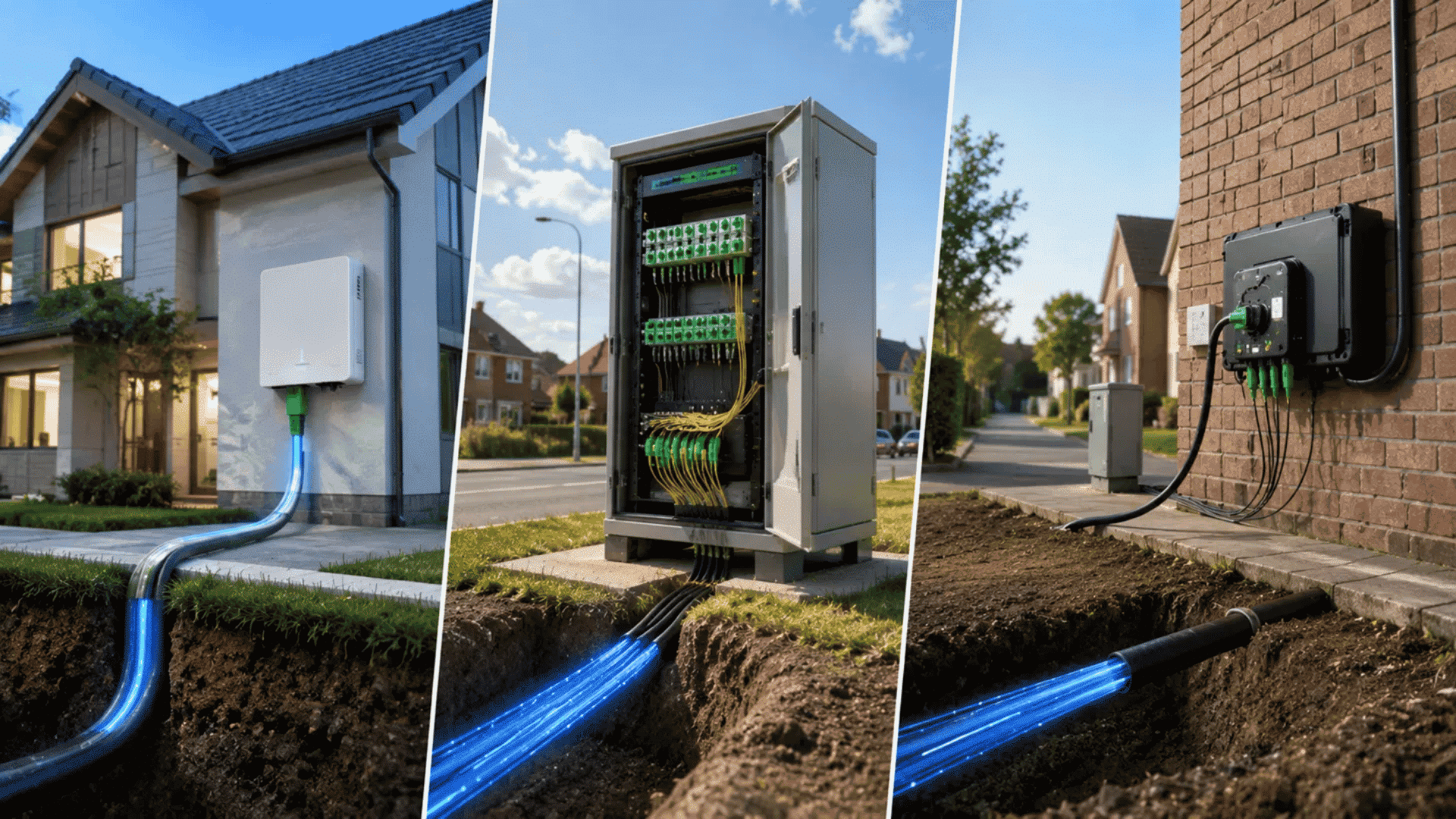
Not every fiber connection reaches the home in the same way. The main difference is where the fiber line ends and what type of cable carries the connection for the final stretch.
| Fiber Type | Where Fiber Ends | Final Connection to Home | What It Means for Speed |
|---|---|---|---|
| FTTH (Fiber to the Home) | At the home or building | Fiber | Usually gives the strongest fiber performance because the final stretch stays on fiber |
| FTTN (Fiber to the Node) | At a neighborhood node | Copper | Speed can drop as the copper distance between the node and home increases |
| FTTC (Fiber to the Curb) | At a curb or nearby cabinet | Short copper run | Usually keeps more fiber performance than FTTN, but it is still not full fiber to the home |
Why the Final Connection Matters
Two plans can both mention fiber but still work differently. With FTTH, fiber reaches the property itself. With FTTN and FTTC, the connection switches to copper before it reaches the home.
That last section can affect upload speed, latency, and the speed a household actually gets. A longer copper run can create more limits than a full fiber connection.
For readers comparing plans, the useful question is not only “Does this provider offer fiber?” It is also “Does the fiber reach my home, curb, or neighborhood node?”
What Internet Speed do You Actually Need?
The right speed depends less on one device and more on how many people and activities share the connection at the same time.
The FCC now uses 100 Mbps download and 20 Mbps upload as its benchmark for fixed broadband, while noting that larger households and growing device counts can need more.
| Household Use | Common Activities | Suggested Speed Tier |
|---|---|---|
| 1 to 2 people, light use | Browsing, email, HD streaming, social media | 100 Mbps |
| 2 to 4 people, regular use | 4K streaming, gaming, video calls, smart devices | 300 Mbps |
| 3 to 5 people, heavy use | Several streams, gaming, remote work, cloud backups | 500 Mbps |
| 4+ people, very heavy use | Multiple 4K streams, large downloads, many connected devices | 1 Gbps |
| Creators or upload-heavy homes | Large video uploads, cloud storage, remote production | 1 Gbps symmetrical or higher |
These tiers are practical household targets, not strict requirements.
Netflix recommends about 15 Mbps for one 4K stream, while Zoom lists roughly 3.8 Mbps upload and 3 Mbps download for 1080p video calls. Several people doing these tasks together increase the bandwidth needed.
For fiber users, upload speed deserves extra attention. A symmetrical plan can be especially useful for video calls, cloud backups, and content creation because uploads do not have to share a much smaller upstream limit.
Benefits of Fiber Internet
Fiber internet offers more than higher speed numbers. Its biggest gains show up when several devices are active, uploads matter as much as downloads, or you need a stable connection for work, gaming, streaming, and cloud services.
- Fast speeds: Fiber supports gigabit and multi-gigabit plans, which helps with 4K streaming, large downloads, and cloud backups.
- Strong upload performance: Symmetrical plans can offer similar upload and download speeds, which helps with video calls and large file uploads.
- Low latency: Short response times can improve gaming, video meetings, and remote work.
- Reliable connection: Fiber is less affected by electromagnetic interference than copper wiring.
- Higher capacity: Fiber can support more connected devices and heavier internet use as household needs grow.
Overall, fiber works especially well for homes that regularly stream, game, work remotely, or upload large files. The actual experience still depends on the chosen plan, router, Wi-Fi setup, and connected devices.
In March 2026, the FCC said the U.S. continues shifting from slower copper networks toward high-speed fiber-to-the-premises connections, backed by ongoing infrastructure investment.
The Trade-Offs Nobody Mentions
Fiber internet can be a strong option, but it still comes with a few practical limits. These points matter most when comparing providers, planning installation, or preparing for outages.
- Installation can be more involved: If fiber has not reached the property, setup may require new cabling, drilling, or underground work. Some providers include this, while others may charge extra.
- Availability can change by address: Fiber coverage isn’t always consistent within the same neighborhood. The FCC National Broadband Map can help check service at a specific address.
- Fiber cables need careful handling: Tight bends, crushing, or cuts can interrupt the light signal. Keep this in mind during renovations or when moving network equipment.
- Power outages can still stop service: The fiber line carries light, but the ONT, router, and Wi-Fi equipment need electricity. A compatible UPS or battery backup can keep them running for a limited time.
These limits do not cancel out fiber’s benefits, but they are worth checking before signing up.
Is Fiber Internet Available Where You Live?
Fiber availability can change from one street to the next, so a ZIP code check is not enough. Start with the FCC National Broadband Map and search the exact address.
It shows which providers report fiber service, the connection type, and advertised speeds for that location.
It also helps to check provider coverage pages because network buildouts can change before every public database reflects the update.
If fiber is not available yet, cable is often the closest wired option for high speeds. Fixed wireless can also work well where cable choices are weak.
Before choosing, compare download speed, upload speed, latency, price, and contract terms instead of focusing only on the biggest speed number.
Fiber Internet Terms Worth Knowing
Fiber internet comes with a few terms that show up again and again on provider pages. Knowing what they mean makes it much easier to compare plans without getting lost in technical wording.
| Term | What It Means |
|---|---|
| Mbps | Megabits per second. Used to measure internet speed. |
| Gbps | Gigabits per second. One Gbps equals 1,000 Mbps. |
| Latency | The delay between sending and receiving data. Lower latency helps with gaming and video calls. |
| ONT | Optical Network Terminal. It converts the fiber signal into data that home network equipment can use. |
| Symmetrical speeds | Upload and download speeds are the same or very close. |
| FTTH | Fiber to the Home. Fiber runs directly to the home instead of switching to copper earlier. |
These terms are worth checking before choosing a plan because they explain more about real performance than the advertised download speed alone.
Finishing Up
Fiber internet makes the most sense when speed, upload performance, low delay, and steady service matter in daily use.
It can be especially useful for homes with remote work, gaming, streaming, cloud backups, or several active devices.
Still, the right choice depends on more than the word “fiber.” Check if the service is FTTH, compare upload and download speeds, review installation terms, and confirm availability at the exact address.
Before choosing a plan, compare fiber with the cable, DSL, satellite, or fixed wireless options available nearby. Look at the full setup, not just the highest advertised speed.
Ready to compare your options? Check the FCC Broadband Map, review provider details, and share which connection type works best in your area.
Frequently Asked Questions
Does Fiber Internet Increase Your Electric Bill?
The ONT typically draws only 5–12 watts, adding roughly $1–$2 monthly to electricity costs, minor compared to speed and reliability gains.
Does Weather Affect Fiber Internet?
Fiber resists electromagnetic interference and lightning better than copper, but extreme heat, ice, or storm damage to buried or aerial lines can cause outages.
Is Fiber Optic Becoming Obsolete?
No, fiber remains the industry’s long-term backbone technology. Providers are retiring copper networks in its favor, not phasing fiber out, as deployment continues to expand.
Do I Need a Technician to Install Fiber Internet?
Usually yes, a technician runs the fiber line and installs the ONT. Some providers offer self-install kits, but professional setup ensures reliability.